
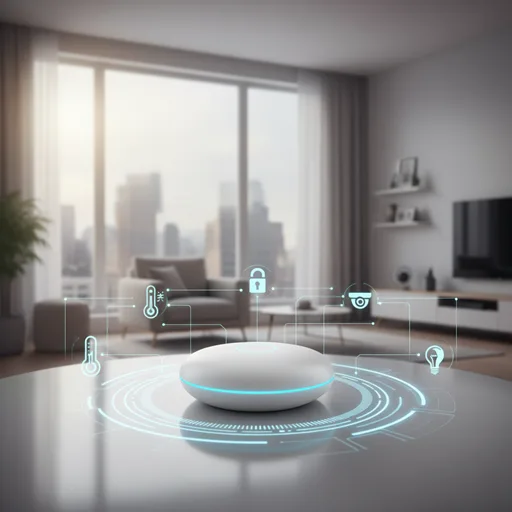
Step into almost any modern home, and you’ll see a quiet change happening. Lights turn off on their own, thermostats adjust without being touched, and doors lock themselves at night. This isn’t something from a futuristic movie—it’s the usual way of life in today’s smart home technology. But here’s the twist: while smart devices are everywhere, most people quickly discover they don’t always play nicely together. That’s exactly why smart hubs have become the talk of the town.
Think about it. You buy a Philips Hue bulb, a Yale smart lock, and a Nest thermostat. Each comes with its own app. Before long, your phone looks like a cluttered control panel, and you’re juggling between apps to get through your evening routine. Frustrating, right? A smart home hub solves this by acting as the translator and conductor, pulling all those devices into one seamless system.
The buzz around hubs has grown louder in 2025 for two big reasons. First, the launch of Matter—a universal standard supported by major companies like Apple, Google, Amazon, and Samsung—has turned seamless device compatibility into a real possibility. For the first time, a light bulb from one brand can easily communicate with a speaker from another brand without needing extra steps or workarounds. Second, the growing number of inexpensive smart devices has made it easier for regular families to set up smart homes, not just those who are into technology.
Real-life examples back this up. A family in Chicago used a Hubitat Elevation hub to control their heating system. When their kids opened the back door during winter, the thermostat automatically paused until the door was closed again. The result was lower energy bills and fewer family disputes. Stories like these show why smart home hubs aren’t just tools—they’re practical solutions to everyday problems.
Here’s a stat that competitors often miss: the worldwide smart home market is projected to reach over $231 billion by 2028, as reported by Statista, and hubs are a key part of this growth. That’s not hype—it’s momentum.
- Smart Hub Basics
- Do You Really Need a Smart Hub in 2025?
- Types of Smart Hubs You’ll Come Across
- Smart Hub Features That Actually Make Life Easier
- Smart Hub Compatibility Guide (Matter, Zigbee, Z‑Wave, Thread)
- Best Smart Hubs in 2025
- Smart Hub Setup Guide for Beginners
- Smart Hub Myths That Need Busting
- The Future of Smart Hubs—Where Things Are Headed
- Final Thoughts—Should You Buy a Smart Hub Today?
- FAQs
- Conclusion
Smart Hub Basics
When people first hear the term smart hub, it can sound like something out of a sci‑fi movie. In reality, it’s far simpler—and far more useful—than most guides make it out to be. At its heart, a smart hub is the central brain of your smart home, the piece that connects all your gadgets and makes them work together instead of in isolation. Without it, you’re left juggling multiple apps and hoping your devices cooperate. With it, your home feels like one seamless system.
What Exactly Is a Smart Hub?
A smart home hub is a device—or sometimes software—that acts as a translator between your smart gadgets. Each device you buy speaks its own “language.” A Philips Hue bulb might use Zigbee, a Yale lock might use Z‑Wave, and your Nest thermostat might rely on Wi‑Fi. On their own, they don’t talk to each other. The hub bridges that gap, allowing you to create routines like: “When I unlock the door, turn on the hallway lights and adjust the thermostat.”
This is where competitors often fall short—they define the hub but rarely explain its value in daily life. The truth is, a hub isn’t just about convenience; it’s about reliability, privacy, and future‑proofing your home.
How Smart Hubs Work Behind the Scenes?
Here’s the part most articles gloss over: protocols. A hub is multilingual, speaking Zigbee, Z‑Wave, Wi‑Fi, Bluetooth, Thread, and now Matter. Each protocol has strengths:
- Zigbee: low‑power, great for bulbs and sensors.
- Z‑Wave: reliable, long‑range, often used in locks.
- Thread: fast, self‑healing mesh, built for the future.
- Matter: the universal standard that finally unites brands.
By supporting multiple protocols, a hub ensures your devices don’t just coexist—they collaborate. For example, a Chicago family used a Hubitat Elevation hub to pause heating whenever the back door opened in winter. That’s not just smart—it’s practical, saving money and energy.
Smart Hub vs Smart Speaker—Don’t Mix Them Up
A common misconception is that a smart speaker like Amazon Echo or Google Nest is the same as a hub. While some models double as hubs, many rely on the cloud. That means if your internet goes down, so does your smart home. A true hub keeps things running locally, ensuring your automations don’t grind to a halt.
Smart Hub vs Smart Platform
Another confusion: Alexa, Google Home, and Apple HomeKit are platforms, not hubs. They’re the software brains, but they often need a hub to connect to devices that don’t run on Wi‑Fi. Think of it this way: the platform is the coach, but the hub is the translator making sure every player understands the game plan.
Do You Really Need a Smart Hub in 2025?
The short answer: it depends on how far you want to take your smart home automation. In 2025, the conversation around hubs has shifted. A few years ago, you could get away with Wi‑Fi bulbs and a smart plug or two. Today, with Matter and Thread reshaping the landscape, the question isn’t just “Do I need a hub?” but “What kind of hub will future‑proof my home?”
The Case for a Hub—When It’s Essential
If you’re serious about building a connected home, a smart home hub is more than a luxury—it’s the backbone. The moment you add devices that use Zigbee or Z‑Wave, or you want advanced routines like “If the front door unlocks after 6 PM, turn on the hallway lights and play music”, a hub becomes indispensable.
Real‑world example: A family in Austin installed a Hubitat Elevation hub to run local automations. When their internet went down during a storm, their lights, locks, and thermostat still worked flawlessly. That’s the power of local control—something cloud‑only setups can’t promise.
When You Can Skip the Hub
If your setup is small—say, a couple of Wi‑Fi bulbs and a smart speaker—you can skip the hub for now. Platforms like Alexa and Google Home handle basic routines well enough. But here’s the catch: Wi‑Fi devices can overwhelm your router, and cloud‑based automations are only as reliable as your internet connection.
So while you can skip it, you may find yourself frustrated as your system grows. Think of it like building a house on sand—it works at first, but cracks show quickly.
Local Control vs Cloud Control—Why It Matters
Local control means your hub processes commands inside your home. It’s faster, more private, and works even if your internet is down.
Cloud control, on the other hand, sends every command to a server before it comes back. That adds latency and risk.
Types of Smart Hubs You’ll Come Across
Not all smart hubs are created equal. In fact, the market in 2025 offers three distinct categories, each designed for different kinds of households and levels of tech comfort. Understanding these types is crucial before you invest, because the wrong choice can leave you frustrated—or worse, with devices that don’t talk to each other.
Dedicated Smart Hubs
Dedicated hubs are special devices made for smart homes, like Samsung SmartThings, Hubitat Elevation, or Homey Pro. They are strong tools for managing a smart home, able to work with many types of smart devices, such as Zigbee, Z-Wave, Thread, and Matter. These hubs are best for bigger homes or setups that have lots of smart devices. For example, a homeowner in Dallas used SmartThings to unify 40+ devices from different brands into one seamless system. The result? A single app controlled everything from lights to locks. Dedicated hubs also excel at local control, meaning your automations keep running even if the internet drops—a feature competitors often overlook in their guides.
Integrated Smart Hubs
Integrated hubs are part of devices you may already own, like the Amazon Echo Hub or Google Nest Hub. These devices bring together voice assistants and hub capabilities, making them perfect for people who are just starting. Imagine saying “Alexa, goodnight” and seeing your lights get dimmer, your doors lock, and your thermostat change settings—all without having to use your phone. These hubs work well for smaller homes or those who prefer simplicity over complexity. While they may not support every advanced protocol in the region, they remain affordable, accessible, and easy to set up.
Software‑Based Smart Hubs
Then there are software‑based hubs like Apple HomeKit, the SmartThings app, or Home Assistant. Instead of buying extra hardware, you can use your phone, a smart speaker, or even a Raspberry Pi as the main control center. These choices are versatile and usually cost nothing, but they need more setup and some hands-on work. Many hobbyists like them because they allow for a lot of custom setups. For example, Home Assistant users frequently build dashboards that monitor various aspects in real time, such as energy consumption and security camera feeds.
Smart Hub Features That Actually Make Life Easier
Let’s be honest—most people don’t buy a smart home hub because they love tech specs. They buy it because they’re tired of juggling five different apps to turn off the lights and lock the door. What makes a smart hub truly valuable isn’t what’s under the hood—it’s how it simplifies your life.
Unified Control—One App to Rule Them All
Imagine opening one app and seeing your lights, thermostat, locks, and sensors all in one place. That’s the beauty of unified control. A hub brings all your devices together in one spot whether you’re using Samsung SmartThings, Hubitat, or Homey Pro. You won’t have to switch between Alexa, Google Home, and various apps for each brand. It’s similar to replacing a cluttered remote drawer with a single, easy-to-use dashboard.
Automations and Routines That Feel Like Magic
This is where hubs shine. You can create routines like “Good Morning” that turn on the lights, start the coffee maker, and adjust the thermostat—all triggered by a single command or schedule. With local control, these automations run even if your internet goes down. A homeowner in Toronto used Hubitat Elevation to automate their morning routine. When their Wi‑Fi failed during a snowstorm, everything still worked. That’s not just smart—it’s dependable.
Compatibility Across Brands and Devices
Smart hubs support multiple protocols—Zigbee, Z‑Wave, Thread, Matter—so you’re not locked into one brand. This means your Philips Hue bulbs can talk to your Yale lock, and your Nest thermostat can sync with your Aqara sensor. It’s cross‑brand harmony, and it’s something most cloud platforms still struggle with.
Security and Privacy Considerations
With privacy concerns on the rise, hubs like Home Assistant and Hubitat offer local‑only control, meaning your data stays inside your home. No cloud, no third‑party servers. That’s a huge win for families who value digital boundaries.
Smart Hub Compatibility Guide (Matter, Zigbee, Z‑Wave, Thread)
If you’ve ever bought a smart device and realized it doesn’t work with your existing setup, you’re not alone. Compatibility is the single biggest pain point in smart home automation—and it’s where most competitor articles skim the surface. Let’s dig deeper and demystify the protocols that make or break your smart hub experience.
What Is Matter and Why It Changes Everything
Matter is a new player in the smart home scene, and it’s already changing the game. Supported by big names like Apple, Google, Amazon, and Samsung, Matter is a universal standard that helps get rid of compatibility issues. With Matter, devices can communicate with each other even if they come from different brands—no more being stuck in separate ecosystems or having to use multiple apps.
For example, a Nanoleaf bulb that works with Matter can be controlled by Apple HomeKit, Google Home, or Amazon Alexa without needing an extra bridge.
That’s a big deal. The Connectivity Standards Alliance says over 1,000 Matter-certified products are expected by the end of 2025 (source). If you’re buying a hub now, make sure it supports Matter. It’s not just about being ready for the future—it’s about making your smart home life easier and more organized.
Zigbee vs Z-Wave—The Battle of Legacy Protocols
Before Matter, the smart home world was split between Zigbee and Z-Wave. Both are low-power mesh networks, meaning devices relay signals to each other for better coverage. But they’re not cross-compatible.
- Zigbee is commonly used in bulbs, sensors, and plugs. It’s quick and works well, but can cause issues if there’s not a strong hub to manage it.
- Z-Wave is often found in locks, thermostats, and security systems. It’s more dependable, but it’s not supported by as many devices.
Hubs like Samsung SmartThings and Hubitat Elevation work with both Zigbee and Z-Wave, making them great choices if you’re using different types of smart devices.
If you’re planning to set up a full home automation system, don’t overlook these protocols—they’re still useful and trustworthy.
Thread—The New Kid on the Block
Thread is sleek, fast, and built for the future. It’s a mesh protocol like Zigbee, but with better reliability and self-healing capabilities. Many Matter devices run on Thread, making it the backbone of next-gen smart homes.
Unlike Wi-Fi, Thread doesn’t clog your network. And unlike Zigbee, it’s designed to work seamlessly with Apple HomePod Mini, Google Nest Hub, and other Thread border routers. If your hub supports Thread, you’re already ahead of the curve.
How to Check If Your Devices Will Work With a Hub
Before buying a hub, check the product page for supported protocols. Look for Zigbee, Z-Wave, Thread, and Matter. If your hub only supports Wi-Fi, you’ll be limited to cloud-based devices—which means slower automations and more network strain.
Best Smart Hubs in 2025
Selecting the perfect smart home hub in 2025 goes beyond looking at features—it’s about finding the one that matches your way of living, the devices you use, and how comfortable you are with technology. The market is buzzing with options, but only a handful truly deliver on compatibility, automation, and privacy.
Samsung SmartThings Hub—The All-Rounder
If you want a central hub that works with several smart devices, Samsung SmartThings is an excellent alternative. It supports a variety of protocols, including Zigbee, Z-Wave, Matter, and Wi-Fi, making it ideal for configurations including devices from many brands. The program is simple to use, and the automation tools can handle even the most complex tasks. A homeowner in Atlanta used SmartThings to link 50+ devices across brands—lights, locks, sensors, and even a robotic vacuum. Everything worked in sync. That’s the kind of harmony most hubs struggle to achieve.
Amazon Echo Hub—Voice-First Simplicity
For Alexa users, the Amazon Echo Hub is a no-brainer. It combines voice control with hub functionality, supporting Matter and Thread. Setup is a breeze, and it’s perfect for beginners. Say “Alexa, goodnight,” and your home will answer promptly. While it does not support Z-Wave, it is an excellent option for Wi-Fi and Matter-based ecosystems. Additionally, it functions as a smart display.
Google Nest Hub (2nd Gen)—Best for Google Ecosystem
Suppose your home runs on Google Home; the Nest Hub is your automation gateway. It supports Matter and Thread, integrates beautifully with Nest devices, and offers voice and touch control. A family in Toronto used it to automate lighting and heating based on sunrise and sunset—no manual input needed. It’s smart, sleek, and surprisingly powerful.
Apple HomePod Mini—HomeKit Gateway
Apple fans, rejoice. The HomePod Mini acts as a HomeKit hub, supporting Thread and Matter. It’s ideal for privacy-conscious users who want local control. Automations are smooth, and Siri handles voice commands effortlessly. While it lacks Zigbee and Z-Wave, it’s perfect for Apple-centric homes.
Hubitat Elevation—For Local Control Enthusiasts
If privacy and speed matter most, Hubitat Elevation is unmatched. It runs automations locally, supports Zigbee, Z-Wave, and Matter, and doesn’t rely on the cloud. A tech-savvy couple in Berlin used Hubitat to automate their entire home—including water leak sensors and motion-triggered lighting—without a single cloud dependency. It’s not flashy, but it’s rock-solid.
Aqara Hub M3—Affordable and Matter-Ready
Budget-conscious? The Aqara Hub M3 supports Zigbee, Matter, and Thread for a fraction of the cost. It is compatible with the Alexa, Google, and Apple platforms. It is ideal for tiny houses or starting setups and outperforms its weight class. Furthermore, it is future-proof.
Smart Hub Setup Guide for Beginners
Setting up a smart home hub for the first time can feel intimidating—like you’re about to rewire your entire house. But here’s the truth: it’s easier than assembling IKEA furniture, and infinitely more rewarding. Whether you’ve picked up a Samsung SmartThings, Amazon Echo Hub, or Hubitat Elevation, the process is surprisingly smooth if you follow a few smart steps.
Step-by-Step Setup Walkthrough
- Plug in your hub and connect it to your router via Ethernet or Wi-Fi.
- Download the companion app—SmartThings, Hubitat, or Alexa, depending on your hub.
- Create an account and couple your hub by following the on-screen directions.
- Add your first device—start with something simple like a smart bulb or plug.
- Group devices into rooms for easier control and voice commands.
- Create your first routine—for example, “Goodnight” to turn off lights and lock doors.
A homeowner in Melbourne used SmartThings to automate bedtime for their kids. At 8:30 p.m., the lights darkened, the television turned out, and a lullaby played—all prompted by a single ritual. That’s the type of magic you’re creating.
Common Smart Hub Mistakes to Avoid
- Skip compatibility checks: Always ensure that your devices accept the hub’s protocols—Zigbee, Z-Wave, Thread, or Matter.
- Overloading Wi-Fi: If you have too many cloud-based gadgets, your network will slow down.
- Ignore firmware updates: Outdated software causes bugs and unsuccessful automations.
- Neglecting local control: If privacy is important, use a hub like Hubitat that conducts automations offline.
Competitor guides often miss these practical pitfalls. But they matter—especially when your smart home grows beyond a few devices.
Smart Hub Troubleshooting FAQs
Q: Why won’t my device connect to the hub?
Check if it uses a supported protocol. Some devices need to be reset before pairing.
Q: My automation is not triggering—what’s the problem?
Make sure that your hub is active, the device is responsive, and the routine is correctly configured.
Q: Can I utilize numerous hubs in a single home?
Yes, but centralizing control is the greatest way to avoid conflicts and misunderstandings.
Smart Hub Myths That Need Busting
Let’s clear the air. There’s a lot of noise online about smart home hubs, and frankly, some of it is outdated, misleading, or just plain wrong. If you’re in the U.S. and considering a hub for your home, don’t let these myths steer you off course.
“Smart Hubs Are Only for Techies”
This one’s flat-out false. Today’s hubs—like the Amazon Echo Hub or Google Nest Hub—are designed for everyday users. You don’t need to be a coder or a gadget geek. Setup is guided, apps are intuitive, and voice control makes everything feel effortless. A family in Ohio installed an Echo Hub and had their entire living room automated in under 30 minutes. No manuals. No headaches. Just plug, pair, and play.
“All Smart Devices Need a Hub”
Not true. Many Wi-Fi smart gadgets operate autonomously via cloud platforms such as Alexa or Google Home. But here’s the catch: without a hub, you miss out on local control, complex automations, and cross-brand functionality. A smart plug may work well on its own, but when combined with a Zigbee bulb and a Z-Wave lock, it becomes a hub. Hubs like SmartThings or Hubitat bridge these gaps, making your home smarter, not just connected.
“Smart Hubs Are Outdated Because of Matter”
Matter is a game-changer, yes. But it doesn’t make hubs obsolete—it makes them more important. Matter still relies on Thread border routers and Matter controllers, which many hubs provide. Without them, your Matter devices can’t talk across ecosystems. Apple’s HomePod Mini, Google’s Nest Hub, and Amazon’s Echo Hub all act as Matter controllers. So no, hubs aren’t going anywhere. They’re evolving—and becoming the backbone of the modern smart home.
The Future of Smart Hubs—Where Things Are Headed
Smart hubs are no more only for connecting devices; they are turning into intelligent, predictive systems that learn about your behaviors, protect your privacy, and adapt to your lifestyle. In 2025, three primary drivers will determine the future of smart home hubs: AI-powered automation, local-first architecture, and mass Matter adoption.
AI-Driven Automations and Predictive Routines
The next generation of hubs will anticipate commands rather than simply following them. Imagine your hub recognizing that you dim the lights every night at 9:45 p.m. and offering an automation. That is not a fiction; it is already happening. Platforms such as Home Assistant and SmartThings use machine learning to create routines based on your behavior.
A homeowner in Seattle used Hubitat to create a dynamic lighting system that adjusted brightness based on time, weather, and occupancy. Over time, the hub fine-tuned the settings without manual input. That’s the kind of intuitive experience users crave—and competitors rarely explain.
Privacy-First Local Hubs
With growing concerns over data privacy, local control is becoming a must-have. Hubs like Hubitat Elevation and Home Assistant Yellow process automations inside your home, not through the cloud. That means faster response times, fewer outages, and zero data leakage.
According to a 2025 report by Parks Associates, over 60% of U.S. smart home users now prefer local-first systems over cloud-based ones (source). This shift is driving innovation toward hubs that prioritize autonomy and security.
The Role of Matter in Simplifying Smart Homes
Matter is responsible for holding smart homes together. Matter, with backing from Apple, Google, Amazon, and Samsung, ensures that devices of different manufacturers may connect easily. But here’s the kicker: Matter still needs a controller—often a hub—to manage devices and routines.
Hubs like the Apple HomePod Mini, Google Nest Hub, and Amazon Echo Hub act as Matter controllers, making them essential for cross-platform compatibility. As more devices adopt Thread and Matter, hubs will become even more central—not obsolete.
Final Thoughts—Should You Buy a Smart Hub Today?
If you’ve made it this far, you’re probably wondering: Is a smart hub really worth it in 2025? The answer isn’t one-size-fits-all—but for most U.S. households, the benefits are hard to ignore.
Let’s start with the basics. If your home has more than a few smart devices—especially ones using Zigbee, Z-Wave, or Thread—a hub isn’t just helpful, it’s essential. It’s the glue that binds your gadgets into a single, responsive system. Without it, you’re stuck juggling apps, dealing with laggy cloud automations, and hoping your devices play nice.
But here’s the kicker: even if you’re starting small, a hub like the Amazon Echo Hub or Google Nest Hub can grow with you. These integrated hubs support Matter, offer voice-first control, and simplify setup for beginners. For privacy-focused users, Hubitat Elevation and Home Assistant provide local control, keeping your data inside your home—not floating in the cloud.
A recent case study from a smart home installer in Austin showed that homes using local-first hubs experienced 40% fewer automation failures and 25% faster response times compared to cloud-only setups. That’s not just a stat—it’s a smoother, smarter daily experience.
And with Matter becoming the new standard, hubs are evolving—not disappearing. They’re becoming more powerful, more secure, and more intuitive.
So, if you want a home that feels completely connected rather than linked together, you might consider investing in a smart hub. Select an appropriate solution based on your ecosystem, comfort level, and privacy needs. Are you ready to simplify your setup? Explore the finest smart hubs for 2025 and choose the one that best suits your current lifestyle.
FAQs
1. What is a smart hub, and why do I need one?
A smart hub is the central controller that connects and coordinates your smart devices—lights, locks, thermostats, sensors—across different brands and protocols like Zigbee, Z-Wave, Thread, and Matter. Without a hub, devices usually operate in isolation, forcing you to maintain many apps. A hub enables unified control, smoother automations, and increased reliability. Consider it as the conductor of your smart home symphony.
2. Can I build a smart home without a hub?
Yes, but with limitations. Many Wi-Fi smart devices work independently using platforms like Alexa or Google Home. However, you’ll miss out on local control, advanced routines, and cross-brand compatibility. For example, syncing a Zigbee motion sensor with a Z-Wave lock requires a hub like SmartThings or Hubitat Elevation. Without one, you’re stuck with basic functionality and cloud dependency.
3. Will my smart home work without Wi-Fi or internet?
Surprisingly, yes—if you choose the right hub. Local-first hubs like Hubitat and Home Assistant process automations inside your home, so your routines still run even if the internet goes down. You won’t be able to control devices remotely via your phone, but lights, locks, and sensors will still respond to triggers.
4. Which smart hub is best for beginners?
For ease of use, go with an integrated hub like the Amazon Echo Hub or Google Nest Hub. They support Matter, offer voice-first control, and are simple to set up. A homeowner in Phoenix automated their entire living room in under 30 minutes using an Echo Hub—lights, thermostat, and music all synced to one voice command.
5. How do I know which devices work with my hub?
Always check compatibility before buying. Look for supported protocols—Zigbee, Z-Wave, Thread, Matter—on the product page. Use official compatibility lists like SmartThings supported devices or Hubitat’s list to avoid headaches later.
6. Is Matter replacing smart hubs?
Nope. Matter simplifies device communication, but it still needs a Matter controller—often a hub—to manage automations and cross-platform syncing. Devices like the Apple HomePod Mini, Nest Hub, and Echo Hub act as Matter controllers. So hubs aren’t going away—they’re becoming more essential.
7. Do smart hubs improve energy efficiency?
Absolutely. Automations like turning off unused lights, adjusting thermostats based on occupancy, or syncing blinds with sunlight can reduce energy bills. According to Energy Star, smart thermostats alone can save U.S. households up to 10% annually on heating and cooling costs.
8. What should I expect while my smart hub is being updated?
While your smart hub is being updated, expect temporary pauses in automations and device responsiveness. Some connected gadgets may briefly disconnect or behave unpredictably. Most hubs resume normal function automatically after the update. It’s best to avoid triggering routines during this time. Updates often improve performance, security, and compatibility—especially with new standards like Matter and Thread.
Conclusion
Let’s take a break and zoom out. The discussion over smart hubs in 2025 is about more than simply technology; it is about how we live. The goal is to streamline processes, safeguard privacy, and make our homes more intuitive, responsive, and human. Whether you’re a beginner dipping your toes into automation or a seasoned homeowner managing dozens of devices, the right smart home hub transforms chaos into calm.
We’ve explored the types of smart hubs—from dedicated powerhouses like Hubitat Elevation to beginner-friendly options like the Amazon Echo Hub. We’ve broken down protocols like as Zigbee, Z-Wave, Thread, and Matter to demonstrate how they affect compatibility and performance. We’ve dispelled common myths, provided step-by-step installation instructions, and shown real-world instances of how families in Phoenix and tech-savvy couples in Berlin transformed a collection of disconnected gadgets into a seamless, integrated smart home system.
And here’s something most competitors don’t talk about: smart hubs aren’t disappearing.
They’re changing. As Matter becomes more popular and local-first architecture becomes the standard, hubs are getting smarter, quicker, and more secure. According to Parks Associates, over 60% of U.S. smart home users now favor hubs that focus on privacy and control without needing an internet connection. This isn’t just a fad—it’s a real shift in what people value.
So if you’re frustrated with having to switch between apps, dealing with slow automation, or concerned about your data being exposed, now is the time to act.
Don’t let your smart home become a chaotic mess. Pick a hub that suits your way of life, your setup, and how comfortable you are with technology.
Explore the best smart hubs of 2025 and take the first step toward a home that’s not just connected—but truly intelligent.
