
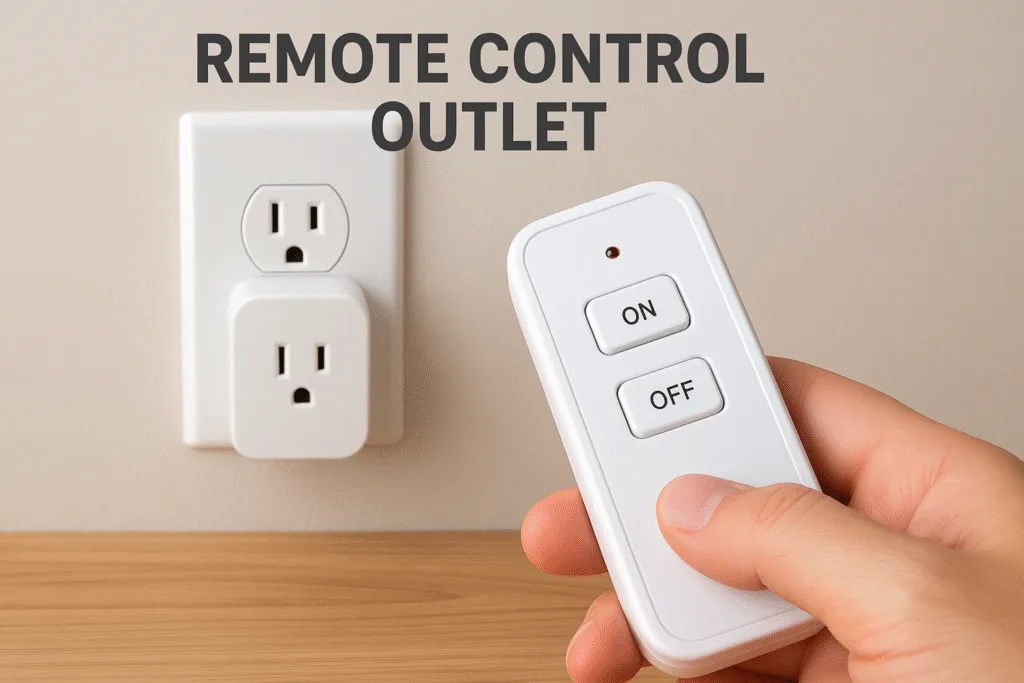
Imagine lounging on your couch and turning off the lamp next to your bed with just a click — no need to shuffle across the room. That, in essence, is what a remote control outlet brings to your daily life: unparalleled ease, energy-saving magic, and a sprinkle of “how did I live without this?” joy.
In a world where everything’s getting smarter, the humble wall plug has had a makeover. Enter the wireless remote control outlet — your traditional outlet’s cooler, more convenient cousin. Whether you’re tired of bending over to unplug your fans or you want to manage your holiday lights from your living room, remote control power outlets make life smoother.
And get this: many of them don’t even need Wi‑Fi. No apps, no internet, no cloud required—just reliable, radio-frequency magic.
- What Is a Remote Control Outlet?
- Why Use a Remote Control Electrical Outlet?
- Core Features to Look For in a Remote Outlet Switch
- Remote Control Plug vs. Other Smart Plugs
- Real‑World Examples and Use Cases
- Setting Up Your Remote Activated Outlet
- Safety Considerations & Best Practices
- Top Brands & Recommended Remote Control Outlets
- Limitations & Drawbacks
- Alternatives & Advanced Options
- Buying Tips
- FAQ
- Conclusion
What Is a Remote Control Outlet?
At its core, a remote control electrical outlet (or remote control power outlet) is a device that you plug into your wall socket, and then you plug your appliance into that. The twist? You get a little handheld remote for outlet that lets you switch it on or off without actually touching it.
There are two main flavors:
- RF-Based Remote Outlet (Radio Frequency): These use discrete radio signals (often around 433 MHz) to communicate between the remote and the outlet. No line-of-sight needed: walls or doors don’t block the signal.
- Wi‑Fi Smart Plugs: These are techier. They connect via your home Wi‑Fi network, and you control them using a phone app or even voice assistants like Alexa or Google. Think of these as “smart plug, remote plug, and more.”
RF remote control outlets excel in simplicity, reliability, and low latency — no buffering, no lag, no need for a home automation hub.
Why Use a Remote Control Electrical Outlet?
A remote control electrical outlet isn’t just a convenience—it’s a lifestyle upgrade. Imagine sitting comfortably on your couch sipping tea and being able to turn off your lamps, fans, or holiday lights without even moving an inch. That is the kind of effortless control these devices bring into your home. For anyone who has ever struggled to reach a hard to access outlet or wished they could manage appliances from a distance a remote for outlet is a game changer.
One of the biggest advantages of a remote operated outlet is energy efficiency. Many appliances consume standby power even when they appear to be off. A remote control power outlet allows you to cut that drain instantly. By simply pressing a button you can ensure your devices are truly off, saving electricity and reducing your bills. Over time, this simple action adds up to substantial savings, especially if you have multiple devices plugged in around the house.
Convenience is another huge factor. Whether it’s controlling a fan on a hot day, switching on the coffee maker before you leave bed, or managing multiple lights for a cozy movie night, a remote outlet switch puts all the power in your hands. It’s especially useful for elderly individuals or those with limited mobility—they can operate devices safely and easily without bending, stretching, or risking a fall.
Safety also comes into play. A remote control electrical outlet lets you manage appliances without constantly plugging and unplugging cords, reducing wear and tear on cables and minimizing fire hazards caused by overused sockets. Plus, if you have outdoor decorations or garden equipment, a wireless remote outlet lets you control these devices from indoors, keeping you dry and safe.
In short, a remote control outlet plug offers a combination of convenience, energy savings, accessibility, and safety. It’s a small investment that transforms the way you interact with your home’s electrical devices, making everyday life simpler, smarter, and more efficient.
Core Features to Look For in a Remote Outlet Switch
Choosing the right remote outlet switch can make all the difference between a frustrating experience and seamless hassle free control. These devices may seem simple but several core features can significantly impact performance, reliability and convenience. Understanding these features ensures you get a remote control electrical outlet that truly meets your needs.
1. Range & Signal Strength
One of the first things to consider is how far the wireless remote control outlet can reach. Different models offer varying distances, often ranging from 30 feet up to 200 feet in open spaces. Walls, doors, and furniture can reduce this range, so a longer reach is usually better. A strong signal ensures that you can turn on outlets remotely from anywhere in your home or even your garden without worrying about interference.
2. Power Rating
The wattage and amperage of your remote control power outlet determine what appliances it can safely handle. Standard models often support 1200 watts or 10–15 amps which is suitable for lamps, fans, or small electronics. High-powered devices like air conditioners or heaters require outlets rated for heavier loads. Choosing the correct power rating prevents overheating, electrical damage, and ensures your remote plug switch operates safely.
3. Number of Outlets
Do you need to control a single appliance or multiple devices? Some remote control outlet plugs come with dual outlets or even multi-pack kits, allowing one remote to control several devices at once. This can be particularly useful for entertainment systems, holiday decorations, or kitchen appliances, simplifying management without needing multiple remotes.
4. Certifications & Safety
Safety cannot be overlooked. Look for outlets that are ETL, FCC, or CE certified, ensuring they meet established safety standards. Many models also include surge protection, which shields your devices from voltage spikes. A certified remote control outlet switch gives peace of mind while maintaining performance and durability.
5. Memory & Persistence
Some outlets can remember their last state after a power outage, while others default to “off.” If maintaining consistent device behavior is important—like keeping lights on during power interruptions—choose a remote activated outlet with memory retention.
6. Pairing & Expandability
Flexibility is key. Many models allow multiple receivers to pair with one remote, or one receiver to pair with various remotes. This is especially useful for creating zones in larger homes, letting you control several devices with minimal hassle.
Remote Control Plug vs. Other Smart Plugs
So, how does this remote plug switch stack up against Wi‑Fi plugs, voice-controlled sockets, or Bluetooth devices?
- RF Remote Outlets: Reliable, fast, no need for Wi‑Fi, and great for simple on/off control. Signals travel through walls well.
- Wi‑Fi Smart Plugs: More feature-rich — you can control them via apps, set schedules, or integrate with voice assistants. But they rely on internet stability.
- Bluetooth Outlets: Local control only, limited range, and sometimes poor wall penetration.
- Voice-Controlled Sockets: Convenient if you already have a smart home assistant, but less reliable when the internet goes down.
RF remote outlets offer a compelling balance: simplicity + reliability + no dependence on cloud or app.
Real‑World Examples and Use Cases
Here are some scenarios where a remote control outlet shines:
- Home Office: Let’s say your printer is tucked under your desk. Instead of crawling or unplugging, just hit the remote.
- Holiday Lights: Control outdoor or indoor decorations easily. With RF, doors or walls won’t block your signal.
- Help for Seniors: Place a remote near the sofa or bed, and let your loved ones control their devices without struggling.
- Outdoor / Garden Devices: Want to switch on fairy lights, a fountain, or a fan? A wireless remote outlet in your patio can make that effortless.
Setting Up Your Remote Activated Outlet
Getting started is usually plug‑and‑play. Here’s a typical setup process:
- Plug the Receiver: Insert the remote control outlet into a grounded wall socket.
- Plug in Your Device: Connect your lamp, fan, or another appliance.
- Power On/Off Manually: Most receivers have a manual button too — good for testing.
- Pairing the Remote: Press the “sync” or pairing button on the outlet (or remote) to link them. Many units stay paired even after power cuts.
- Mounting Advice: Install the receiver facing downward or upright, depending on the model’s manual. Blackstone, for instance, advises a certain orientation for best performance.
- Test: Walk around with the remote, check for signal drop, and test with walls or doors in between.
Safety Considerations & Best Practices
Using a remote control electrical outlet safely is key. Here are some best practices:
- Avoid Overloading: If your connected device draws more power than the outlet supports, you risk damage. Check specs.
- Certifications Matter: Use only outlets certified by recognized bodies (e.g., FCC, ETL).
- Proper Placement: For indoor use, use standard grounded outlets. For outdoor or heavy-duty appliances, choose weather-resistant models and follow mounting instructions.
- Use Cases to Avoid: Remote outlets aren’t ideal for sensitive electronics (like routers) that might need to power on immediately after an outage, unless they support “on by default.”
Top Brands & Recommended Remote Control Outlets
Here are some well-known manufacturers and models worth checking out:
- DEWENWILS: Known for their long-range RF receivers (up to 200 ft) and multi-outlet packs.
- TESSAN: Their outlet plug offers up to 100 ft range, supports 1200W devices, and comes with a simple remote.
- Ivation: Their remote controlled AC plug outlets have user‑friendly pairing, and the unit remembers pairing even after power outages.
These brands offer a range of options — from simple indoor receivers to dual-outlet or multi-pack kits.
Limitations & Drawbacks
Of course, no technology is perfect. Here are some downsides to keep in mind:
- Basic Control: Most remote control plug sockets only support on/off. They don’t dim or report energy usage like smart plugs.
- No Cloud / App Integration: If you’re looking for programmability, scheduling, or remote access via phone, RF-only models might feel limited.
- Interference: While RF is robust, in very crowded RF environments (many remotes, devices), you might face signal collisions.
- Post-Outage Behavior: Not all models retain the “on” state after a blackout. Check memory behavior before buying.
Alternatives & Advanced Options
If you want more features or different controls, here are some alternatives:
- Bond Bridge: This device bridges Wi‑Fi to RF, letting you control RF-based devices via your phone or voice assistant. Wikipedia
- RunLessWire Wireless Relay: Install a relay behind your wall switch or outlet to make any outlet remotely controllable — perfect for a cleaner setup.
- Timer + Remote Combos: Some remote activated outlets come with built-in countdown timers — great for things like heaters or holiday lights.
Buying Tips
If you’re shopping from United States (or outside major Western markets), here are a few things to watch out for:
- Voltage Compatibility: Many remote outlets are built for 110–120 V. Confirm if the model supports 220–240 V (or if you need a voltage converter).
- Import Costs: Factor in shipping, customs, and import duty. These can add significantly to the cost.
- Warranty & Returns: If buying from international retailers, check warranty coverage. Local returns may be difficult.
- Local Alternatives: Check local hardware stores or online marketplaces — sometimes you can find compatible remote outlet plugs locally without import hassle.
FAQ
Can a remote control outlet plug handle high‑power devices like air conditioners?
Yes, but you must choose a remote control power outlet rated for sufficient amperage or wattage. Many RF outlets support around 1200W, but anything beyond that requires checking specs carefully to avoid overloading.
Will an RF remote control plug socket still work through walls?
Absolutely. RF signals typically operate at frequencies (like 433 MHz) that penetrate walls well, so you don’t need a direct line of sight.
Does the remote for the outlet need to be re-paired after a power cut?
In many good-quality remote control outlets (e.g., Ivation), your settings remain programmed even after a blackout. Still, check individual product specs to be sure.
Is a wireless remote control outlet safer than leaving my devices plugged in all the time?
Yes — using a remote to cut power completely eliminates “vampire” standby power drain, helping save energy and reducing fire risk from overloaded always-on sockets.
How do I pair multiple remote operated outlets to one remote?
Most remotes and receivers support grouping or multi-pairing. You press a sync/pair button on the outlet, then hit a button on the remote to link them. Some models even let you reprogram or unpair.
Can I mount a remote outlet switch outdoors?
Yes — but only if the model is rated for outdoor use (weatherproof, ETL/UL listed). Indoor-only models should stay inside to avoid moisture, corrosion, or safety risk.
Conclusion
To sum it up: a remote control outlet is more than just a fancy gadget — it’s a game-changer for convenience, energy savings, and accessibility. Whether you’re managing lights, fans, or holiday gear, a remote power outlet brings control right to your fingertips.
If you’ve been on the fence about smart plugs or remote‑controlled sockets, now’s a great time to jump in. Look for RF-powered models if you want simplicity and reliability without relying on the cloud. Choose a brand like DEWENWILS or TESSAN for a solid mix of range, quality, and ease of use.
Ready to make life a little more effortless? Check out remote control outlet options today — and see how a single click can make a big difference.
👉 Want help picking the right model for your setup (especially for Pakistan)? Just let me know your use case and I’ll guide you!
