
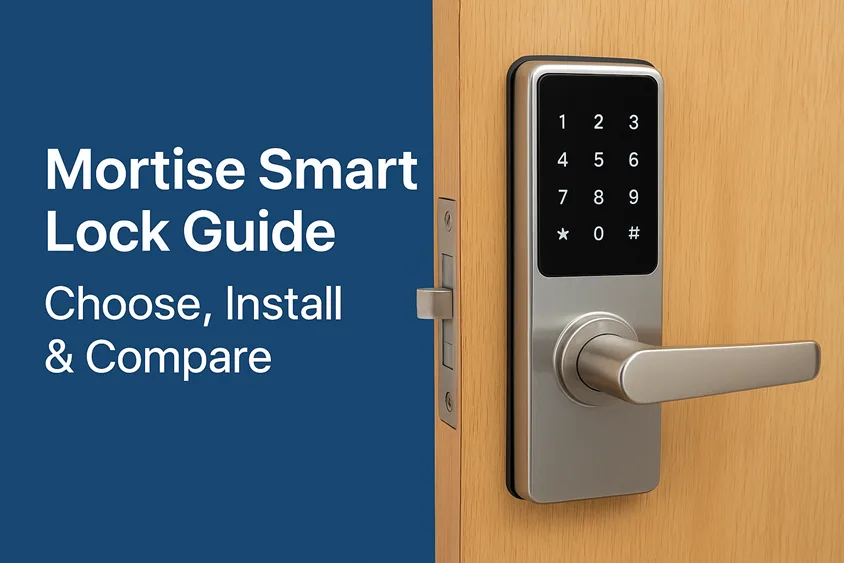
Imagine this: you’re rushing out of the house, arms full of groceries, fumbling with keys in the dusk light. With a simple tap on your phone or a fingerprint scan, the door swings open. That’s not sci-fi—it’s what a mortise smart lock can do for your daily life.
In recent years, smart lock technology has transformed home and office access — but for many homeowners and facility managers, the real breakthrough has been when the smart features meet the structural strength of a traditional mortise lock. The result: a blend of mechanical durability and digital intelligence.
In this guide, you’ll learn everything you need: what exactly a smart mortise lock is, how it stacks up against traditional and deadbolt locks, how to choose the right one, how to install it, and which models are currently best in 2025. By the end, you’ll be empowered to pick the ideal device for your door — confidently.
- Understanding Smart Locks — What They Really Are
- Mortise Smart Lock vs. Traditional & Deadbolt Locks
- How a Mortise Smart Lock Works — Inside the Mechanism
- Why Choose a Mortise Smart Lock — Advantages That Matter
- Types of Mortise Smart Locks
- How to Choose the Right Mortise Smart Lock
- Step-by-Step Installation Guide
- Best Mortise Smart Locks of 2025 — Expert Recommendations
- Common Issues & Troubleshooting Tips
- Security, Privacy & Maintenance
- FAQs
- Conclusion — The Smarter Way to Secure What Matters
Understanding Smart Locks — What They Really Are
First things first: what is a mortise lock? A mortise lock requires a pocket (called a “mortise”) cut into the door edge into which the lock body is fitted traditionally. Mortise locks often offer higher levels of durability and security because the body is installed into the door rather than mounted onto it.
Now add “smart” on top of that: a smart mortise lock replaces or enhances the mechanical mechanism with electronic authentication (PIN, fingerprint, RFID, smartphone app) and connectivity (Bluetooth, Wi-Fi, Zigbee, etc). For example, one manufacturer describes a smart system that supports PIN code, fingerprint, RFID key-tags, or physical key, plus remote access logging.

Image courtesy: www.amazon.com
Why does this matter? Because installing a smart interface onto a robust mortise mechanism means you’re not just getting convenience — you’re gaining strength, aesthetics, and future-proofing. One forum user succinctly summed it up:
“Compared to a typical cylindrical door knob or lever … mortise locks can last for several decades.”
In short: if you want more than a simple smart deadbolt — if your door, your property, or your peace of mind demands resilience — a mortise smart lock could be the right move.
Mortise Smart Lock vs. Traditional & Deadbolt Locks
It’s worth comparing the alternatives so you can appreciate the differences clearly:
Mechanical and Installation Differences
- A mortise lock is fitted into a cavity in the door edge (the “mortise” pocket), while a typical cylindrical or deadbolt lock is mounted on the surface with a drilled bore.
- Because of the internal body in diffusion, mortise locks often have a larger latch mechanism, sometimes a deadbolt plus latch in one assembly, giving more robust security.
Security and Durability
- The forum quote above underscores it: mortise locks can resist kicking or brute force more effectively because of the embedded body and heavy-duty latch/bolt.
- A deadbolt smart lock is convenient and often sufficient for many homes — but for heavy-use doors (commercial entrances, high traffic, upscale homes), the extra mechanical strength of a mortise body is a meaningful difference.
Aesthetic & Functional Considerations
- Mortise smart locks typically integrate more seamlessly with door design (lever handle + keypad/fingerprint combo) and may look cleaner than large deadbolt modules.
- That said, the trade-off is often installation complexity and cost. One review notes that mortise smart locks can be “complex installation and higher cost” compared with standard smart deadbolts.
Pros & Cons Table
| Type | Strengths | Trade-offs |
|---|---|---|
| Mortise Smart Lock | High mechanical strength; integrated smart features; professional feel | Higher cost; more complex installation; may require door modifications |
| Deadbolt Smart Lock | Lower cost; simpler to retrofit; widely available | Less mechanical strength; may look less premium; fewer handle options |
So, if your door supports a mortise body, you value durability, and you’re okay with a bit more up-front work, a smart mortise lock is a very compelling choice.
How a Mortise Smart Lock Works — Inside the Mechanism
Let’s peek under the hood — because when you understand how it works, you’ll make smarter decisions.
Mechanical part: The mortise lock body contains the latch, deadbolt (in some models), cylinder or spindle for the handle, and mounting inside the door. It also provides the anchoring and structural strength that the door relies on.
Smart part: On top of (or replacing) the mechanical components, the lock includes:
- a board or module for user authentication (PIN keypad, fingerprint reader, RFID card reader)
- power supply (batteries or wired)
- connectivity module (Bluetooth, Wi-Fi, Zigbee, sometimes Matter)
- override or emergency access (physical key, 9V jump-start port, etc)
In operation:
- User authenticates (fingerprint, PIN, card, app).
- Lock’s electronic system signals the mechanical latch or deadbolt to retract/extend.
- If connected, the system may log the event, notify the remote app, or integrate with a smart-home ecosystem.
- Some models auto-lock after a set interval (timer re-lock) or when the door closes (sensor re-lock).
Connectivity variations matter: a lock with Wi-Fi built-in offers remote access from anywhere, while Bluetooth models are limited to proximity. Some support hubs (Zigbee/Z-Wave/Matter) for full smart-home integration. Knowing this helps you match lock capability to your ecosystem.
Why Choose a Mortise Smart Lock — Advantages That Matter
Why would someone pick this more advanced option? Here are the key advantages, illustrated with real-world context.
Enhanced Durability & Security
When you install a smart mortise lock on a high-traffic entry (think business, rental property, or upscale home), the internal body provides better resistance to tampering, kicking, or forced entry. As one experienced locksmith put it: “Vastly superior security … the mortise body/case/box … provides significant reinforcement.”
Multi-Access & Flexibility
Many models support multiple unlock methods — fingerprint + app + RFID + physical key. One example: the Yale YDM series supports fingerprint scan, PIN code, RFID key tags, and mechanical key override. This flexibility matters when you have family members, short-term guests, contractors, or backup access.
Professional Grade & Prestige
Mortise smart locks are often used in commercial settings (multi-family properties, offices, hotels). Using one in a residential context elevates the impression of security and design. The investment sends a signal.
Seamless Aesthetic & Integration
Because the lock body is embedded, the visible hardware tends to look cleaner and more refined. If your door is high-end or you care about finish and slim design, this is a plus.
Smart Ecosystem Compatibility
With built-in connectivity and smart home compatibility, you can: generate one-time access codes, remotely monitor entry logs, trigger scenes when the door opens (lights come on), and integrate with voice assistants. For example, Yale’s module allows Alexa/Google/Home integration.
In short: if you value both real world strength and smart features, a mortise smart lock is not just “nice” — it’s meaningful.
Types of Mortise Smart Locks
Not all smart mortise locks are created equal. Let’s look at key types and where they fit.
1. Fingerprint Mortise Locks
These use biometric scanning (fingerprint) as the main access. Ideal for homes where keyless access must be simple and fast (kids arriving home, older family members).
E.g., Yale YDM series supports fingerprint plus other methods.
2. PIN/Keypad Mortise Locks
These rely on a numeric keypad (sometimes a plus card, a fingerprint, or an app). Good for rental properties or access for multiple users (guests, maintenance).
E.g., The smart mortise guide mentions models with PIN & keypad features as a main unlock method.
3. RFID/Card Access Mortise Locks
Often used in commercial settings (office doors, hotel rooms). Cards or keyfobs unlock the mortise body.
See: one manufacturer lists “up to 16 key cards” for its smart mortise model.
4. App-Controlled / Wi-Fi Mortise Locks
These locks allow remote access, guest key generation via app, real-time logs, and integration with home automation systems. Best when you want full smart-home control.
E.g., The ultimate smart lock installation guide discusses connectivity and hub integration as key factors.
5. Hybrid Systems
Many products offer a mix: fingerprint + keypad + card + app. These are versatile and cater to both residential and semi-commercial use.
When you’re choosing, match the lock type to who uses it, how often, what level of access flexibility, and what smart ecosystem you already have or will build.
How to Choose the Right Mortise Smart Lock
With so many options, it helps to use a checklist. Below are the major criteria you should evaluate.
1. Door Compatibility
Measure your door: thickness, backset (the distance from the door edge to the center of the key/handle), and the size of the existing mortise pocket (if replacing). The guide at Ardan Shield emphasizes accurate measurements (backset, case depth, forend dimensions) when fitting smart mortise locks.
If your door is non-standard (very thick/very thin, rebated double doors, sliding doors), you may need an adapter or a different lock.
2. Lock Body Type & Architecture
Decide between single-latch vs deadbolt + latch, handle configuration (lever vs knob), and suitability for heavy-duty use (commercial vs residential). The stronger the body, the better the mechanical foundation.
3. Connectivity & Smart Features
What ecosystem do you use (Amazon Alexa, Google Home, Apple HomeKit, Z-Wave hub, Matter)?
Also ask: Does the lock support remote access, temporary guest codes, activity logs, and expiration codes? Some models require subscription fees for advanced features.
4. Access Methods
Who will use the lock? Family? Tenants? Guests? Maintenance staff?
If many users look for multiple authentication methods, easy user management, one-time/temporary codes, and audit logs.
5. Battery Life & Power Backup
Smart mortise locks rely on battery power (4 AA batteries are common, some internal packs). What happens if the battery dies? Eufy’s smart mortise guide warns of “power dependency” as a downside.
Look for features: low battery alerts, 9V emergency jump-start ports, mechanical key override.
6. Safety Certifications & Security Standards
Look for ANSI/BHMA grades (for U.S.), UL fire/egress certification, and IP ratings (for outdoor use). The stronger the accreditation, the better the trust.
7. Brand Reputation & After-Sales Support
A lock is a multi-year investment — you want firmware updates, spare parts, a reliable warranty, and local support. Brands like Yale, Schlage, and Igloohome stand out for this.
Decision Matrix (mini-checklist):
| Criteria | Your Door / Use Case | Best Fit |
|---|---|---|
| Door thickness / mortise pocket | ___ mm | Compatible body size |
| Access users (family vs many guests) | ___ users | Multi-access / guest code support |
| Smart ecosystem | Alexa / Google / HomeKit / none | Compatibility matched |
| Battery / backup | Need low-maintenance | Long-life batteries + emergency key |
| Use frequency / traffic | High traffic (rental/commercial) | Commercial-grade mortise body |
| Firmware / brand | Want longevity & security updates | Established brand + support |
By the end of this section, you’ll feel clear about which lock to buy, not just that you should buy one.
Step-by-Step Installation Guide
Okay — you’ve chosen your lock. Now for the practical bit: installing it with confidence. Although I strongly recommend professional help for non-DIY savvy users, if you’re comfortable, here’s a roadmap adapted for smart mortise locks.
Mortise Smart Lock Installation Guide: Yale home New Zealand
Preparation
- Remove the old lock and clean out the mortise cavity.
- Check that the cavity size, depth, backset, and latch hole align with your new smart mortise lock’s template. As the Smart Door Locks Australia guide reminds: for mortise systems, you’ll likely need chiseling, exact alignment, and possibly adapter plates.
- Gather tools: screwdriver set, chisel, drill (if required), template, tape measure, level, maybe a motorized chisel if the door is stone/metal.
Installation Steps
- Insert the smart mortise lock body into the cavity, aligning the latch bolt or deadbolt to the door edge.
- Attach the front escutcheon (keypad/fingerprint panel) and inner panel, connecting any required wiring or battery modules.
- Secure all screws provided — ideally through reinforced points.
- Install/adjust the strike plate on the door frame so the latch/bolt snugly engages (misalignment causes jamming or poor performance).
- Insert batteries and power on the electronics. Confirm system bootstrap: many locks emit a beep or indicator light after battery insertion.
- Programming and pairing:
- Set master PIN or fingerprint templates.
- Connect with the app or hub (if required).
- Test all access methods (card, PIN, fingerprint, mechanical key).
- Final check: Lock and unlock the door several times, from inside and outside. Test emergency mechanical key override. Set auto-lock/timer if supported.
Calibration & Testing
Ensure:
- The latch fully engages when the door closes.
- The door isn’t rubbing or binding (important in premium doors).
- Remote access or app features work reliably.
- Backup access works (in case batteries die).
- Educate household users on access methods (PIN, app, card).
Safety Note
If your door is fire-rated or you’re dealing with high-security commercial entry, consider professional installation: incorrect alignment or wiring can void certification or create safety hazards. Many guides caution, “Mortise locks are the hardest to install… You will need a professional installer or a locksmith.”
Best Mortise Smart Locks of 2025 — Expert Recommendations
Now for the fun part — some standout models you can explore. Each has strengths depending on budget, environment, and use case.
1. Yale YDM7220 Smart Mortice Lock
A premium model for homes: supports fingerprint scan, PIN, RFID key tags, mechanical key override, and remote access via Yale Home module. Ideal for homeowners who want top-tier features and brand support.
2. Schlage XE360 Wireless Mortise Lock
Commercial grade: tailored for multi-family buildings, offices, and heavy use. Strong mechanical body, advanced credentials (cards, mobile credentials), robust brand reputation.
3. Igloohome Smart Mortise IGM1/IGM3
Blends residential and semi-commercial: good access flexibility (PIN, Bluetooth, card), guest key management, and decent price point.
4. Budget OEM models (various smart mortise locks on Amazon marketplaces)
If your door supports a basic mortise body already and you want the smart overlay, you can find lower-cost units from less-sinister brands. Just ensure quality, brand support, and certifications.
When comparing, look at price vs features, mechanical strength, brand warranty, and smart ecosystem compatibility. For example, if you already have Alexa/Google/Home, pick models that integrate smoothly rather than forcing a single-vendor ecosystem.
Common Issues & Troubleshooting Tips
Even with the best lock, reality happens. Here are some frequent issues and how to handle them.
Pairing or App Connection Problems
- Ensure your mobile device is within Bluetooth range (if applicable) at initial setup.
- Check router/Wi-Fi strength when using remote-access models.
- Verify firmware updates; some connectivity issues stem from outdated firmware.
- For models supporting app/remote, ensure the correct hub or bridge is installed.
Low Battery / Unresponsive Lock
- Many smart mortise locks send a low-battery alert via the app or show an indicator on the keypad.
- If the device is completely unresponsive, some offer a 9 V jump-start port so you can briefly power the electronics and then change batteries.
- Always keep the mechanical key in a safe, accessible place.
Mechanical Misalignment or Jamming
- If the door is binding or the latch doesn’t fully extend, the smart electronics may refuse to lock as a safety measure.
- Check strike plate alignment, door frame squareness, and clearances.
- On heavy doors or double doors, you might need professional adjustment.
Access Methods Not Working (PIN/fingerprint/card)
- Re-register fingerprints/users if performance degrades (especially in high-moisture or dusty environments).
- Review user access and ensure codes have not expired (some guest codes expire automatically).
- Check for keypad lockout mode — some models turn off the keypad after failed attempts.
Connectivity Drop-outs or Smart Home Integration Failures
- Make sure the lock’s hub or bridge is on a reliable network.
- If using Zigbee/Z-Wave, check signal strength.
- Review the manufacturer’s compatibility doc — some features may only work with newer firmware or specific phone OS versions.
Security, Privacy & Maintenance
Let’s talk about the long game. Because a smart lock isn’t “install and forget” — especially if it’s a high-value mortise device.
Security & Privacy
- Ensure the lock uses encryption for wireless communication (Bluetooth LE / Wi-Fi WPA2 or better).
- Look for tamper alarms and mechanical overrides (some locks have sensors to detect and alert tampering).
- Be cautious about cheap, no-name imports: forum users warn about a lack of firmware update support or weak mechanical design.
Maintenance Checklist
- Replace batteries annually (or sooner if alerted).
- Clean keypad/fingerprint surfaces to avoid false rejects (dust, grime can interfere).
- Update firmware when the manufacturer releases patches (security vulnerabilities can be patched this way).
- Periodically check alignment of latch/strike (especially after seasonal expansion/shrinkage of doors).
- For exterior locks, consider weather seal and materials suitable for your climate (door in Pakistan, humid areas, salt air, etc).
FAQs
Can I replace my deadbolt with a mortise smart lock?
Yes — but you’ll need to check that your door can accommodate a mortise body (you’ll need a pocket in the edge for the lock body). Sometimes you must modify the door or pick a model with an adapter kit.
Are mortise smart locks safe from hacking?
When you pick a reputable brand with proper encryption, tamper detection, and firmware updates, they are very safe. Just avoid budget imports lacking support or certifications.
How long do batteries last in a mortise smart lock?
It depends on usage and connectivity. Many high-end models quote 6–12 months on standard AA batteries. Always choose a model with low-battery alerts and an emergency backup.
Do mortise smart locks work with Alexa / Google Home / HomeKit?
Many do — but you must check the specific model’s compatibility. Some require a hub or bridge to connect to your ecosystem.
Can I install a mortise smart lock myself, or do I need a locksmith?
If you are comfortable with tools, precise measurements, and door hardware, you can DIY. But due to the complexity (mortise pocket, alignment, door thickness, wiring, etc), many homeowners hire a professional — especially for high-traffic or certified doors.
Conclusion — The Smarter Way to Secure What Matters
A mortise smart lock is more than a gadget; it’s a strategic upgrade for your entry point — combining timeless mechanical strength with modern smart-access convenience. If you value durability, design, and seamless user experience, then choosing the right model, installing it properly, and maintaining it will pay dividends for years.
Start by measuring your door, understanding your access scenario (who uses it, how often, what smart ecosystem you use), pick a reputable brand and model, install (or have it installed) carefully, and stay on top of maintenance. When done well, you’ll experience that gratifying moment: one tap, one fingerprint, one guest code — and secure, smart entry.
Ready to move forward? Explore models like the Yale YDM7220, Schlage XE360, or Igloohome Mortise, compare features and pricing, and choose the device that fits your door and your lifestyle.
Don’t wait until you’re locked out or struggling with a bulky old key. Invest in your access security today — the best time to upgrade was yesterday; the second-best time is now. Choose your smart mortise lock wisely and step into a smarter, safer future.
Let’s lock in your peace of mind.
