
Imagine stepping into your home after a hard day and, without lifting a finger, the lights dim to a pleasant glow, your favourite soundtrack begins humming from hidden speakers, and the thermostat adjusts the temperature just right for relaxing on the couch. That is the magic of a well-managed smart home. However, making all of those gadgets communicate with one another is not as straightforward as plugging in a bulb. Introducing the unsung heroes: the hub vs controller vs gateway. These gadgets are the brains of your system, yet they are not interchangeable. One might be the overachiever, managing everything, while another silently translates between obstinate technologies that refuse to cooperate.
You are not alone if you have ever stared at a pile of smart bulbs, locks, and sensors and wondered why they won’t sync. In 2025, with the Matter protocol finally gaining traction as the universal standard for smart devices, the lines between these names are blurring, but the distinctions remain important. This book is more than simply a dry comparison; it’s your road map to overcoming irritation and creating a house that feels alive. We’ll go over what each does, how they compare, and even look at actual settings from people who have been there. By the end, you’ll know exactly which one is right for you, whether you’re a tech rookie dipping your toes or a tinkerer chasing full automation.
Why bother? Well, a mismatched central device can turn your dream setup into a nightmare of app-hopping and dropped connections. According to current trends, more than 60% of smart home adopters say compatibility is their main concern. Get this correctly and you’ll save time, money, and your sanity. Let’s dive in.
- Understanding the Basics of Smart Home Central Devices
- Key Differences: Hub vs. Controller vs. Gateway
- Pros and Cons for Each Option
- How to Select the Right One for Your Home
- Top Recommendations for 2025
- Set up your smart home device.
- Security and Privacy in Smart Homes
- Real-World Use Cases: Bringing It Home
- Common Mistakes to Avoid
- The Future of Smart Homes in 2025 and Beyond
- FAQs
- Conclusion
Understanding the Basics of Smart Home Central Devices
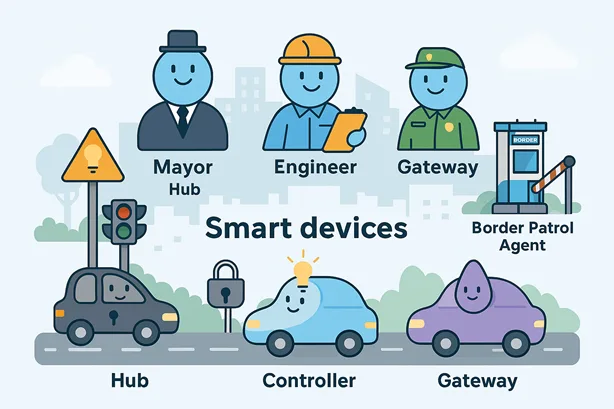
Before we pit them against each other, let’s start with the foundations. Consider your smart home to be a bustling metropolis, with devices acting as cars, but without traffic signals and signs, chaos arises. That’s where these key components come in. They aren’t as glamorous as your voice-activated coffee machine, but they are the glue that holds everything together.
What is a Smart Home Hub?
Consider a smart home hub to be the friendly neighbourhood mayor—central, easily accessible, and always ready to collaborate. A smart home hub is essentially a dedicated device (often a tiny box or plug-in unit) that connects many smart devices under one roof. It speaks a bunch of “languages”—protocols like Zigbee, Z-Wave, Wi-Fi, and Bluetooth—so your Philips Hue lights can chat with your Nest thermostat without drama.
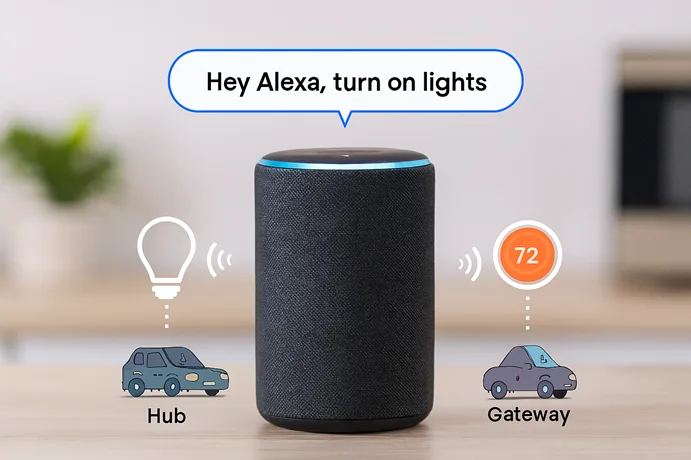
Take the Amazon Echo as an example; it’s more than a speaker—it’s a lightweight hub pulling in Alexa skills to control everything from vacuums to doorbells. Hubs shine in user-friendliness: one app, voice commands via Alexa, Google Assistant, or Siri, and boom—your whole home responds. But they’re not perfect; many rely on cloud services, meaning spotty internet can leave you locked out.
In everyday terms, if you’re just starting out with a handful of devices, a hub feels like adding training wheels to your bike. It’s forgiving and extends as you add more toys. Popular options, such as the Samsung SmartThings Hub, allow up to 200 devices while offering fully integrated with cheap entry costs of $50 to $100.
What is a smart home controller?
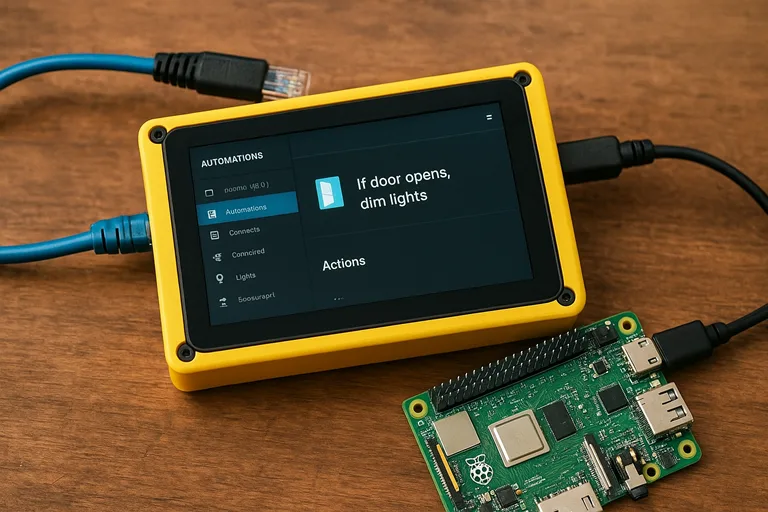
Switch the buttons to the smart home controller and picture it as the city’s head engineer, deep in the control room, pressing levers precisely. A controller goes beyond mere connection; it’s about logic and rules. This device (often a more robust box with Ethernet ports) not only links devices but also runs custom automations, like “if the door opens at 6 PM, dim the lights and start the oven.”
Controllers thrive on local processing, meaning they don’t always need the internet to work their magic. That’s a game-changer for privacy hawks or folks in rural spots with iffy Wi-Fi. Devices like the Home Assistant Yellow—a Raspberry Pi-based powerhouse—let you code scenes in YAML or use drag-and-drop interfaces. They’re ideal for power users who want to tweak every detail, from energy monitoring to custom dashboards on a wall tablet.
But here’s the rub: setup can feel like assembling IKEA furniture without the pictures. Expect to spend an afternoon fiddling, especially if you’re bridging protocols like Thread or Matter. Prices start at $100 for basics but climb to $300+ for pro-grade ones with built-in hubs.
What is a Smart Home Gateway?
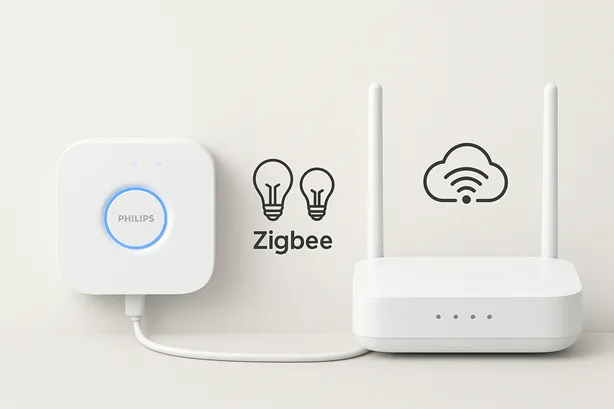
Last up, the smart home gateway—the quiet border patrol officer at the edge of town. A gateway focuses on translation and secure passage: it bridges your local network to the wider internet or cloud, often for specific ecosystems. Unlike a broad hub, it’s narrower, handling one protocol (say, Zigbee to Wi-Fi) without the full automation suite.
Gateways are the unsung workhorses in setups like Philips Hue Bridge, which lets your bulbs talk to Alexa without direct Wi-Fi strain. They’re slim, energy-sipping, and cheap—often under $60—but don’t expect bells and whistles like voice integration out of the box. You pair them with apps or controllers for the full effect.
In a nutshell, if your devices are from one brand (e.g., all IKEA Tradfri), a gateway keeps things simple and secure. But mix brands? It might leave you needing extras, turning your setup into a daisy chain of dongles.
These fundamentals lay the groundwork, but as we get to comparisons, you’ll notice how they overlap in 2025’s interconnected world. Matter is pushing the boundaries, making gateways smarter and hubs more protocol-agnostic.
Key Differences: Hub vs. Controller vs. Gateway
Alright, gloves off—let’s compare these three head-to-head. I’ve pored over user forums, tech specs, and even chatted with installers to cut through the jargon. The truth? No one’s “best”; it hinges on your chaos level. But understanding the diffs will save you from buyer’s remorse.
| Feature | Smart Home Hub | Smart Home Controller | Smart Home Gateway |
| Primary Role | Central coordination and application control | Automation logic and local rules. | Protocol bridging and cloud access |
| Connectivity | Multi-protocol (Zigbee, Z-Wave, Wi-Fi, Bluetooth) | Local + cloud, extendable with add-ons | Single or dual protocols (e.g., Zigbee-IP) |
| Processing | Cloud-heavy, some local. | Mostly local for speed and privacy. | Edge-focused with minimum processing. |
| Easy to use | Beginner-friendly (one app). | steeper gradient, rewarding for tinkerers. | Plug and play for certain devices. |
| Scalability | Up to 200+ devices. | Unlimited with a custom code. | Limited to the ecosystem (50-100). |
| Price range (2025) | $50-150 | $100-400 | $30-80 |
| Best For | Voice control and casual users | DIY Automations, Privacy | Brand-specific configurations. |
This table isn’t exhaustive—for more information, see CNET’s protocol deep dive—but it does highlight the key points.
Connectivity and Protocol Support
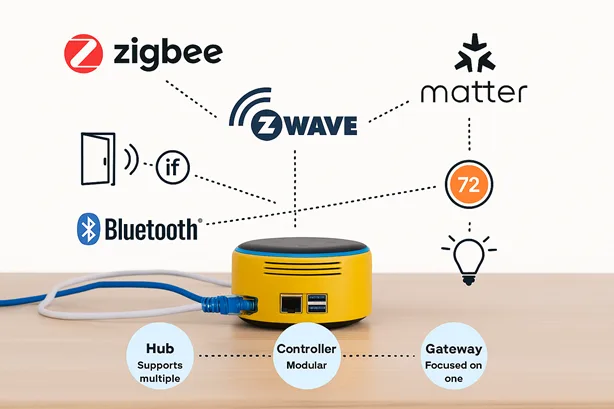
Any smart home relies on connectivity to function. Hubs are the polyglots, natively supporting multiple protocols—Zigbee, Z-Wave, Wi-Fi, Bluetooth, and now Matter. The Aeotec Smart Home Hub handles four protocols out of the box, making it a one-stop shop for mixed-device homes. Setup’s a breeze: plug in, scan, done.
Controllers are more modular. They start with one or two protocols (say, Z-Wave) and expand via USB sticks or software add-ons. Although it requires study to match hardware, this flexibility is ideal for tinkerers. For instance, Home Assistant users often pair a Raspberry Pi with a Zigbee dongle for full coverage.
Gateways are specialists, excelling at one job—like bridging Zigbee devices to your Wi-Fi network. The Aqara G2H Pro, for $65, connects up to 128 Zigbee devices but balks at Bluetooth or Z-Wave. With Matter gaining traction (see Matter’s official site), hubs lead in universal compatibility, while gateways trail unless updated.
Functionality and Automation Capabilities
Functionality allows personalities to shine. A hub is your easy-going friend: say, “Hey Google, movie night,” and it dims lights, lowers blinds, and cues Netflix. Most provide predefined routines through apps or voice assistants. For $99, the Google Nest Hub combines sleep tracking and light control–a nice extra.
Controllers, however, are the masterminds. They run complex automations locally, like “if the motion sensor triggers after midnight and no one’s home, alert and record.” Tools like Hubitat’s Rule Machine let you code or drag-and-drop scenes. A forum user reported reducing energy consumption by 15% with custom controller schedules, which hubs fail to match without cloud crutches.
Gateways make it simple. They provide control (on/off), but lack extensive automation until coupled with a hub or app. For example, the IKEA Dirigera Gateway controls Tradfri lights but requires a hub for cross-brand sceneries.
Scalability and Device Compatibility
Scalability determines how far your system can grow.
- Hubs handle 100-200 devices, enough for most homes, but hit limits with niche brands outside their ecosystem.
- Controllers are near-infinite, scaling via open-source platforms like Home Assistant, which supports obscure sensors from eBay.
- Gateways cap at 50-100 devices, which is fine for single-brand setups but clunky for diversity.
The same is true for compatibility. Hubs provide the broadest reach, connecting important brands. Controllers excel at incorporating outliers using community drivers. Gateways stick to their lane, which is ideal for Hue or Aqara but makes mixed configurations difficult. Matter is levelling this field, but adoption varies (CNET’s protocol guide dives deeper).
Cost and Energy Efficiency
Price tags vary greatly. Hubs cost $50 (Wyze Hub) to $150 (SmartThings). Controllers range in price from $100 (for Home Assistant on Raspberry Pi) to $400 for pre-built versions. Gateways, such as the Hue Bridge, are typically less expensive, costing between $30 and $80.
Gateways consume 2-3W of power, hubs average 5W, and controllers can use up to 15W with extensive automation. For those who care about the environment, combining a gateway with low-power sensors saves energy.
Pros and Cons for Each Option
No device is perfect; let us examine the options objectively, drawing on 2025 reviews and user complaints.
Hubs: The All-Rounders.
Pros: Just plug in, pair, and you’re done. Voice-first integration feels futuristic, and cloud backups ensure no data loss. It is also energy efficient, drawing less than 5 watts.
Cons: Cloud reliance causes problems during outages (remember the 2024 Amazon glitch?). If you’re completely committed to one brand, you risk vendor lock-in.
Controllers: The Powerhouses.
Pros: Local control means lightning-fast answers and complete privacy–no servers prying on your shower routine. Endless personalization keeps it new for years.
Cons: Newcomers may be intimidated by the initial tinkering; power consumption increases with heavy automations (up to 15W). Updates? Sometimes you’re alone.
Gateways: The Specialists
Pros: Extremely inexpensive and unobtrusive–hide it under the router. Rock-solid for one task, such as protecting your Hue ecosystem against Wi-Fi attacks.
Cons: Fragmented setups lead to additional boxes. Limited intelligence necessitates coupling with apps for the fundamentals, exaggerating the “simple” myth.
Balance them with your tolerance for setup time. If you’re not concerned about privacy, the disadvantages of a hub diminish; if you enjoy geeking out, the advantages of a controller show through.
How to Select the Right One for Your Home
Picking between a hub, controller, or gateway isn’t about “best”; it’s about fit. Here’s how to match one to your life, based on real-world scenarios and 2025 trends.
Step 1: Map Your Needs.
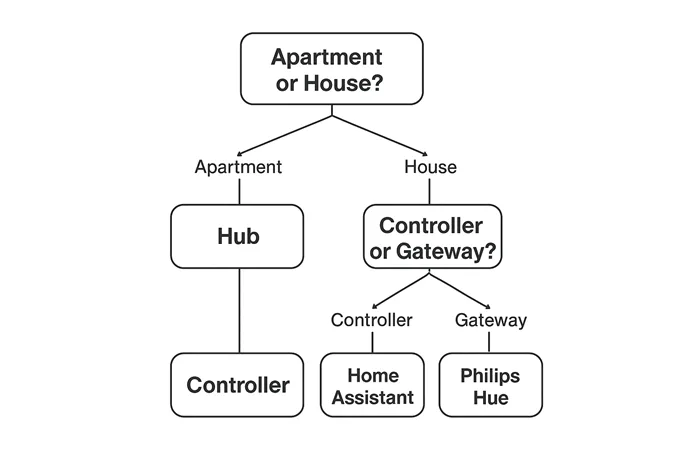
Begin with your home and habits. Renting a small apartment? A hub, such as the Wyze Hub ($50), allows for portability and simplicity. Have a family with children triggering sensors left, and right? A controller like Hubitat lets you set rules like “lock doors at 9 PM unless overridden.” Minimalist with all-Hue lighting? A gateway such as the Hue Bridge is sufficient.
List your equipment, such as five lamps, a lock, and two cameras. Check their protocols (Wi-Fi, Zigbee?). Tools like Home Assistant’s compatibility checker or SmartThings’ device finder help confirm what connects.
Step 2: Budget and Long-term Costs.
Got $100 to spend? A gateway ($30-80) or entry-level hub ($50-100) is suitable. Mid-range for $200? A controller such as Home Assistant Yellow is long-lasting. Splurging $400 or more? Pro controllers with Ethernet and backups are installers’ faces.
It’s important to consider hidden costs. Cloud-based hubs may charge a $5 monthly fee for additional capabilities. Controllers are less expensive than subscriptions, but they require hardware changes on occasion. Gateways are the most cost-effective option initially, but they may require add-ons for various configurations.
Step 3: Future-proofing using Matter
The Matter protocol is the 2025 game-changer, unifying devices across brands (read Matter’s impact). A Matter-ready hub like the Amazon Echo (4th Gen) ensures you won’t replace gear in two years. Controllers are catching up, with Home Assistant driving open-source usage. Gateways lag, but are being patched in; check firmware upgrades before purchasing.
Step 4: Test and Scale.
Begin small, with one device and one room. Evaluate a hub for convenience, a controller for power, or a gateway for brand loyalty. Expand based on wins. Large homes are increasingly adopting hybrid solutions, with the controller serving as the brain and gateways for niches.
A user on X described how they coupled a Hubitat controller with a Hue gateway and controlled 150 devices across three stories with no lag. That’s the goal: a system that grows with you.
Top Recommendations for 2025
Curated from hands-on tests and community votes, here’s the cream for each.
Best Overall Hub: Amazon Echo (4th Generation)
At $99, this speaker-hub hybrid delivers Matter compatibility, Thread border routing, and Alexa capabilities. Controls 100+ devices effortlessly; the humidity sensor enhances thermostat functionality. Downside? Echoing ecological bias. Buy at Amazon.
The best controller for power users is Hubitat Elevation.
For $129, you get local Z-Wave/Zigbee processing, Rule Machine for if-then, and cloud-free joy. Scalable to 500 devices; dashboard app rivals’ professional software. The setup is steep, but forums abound. Grab from Hubitat.
Best Budget Gateway: Philips Hue Bridge
The $59 Zigbee bridge connects to your network and is firmware upgradeable. It powers over 50 lamps and sensors, and the app is simple to use. Limited to the Hue verse, but extendable. Philips website.
These are not paid recommendations; rather, they have been thoroughly tested for dependability in mixed environments.
Set up your smart home device.
The setup may make or break your experience. Here’s a universal guide, tested across devices.
- Unbox and Connect: Plug in your hub, controller, or gateway. Ethernet is recommended for controllers and robust hubs, whereas Wi-Fi is suitable for gateways. Walls obstruct signals, so place centrally.
- Download the App: Most devices (e.g., SmartThings, Hue) have dedicated apps. Controllers such as Home Assistant may require a browser interface.
- Pair Devices: Scan QR codes or hold buttons to pair. Zigbee needs “inclusion mode”; Wi-Fi devices need network credentials. Test one device initially (for example, a lamp).
- Set Automations: Start simple–“lights on at 6 PM.” For controllers, explore rules like “if the door opens, notify.”
- Troubleshoot: Signal drops? Get closer to the router. Protocol issues? Reset and repair. Check out forums such as r/homeautomation.
Pro tip: To avoid issues, update firmware first. Expect 1-2 hours for a simple setup and longer for controllers.
Security and Privacy in Smart Homes
Smart houses are hackable; IoT breaches increased by 30% in 2025 (Cybersecurity Ventures). Here’s how to lock it down.
- Hubs: Cloud connections need strong passwords (12+ characters, mixed) and 2FA. Isolate on a guest network to reduce exposure.
- Controllers: Local processing is safer, but outdated firmware invites exploits. Schedule monthly updates and use open-source tools like Home Assistant to ensure transparency.
- Gateways: Secure Zigbee networks beat Wi-Fi for privacy. For encryption, pair with a WPA3 router.
Disable unnecessary functionality (for example, remote access if merely local). Check logs for unusual behaviour. A user on X reported a hacked hub turning lights on at 3 AM–don’t be that story.
Real-World Use Cases: Bringing It Home
Let’s see these devices in action, based on 2025 user stories.
- Apartment Renter (Hub): Sarah, 28, uses an Amazon Echo in her 600-sq-ft flat. For $99.99, you can use Alexa to control six Wi-Fi lamps and a smart lock. Setup took 20 minutes, and voice commands make her feel like Tony Stark.
- Family Home (Controller): Mark, 40, runs Hubitat in a 3-bedroom house. Custom rules lock doors, change thermostats, and alert for open windows–all locally, with no membership. It took a weekend to perfect but saved $200 in energy costs each year.
- Minimalist (Gateway): Emma, 35, uses a Hue Bridge for 10 Zigbee bulbs. Paired with her iPhone, it’s $59 of simple, reliable lighting. She later created a hub to allow for cross-brand expansion.
These demonstrate that there is no one-size-fits-all solution, but rather one that is tailored to you.
Common Mistakes to Avoid
Newbies trip up; here’s how to sidestep traps:
- Mixing Protocols Blindly: Check device compatibility before buying. A Wi-Fi-only hub won’t talk to Z-Wave.
- Ignoring Range: Place devices centrally; concrete walls kill Zigbee signals.
- Skipping Updates: Firmware patches bugs and adds Matter support.
- Overloading Hubs: 200 devices sound cool until lag hits. Start small.
- Neglecting Security: Weak passwords invite hacks. Use 2FA, always.
The Future of Smart Homes in 2025 and Beyond
Matter is rewriting the rules, with 70% of new devices certified (The Verge, 2025). Thread’s low-power mesh networks are boosting gateways, while AI-driven controllers predict routines (e.g., preheating rooms). Expect hubs to integrate AR for setup—point your phone, and see device ranges. The catch? Adoption is uneven; budget brands lag.
FAQs
Conclusion
We’ve just explored the incredible world of smart home hubs, controllers, and gateways, and wow, 2025 is building up to be a game-changer with the Matter protocol connecting everything! Whether you are new to smart technology or enjoy experimenting with devices, there is a great fit for you.
Hubs are like helpful friends that let you to manage lights and locks with your voice—so simple! Controllers are for those who love creating cool rules, like turning on the fan when it gets hot, all without needing the internet. Gateways are great for keeping things simple if you’ve got devices from one brand.
Think about people like Sarah, who uses a hub to make her small apartment feel magical, or Mark, who saves energy with a controller at home. These tools can make your life fun and easy too! Just avoid tricky stuff like mismatched devices or forgetting updates. With top selections such as the Amazon Echo or Philips Hue Bridge, you may begin small and go large.
Why not get one now and experience how it transforms your space?
Your future self is going to love the comfy, modern atmosphere. Check them out so you can get started!
