
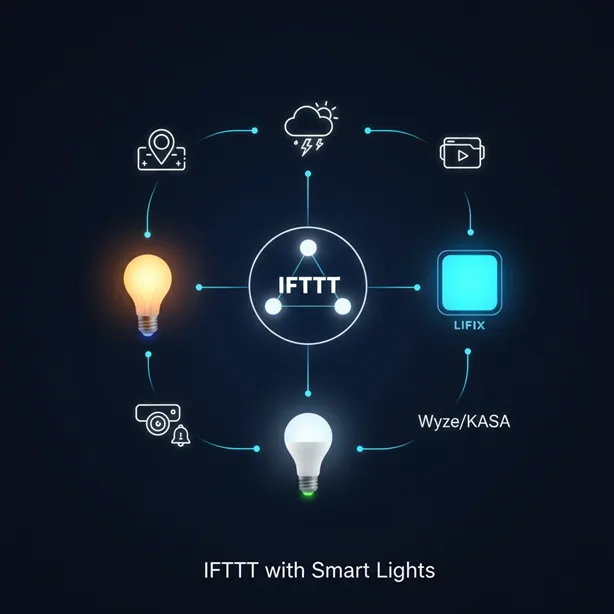
For those of us who have tried using smart lighting, the excitement of controlling lights with just your voice quickly disappears when you start getting lots of apps. One app for your lights, another for your motion sensors, and a third for your thermostat—this leads to a mess. Smart home enthusiasts, technophiles, and renters are frequently locked in closed systems, perplexed as to why their pricey devices cannot communicate with one another. The secret to connecting these various smart home technologies and enabling true automation is something simple but quite powerful: combining IFTTT with smart lights.
IFTTT stands for If This Then That, and it’s like the translator your home needs. It acts as the important link that lets devices from different brands—like your Philips Hue bulbs and your Wyze camera—talk to each other smoothly, something that’s usually not possible within their own systems. The main advantage of IFTTT isn’t all about complicated coding; it’s about not being tied to any single brand. Since IFTTT integrates with over 30 IFTTT-enabled lighting services, users are free to choose the most affordable or functional gear, knowing it can all become a single cog in the machine.
By leveraging IFTTT, owners of devices like LIFX, Sengled, and Kasa can move far beyond simple scheduling. This platform allows your lights to react to external web services, weather reports, and even social media feeds. This guide is designed to move your experience beyond basic voice commands and towards true, hands-off automation, enabling your entire home to run on autopilot eventually.
We’ll go over the basic concept behind the IFTTT “Applet” experience, characterizing it as a digital assistant that monitors for a particular occurrence (the Trigger) and performs a related task (the Action). Understanding this fundamental framework is the first step toward unleashing limitless potential.
Getting IFTTT and Your Lights to Play Nice
Before the magic can happen, the digital wiring must be laid. Connecting your smart light brand—be it Philips Hue, LIFX, or any of the 30+ supported services —to IFTTT is surprisingly straightforward.
Account Setup: First, Log In, Then Link Up
The initial process requires three crucial steps. First, create an IFTTT account. Second, navigate to the Services section and search for your desired lighting service. Finally, you must securely authorize IFTTT access to that device account. This authorization grants IFTTT the necessary permissions to read sensor data (Triggers) or execute changes (Actions) on your lights.
If you use voice control extensively, IFTTT can also integrate with systems like Google Assistant. This requires users to connect the IFTTT service directly through their Google Home application, adding an extra layer of voice-activated integration.
A critical point for maintaining system stability is service maintenance. If a connection appears to be flakey, or if the drop-down selections within the IFTTT interface fail to populate correctly, the solution is often easy but required: refresh or, if necessary, remove/reconnect the service connection entirely via the settings panel. This proactive step tackles frequent authentication concerns and is a sign of proper smart home hygiene.
Understanding Triggers, Actions, and Applets
The power of IFTTT is based on the Applet’s structure: If This (the Trigger) happens, then That (the Action) happens. Understanding the range of available Actions is what takes smart lighting from functional to outstanding.
Action Variety: Ambiance Control and Visual Notification
Smart light services linked to IFTTT provide a wide range of operations that go much beyond basic power control. These acts turn lights into complex communication tools.
- Blinking lights: This Action is best suited for urgent alerts. For example, lights can swiftly blink your preferred hue to alert you when your doorbell rings or a security sensor trips.
- Breathe lights: This creates a slow, pulsating color change, excellent for soft visual notification—perhaps indicating a change in the weather or that a charging cycle on a device has finished.
- Change color or Change color from image: Perfect for reacting to real-time web data. If the forecast calls for rain, your lights can turn blue. When using this Action, it is important to remember that some specific features, like changing color or turning on a color loop, are not compatible with older “lux” bulbs. This detail establishes a deeper knowledge of the hardware-software interaction.
- Activate scene: This provides granular control, allowing IFTTT to activate predefined lighting settings you’ve already managed and perfected in the native app, such as a “Movie Night” scene in the Hue app.
The selection of a Trigger is equally important. Not all IFTTT connections operate at the same speed. It is essential to understand the difference between Realtime Triggers and Polling Triggers. Real-time triggers operate quickly because the connected service notifies IFTTT when an event occurs. Polling triggers, on the other hand, necessitate IFTTT monitoring the service for new events on a frequent basis, which causes delay. Real-time triggers are clearly superior for critical lighting applications like motion detection and security alarms.
Essential IFTTT Smart Light Actions (The “Then That” Side)
| Action Type | Description & Use Case | Supported Brands (Example) |
| Blink Lights | Quick, attention-grabbing flash, often used for immediate alerts (text message, security breach). | Philips Hue, LIFX |
| Breathe Lights | Slow, pulsating color change, used for subtle notifications or mood setting. | Philips Hue, LIFX |
| Change Color | Sets a specific, static color (e.g., blue for rain, red for errors). | Hue, LIFX, Wyze, Sengled |
| Dim Lights | Adjusts brightness (0-100%). Used for evening transition or energy saving. | Philips Hue, SmartLife |
| Toggle On/Off | Simple power control, often tied to arrival/departure or motion detection. | All IFTTT-enabled lights (30+ services) |
Essential and Efficient Smart Light Automations
Once the basic framework is in place, users can implement highly effective automations focused on convenience and energy tracking. These Applets save time and money by relying on external data—not manual input—to manage the environment.
Mastering Geofencing and Presence
One of the highest-value automations is location-based lighting, often referred to as geofencing or presence detection. This feature relies on the IFTTT mobile application being installed on the user’s device, with “always-on” location permissions granted.
The concept is straightforward: the Trigger is “You enter an area”. Since this is classified as a Realtime trigger, the Applet runs quickly—often within a few seconds of the user crossing the virtual boundary. The Action is then to “Turn on your entry and living room lights”. This ensures a brightly lit and welcoming ambiance control upon arrival. Conversely, setting an Applet to turn off lights when the user exits the geofenced area is a simple yet powerful automation for saving energy.
A significant benefit, especially in shared households, is the Group Location feature. This allows the automation to be triggered based on the location of multiple members (roommates, family). This functionality elegantly solves the classic smart home dilemma of lights turning off prematurely; the lights will remain on until everyone has left the designated area.
It is important to manage expectations regarding speed. While geofencing uses Real-time triggers and executes quickly, IFTTT historically suffered from lag and intermittent failures. Addressing this directly, the platform has rolled out substantial performance enhancements, claiming Applets now run up to 20% faster, improving the reliability and speed of execution for essential tasks like arrival detection.
Sunrise and Sunset Automations
For users focused on efficiency and adhering to natural light cycles, scheduled lighting based on astronomical events is indispensable. By utilizing weather services as the Trigger, IFTTT can perform highly accurate time-based actions.
The most popular automation involves the sunset. The Trigger is “Sunset occurs,” and the Action is to turn on exterior or interior smart lights automatically. This removes the need for outdated timers or manual adjustment as the seasons change. In the morning, the reverse automation can be set: have lights turn off automatically at sunrise, helping the home stay in tune with the daily cycle.
Beyond scheduled routines, IFTTT enables the creation of a weather-reactive home. If a severe storm is detected, the Applet can be set to alter the color of the lights to a cool, relaxing blue. This creative connection demonstrates how IFTTT transforms lights from a utilitarian to an ambient display.
Advanced Integration: Turning Your Lights into a Digital Sentinel
The most complex and powerful IFTTT use cases involve linking smart lights to security systems and communication platforms, transforming the lighting system into an active digital sentinel as well as a secondary ambient user interface.
Using Lighting for Home Security Alerts
Smart lights become a powerful deterrent when integrated with security protocols. By connecting systems like Abode, Blink, or Boundary to IFTTT, users can create powerful cross-platform home security integrations.
For example, a critical Applet links an alarm system to the lighting:
- Trigger: Boundary Alarm is triggered.
- Action: Flash Philips Hue lights red.
This immediate, dramatic visual response serves as an immediate break-in deterrent and provides vital notification to occupants. Similarly, IFTTT can tie motion detectors within security systems (like those from Abode) to lights and televisions.
Crucially, for security Applets, reliability is paramount. The system must execute instantly. Therefore, users must confirm that their security service utilizes Realtime Triggers—the event notification needs to be pushed immediately by the service, rather than waiting for IFTTT to poll for a status update. IFTTT also enables convenient security management; Applets can be configured to disarm the Blink system when an August Lock is unlocked or arm systems when a user leaves the geofenced area.
Cross-Platform Communications: Lights as Notification Displays
The most creative use of IFTTT is transforming lights into an ambient notification display, connecting services that would otherwise never communicate. The idea is that your lights “tell you” things, establishing them as an active, atmospheric interface.
The possibilities are vast:
- Social Media and Text: You can flash your LIFX lights when you receive a text message from a specific person or when someone specific posts a tweet.
- Health and Wellness: If a fitness tracker registers that the user got their eight hours of sleep, lights can gently brighten to celebrate the achievement.
- Doorbell Integration: Applets can flash lights when a smart doorbell (like Ring) rings. This provides immediate visual feedback, especially useful in loud environments or for users with hearing impairments.
This sophisticated application justifies the use of IFTTT over native apps, as it enables the home system to react to highly specific, external data points, creating a home environment that is truly adaptive.
IFTTT Pro and Custom Webhooks
For the dedicated DIYer and power user, the standard free IFTTT plan eventually hits a wall. To achieve complex logic and truly bespoke integrations, users must look to the Pro tier features, which include multi-step actions, faster speeds, and advanced tools like Filter Code and Webhooks.
Is IFTTT Pro or Pro+ Worth the Upgrade?
The free IFTTT plan is a good starting point for simple, one-action automations. However, the Pro plan which begins at $3 a month, unlocks critical features that improve both functionality and reliability:
- Multiple Actions: This allows a single trigger to initiate several actions across different services. For example, “If I arrive home, THEN turn on the lights, AND set the thermostat, AND send a text message to my roommate.”
- Faster Speeds: This helps minimize the inherent latency of web-based automation, a must for time-critical actions.
The Pro+ plan is the true expert differentiator, offering access to Filter Code.Filter Code employs proprietary JavaScript logic, transforming IFTTT into a conditional powerhouse capable of multi-step actions and complex logic. For a smart light owner, this entails going beyond a simple “turn on light” action and including parameters such as “If motion is detected, use Filter Code to check if the time is past 10 PM.” If it is, then turn down the lights to 30%. If not then set the brightness to 70%.” This conditional capability offers the granular control that many skilled technical users require.
Using Webhooks for True Customization
For those working with niche devices, custom home servers, or obscure data sources, the biggest hurdle is compatibility. If the desired service isn’t listed, many users tend to hit the panic button. This is where Webhooks come in, offering a universal solution.
Webhooks are not scary, proprietary coding tools. They are automated HTTP requests that enable the integration of tasks across over 750 services by sending web requests. Unlike an API that constantly polls (or asks) a system for updates, a webhook pushes data proactively when an event happens.
The application of webhooks to smart lighting provides maximum flexibility:
- Webhooks as a Trigger: A custom script running on a home server (or an obscure IoT device not natively supported) can send a web request to IFTTT. This web request then acts as a Realtime Trigger, instantly activating a smart light Action. This allows a DIYer to link highly personalized hardware to their Philips Hue system.
- Webhooks as an Action: Conversely, IFTTT can use a webhook as an Action to notify a custom server when a smart light is turned on or off. This allows for complex logging or the activation of highly custom, niche devices that only respond to HTTP requests.
Webhooks easily bridge compatibility barriers, allowing users to link almost any digital tool to their smart lighting system if they can build a simple script to submit an HTTP POST request. This capacity is the cornerstone of truly personalized home automation.
Troubleshooting and Reliability
Web-based automation, by its nature, introduces potential points of failure. The platform operates over the internet, and users should be aware that latency or intermittent failures can occur.
Addressing Latency and Polling vs. Realtime Triggers
Historically, IFTTT suffered from a reputation for lag, with users reporting delays of several seconds or recipes that would fail to run entirely for periods of time. IFTTT has acknowledged and worked on this challenge, rolling out significant updates to improve performance and reliability. The platform claims Applets now run 20% faster, alongside better error handling.
A persistent reality, however, is the fundamental difference between Polling and real-time triggers. Devices using Polling Triggers are inherently slower because IFTTT must wait for its scheduled check to detect an event. The distinction between inevitable latency (slow execution) and outright failure (the Applet never runs) is important for users to understand. Widespread Applet failures are often not due to sluggish performance, but rather authentication issues or connectivity problems.
An advanced approach to system maintenance involves a meta-automation: since IFTTT offers a trigger that fires when an Error occurs, users can set up a proactive Applet. If an IFTTT Error occurs, THEN send a mobile notification (or change a separate, dedicated light to red). This ensures the user is aware of issues before they cause significant disruption.
Fixing Broken Applets
When an Applet fails, a structured troubleshooting approach is required to resolve issues quickly.
Diagnostic Steps for Applet Failures
- Check the Activity Feed: This is the authoritative source for debugging. The Activity Feed provides clear error messages and transparency on why an Applet did not run.
- Refresh/Reconnect Services: The most common fix for authentication problems or missing data in drop-down menus is to refresh the connection to the service used in the Trigger or Action. If refreshing fails, removing and reconnecting the service entirely often resolves deep-seated authentication issues.
- Verify Account Linkage: Ensure IFTTT is connected to the correct device account where the light is registered. Mistakes here mean IFTTT is trying to control a device that doesn’t exist within the linked account.
- Check Internet Connection: IoT devices rely on a strong, stable network. Confirming device connectivity is a basic but essential step.
- Review Access Tokens: IFTTT checks user access tokens periodically. If the token is repeatedly invalid for over two weeks, the associated Applets will be disabled.
When IFTTT Isn’t the Right Fit
While IFTTT is highly versatile, its reliance on web-based execution can be unsuitable for users demanding ultra-low latency or extremely complex, localized automations.
Dedicated, local smart home platforms like SmartThings or Home Assistant offer more robust device management and the capability for local execution, which significantly reduces latency compared to web services. SmartThings provides a comprehensive, centralized app environment focusing on home device control, making it ideal for those who prefer a single, unified system.
For users who primarily seek to bridge software tools rather than just home devices, IFTTT has alternatives in the business and integration space, such as Zapier (offering over 7,000 connected apps), Make (for powerful, flexible flows), or Microsoft Power Automate. These options cater to different niches, but IFTTT remains one of the most accessible and effective tools for cross-platform smart light automation.
FAQs
Why do my smart lights lag when using IFTTT?
IFTTT uses web-based execution, which can introduce latency. Lag often occurs with Polling Triggers, where IFTTT must regularly check for changes instead of being instantly notified. Utilizing Realtime Triggers and benefiting from IFTTT’s recent 20% speed boost significantly reduces this delay, especially for critical security and motion detection automations.
Can I connect different brands of smart lights using IFTTT?
Absolutely. IFTTT excels at cross-platform integration and supports over 30 lighting services, including major brands like Philips Hue, Wyze, and LIFX. This capability allows users to create seamless automations across their entire home, ensuring devices communicate regardless of their native brand ecosystem.
What is the difference between an IFTTT Applet and a native Hue scene?
A native Hue scene is a pre-set lighting configuration defined entirely within the Hue ecosystem (color, brightness, bulb groupings). An IFTTT Applet is an external rule that connects that scene to a trigger, such as the sunset, a calendar event, or an external weather alert, enabling external control.
Is IFTTT required for smart lights to function?
No, your smart lights function perfectly well with their native application and typically respond to voice assistants. However, IFTTT is necessary to unlock complex automations that cross service boundaries, such as tying your lights to financial market updates or specific non-smart home systems.
How do I troubleshoot an IFTTT connection error for my smart bulbs?
Start by checking the IFTTT Activity Feed for clear error messages. The most common fix for dropped connections or authentication issues is to refresh or completely remove and reconnect the lighting service connection through your IFTTT account settings.
What is Filter Code, and why would a smart light owner need it?
Filter Code (available in IFTTT Pro+) allows users to inject custom JavaScript logic into their Applets. This enables complex, conditional rules—such as automatically adjusting the light brightness based on the current time of day before the light turns on—offering granular control beyond simple binary “If This, Then That” statements.
Do I need an IFTTT Pro account to automate my smart lights?
The free plan is sufficient for beginners who need basic, single-action automations. The Pro plan becomes necessary and cost-effective if the user requires multi-step actions (e.g., controlling both lights and a thermostat from one Trigger) or needs the added performance benefits of faster execution speeds.
Conclusion
The journey into deep home automation begins when you stop viewing your devices as separate components and start seeing them as a singular, intelligent system. We have mapped out exactly how to IFTTT with smart lights, transforming disparate bulbs from Philips Hue to Wyze into a cohesive, intelligent network. From setting up fundamental connections and utilizing geofencing for seamless entry to employing lights as security sentinels that flash red on alert, the capabilities unlocked by this platform are profound.
The true value lies in shedding the superfluous bells and whistles and focusing on the essential connections that automate life. By utilizing advanced features like Filter Code and Webhooks, even the most dedicated DIYer can create truly custom, self-aware environments that react instantly to the world outside the front door.
It is time to move beyond the simple on/off switch and stop being a slave to manually managing your smart gadgets. Your goal is the perfectly synchronized, seamlessly connected home. Ready to stop tapping apps and start truly automating? Take the leap. Build your first multi-step Applet today and discover how to IFTTT with smart lights to achieve the effortlessly smart home you always imagined. Click here to start automating!
