
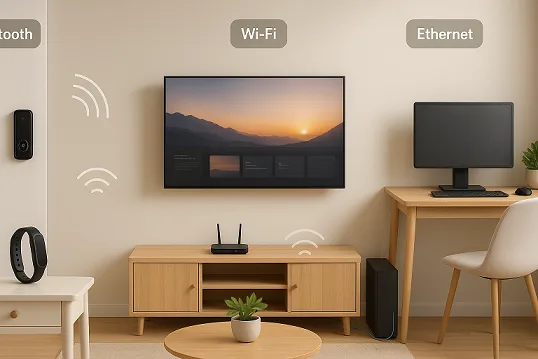
Take a look around your home. Every automated light flick, every security camera alert on your phone, every morning playlist from your kitchen speaker—none of it happens by magic. Behind your smart home’s “wow” moments are invisible communication threads, weaving together everything from door locks to robotic vacuum cleaners. But what exactly are these silent forces? For most homes, it comes down to three household names: Bluetooth, Wi-Fi, and Ethernet.
Understanding how these technologies work—and what their strengths and weaknesses are—is a game-changer. Maybe you’ve struggled with a laggy video feed, wished your battery-powered sensor lasted longer, or felt overwhelmed by setup complications. Perhaps you’re building a new smart home system and want it to… well, actually work, day after day.
This guide pulls back the curtain. We’ll travel from the basics of each technology to head-to-head comparisons, real-world examples, installation tips, troubleshooting advice, and a practical framework for making smart choices. You’ll find product recommendations for 2025 and direct answers to the web’s most pressing smart home questions. By the end, you’ll know exactly where Bluetooth, Wi-Fi, and Ethernet shine—and where they might trip you up.
Let’s get started—a smarter, smoother home awaits.
The Basics: What Each Technology Actually Is
Bluetooth: The Short-Range Connector
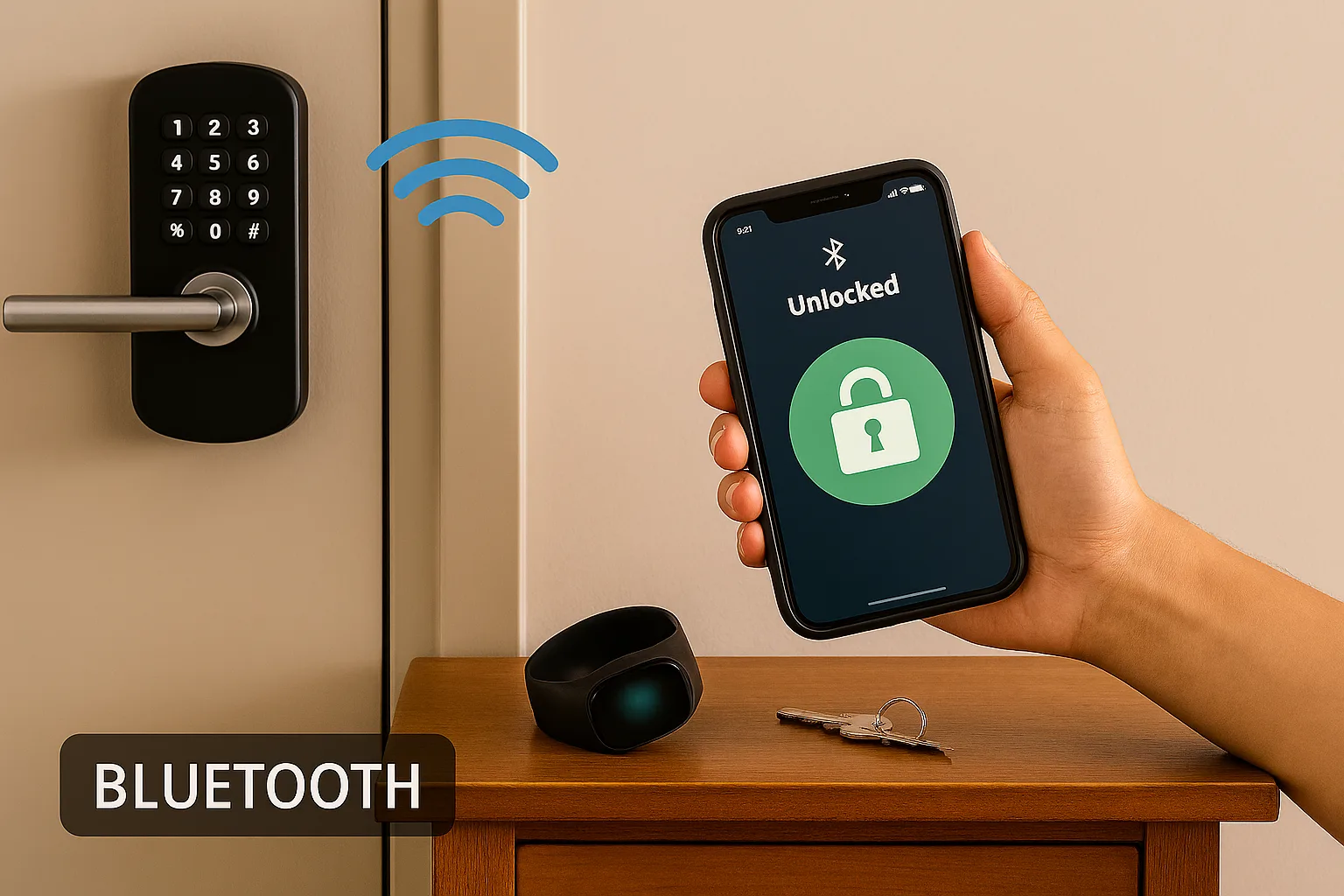
Bluetooth is the behind-the-scenes “handshake” in your smart home; it’s how your phone pairs with a wireless speaker, how your smart lock opens as you approach with your phone, and how some battery-powered sensors beam their data to a nearby hub. Bluetooth operates on the 2.4 GHz band and is, above all, a Personal Area Network (PAN) protocol. Its origins go back to the late 1990s, and with subsequent evolutions—especially Bluetooth Low Energy (BLE)—it now powers millions of low-power gadgets across the globe.
Key attributes:
- Short-range: Usually up to 10 meters (about 30 feet), though Bluetooth 5.0 and mesh networks can extend this.
- Low power: BLE is designed for battery efficiency, making it perfect for door sensors, fitness trackers, and other battery-operated devices.
- Direct connection: Many devices pair one-to-one, but BLE Mesh allows device-to-device relaying for larger homes.
Bluetooth in smart homes isn’t just about music. It can handle lighting controls, locks, and even act as a set-up bridge for gadgets that ultimately use Wi-Fi for daily operations.
Wi-Fi: The Household Workhorse
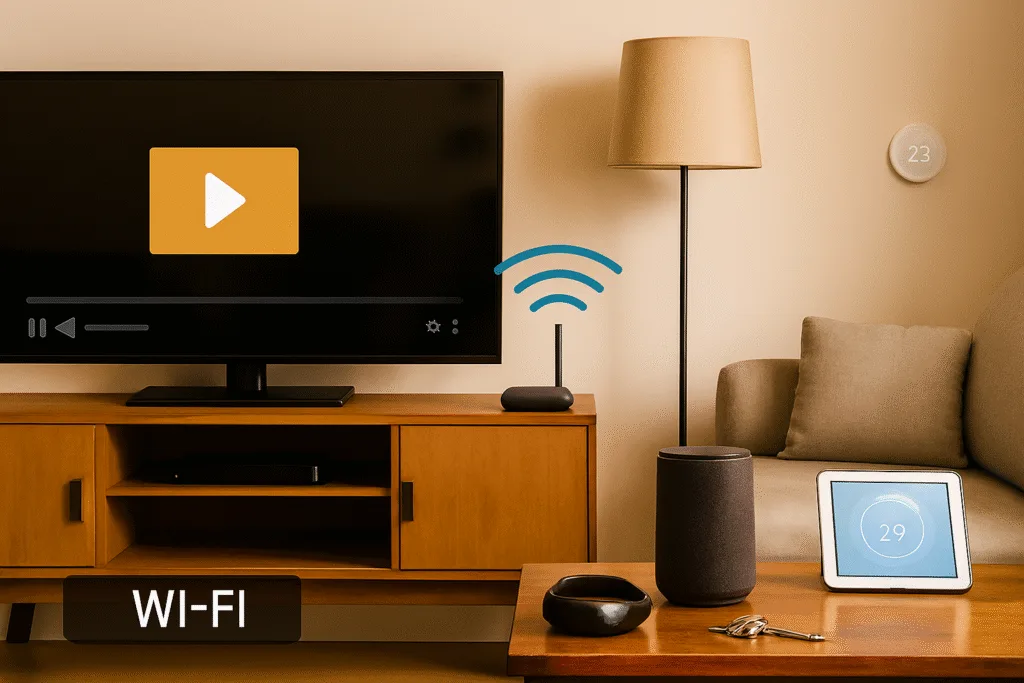
Wi-Fi (Wireless Fidelity) needs almost no introduction. It’s how your laptops, phones, and tablets access the internet, and it’s what lets your voice assistants, cameras, and streaming devices talk across your entire house—or the world. Wi-Fi operates on standard protocols (IEEE 802.11) and uses 2.4 GHz, 5 GHz, and, with Wi-Fi 6E, the new 6 GHz frequency band.
Key characteristics:
- Wide coverage: Depends on your router and home layout—typically 25–150 feet indoors.
- High data speed: Wi-Fi 5 offers up to 3.5 Gbps, Wi-Fi 6 up to 9.6 Gbps, and Wi-Fi 6E, using a far less crowded spectrum, can maintain higher speeds and less congestion.
- Supports many devices: Modern routers can handle dozens of connections—think of Wi-Fi as the “highway” for your smart home traffic.
- Plug & play: Most devices connect via your existing home Wi-Fi network—no hub required.
Wi-Fi is the backbone for data-hungry devices: smart cameras, video doorbells, smart TVs, and smart speakers thrive here, as do most voice assistants.
Ethernet: The Wired Standard
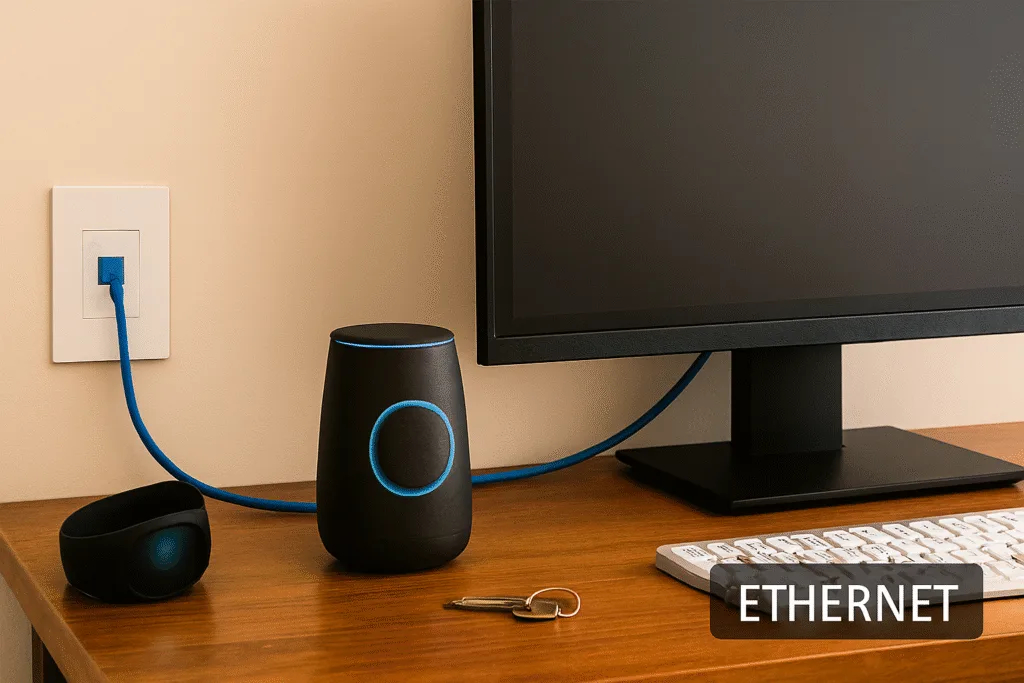
Before Wi-Fi, Ethernet was the gold standard for network connections—and in many ways, it still is. Ethernet uses physical cabling (usually Cat5e, Cat6, or faster) to connect devices directly to your network router or switch. It offers stability, speed, and low latency that wireless connections struggle to match.
Key features:
- Ultra-stable and fast: Speeds can reach up to 1 Gbps (Gigabit Ethernet) or higher with modern switches.
- No wireless interference: Immune to “dead zones,” neighbors’ Wi-Fi, or Bluetooth congestion.
- Low power draw: Devices can draw power and data over the same cable if your home uses Power over Ethernet (PoE).
Ethernet shines where absolute reliability is essential—network video recorders, smart home hubs, security cameras, and core smart home infrastructure.
Head-to-Head Comparison: Speed, Range, Power, and Security
To make smart choices, you need details—not just buzzwords. Here’s how Bluetooth, Wi-Fi, and Ethernet measure up.
| Technology | Speed | Range | Power Consumption | Security | Typical Use Cases |
|---|---|---|---|---|---|
| Bluetooth LE | 1–2 Mbps (BLE) | 10–30 meters (up to ~100m with mesh / BLE 5.0) | Very Low | AES-CCM 128-bit encryption; pairing risks | Sensors, locks, health trackers, simple control |
| Wi-Fi (6/E) | Up to 9.6 Gbps | 25–150 feet (up to 400 feet for 2.4 GHz outdoors) | High | WPA2/WPA3 encryption, strong passwords needed | Cameras, streaming, voice assistants |
| Ethernet | 1 Gbps+ | 100 meters per segment | Low | Security via wired-only physical access + higher protocol support (TLS, VPN) | Hubs, cameras, high-reliability endpoints |
Let’s break down each factor:
Speed
- Ethernet is the king—wired 1 Gbps and above means rock-solid streaming, instant response for real-time security cams, and zero lag for automation hubs.
- Wi-Fi comes close in real-world conditions. Even Wi-Fi 5 (802.11ac) delivers 500 Mbps+. Wi-Fi 6/6E, using wider channels and less crowded bands, can unleash gigabit speeds—especially when signal strength is strong.
- Bluetooth LE is not about speed. BLE is built for small, quick data transfers (think: “door opened” signals, not video streams). Classic Bluetooth can do audio, but BLE’s lower throughput is orders of magnitude less than Wi-Fi or Ethernet.
Range
- Ethernet range is up to 100 meters per cable run, with switches/routers acting as hops. Wiring rather than radio waves limit it.
- Wi-Fi covers whole homes—but can suffer dead zones or range drops with thick walls and distance. 2.4 GHz travels farther but is slower and more prone to interference; 5 GHz is faster and less crowded, but doesn’t penetrate walls as well; 6 GHz (Wi-Fi 6E) is fastest but has the shortest range.
- Bluetooth LE works best within 10–30 meters (33–100 feet). Bluetooth 5.0 and BLE Mesh can extend coverage, but in practice, range is limited by walls and device placement.
Power Consumption
- Bluetooth LE is the clear winner—designed for battery-powered operation, BLE can run gadgets for months or years on coin cell batteries.
- Wi-Fi is power-hungry. That’s why most battery devices (like cameras or window sensors) avoid it, unless they’re only awake briefly or offload work to a hub. Always-on, high-bandwidth devices should be plugged in.
- Ethernet is efficient. Wired connections avoid constant radio transmission and, with PoE, can power devices directly, eliminating the need for separate power cables. For always-on devices, Ethernet means fewer battery headaches.
Security
- Ethernet is inherently secure against wireless eavesdropping—you need physical access to the wires. However, higher-level security depends on protocols (SSL/TLS, network segmentation).
- Wi-Fi security relies on WPA3 (the latest standard), but is only as good as your passwords and update hygiene. Open or old WPA2 networks are susceptible to breaches. Good news: most modern devices require WPA2 at a minimum, and WPA3 is fast becoming the standard.
- Bluetooth uses paired connections, but has a storied history of exploits (BlueBorne, bluejacking) if left in discoverable mode or not updated. BLE mesh and modern pairing reduce these risks, but physical proximity is usually required for attacks.
Real-World Smart Home Use Cases
Let’s connect the dots with concrete examples—and see why the choice of connection matters so much.
Smart Lighting
- Wi-Fi-based bulbs (like LIFX or some Philips Hue models) offer direct app and voice assistant control. Setup is straightforward; join them to your home Wi-Fi.
- Bluetooth bulbs excel in quick setup (open the app, tap to pair) and power-saving. BLE Mesh allows control from anywhere in the mesh (using your phone as a relay), great for retrofits or apartments where wiring a hub isn’t feasible.
- Ethernet-connected lights are rare, but you’ll find Ethernet backbones in commercial systems or homes where a central hub (like a Lutron controller) connects via Ethernet and then controls lights via its proprietary low-power protocol.
Bottom line: For most homes, Wi-Fi is the easiest, while Bluetooth LED bulbs are a smart pick in single rooms or where energy efficiency is a priority.
Smart Security Cameras
- Wi-Fi is king for consumer smart cameras (Wyze, Ring, Arlo)—offering HD video streams, cloud storage, and remote viewing. Easy, yes, but cameras can overwhelm your Wi-Fi network (especially when streaming to the cloud).
- Ethernet is crucial for wired professional setups: PoE (Power over Ethernet) cameras offer 24/7 reliability, no wireless interference, easier remote access (without relying on Wi-Fi signal strength or password changes), and better upload speeds for high-res video (4K, multi-camera).
- Bluetooth is not suited for full-time video feeds, but can be used in proximity-triggered authentication, simple battery-powered security triggers, or as temporary setup bridges.
Tip: For critical security (like 24/7 recording), use a wired Ethernet camera with PoE; for flexible installation, Wi-Fi offers simple deployment at the cost of some reliability.
Smart Speakers
- Wi-Fi is the primary connection for Amazon Echo, Google Nest, or Apple HomePod. It allows high-quality streaming, constant voice assistant access, updates, and multi-room audio. Wi-Fi’s reliability (if you have a mesh network) means your speaker understands you from any room.
- Bluetooth is for direct pairing—think streaming music from your phone, not for voice assistants or automation triggers. Some smart speakers let you “hand off” music over Bluetooth for guests.
- Ethernet is rare for speakers, but some high-end systems (Sonos) offer an Ethernet jack for rock-solid, interference-free streaming, useful in crowded Wi-Fi areas.
Pro insight: Wi-Fi is your default; use Bluetooth for occasional device pairs or portable speakers.
Smart Locks
- Bluetooth smart locks let your phone unlock the door when you approach—no internet needed, just your phone and the lock. Battery life is long, but you can’t check lock status from across town unless the lock bridges to Wi-Fi via a hub.
- Wi-Fi smart locks provide remote control, real-time alerts, guest key sharing, and easy integration with home assistants—but consume more power, so expect to change batteries more often or ensure the lock is near a hub/bridge.
- Ethernet smart locks are rare due to wiring constraints, but you’ll see Ethernet in commercial security systems or central hubs in wired commercial access control.
Rule of thumb: Choose Bluetooth for local, low-maintenance control; Wi-Fi for remote features; and combine with smart hubs for the best of both.
Setting Up for Success: Practical Tips & Troubleshooting
Getting your devices online (and keeping them working) doesn’t have to drive you crazy. Each protocol comes with its own practicalities and fixes.
Bluetooth Smart Home Devices
Setup: Pair device via app or device scanner; for mesh, follow vendor mesh provisioning steps.
Troubleshooting:
- Range issues: Bluetooth works best in the same room; walls and floors sap signal fast.
- Pairing problems: Restart both devices, clear paired-device lists, and ensure devices are in pairing mode.
- Interference: Avoid placing near Wi-Fi routers or microwaves to reduce channel conflict.
- Battery concerns: Modern BLE uses very little power—if you see frequent battery swaps, check for faulty devices or firmware updates.
Pro tip: Keep firmware updated. For mesh networks, mesh repeaters (smart plugs, switches) can extend range.
Wi-Fi Smart Home Devices
Setup: Most Wi-Fi devices require the following:
- 2.4 GHz band (not all support 5 GHz).
- Static IP setup is sometimes needed for cameras or fixed devices.
- Strong password and modern encryption (WPA2 or WPA3).
Troubleshooting:
- Dropped connections: Place Wi-Fi router centrally, minimize walls/barriers; use mesh Wi-Fi for full-home coverage.
- Slow response: Too many devices? Reduce Wi-Fi load, or isolate heavy-load devices onto wired Ethernet.
- Interference: Electromagnetic noise from microwaves, cordless phones, or metal appliances can impact signal.
- Bandwidth limits: Upgrade to higher-tier broadband or mesh routers for many devices; spread out video cameras across different bands where possible.
Pro tip: Use static IPs for fixed devices and update your router’s firmware regularly.
Ethernet Smart Home Devices
Setup: Plug in device into the router/switch via Ethernet (Cat5e/Cat6). For PoE (Power over Ethernet) devices, no local power plug is needed—just a compatible switch.
Troubleshooting:
- Cable problems: Test using a different cable. Don’t rely on homemade cables unless you’re confident in wiring.
- Port issues: Try another router/switch port; check for bent pins.
- Driver or software issues (for computers): Reinstall network drivers or update OS firmware.
- Power outages: For PoE, ensure the switch is on a battery backup if required.
Pro tip: Use managed switches for large networks or when grouping smart devices into VLANs (segmenting security cameras, for example).
Decision Framework: Which One Should You Choose?
How do you choose the right technology for each gadget or room in your smart home? Here’s a simple, actionable framework.
1. List your devices and needs.
- Battery-powered or plugged in?
- Do you need remote (out-of-home) access or just local control?
- Will speed and bandwidth be important (e.g., 4K video streaming)?
- Do you want voice control or integration with a central hub?
- Is your home large or small, with many walls (signal obstacles)?
2. Match each device to the protocol best suited for its workload and location.
| Device Type | Use Case | Best Connection Type |
|---|---|---|
| Smart speakers | Voice, music, automation | Wi-Fi (Ethernet for fixed locations) |
| Security cameras | 24/7 streaming, recording | Ethernet (PoE) > Wi-Fi (plugged-in) |
| Smart locks | Local unlock, low power | Bluetooth > Wi-Fi (for remote unlock) |
| Smart bulbs | Flexible, easy setup | Wi-Fi (for scenes/remote), Bluetooth (for room-based) |
| Sensors | Door/window, motion | Bluetooth, Zigbee, or Z-Wave |
| Hubs/Controllers | Core automation | Ethernet |
3. Weigh extra factors:
- Device compatibility (does it need a hub or special app?).
- Security (is the protocol up to date and well-secured?).
- Local control vs. cloud dependency.
- Future scalability (can you add more devices later?).
4. Optimize for reliability:
- Etherney is always used for critical devices, like camera recorders or the main smart hub.
- Use Wi-Fi for “rich” devices needing internet/cloud features (speakers, displays).
- Use Bluetooth, Zigbee, or Thread for low-power, nearby sensors—especially where battery replacement would be a pain.
Pro insight: Mixing wireless protocols is fine, don’t forget device compatibility and network congestion risks. If everything runs on Wi-Fi, your router might get swamped; if you pick a mesh protocol (like Zigbee or Thread), a hub is needed. Consider these upfront.
Product Recommendations
Here’s a look at standout smart home products for 2025, organized by their primary connectivity method.
Top Bluetooth Smart Home Products 2025
| Product | Use Case | Highlight |
|---|---|---|
| Philips Hue Bluetooth Bulbs | Lighting | App/voice scenes, BLE Mesh room grouping |
| Yale Assure Lock SL (Bluetooth) | Smart Lock | Local unlock, hands-free sensor, ultra-long battery life |
| Victrola Wave Turntable | Audio/Streaming | Bluetooth aptX, multi-room Auracast support |
| Govee Table Lamp 2 Pro | Mood Lighting | Bluetooth control, color scenes, portable |
Note: Bluetooth is especially strong in lighting, locks, and easy-to-install audio gear.
Top Wi-Fi Smart Home Products 2025
| Product | Use Case | Highlight |
|---|---|---|
| Google Nest Wifi (Mesh Router) | Network backbone | Fast, mesh expandability, Google Assistant built in |
| Ring Video Doorbell Pro 2 | Security | High-def video streaming, cloud alerts |
| Amazon Echo (5th Gen) | Voice/Home Hub | Wi-Fi, Alexa/Smart Home platform, built-in Zigbee support |
| LIFX Wi-Fi RGB Bulbs | Lighting | High-brightness, no hub required |
Top Ethernet Smart Home Products 2025
| Product | Use Case | Highlight |
|---|---|---|
| Netgear GS728TPP PoE Switch | Smart hub/camera backbone | 24 PoE+ ports, 384W, remote mgmt |
| DSGW-230 Gigabit Smart Gateway Hub | Automation core | BLE/Zigbee + Ethernet backhaul, PoE |
| UniFi Switch Pro 24 PoE+ (Ubiquiti) | Network backbone | 16 PoE+ ports, Layer 3 routin |
Ethernet is the “glue” for prosumer and high-reliability installs—especially essential for cameras and central hubs.
FAQs
Conclusion
Imagine a home where the lights respond instantly, locks know when you’re home, video is always crisp, and your battery-powered gadgets last for years without a swap. Getting there means matching the right technology to the right job, not just going with what’s familiar or trending.
Bluetooth, Wi-Fi, and Ethernet each bring unique superpowers to the table. Bluetooth is perfect for low-power, local control. Wi-Fi excels at bandwidth and flexibility—great for smart speakers, cameras, and entertainment gear. Ethernet, often overlooked, delivers unwavering stability and top speeds where it matters most.
Ready to step into a smarter, smoother, more reliable future? Start with these three questions:
- What do I need from each device—speed, battery life, or always-on power?
- Where do I demand reliability, and where is flexibility more important?
- Am I planning for today—or building a network that will grow with my home and my tech?
If you want a rock-solid, future-proof smart home, try this combination:
- Ethernet backbone for your router, smart hub, and key cameras.
- Mesh Wi-Fi network for wireless-heavy devices and smart speakers throughout the house.
- Bluetooth/BLE mesh for secondary sensors and battery-powered locks/lights—managed via a modern hub for unified control.
Check out Google Nest Wi-Fi, Philips Hue Bluetooth Smart Bulbs, and Ring Video Doorbell Pro 2 as starting points for a balanced and robust smart home setup.
➡️ Ready to level up your smart home? Compare your current setup to this guide, try the top product picks, and—above all—choose connectivity built for the life you live every day. Your future self will thank you.
