
Bluetooth streaming has changed from being a neat little extra to something almost everyone expects on their smart devices, like phones, TVs, soundbars, game systems, and even kitchen gadgets. Whether you’re listening to music while running, watching a movie with Bluetooth headphones connected to your smart TV, or sharing a podcast in the car, understanding how Bluetooth works can help you see its strengths and any possible weaknesses.
This guide explains how to stream audio and video using Bluetooth, covers the various Bluetooth codecs, discusses issues with latency, shows how to set up Bluetooth in multiple rooms, and explains how Bluetooth works with smart home systems.
We’ll also compare Bluetooth to Wi-Fi streaming. You’ll understand how to use Bluetooth effectively at home in the end, which devices pair well together, and how new technologies like LE Audio, Auracast, and improved smart home connections are changing things. We’ll also address common questions like “Can Bluetooth stream HD video?” and help with tough problems like “How do you fix Bluetooth latency on smart TVs.”
- Understanding Bluetooth Streaming on Smart Devices
- Bluetooth Codecs and Audio Quality
- Bluetooth vs Wi-Fi Streaming
- Latency and Lip-Sync in Bluetooth Streaming
- Multi-Room Audio and Smart Home Integration
- Smart Devices That Support Bluetooth Streaming
- Troubleshooting Bluetooth Streaming Issues
- The Future of Bluetooth Streaming
- FAQs
- Conclusion
Understanding Bluetooth Streaming on Smart Devices
Bluetooth Audio Streaming
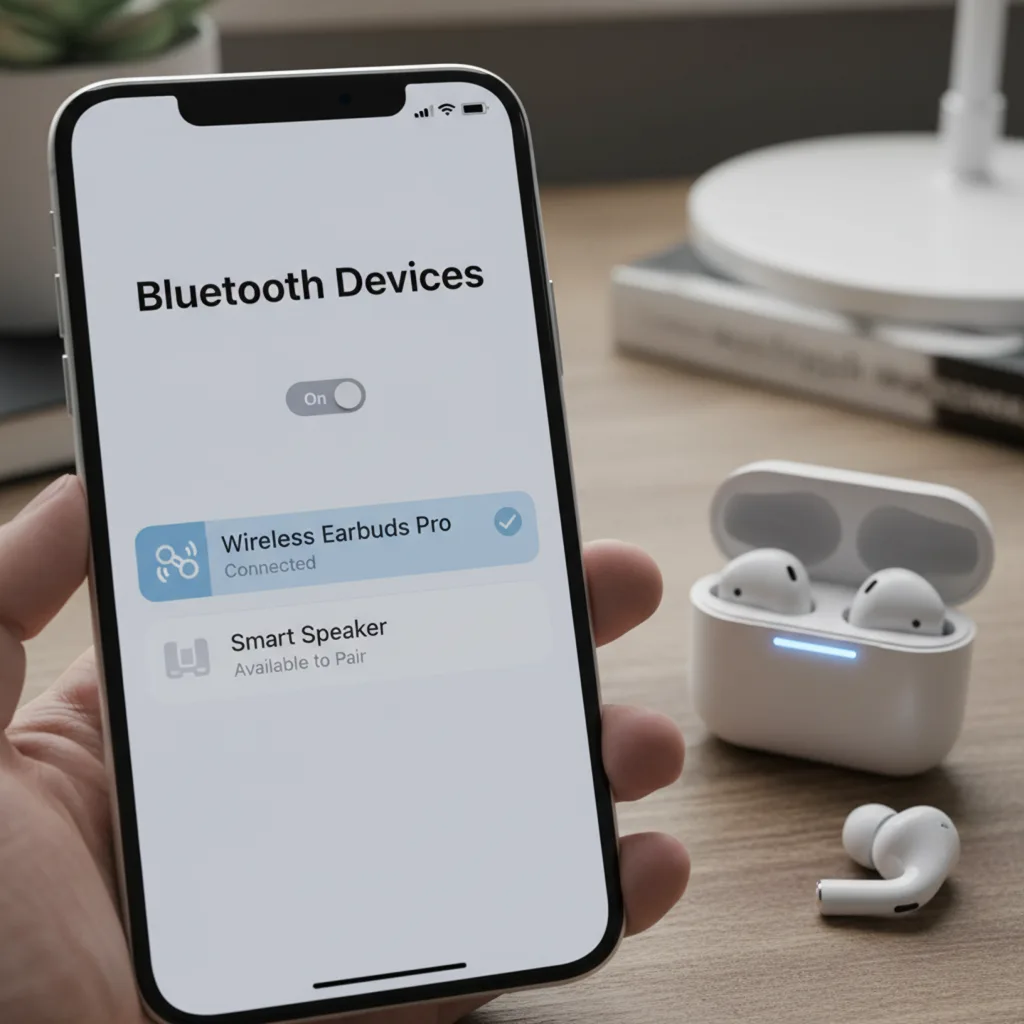
Bluetooth audio streaming is when you send sound from a device like your phone or computer to another device, such as headphones, speakers, or a car sound system, without using wires. This is the most common use case and leverages profiles like the Advanced Audio Distribution Profile (A2DP), which has become an industry mainstay. Modern Bluetooth versions (from 4.0 through 5.3) allow relatively stable, high-quality audio transmission with good range—often up to 30 meters in open spaces—while consuming very little power.
Bluetooth codecs are used to change audio into a signal and then back into a specific type of sound. These codecs make the sound information smaller, which uses less space in Bluetooth. This process has some drawbacks, especially when trying to keep the sound clear while making the transfer faster, which we will look at more closely later. But for playing music from Spotify or Apple Music, making calls, or listening to podcasts on wireless earbuds like the Apple AirPods or Samsung Galaxy Buds, Bluetooth typically offers ample quality for most listeners.
Bluetooth Video Streaming
Streaming video over Bluetooth is a more complicated prospect. Most devices are not designed for direct video transmission over Bluetooth, mostly due to limitations in bandwidth and latency. However, with advances in compression techniques and integration of Bluetooth in smart TVs, streaming sticks, and wearables, short-range video streaming—like sending video from your phone to your AR glasses or quickly sharing short clips—has become possible within a narrow use case. Typical Bluetooth connections transmit up to 2 Mbps in theory (with Bluetooth 5.x), but real-world speeds tend to be lower due to interference and the protocol’s design.
Video over Bluetooth is practical primarily for brief, low-resolution clips or specialized applications rather than for high-definition, full-length movie streaming. Video content over Bluetooth relies heavily on compression to ensure smooth playback, sacrificing some image quality and detail to fit within the available bandwidth. If your primary need is streaming HD or 4K video, Wi-Fi or proprietary solutions like Miracast or AirPlay offer far superior performance.
Bluetooth Protocols Explained
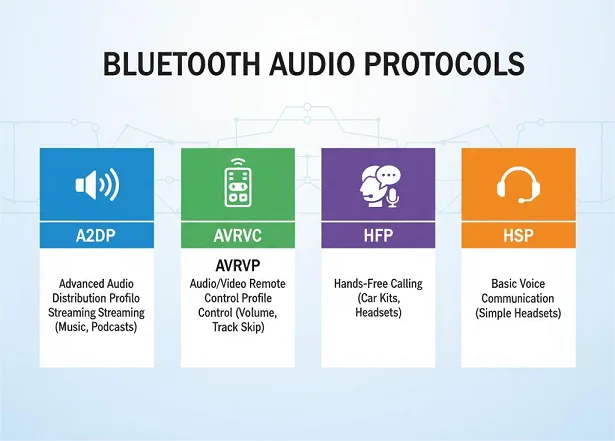
Bluetooth protocols provide the rules for how devices discover one another, pair up, and transfer data securely. Several Bluetooth “profiles” have specific roles:
- A2DP (Advanced Audio Distribution Profile): Used for high-quality stereo audio streaming between devices.
- AVRCP (Audio/Video Remote Control Profile): Enables remote control of playback features such as play, pause, and skip.
- HFP (Hands-Free Profile): Used for calling hands-free in cars or with headsets.
- HID (Human Interface Device): For peripherals like keyboards and mice.
- LE Audio: The newest standard, built on Bluetooth Low Energy (LE), offering more efficient audio transmission, robust multi-device support, and public broadcasting via Auracast.
Bluetooth devices link up and find the best way to talk to each other. Modern phones, smart TVs, and soundbars can use several Bluetooth functions at once, making it easier for them to connect with various devices. Bluetooth also has security features like Secure Simple Pairing and encryption that uses ECDH to protect your connection. Each new version of Bluetooth makes these security features stronger.
Bluetooth Codecs and Audio Quality
Common Bluetooth Codecs
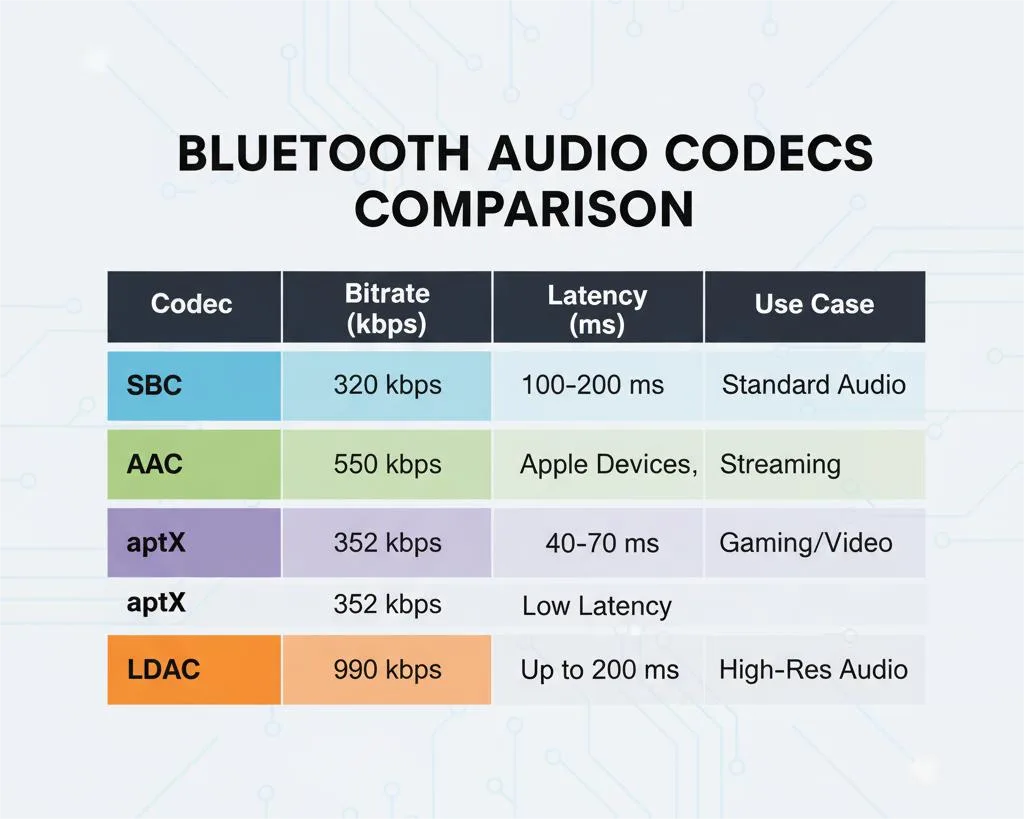
At the center of Bluetooth streaming is the codec—the software that compresses, encodes, sends, receives, and decodes your audio. The specific codec being used can make a big difference in how the sound is experienced. Here’s a quick look at the main codecs:
| Codec | Max Bitrate | Max Bit Depth | Max Sample Rate | Type | Notable Devices/Platforms |
|---|---|---|---|---|---|
| SBC | 320 kbps | 16-bit | 48 kHz | Lossy | Universal (default A2DP profile) |
| AAC | 264 kbps | 16-bit | 44.1 kHz | Lossy | iOS, Android, many headphones |
| aptX | 352 kbps | 16-bit | 48 kHz | Lossy | Android, many headphones |
| aptX HD | 576 kbps | 24-bit | 48 kHz | Lossy | Select Android, headphones |
| aptX Adaptive | 279–420 kbps | 24-bit | 96 kHz | Lossy | Qualcomm Snapdragon devices |
| aptX Lossless | 1.2 Mbps | 24-bit | 96 kHz | Lossless* | Snapdragon Sound certified earbuds |
| LDAC | Up to 990 kbps | 24-bit | 96 kHz | Lossy* | Sony devices, Hi-Res headphones |
| LHDC | 1000 kbps | 24-bit | 192 kHz | Lossy* | Select Android/Hi-Res headphones |
| LC3 (LE Audio) | 345 kbps | 32-bit | 48 kHz | Lossy* | Modern earbuds, smart speakers |
Note: “Lossy” indicates high-efficiency codecs with claims (esp. aptX Lossless) of near- or true-lossless performance at certain bitrates, though some technical debate continues.
Each codec is either “universal” (like SBC, which all Bluetooth headphones and speakers support) or “advanced,” requiring both source and sink to support it. High-quality codecs such as LDAC and aptX Lossless are preferred by music lovers who are willing to buy matching devices; SBC and AAC are commonly used for regular listening.
Lossy vs Lossless Audio
Lossy codecs focus more on keeping the connection stable during wireless use rather than maintaining exact replication of the original data. When data is removed during compression, it can’t be brought back, which may lead to some loss in quality, even if it’s not always easy to spot. Most users won’t perceive much difference when listening to streaming music at 256–320 kbps on Spotify or YouTube Music.
Lossless audio means music is compressed reversibly. When uncompressed, lossless formats (like FLAC, ALAC, or aptX Lossless) reproduce the original audio exactly, with no data lost. Bluetooth has only recently achieved true lossless capabilities, thanks to aptX Lossless and (in certain scenarios) LC3 over LE Audio, but only under ideal conditions with supporting hardware.
For example, aptX Lossless aims to stream 16-bit/44.1kHz CD-quality music over Bluetooth at bitrates up to 1.2 Mbps—close to the 1.4 Mbps of Red Book CD audio—compared to the ~320 kbps of most standard codecs. This gives you the potential to hear as much detail as the original file provides, a major leap for wireless audio if both ends of your Bluetooth connection are up for the task.
Choosing the Right Codec
The best codec for your needs depends on both your source device (phone, tablet, computer) and your playback device (headphones, earbuds, soundbar), along with your priorities—convenience, sound quality, or battery life.
- For Apple users: AAC is the default for iPhones and AirPods; it offers solid quality, but not hi-res.
- For Android users: Look for headphones or speakers that support aptX Adaptive, aptX Lossless, or LDAC to get better sound quality.
- For audiophile streaming: Go for LDAC at the highest bitrate (990 kbps), but make sure you have a strong connection. Keep in mind that LDAC might switch to a lower bitrate if the connection isn’t stable.
- For gaming or watching videos: Use aptX Low Latency or LC3 (LE Audio) since they are made to reduce lag as much as possible.
- For universal compatibility: SBC works everywhere, but isn’t a top pick for music lovers.
Always remember: Both the source and destination must support the chosen codec for it to be used! If you pair Sony headphones that support LDAC with a Samsung phone that doesn’t, you’ll default to a lower-quality codec like SBC or AAC even if both are “hi-res” capable.
Bluetooth vs Wi-Fi Streaming
Wi-Fi Streaming for Audio and Video
Wi-Fi streaming is the gold standard for both high-fidelity audio and high-definition video. Services like AirPlay (Apple), Chromecast Audio, and SONOS tap into your home network’s vastly superior bandwidth—up to hundreds of Mbps—compared to Bluetooth’s sub-2 Mbps limits. This allows for lossless or even hi-res (24/192) audio streaming, plus seamless playback of HD and 4K video.
Wi-Fi streaming also supports greater range, multi-room playback, synchronization between devices, and increased device counts—perfect for whole-home audio and advanced smart home setups. Its main drawback is the need for compatible equipment and, sometimes, a more complex configuration.
Bluetooth vs Wi-Fi for Music
Audio Fidelity: Wi-Fi wins hands-down for quality. CD-quality and hi-res lossless streams (over 1,400 kbps or higher) easily traverse Wi-Fi. Bluetooth, even with aptX HD or LDAC, compresses audio to lower rates.
Range & Flexibility: Bluetooth’s max range is about 10–30 meters, while Wi-Fi typically covers your entire home. Bluetooth shines for on-the-go listening (jogging with earbuds, travel headphones) but not for whole-home or “party mode” playback across zones.
Ease of Use: Bluetooth is near-instant for pairing and direct, device-to-device setup. Wi-Fi can be more complex (joining networks, signing into apps), but only needs to be done once.
Battery Life: Bluetooth, especially LE, is far easier on battery compared to Wi-Fi streaming, making it more suitable for earbuds and wearables.
Bluetooth vs Wi-Fi for Video Playback
Bluetooth isn’t practical for streaming HD or 4K video, especially with sound in sync, due to its limited bandwidth and higher latency. Even under optimal situations, Bluetooth can only support low-res clips or basic mirrored content (such as notifications or AR overlays).
Wi-Fi, on the other hand, is purpose-built for video streaming: Netflix, YouTube, Apple TV, and gaming consoles all rely on your home Wi-Fi network to deliver full-quality, stutter-free HD/4K video and surround sound across multiple rooms and devices.
Summary Table: Bluetooth vs Wi-Fi Streaming
| Feature | Bluetooth | Wi-Fi |
|---|---|---|
| Max Audio Quality | Compressed, lossy (up to near-lossless w/ aptX Lossless/LDAC) | Lossless, hi-res, even multi-channel |
| Max Video Quality | Very low resolution, compressed | Up to 4K, multi-channel surround |
| Latency | 30–250 ms (codec-dependent) | 10–30 ms (often negligible) |
| Multi-Room/Zone Support | Limited (tricky, with quick dropouts) | Seamless, robust, native on many systems |
| Device Range | 10–30 meters | 50–150 meters (whole house) |
| Use Case | Headphones, earbuds, car audio, small speakers | Whole-home audio, TV, multi-device playback |
Latency and Lip-Sync in Bluetooth Streaming
Why Latency Happens
Bluetooth audio latency—the time between when sound is produced and when you hear it—stems from a combination of factors: codec processing time, wireless link speed, device buffering, and possible interference. Every time audio moves from your phone to your wireless headphones, it’s compressed, sent as digital packets over the air, then reassembled and decoded, all before being played. For average music listening, this can be almost imperceptible; for video and gaming, latency can wreak havoc on lip-sync or in-game responsiveness.
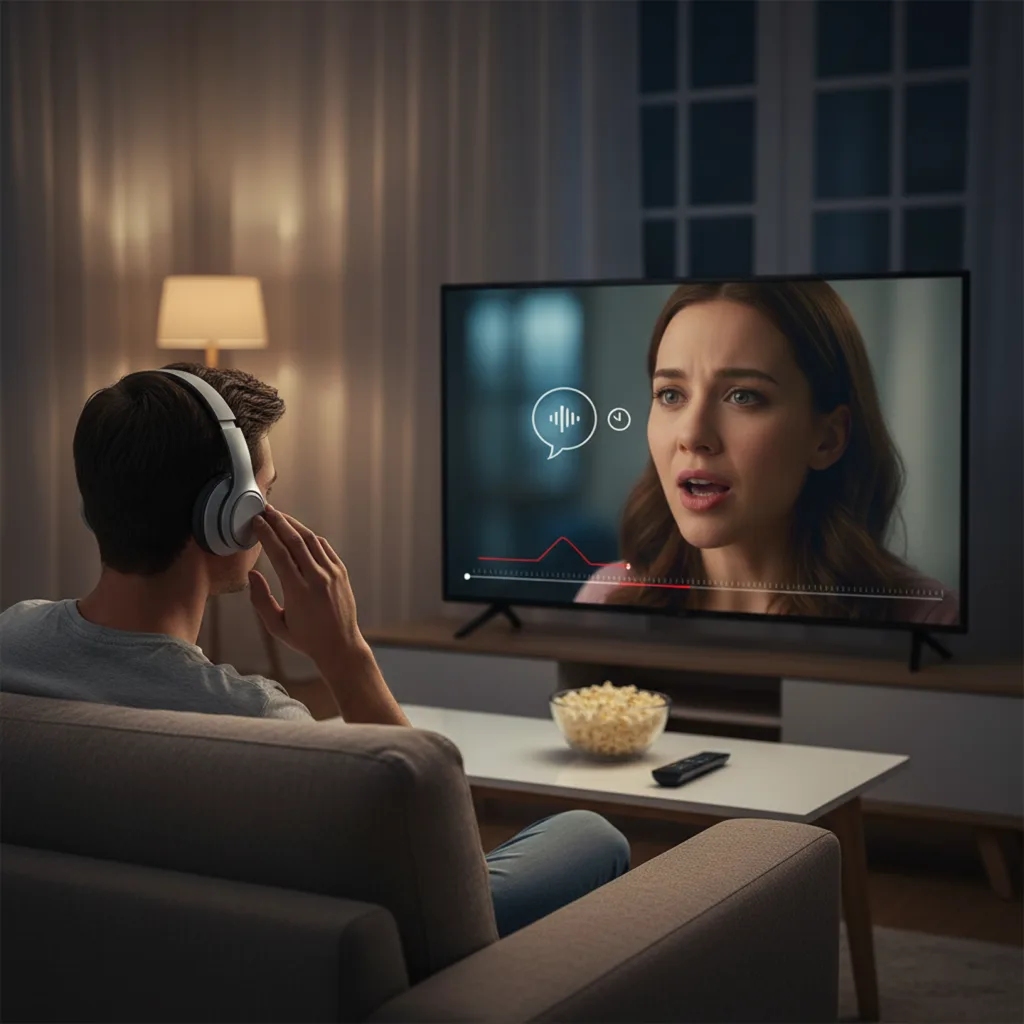
Standard codecs like SBC and AAC routinely introduce 120–250 milliseconds (ms) of delay—well above the threshold (~100 ms) where lip-sync errors and lag become obvious to most people. Codecs optimized for low latency, like aptX Low Latency (32–40 ms) and LC3 (LE Audio) (30–70 ms), drop lag into the “barely noticeable” range.
Non-codec factors like device operating system, Bluetooth stack, buffer size, and signal interference also play major roles, especially on TVs and game consoles with less-optimized Bluetooth implementations.
How to Fix Bluetooth Latency
1. Choose the Right Codec
Devices that support aptX Low Latency, aptX Adaptive, or LC3 (LE Audio) can drop Bluetooth latency significantly. Both your headphones or earphones and your source (phone, TV, dongle) must support fast codecs—if not, you’re stuck with high-latency defaults.
2. Use Wired Connections for Critical Scenarios
Cables trump wireless for zero-latency needs (music production, DJing, competitive gaming). For the best results in home entertainment, consider a direct 3.5mm or HDMI ARC/eARC connection from TV to headphones or soundbar.
3. Update Device Firmware and Software
Bluetooth latency can be reduced by the latest firmware, improving buffering efficiency, selecting better audio codecs, or adding new features like LE Audio support in Windows 11.
4. Reduce Interference
Make sure that the source and sink devices are near each other and avoid any objects blocking the connection between them.
Bluetooth doesn’t have to share the crowded 2.4GHz band; you can switch to a 5GHz Wi-Fi network for internet use.
5. Use External Bluetooth Transmitters
Use a separate Bluetooth transmitter for devices like TVs or gaming consoles that support aptX Low Latency. This can help avoid the slow Bluetooth performance built into the device and allow for a smoother connection with your compatible headphones.
6. Adjust AV Sync Settings
Many smart TVs and set-top boxes offer audio delay settings or auto-calibration tools (e.g., Apple TV’s Wireless Audio Sync). This compensates for audio being out of sync with video, though it doesn’t reduce the actual Bluetooth processing delay.
Best Practices for Gaming and Video Calls
Practical steps for keeping lag at bay during gaming or video calls:
- Whenever possible, use headphones with a 2.4 GHz low-latency wireless dongle. Many pro gaming headsets deliver <20 ms lag—vs. Bluetooth’s 100+ ms with standard codecs.
- For Bluetooth use, select a gear with proven aptX Adaptive or LE Audio support; test before purchasing for gaming.
- For video calls, prefer Wi-Fi-connected headsets/speakers or wired mics for robust, real-time sound (especially in multidirectional conferences).
- Stay up to date: gaming consoles, Windows PCs, and smart TVs regularly update Bluetooth stacks. New platforms are increasingly adding support for LE Audio, reducing lag to 50 ms and below.
Multi-Room Audio and Smart Home Integration
Bluetooth Multi-Room Limitations
While the idea of broadcasting music to many Bluetooth speakers throughout a house sounds appealing, real-world Bluetooth multi-room audio faces big limitations:
- Connection Instability: Bluetooth only allows one-to-one, or at best, limited one-to-multiple (multipoint) connections. Trying to sync multiple speakers in different rooms often results in dropouts and out-of-sync playback.
- Short Range and Interference: Walls and electronics reduce range and cause signal loss much faster than Wi-Fi systems.
- No Central Management: Bluetooth doesn’t natively support centralized multi-zone control or unified device management.
This has led most home audio brands to put their multi-room energy into Wi-Fi (e.g., SONOS, Denon HEOS), leaving Bluetooth for single-room, on-the-go, or desktop use.
Wi-Fi and AirPlay 2
Wi-Fi-based systems like AirPlay 2 (Apple), Chromecast, and SONOS are purpose-built for robust, perfectly synchronized multi-room audio. Benefits include:
- Synchronized playback to dozens of speakers.
- Ember room grouping, easy control from any phone/tablet.
- Seamless handoff between music sources.
- Lossless (CD-quality or better) streaming.
- No dropouts or connection loss over household distances.
AirPlay 2 allows any compatible device (HomePods, Apple TVs, select smart TVs, and supported speakers from Bose, Denon, Sonos, and more) to be added to coordinated groups, with perfect sync—managing everything either from the iOS Control Centre or iTunes on Mac/Windows.
Hybrid Setups
Some advanced setups combine Bluetooth and Wi-Fi:
- A master device or soundbar receives music via Bluetooth, then rebroadcasts it over Wi-Fi to multiple speakers.
- DIY multi-room audio with modules (like Arylic Up2Stream): You can build a system that accepts Bluetooth, then handles whole-home distribution over Wi-Fi to each speaker zone.
Hybrid systems merge Bluetooth’s simplicity for one-on-one pairings and onboarding with Wi-Fi’s scalability and fidelity for whole-home listening. As smart home and IoT platforms mature, expect more such integrations where you seamlessly switch input modes depending on your context or device.
Smart Devices That Support Bluetooth Streaming
Smartphones and Tablets
Virtually all modern smartphones and tablets support Bluetooth streaming out of the box, typically running Bluetooth 5.0–5.3. Major platforms (iOS, Android) support multiple codecs and profiles, allowing users to connect headphones, earbuds, wearables, smartwatches, and cars for hands-free audio, voice calls, and media control.
- Apple iPhone/iPad: Native support for AAC and SBC, seamless pairing with AirPods, robust LE Audio and Auracast support on newer models.
- Android smartphones (Samsung, Google Pixel, Xiaomi): Support for a mix of AAC, SBC, aptX family, LDAC, and now LC3/LE Audio/Auracast on leading devices.
Android’s Bluetooth has become more customizable, letting users choose their preferred codec in developer settings for supported headphones.
Smart TVs and Streaming Sticks
Most modern smart TVs (from Samsung, LG, Sony, TCL, Vizio, Roku, and others) feature Bluetooth connectivity. Typical use cases include:
- Connecting wireless headphones for private listening.
- Pairing Bluetooth speakers/soundbars.
- Using wireless game controllers or keyboards for smart TV navigation.
Configuration is usually straightforward: search for Bluetooth devices in the TV’s settings, put your headphones/speakers in pairing mode, and connect. For best results (especially for video sync), pick headphones and TVs supporting low-latency codecs or use external transmitters for improved performance.
Popular streaming sticks (Amazon Fire TV, Roku, Apple TV, Google Chromecast) also often support Bluetooth pairing for audio output, albeit sometimes with higher-than-ideal latency for video sync.
Smart Speakers and Soundbars
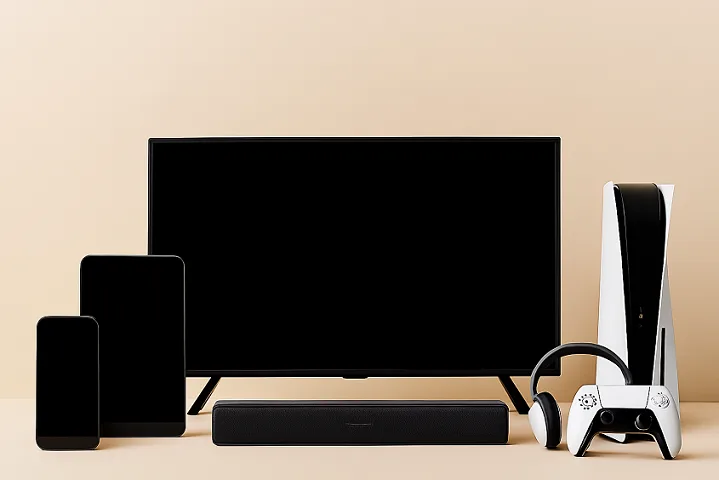
Smart speakers (Amazon Echo, Google Nest, Apple HomePod, Samsung Galaxy Home, Sonos, Bose, JBL, and more) nearly always support Bluetooth streaming in addition to Wi-Fi. Bluetooth lets you directly connect from your phone for music or podcasts, while Wi-Fi enables lossless streamed audio and whole-home sync.
Premium soundbars increasingly offer hybrid connections: Bluetooth for fast pairing and casual audio, Wi-Fi or HDMI ARC/eARC for high-fidelity TV and multi-channel sound. Advanced models even allow Bluetooth input and broadcast the sound to rear wireless speakers over Wi-Fi.
Gaming Consoles
- Nintendo Switch: Has basic Bluetooth audio support (added via firmware). Works for casual gaming, but users report noticeable lag—a dealbreaker for competitive play.
- Sony PlayStation 5/4, Microsoft Xbox Series X/S: Lack built-in Bluetooth audio for headphones or speakers. Workarounds include Bluetooth transmitters or routing audio via your TV, but lag and no mic support make this less than ideal.
- Gaming headsets: Most favour 2.4 GHz dongles (USB) for ultra-low latency, but new products are emerging supporting LE Audio/LC3 for direct pairing to improved Bluetooth consoles and PCs.
Troubleshooting Bluetooth Streaming Issues
Pairing Problems
Pairing issues are the most common Bluetooth frustration. Causes and solutions include:
- Device Not Discoverable: Ensure the target device is in pairing mode; sometimes this requires holding a dedicated button for several seconds.
- Connection Fails or Refused: Device may be at its pairing limit. Remove (forget) unused or old devices from the pairing list, and try again.
- Multiple devices trying to connect at the same time can confuse. Restart your multipoint-enabled headphones and reconnect them to the correct devices.
- Issues might also come from bugs in software or firmware. Make sure to update the firmware on both the device sending the audio and the one receiving it. Updating your phone, TV, or headphones can fix these problems.
Audio Quality Problems
Poor sound in Bluetooth streaming can result from several sources:
- Codec Limitations: If only basic codecs (SBC) are supported, expect low-to-midrange quality. Verify codec support via device settings or technical specs.
- Interference: Bluetooth works over the crowded 2.4GHz frequency. Microwaves, Wi-Fi routers, other Bluetooth devices, and even USB 3/c ports can cause stutter or dropouts. Move away from these sources or switch your Wi-Fi to 5GHz.
- Outdated Drivers/Firmware: PCs in particular may benefit from updated Bluetooth stack drivers.
- Distance/Obstacles: Keep devices within range and line-of-sight for best results.
Advanced troubleshooting may include disabling audio enhancements (often problematic on Windows), manually changing audio format/sample rate settings, or using a Bluetooth troubleshooter tool.
Video Sync Issues
Lip-sync errors are almost always a symptom of high latency in the Bluetooth audio chain. To address them:
- Enable A/V Sync Adjustments: On your TV, look for “Audio Delay” settings.
- Use Low Latency Codecs or Transmitters: See if you can use aptX Low Latency or an external aptX LL transmitter and headphones.
- Switch to Wired or Wi-Fi: For critical use (movie nights, gaming tournaments), go wired or use a Wi-Fi-based system.
- Update Your OS/TV Firmware: Newer versions often improve both codec support and sync algorithms. Most pro users and gamers opt for 2.4GHz wireless dongles (USB, proprietary) or direct wired headphones for true real-time sync.
The Future of Bluetooth Streaming
Bluetooth 5.2 and 5.3
Bluetooth 5.2 and 5.3 are the latest generations and have brought significant advances:
- LE Audio: A massive step forward, introducing the LC3 codec for superior sound at lower bitrates and drastically improved efficiency.
- Multi-Stream Audio: Allows independent left/right channel transmission, enhancing reliability for true wireless earbuds.
- Isochronous Channels: Better timing/synchronization for audio and other time-sensitive data (e.g., AR/VR, gaming).
- Improved Security: Enhanced authentication and pairing protocols for smart home and health devices.
- Lower Power Consumption: Ideal for wearables, IoT, and battery-powered devices. Bluetooth 5.3 refines power management and reliability further, setting the stage for the next era of interoperable, intelligent devices.
LE Audio and Auracast
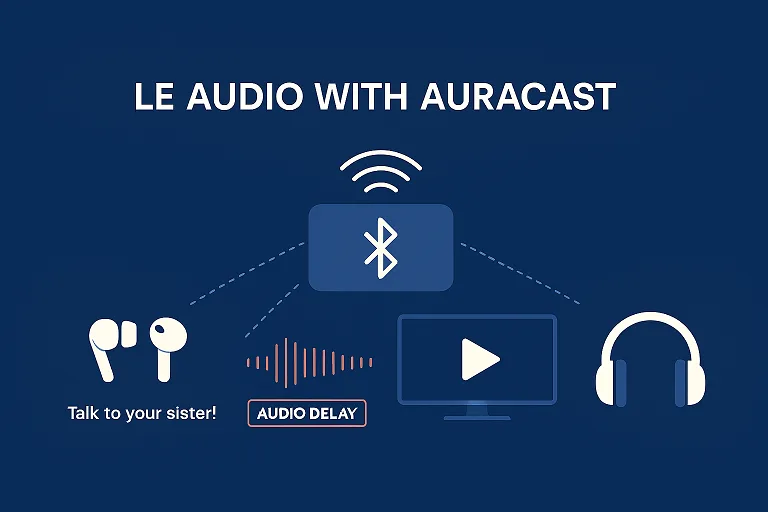
LE Audio is revolutionizing how Bluetooth is used in audio applications. Most notably:
- Auracast Broadcast Audio: Enables one device (phone, TV, PA system) to broadcast audio to an unlimited number of independent receivers. Think “silent disco” or sharing airport announcements with hearing aids—no pairing required.
- Lower-Latency, Higher-Efficiency: The new LC3 codec means better battery life, sound consistency, and lower lag—even at low bitrates.
- Accessibility: People with hearing aids will join the same audio experience as everyone else by tuning into public Auracast broadcasts. Major Android phones (Pixel 8+, Galaxy S23/S24/S25 series), flagship earbuds (Sennheiser Accentum, Galaxy Buds 3 Pro, Sony WF-1000XM5), and smart TVs rolling out since 2023 are integrating LE Audio and Auracast.
Smart Home Implications
Bluetooth’s low power, improving performance, and new mesh networking (via SIG MESH, Thread, and Matter) are making it a foundational layer for smart homes.
- Lighting, thermostats, speakers, locks, sensors: All can be controlled via Bluetooth, either directly or by forming a mesh with Wi-Fi/BLE hybrid gateways.
- Interoperability: With dual-mode chips handling both Bluetooth and Zigbee/Thread (Matter), a single hub or smartphone can orchestrate everything from lighting and music to access control.
- Improved Security and Set-Up: OOB pairing methods, including NFC tap-to-pair, promise much simpler, safer onboarding for sensitive devices.
- Edge AI and Health/Medical: Bluetooth now connects wearables and sensors with on-device AI for quicker, more local processing—a boon for accessibility, privacy, and real-time responsiveness.
FAQs
Can Bluetooth stream HD video?
Not in the way you’d expect from streaming Netflix via Wi-Fi. Bluetooth’s limited bandwidth supports only low-resolution, highly compressed video with potential lag. For anything above SD quality or anything you’ll want lip-synced, use Wi-Fi, HDMI, or proprietary solutions instead.
How do I fix Bluetooth latency on smart TVs?
- Ensure your headphones support low-latency codecs (aptX LL, LC3), and your TV/transmitter supports them too.
- Use a dedicated Bluetooth transmitter (dongle) plugged into your TV’s headphone/optical out port for better codec and lag performance.
- Update your TV’s firmware.
- Set your TV’s AV Sync/Audio Delay adjustment so that audio lines up with video.
- Ultimately, for real-time use (gaming/movies), consider wired headphones or a 2.4 GHz RF wireless headset, which can deliver sub-30 ms lag.
What’s the difference between Bluetooth and Wi-Fi streaming for music?
Bluetooth is better for quick, device-to-device connections (like headphones, earbuds, or car audio), but is limited to compressed, lossy audio, single-room listening, and moderate range. Wi-Fi streaming supports lossless/hi-res audio, synchronized multi-room playback, and more robust connections for whole-home audio systems.
Which Bluetooth codec is best for music?
If your phone and headphones both support it, aim for LDAC or aptX Adaptive/Lossless for the highest quality (up to 24-bit/96kHz, near-lossless). For Apple/iOS, it’s AAC. SBC is the lowest common denominator; it works, but sound quality suffers. Streamers prioritizing real-time sync should look for aptX LL or LC3.
Can I stream audio to multiple Bluetooth speakers at once?
Most devices only officially support connecting to one sink at a time (e.g., one pair of headphones). Limited exceptions: some phones/tablets/earbuds can support multipoint connections or Dual Audio (Samsung phones), but dropouts and sync issues are common. For guaranteed multi-room or multi-speaker playback, go Wi-Fi (AirPlay 2, Google Home, Sonos).
Does Bluetooth 5.2/5.3 mean better quality and lower lag?
Yes—but only if both devices in the connection support new features like LE Audio and LC3/Auracast. Bluetooth 5.2/5.3 brings lower latency, better sound quality at lower bitrates, and the AuroraCast public broadcast function, but won’t automatically upgrade previous devices to these standards..
Conclusion
Bluetooth streaming has become a pillar of the modern smart device landscape, enabling nearly instant wireless sound and selective video streaming for billions around the globe. Yet, understanding codecs, latency, and device compatibility is more important than ever as we expect our devices to deliver not just convenience, but exceptional quality and seamless integration with our smart homes and daily lives. Wi-Fi streaming offers lossless audio, multi-room support, and true HD video streaming—Bluetooth cannot compete here, but excels for portable, quick, personal audio connections.
Bluetooth LE Audio and Auracast are redefining the future: soon, your smart devices will share audio with unlimited friends or join live event broadcasts with just a tap, all with lower power and latency. Whether you’re connecting your latest earbuds, troubleshooting a stubborn pairing problem, or planning a whole-home audio setup, being codec-savvy and understanding your network’s strengths ensures you’ll choose the right tool for the job.
Ready for a smarter, more satisfying wireless streaming experience? Upgrade your devices, pick the codecs that suit your priorities, and keep an eye on the latest Bluetooth and Wi-Fi tech rolling out in 2025. The whole (wireless) world of audio and video is right at your fingertips.
Want to master your smart device streaming setup or dive deeper into lossless audio and home integration? Explore more guides, check compatibility before your next electronics purchase, and share your experiences or questions below! Your connected, clutter-free life awaits.

Thanks for sharing. I read many of your blog posts, cool, your blog is very good.
Thank you so much for taking the time to read the posts — really appreciate the kind words! I’m glad you’re enjoying the content. If there’s a topic you’d like me to cover next or anything you want more detail on, just let me know. I’m always here to help!