
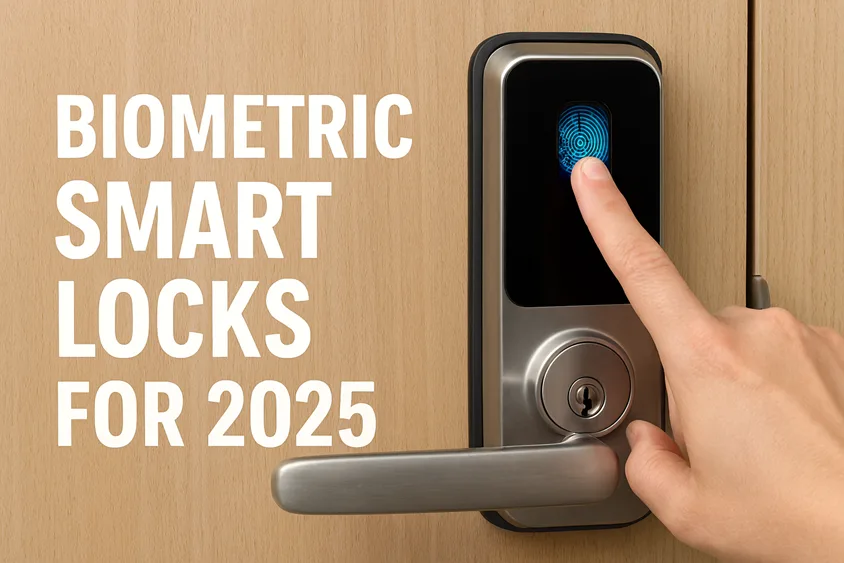
Keys are stubborn things. They hide in couch cushions, live in the wrong pocket, and always make an appearance when you’re already late. In 2025, that routine finally breaks. With fast sensors, reliable connectivity, and real-world security improvements, biometric smart locks feel less like gadgetry and more like common sense.
This guide walks you through the state of biometric smart locks for 2025—what they are, why they matter, which models are worth your money, and how to choose one that fits your home without friction. If you’re deciding whether to upgrade, consider this your friendly, no-nonsense walkthrough.
- What are biometric smart locks? A quick primer
- Types of biometric smart locks: options for different homes
- 2025 trends shaping the biometric smart lock market
- Top biometric smart locks to watch in 2025
- How to choose the right lock for your home
- Biometric vs. traditional smart locks
- Real-world use cases in 2025
- Security and privacy: Are biometric smart locks safe?
- Installation and setup: what to expect
- what’s next for biometric access control
- FAQs
- Conclusion
What are biometric smart locks? A quick primer
A biometric smart lock is a door lock that uses your identity—most often a fingerprint, sometimes a face—to grant access. Instead of juggling keys or sharing PIN codes, you get secure entry that recognizes you on the spot. It’s simple and surprisingly liberating.
Most modern locks combine several access methods, so you’re never stuck:
- Fingerprint sensor for everyday entry.
- Mobile app control (WiFi/Bluetooth) for remote management.
- Backup PIN or mechanical key for edge cases.
- Temporary or scheduled codes for guests.
If you want to see how these sit within the larger smart home ecosystem, the open-standard Matter protocol helps devices work across platforms like Apple Home, Google Home, and Amazon Alexa. That’s a big deal—interoperability means less fuss, more reliability.
Types of biometric smart locks: options for different homes
Not all biometric smart locks work the same way, and that’s good news—you can match the tech to your door, your family, and your routines. The most common style is the fingerprint smart lock, built on fast capacitive sensors that read a fingertip in under a second; it’s the everyday, tap‑and‑go experience most people want. If you’re curious how the science works, this biometric overview from NIST is a solid primer.
You’ll also find facial recognition locks—think a door version of Face ID—that authenticate with a glance. They’re great where hands are full, though placement and lighting matter. High‑security niches experiment with iris scanning or vein recognition (palm/finger), borrowing methods from enterprise access control; these are less common in consumer homes but worth knowing.
In practice, hybrid designs win. A hybrid authentication setup combines biometrics with a code, app, or card so you have flexible fallbacks for guests and edge cases. Many models add RFID/NFC access—handy for kids or short‑term visitors—using standards similar to HID credentials. If you’re building a cohesive system, look for Matter smart home compatibility so your lock plugs into Apple Home, Google Home, and Alexa with fewer headaches.
Hardware format matters too. Deadbolt‑style units retrofit easily on most doors, while mortise and lever models suit modern builds or apartments with integrated latch hardware. Whichever route you take, prioritize on‑device storage (templates stay in the lock), clear backup paths, and weather ratings appropriate to your doorway. That mix—identity‑first unlocking with sensible fallbacks—is what makes today’s biometric smart locks feel effortless in daily life.
2025 trends shaping the biometric smart lock market
This isn’t hype; it’s a genuine shift, and it’s happening quietly in homes across the world. Here’s what’s pushing biometric smart locks from “nice to have” into “obvious upgrade.”
Matter integration and ecosystem reliability
A standout change in 2025: devices that “just work” across brands. With Matter, lock makers can support native control in multiple apps with a single setup. That reduces setup headaches and unlocks automations—like turning on the porch light and arming your security when the door locks at night.
Hybrid authentication is becoming standard.
Fingerprint + app + PIN. Multi-factor access means flexibility for families, rentals, and small offices. You might tap your fingerprint during the day, use a code for the babysitter, and manage everything from your phone while traveling. It feels natural in practice, and it creates layers that are harder to bypass.
Faster, smarter sensors
Capacitive fingerprint sensors are quicker and more forgiving with moisture, temperature, and skin variability. Mid-tier models now detect “live tissue” to reduce spoofing risks, and high-end models refine matching to cut down on false rejections (those rare, annoying “try again” moments).
Privacy-first design
More brands have moved biometric template storage into the lock itself—and keep it offline. That local-first approach reduces exposure and aligns better with consumer privacy expectations. Always check a brand’s privacy policy and whether your data stays on-device.
Energy-efficient and durable hardware
Between low-power chipsets and better battery management, annual battery changes are increasingly typical—and many units offer USB power bypass or emergency power ports. Weatherproofing has improved, too; pay attention to IP ratings and operating temperature ranges if your door faces heat, rain, or dust.
Top biometric smart locks to watch in 2025
Below are five strong picks with different strengths. They’re well-supported, easy to use, and designed for real homes—not just spec sheets. If you prefer deep-dive reviews and side-by-side testing, check trusted sources like Wirecutter, CNET, and brand support pages for installation details.
Ultraloq U‑Bolt Pro WiFi
If you want the fingerprint experience done right—fast reads, reliable unlocks—this is a standout. It blends biometric smart lock convenience with thoughtful backup: keypad, app, mechanical key, and auto‑lock features. It’s compatible with voice assistants and feels approachable for first-time installers. Explore specs on Ultraloq.
What it’s great at: daily reliability, geofencing unlocks, and strong app support. Who it’s for: families, homeowners who want fingerprint-first entry without complexity.
Lockly Vision Elite
Lockly builds for people who need oversight. The Vision Elite includes a fingerprint reader, a built-in camera, and “offline access” codes for when WiFi stumbles. If you manage rentals or want visual confirmation, this package is hard to beat. See details on Lockly.
What it’s great at: mixing convenience with monitoring and offline access handling. Who it’s for: Airbnb hosts, small offices, and anyone who wants visual verification.
Yale Assure Lock 2 Fingerprint
Yale’s Assure line is cleanly designed, easy to retrofit, and known for stable hardware. The fingerprint edition integrates nicely into Matter ecosystems, supports popular platforms, and doesn’t force you to overhaul your door hardware—more on Yale Home.
What it’s great at: design, compatibility, sensible setup. Who it’s for: homeowners who want a refined look and smooth smart home integration.
Samsung SHP‑DP609
This lock blends a modern glass touchpad with multiple access methods: fingerprint, RFID card, app, and PIN. It feels premium, looks polished, and includes alarms for tampering. Check specs via Samsung.
What it’s great at: versatility, aesthetics, anti‑tamper features. Who it’s for: style-conscious buyers and homes with varied access needs.
Eufy Security Smart Lock Touch & WiFi
A consistently popular pick, Eufy’s fingerprint lock pairs quick recognition with built‑in WiFi, weatherproofing, and auto‑lock behavior. Eufy’s app experience is approachable without sacrificing control. Find details on Eufy Security.
What it’s great at: speed, simplicity, value. Who it’s for: busy households, first-time biometric smart lock buyers who want a smooth start.
How to choose the right lock for your home
Picking a biometric smart lock is less about specs and more about lifestyle fit. Start with these anchors and you’ll get it right the first time.
Door compatibility and build
Measure your door thickness, check backset, and confirm existing deadbolt standards. Most modern locks support common sizes, but older doors sometimes need slight adjustments. Refer to the brand installation guides and your existing hardware type.
Smart home integration
Decide where you’ll control the lock day-to-day. Want native HomeKit tile control? Prefer Google Home routines? Or are you building on Matter to keep things flexible? Double-check platform support on the product page; this dictates how easy your automations will be.
Security standards and fallback options
Look for transparent encryption claims (AES‑128 or better), warnings for tamper events, and audit logs in the app. Make sure there’s a clear backup plan—mechanical key access, secondary PIN, and emergency power.
Power, weather, and durability
If your door faces harsh weather, check IP ratings and operating ranges. Battery life varies by usage, but most homes see 6–12 months. Consider models with emergency USB power ports and low‑battery alerts.
Installation experience and support
If you’re DIY‑friendly, watch the brand’s install video before buying. Locks like Yale and Eufy are known for approachable installs. If your door hardware is quirky or you’re short on time, schedule a professional. For troubleshooting, consult reputable guides like iFixit and brand support hubs.
Biometric vs. traditional smart locks
Traditional smart locks rely on PINs, smartphone proximity, or NFC cards. They’re fine—but they introduce sharing and management overhead. A biometric smart lock cuts that off at the source: identity verification is faster, less error‑prone, and not something your teenager can text to a friend.
There’s more to it than speed. With local storage and no cloud dependency for biometrics, risk exposure shrinks. And with modern sensors, wet fingers and minor scrapes are less likely to result in frustrating retries. In busy homes—kids, guests, deliveries—the difference feels tangible.
If you love the flexibility of PINs and temporary codes, note that biometric smart locks don’t remove them; they add a smarter default. That’s why hybrid authentication has won out—it supports edge cases without turning them into everyday habits.
Real-world use cases in 2025
Let’s ground this in daily life.
Smart family homes
Parents register fingerprints for kids and enable scheduled PINs for the tutor or cleaner. Audit history tells you who arrived when. Auto‑lock kicks in at night, and the porch lights turn on when the door unlocks after sunset via a simple routine in Apple Home or Google Home.
Short‑term rentals and Airbnb hosts
Hosts hate key handovers, love access control. Issue temporary codes, enroll maintenance staff as fingerprint users, and revoke access in seconds. A lock like the Lockly Vision Elite adds visual context when needed. For guests, the experience is a win—no app downloads, no “where’s the key box” messages.
Small offices and studios
Enroll staff fingerprints for quick entry and set time windows for access. Combine with notifications on first unlock of the day. If you have delivery schedules or part‑time shifts, this cleans up messy workflows.
Senior living and caregiving
Caregivers get dependable entry without carrying extra keys or worrying about lost cards. Seniors avoid the strain of handling keys; a simple finger tap is enough. Backup PINs provide peace of mind for anyone whose fingerprint quality changes over time.
Security and privacy: Are biometric smart locks safe?
Short answer: yes—when built and configured well. Here’s what matters most.
On‑device biometric storage
Reputable brands store fingerprint templates on the lock, not in the cloud. It’s one of the cleanest ways to reduce exposure. When evaluating products, confirm local storage in documentation or a transparent privacy statement.
Spoofing resistance
Live‑tissue detection and streaky‑finger compensation mitigate common attack methods. It’s not magic, but it’s significantly improved from early-generation sensors.
Encryption and event logs
End‑to‑end encryption between lock and app, coupled with reliable event logging (who unlocked, how, and when), forms your day-to-day confidence. Audit trails help you spot odd behavior quickly.
Practical safety habits
Keep firmware updated. Limit admin accounts. Use multi-factor features when sharing access with contractors. And yes—retain the mechanical backup key somewhere safe, not under the mat.
If you’re compliance-aware, look for vendor notes around GDPR and CCPA alignment, particularly if you operate rentals or handle guest data at scale.
Installation and setup: what to expect
Most locks are friendly enough for a Saturday project. The process usually takes 30–60 minutes.
You’ll remove the old deadbolt, align the new hardware, route a small cable between the exterior and interior assembly, and secure everything with the provided screws. Then comes app pairing, WiFi or Matter onboarding, and fingerprint enrollment. Do a few dry runs with multiple fingers—the dominant hand thumb and index usually give the best results.
If your door is non‑standard or out of square, a professional install is worth the money. There’s nothing worse than a lock latch binding because the strike plate sits a millimeter off. Brands like Yale and Eufy provide solid install guides; watch them once before buying to ensure your hardware is compatible.
what’s next for biometric access control
We’re on the cusp of some intriguing shifts.
- Voice biometrics may complement fingerprints, adding convenience indoors without exposing exterior microphones.
- Behavioral signals—like common unlock times, device proximity, and motion patterns—will feed low‑friction anomaly detection.
- Decentralized identity concepts are drifting closer to consumer use, promising clearer, tamper‑resistant access grants.
- Expect deeper integrations with video doorbells and cameras, compressing “unlock + verify + greet the guest” into a single flow.
The core narrative doesn’t change: less friction, more assurance, and control that feels personal rather than bureaucratic.
FAQs
What is the best biometric smart lock for home use in 2025?
For all‑around performance, the Ultraloq U‑Bolt Pro WiFi is hard to beat. It balances quick fingerprint reads with app control, PIN backup, and dependable auto‑lock. If you want broader ecosystem support and a refined install, the Yale Assure Lock 2 Fingerprint is an excellent alternative.
Are biometric smart locks safe for rental properties and Airbnb?
Yes. They streamline guest access with temporary codes and easy revocation. For hosts who want visual verification, Lockly Vision Elite adds a camera and offline codes that keep check‑ins smooth even when connectivity wobbles.
Do biometric smart locks work with wet fingers or in extreme weather?
Modern capacitive sensors handle moisture better than older designs. Eufy’s Smart Lock Touch & WiFi, for example, is rated for outdoor use and recognizes fingerprints quickly in typical weather conditions. Always check IP ratings and operating temperatures if your door faces direct elements.
Can biometric smart locks be hacked?
Any connected device carries risk, but local biometric storage and encrypted communication reduce exposure. Keep firmware updated, restrict admin access, and review event logs. With sensible settings, a biometric smart lock is a security upgrade over shared PINs or duplicated keys.
How long do biometric smart lock batteries last?
Common use patterns land in the 6–12 month range. Heavy traffic doors use more power, naturally. Choose models with low‑battery alerts and, ideally, an emergency USB power option so you’re never locked out while swapping batteries.
Conclusion
If you’re weighing the jump, here’s the real calculus: a biometric smart lock trims everyday friction and tightens control without turning your life into a tech project. In 2025, the experience is polished—fast sensors, solid apps, backup methods, and the calm assurance of local biometric storage.
Start with a clear fit. If you prefer fingerprint‑first convenience and strong value, look at Ultraloq U‑Bolt Pro WiFi. If design and Matter integration matter most, explore Yale Assure Lock 2 Fingerprint. Need monitoring and flexible offline codes? Consider Lockly Vision Elite. For sleek aesthetics and multi‑method access, there’s Samsung SHP‑DP609. And for speed and simplicity at a friendly price, try Eufy Smart Lock Touch & WiFi.
Ready to make keys optional? Choose the lock that fits your door, your ecosystem, and your daily rhythm. Then give yourself the small luxury of tapping your finger, walking in, and forgetting where the keys went. That’s the point—security that feels like it’s working with you, not against you.
Your next step: pick a model, check your door measurements, and order with installation in mind. If you want help tailoring the choice to your home layout and ecosystem, I’m here—happy to walk through compatibility and setup so your upgrade is seamless from day one.
