
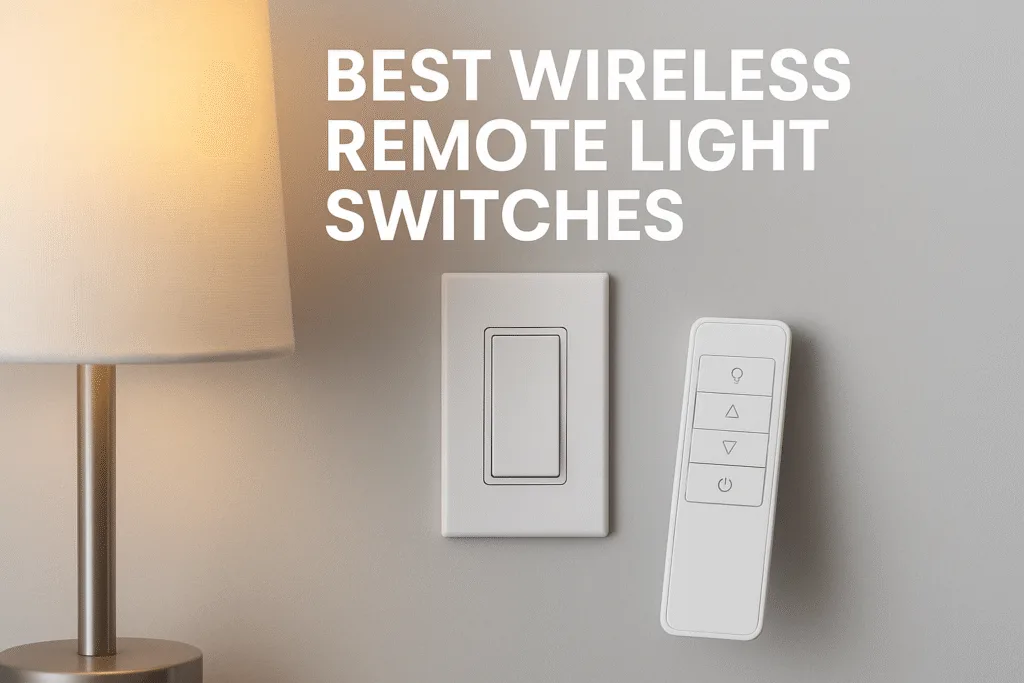
You want a simple, reliable way to add a switch where you need one — without running new wires, hiring an electrician, or ripping drywall. The fastest fix is a battery-free or battery-powered wireless remote light switches (receiver + remote) or a smart remote that pairs with a hub. If you need whole-home smart automation, pick a hub-compatible remote; if you want a low-maintenance retrofit, choose a kinetic battery-free kit or a fixture-mounted receiver. For most people, the decision comes down to two things:
- Does your light/distribution box have a neutral wire and
- Do you need hub/smart integration?
Answer those, and you’ll know which route to take — RF kits for reliability and simplicity or Wi-Fi/Zigbee for full smart home features.
What this guide will do for you
- Help you pick the right wireless remote control light switch for your home.
- Walk you, step-by-step, through safe installs and quick troubleshooting.
- Fill gaps most product pages miss (real wiring scenarios, renter-friendly options, and code/safety notes).
- Give practice-tested tips so your light switch with wireless remote actually works for years.
Most searches for remote light switch wireless are driven by urgent, practical needs: add a switch without rewiring, fix bad switch placement, enable bedside control, or integrate lights into a smart setup. That’s why the article focuses on clear buying guidance, quick diagnostics, and step-by-step installs.
- The Core Decision: Battery-free RF Kit, Battery Remote, or Smart Hub Option?
- Five top pain points and how to fix them
- How to check compatibility for wireless remote light switches
- Step-by-step install: typical fixture-receiver and wall remote pairing
- Best picks by use case
- Troubleshooting quick wins
- Safety, code notes & when to call a pro
- Real installs & data that matter
- Buying checklist & final steps
- FAQs
- Conclusion
The Core Decision: Battery-free RF Kit, Battery Remote, or Smart Hub Option?
Outcome: choose the right technology for your use case.
Diagnosis (quick): You need a new switch location or remote control and want to avoid running wires.
Why this happens: Older homes lack neutral wires in switch boxes; rewiring costs can be high; renters can’t modify walls.
Solutions (clear):
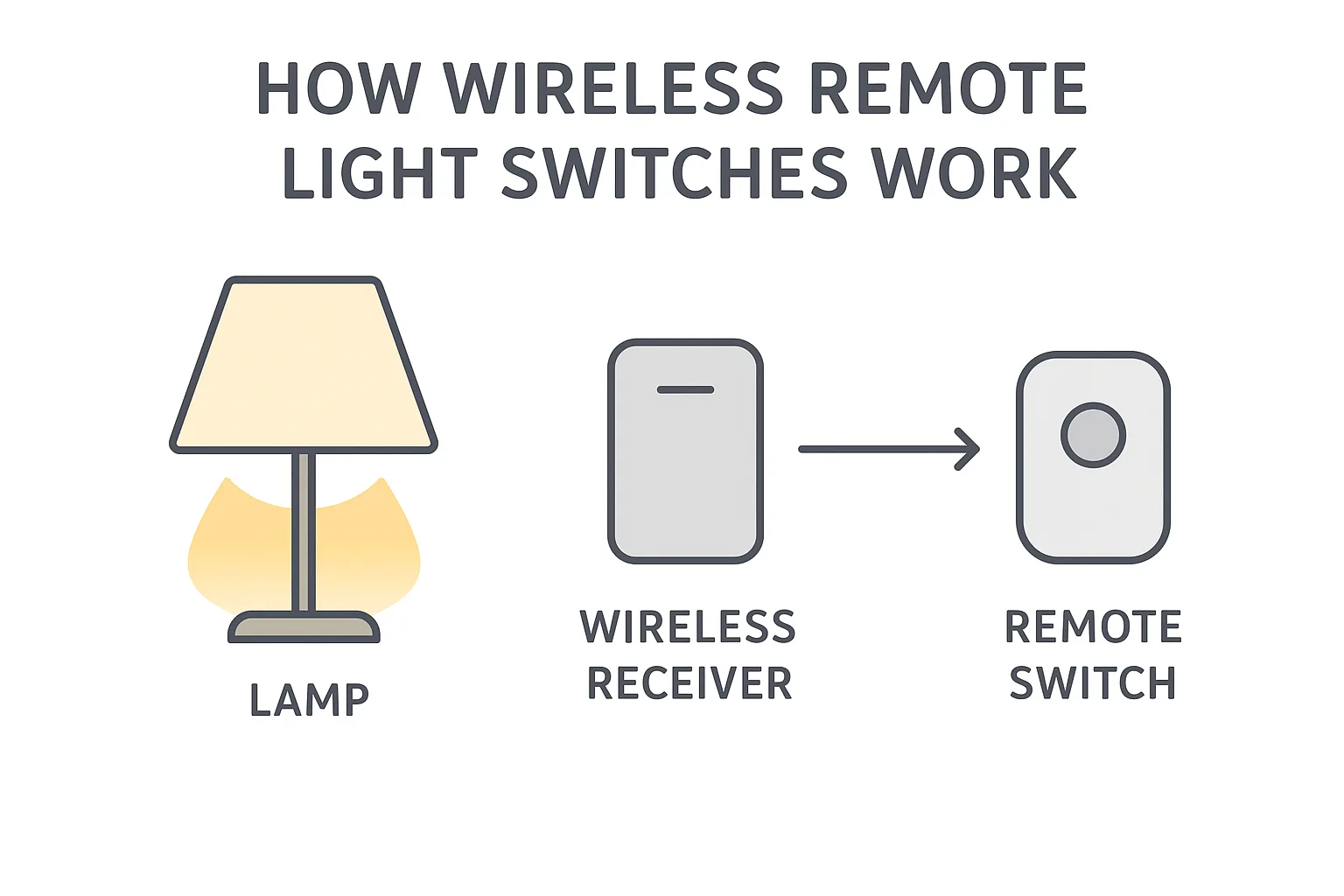
- Battery-free RF kits (kinetic): no batteries, no Wi-Fi. The remote generates its own power when pressed and sends an RF signal to a receiver that sits at the fixture or in the box. Great for simple, maintenance-free retrofits. Example: RunLessWire’s kinetic kits advertise battery-free operation and ~150 ft RF range, making them ideal for many retrofit tasks.
- Battery remotes like Lutron Pico: reliable RF with long battery life; often used with Lutron Caséta or smart bridges. Great when you want a high-quality remote with hub support.
- Wi-Fi / Zigbee / Matter options (IKEA, Hue, etc.): choose these if you want app control, scenes, voice assistants, or Matter compatibility. IKEA and other brands offer remotes that integrate with hubs for expanded routines.
Actionable takeaway: If you want “set it and forget it” with minimal upkeep, start with a battery-free wireless light remote switch kit. If you wish to use smart home automation, pick a hub-compatible remote that supports your platform.
Real-world example: A 1910 bungalow owner added a switch at the top of the stairs using a kinetic RF kit in under an hour, avoiding a $400 rewiring quote. The kit’s receiver is installed in the ceiling box, and the remote is mounted with adhesive — no electrician needed. (RunLessWire and similar kits are built for this.)
Five top pain points and how to fix them
Each section below follows the pattern: diagnosis → why → solution → one immediate step → real example.
Pain Point A — “The switch won’t work with my LED bulbs”
Diagnosis: Lights flicker, dim poorly, or won’t dim at all.
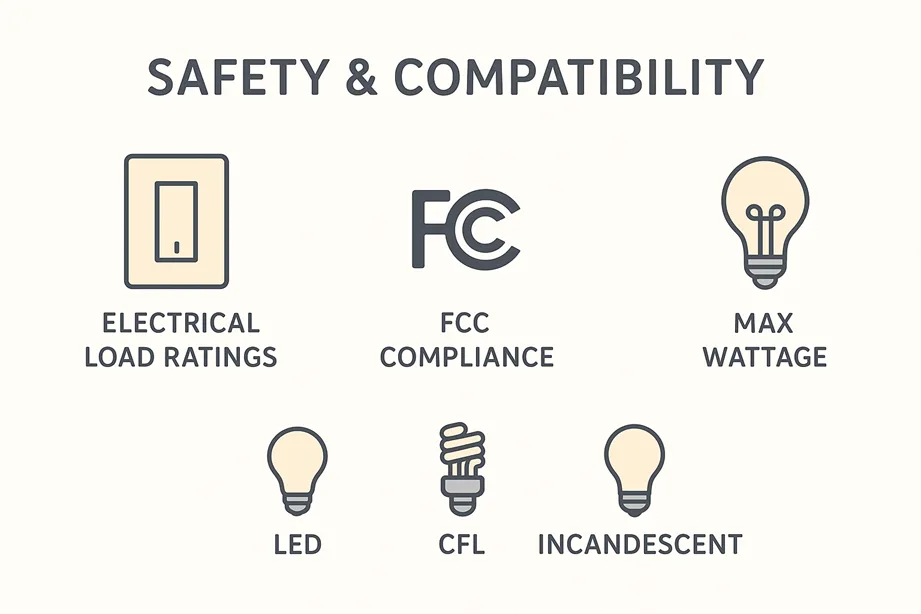
Why it happens: Inexpensive receivers or dimmers aren’t always LED-compatible; LEDs need the right load or a compatible dimming profile. Cheap AC dimmers and older remote receivers were designed for incandescent loads.
Fix: Choose LED-rated dimmer receivers or use smart bulbs instead of a dimmer. If you must dim a hard-wired LED fixture, buy a receiver or switch explicitly labeled for LED dimming and check the minimum load.
Immediate step: Check the fixture’s bulb type and the receiver’s “LED-compatible” line in the manual. Replace the bulb with a known compatible LED if uncertain.
Example & stat: Switches and modules marked for LED work best; otherwise, you’ll see flicker. According to product specs and user reports across retailers, LED compatibility is the number one cause of dimming problems. (Buyer tip: look for LED-rated receiver specs and user reviews.)
Pain Point B — “I don’t have a neutral wire in my switch box”
Diagnosis: Product says “requires neutral,” and you don’t have one.
Why: Many modern smart switches need a neutral to power electronics when off; older switch loops often omitted neutral.
Fix: Use a fixture-mounted receiver (puts electronics at the light where neutral usually exists), a battery-powered remote, or a kinetic wireless remote (no neutral required at the switch).
Immediate step: Turn off power, pull the switch cover, and look for a bundled white/neutral conductor in the box (or confirm with a voltage tester). If none, pick a fixture receiver or a no-neutral solution.
Example: Renters commonly use plug-in remote wireless switches for lamps or install a battery/wireless wall switch that talks to a receiver at the fixture — both avoid box rewiring.
Pain Point C — “Pairing fails or range is poor”
Diagnosis: Remote won’t pair or works only near the receiver.
Why: RF interference, metal studs, or incorrect pairing steps; different products use different frequencies and protocols. Range on product pages is optimistic (open-air numbers).
Fix: Move the receiver closer, try pairing near the receiver, reduce obstructions, and ensure a clear line of sight during pairing. For long distances, pick Clear Connect/Lutron or proven RF tech. Lutron’s Pico/Caséta ecosystem is known for reliable RF and strong range/robustness.
Immediate step: Place the remote within a few feet of the receiver and follow the manufacturer’s pairing instructions exactly.
Example: In real installs, the range through several walls drops compared to open-air specs. Users frequently report success when the receiver is moved to the ceiling box rather than in a crowded junction box.
Pain Point D — “I’m a renter — I can’t damage walls”
Diagnosis: You want an extra switch but can’t make permanent changes.
Why: Leases forbid electrical modifications; landlords require the original condition on move-out.
Fix: Use plug-in remote wireless switches for lamps, adhesive wall mounts for remotes, or battery-powered wall remotes that stick on with 3M strips. Consider a fixture receiver installed at the light (often reversible).
Immediate step: Choose a plug-in option or a remote that mounts with removable adhesive.
Example: A renter used a plug-in remote switch for bedroom lamps and a stick-on remote near the bed — no holes, no electrician, and a quick return to the landlord-ready state.
Pain Point E — “I want smart features (Alexa, scenes) — but I don’t want flaky Wi-Fi”
Diagnosis: You want voice and routines, but Wi-Fi is unstable, or you don’t want cloud dependence.
Why: Wi-Fi smart switches rely on your home network; outages or router problems affect control. RF or hub systems (Lutron Caséta, Zigbee/Matter via a hub) often provide more local control and reliability.
Fix: For robust automation, opt for hub-based remotes (Caséta + Pico) or Zigbee/Matter setups via a reliable hub. Use Wi-Fi devices only if you’re comfortable with cloud dependencies.
Immediate step: Decide whether voice/routines are essential. If yes, choose a system that supports local control or a proven hub. Lutron’s ecosystem is a good example of local RF control with smart integration.
Example/stat: More US households are adopting smart devices; projections show smart home adoption crossing 50% by 2025 — meaning more homeowners expect voice and app control in everyday life. Use hub-based tech for reliability.
How to check compatibility for wireless remote light switches
Outcome: avoid returns and frustration.
Checklist (quick scan):
- Does the product require a neutral wire? (Yes/No)
- Is it dimmer-rated for LEDs?
- Is the receiver fixture-mounted or in-box? (Fixture-mounted avoids switch box neutral issues.)
- Do you need 3-way/4-way support?
- Do you want hub/voice integration? (Matter, Zigbee, Wi-Fi)
Immediate step: Take a photo of your switch box and bulb type; save it to your phone. Use that photo when product shopping or asking for help.
Why this fills competitor gaps: Retail pages often list “requires neutral” but don’t show the quick test to identify neutral. This simple checklist reduces returns and install headaches.
Step-by-step install: typical fixture-receiver and wall remote pairing
Outcome: install and pair in under an hour for many installs.
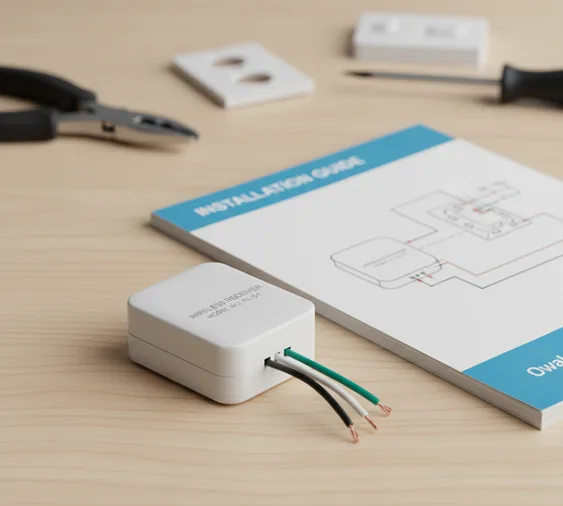
Tools you’ll need: Voltage tester, screwdriver, wire nuts, electrical tape, and a friend.
A. Receiver at the fixture (best for no-neutral boxes)
- Turn off the power at the breaker. Always confirm with a voltage tester.
- Remove the fixture; identify hot, neutral, and switched hot.
- Connect the receiver’s input to hot/neutral and its switched hot to the fixture lead per instructions.
- Tuck the receiver into the ceiling box or fixture canopy, and reattach the fixture.
- Pair the remote per the manufacturer’s steps (usually press buttons on the receiver and remote).
B. Mounting a wireless wall remote
- Pick stick location; use the included adhesive.
- If desired, mount in a faceplate or adapter to mimic the usual switch look.
- Pair with the receiver.
Quick pair tips: Pairing works best with the receiver powered and the remotes close to the receiver during setup. If pairing fails, reset per the manual and try again. Lutron supplies detailed pairing PDFs for Pico remotes.
Safety note (important): If you’re at all unsure about wiring, call a licensed electrician: box fill, grounding, and local code matter. Don’t guess.
Best picks by use case
Outcome: know what to buy for your situation.
- Best for no-wires, low maintenance: kinetic battery-free switch kits (battery-free wireless light remote switch). Great for stair tops, attics, and anywhere you don’t want batteries.
- Best for smart home integration: hub-compatible remotes (Lutron Pico with Caséta, Philips Hue dimmer remotes, or Zigbee/Matter remotes through a Dirigera/hub). Great if you want scenes and voice.
- Best for renters/lamps: plug-in receiver + remote combos or stick-on remotes. No wiring, reversible.
- Best for 3-way setups: kits that explicitly support 3-way wiring or hub solutions that simulate 3-way control. Lutron offers good 3-way documentation and accessories.
- Best budget option: simple RF kits and inexpensive plug-in remotes — great for basic on/off control, not complex scenes.
Troubleshooting quick wins
Outcome: fix 80% of problems in minutes.
- If it won’t pair: put the remote next to the receiver, power cycle the receiver, and follow the pair sequence exactly.
- If range is poor: move the receiver to the fixture box, and avoid metal enclosures or long runs between walls.
- If LED flickers: swap to an LED-rated receiver or use smart bulbs.
- If battery drains quickly: consider battery-free kinetic options or replace with higher-quality CR2032s (where applicable).
- If uneven dimming across lights: check bulb compatibility; mix-and-match bulbs can create issues.
Competitor gap: Most product pages skip “what to try first” troubleshooting. Use these immediate fixes before returning hardware.
Safety, code notes & when to call a pro
Outcome: avoid dangerous mistakes and code violations.
- Turn power off at the breaker before any work and verify with a non-contact tester.
- Box fill rules and grounding matter; cramming a large receiver into a small metal box can violate code — ask an electrician.
- Outdoor or wet locations require rated enclosures and products. Don’t install indoor receivers outside.
- When to call an electrician: you don’t know which conductor is neutral, you see multiple cables and colors you can’t identify, or the box is overloaded.
Authoritative resource to read: For electrical safety basics and local code guidance, consult the National Electrical Code (NEC) and your local permitting office. (When in doubt, call a licensed electrician.)
Real installs & data that matter
Outcome: understand reliability and adoption trends.
- Kinetic battery-free kits are increasingly popular for retrofits — they remove ongoing battery maintenance and simplify installs. Many kits advertise a 150 ft RF open-air range, but expect less through walls.
- Lutron’s Pico remotes are an industry standard for reliability and long battery life (typical CR2032 life measured in years), and Lutron provides excellent pairing/wiring documentation. That’s why professionals commonly recommend Pico for hub-hybrid installs.
- Smart home adoption statistics: Smart home device adoption in the U.S. is rising fast — more households are adopting smart tech, which increases demand for reliable remotes and hub solutions rather than DIY Wi-Fi single points. Plan purchases with broader automation in mind.
| Feature | Kinetic Battery-Free Kits | Lutron Pico Remotes | Smart Home (Philips Hue, TP-Link Kasa, etc.) |
|---|---|---|---|
| Range | Typically 50–100 ft indoors; up to ~300 ft outdoors | Up to ~30 ft to Caséta bridge/dimmer | Varies — Wi-Fi/Zigbee/Z-Wave often support whole-home coverage |
| Power Source | Kinetic energy — no batteries | CR2032 battery — lasts ~10 years | Wired (switches) or battery-powered (remotes/sensors) |
| Works with Lamps? | Yes — with plug-in receivers | Yes — with Caséta plug-in dimmers | Yes — via smart plugs or smart bulbs |
| Works with Ceiling Lights? | Yes — with in-wall receivers | Yes — with Caséta dimmers/switches | Yes — with smart switches/dimmers or bulbs |
| Dimming Support | Yes — if the receiver supports dimming | Yes — excellent dimming with Caséta | Yes — with dimmers or dimmable smart bulbs |
| Installation Difficulty | Easy — adhesive switch, simple wiring | Very easy — adhesive mount + pairing | Moderate — wiring switches or app setup |
| Key Advantage | No batteries, low-maintenance, eco-friendly | Reliable RF, long battery life | Automation, voice control, smart routines |
| Considerations | Limited ecosystems, fewer advanced features | Proprietary — best inside Lutron ecosystem | May require hub; depends on Wi-Fi stability |
Tip: Pick based on your home’s wiring and the level of automation you want — from zero-maintenance kinetic switches to full smart-home control.
Buying checklist & final steps
Outcome: make a confident purchase that actually works.
Before checkout:
- Confirm neutral requirement and box compatibility.
- Verify LED dimming support if dimming.
- Check 3-way support if needed.
- Prefer kits that include both switch and receiver.
- Read user reviews for pairing and range comments.
- Keep packaging and return policy in case of a mismatch.
Printable action: Download this checklist and bring the photo of your switch box to the store or online chat support.
FAQs
Can I add a wireless remote control light switch without rewiring?
Yes. Use a fixture-mounted receiver or a plug-in receiver + remote. Battery-free kinetic or battery remotes talk to a receiver that sits at the light or in a junction box. These solutions avoid running new conductors to the switch and are ideal for retrofits.
Are battery-free wireless remotes reliable?
Yes — kinetic remotes generate power mechanically and transmit via RF. They’re low maintenance, don’t require Wi-Fi, and are popular for retrofit installs. Expect reliable ranges in open air, but reduced range through multiple walls.
Will a wireless switch work with LEDs?
Sometimes — only if the receiver or dimmer is LED-rated. If you see flicker or buzzing, try an LED-compatible receiver or use smart bulbs designed for dimming. Check manufacturer compatibility lists.
Do wireless remotes support 3-way switches?
Yes — but confirm the kit explicitly supports 3-way or use a hub-based solution that simulates 3-way control. Some kits include multiple remotes for multi-location control. Lutron offers clear 3-way wiring resources.
Is it safe to DIY the install?
Yes, for many installs — if you can identify wires and follow instructions. If you encounter uncertain wiring, overloaded boxes, or aren’t comfortable turning off breakers and using a voltage tester, hire a licensed electrician.
Conclusion
If your goal is fast, no-fuss control of lights, wireless remote light switches or plug-in receivers will solve most problems without rewiring. If you want voice and scenes, pick hub-compatible remotes (Lutron, IKEA/Hue type ecosystems). Take five minutes now to check for a neutral, confirm bulb types, and choose a kit that matches your box and goals.
Clear next steps
- Decide your priority: maintenance-free (battery-free) or smart home integration.
- Grab the checklist (downloadable) — take a photo of your switch box and bulb type.
- Compare two kits: one kinetic battery-free kit and one hub-compatible remote (links above for reference).
- Try one small install (bedroom or stair top) — most installs finish in under an hour. If wiring looks messy, call a pro.
- Need help choosing models based on your photos? Send the switch box photo, and I’ll recommend specific kits that fit.
Want me to draft a shopping table with exact models and links for “best for renters,” “best for dimming,” and “best for smart home” (with pros/cons and price ranges)? Say the word and I’ll pull the latest, tested recommendations.
