
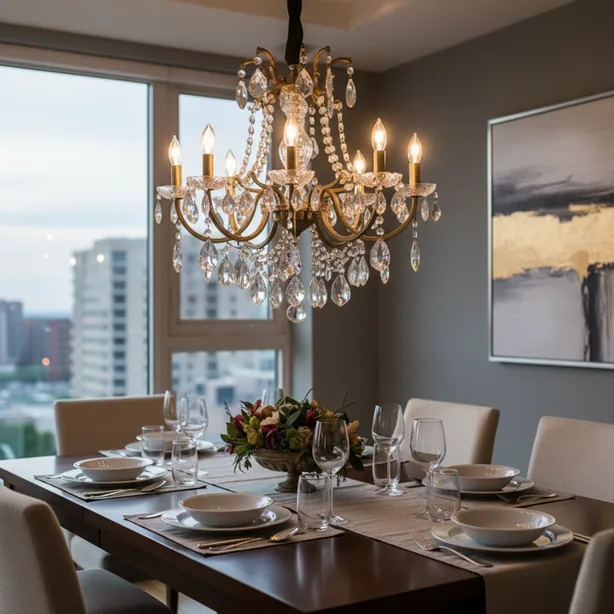
You’ve automated your living room. Your kitchen lights respond to voice commands. Even your bedroom has that perfect sunset glow on demand. But that gorgeous chandelier in your dining room? Still stuck in the Stone Age, requiring you to actually flip a switch like some caveman.
Here’s the thing about smart candelabra bulbs—they’re the missing puzzle piece in your smart home setup, but nobody talks about them enough. Those dainty little E12 sockets in your chandelier, wall sconces, and decorative fixtures deserve the same intelligent treatment as the rest of your home. And after testing dozens of these petite powerhouses, I’ve got the scoop on which ones are worth your money and which ones belong in the “what was I thinking” pile.
Let’s cut through the marketing fluff and find you the best smart candelabra bulbs that’ll make your fixtures shine—literally and figuratively.
Why Your Chandelier Deserves Better Than Dumb Bulbs
Picture this: You’re hosting dinner, and the overhead lighting is doing that thing where it’s either “interrogation room bright” or “romantic restaurant dark.” No in-between. Sound familiar?
Smart candelabra bulbs solve this frustrating middle ground by giving you granular control over brightness, color temperature, and timing. But unlike their bigger E26 siblings that fit standard sockets, candelabra bulbs have that slender E12 base—roughly 12mm in diameter versus the chunky 26mm you’ll find in most lamps.
The beauty of going smart with these smaller fixtures isn’t just about voice control (though telling Alexa to “dim the dining room to 30%” never gets old). It’s about creating scenes, scheduling your lights to match your circadian rhythm, and yes, impressing guests when your chandelier magically adjusts itself as the sun sets.
Energy efficiency? These LED-based smart bulbs sip electricity compared to those old incandescent candelabra bulbs that probably came with your fixture. We’re talking about dropping from 40-60 watts down to 5-7 watts while getting comparable brightness. Your utility company won’t send you a thank-you card, but your wallet will notice.
What Actually Matters When Shopping for the Best Smart Candelabra Bulbs
Here’s where most buying guides lose the plot by drowning you in technical specs. Let me give it to you straight.
Brightness isn’t negotiable. Look for bulbs putting out at least 400-500 lumens if you want them actually to light up a room. Some “smart” candelabra bulbs barely crack 300 lumens, leaving your chandelier looking like a sad birthday cake. Not cute.
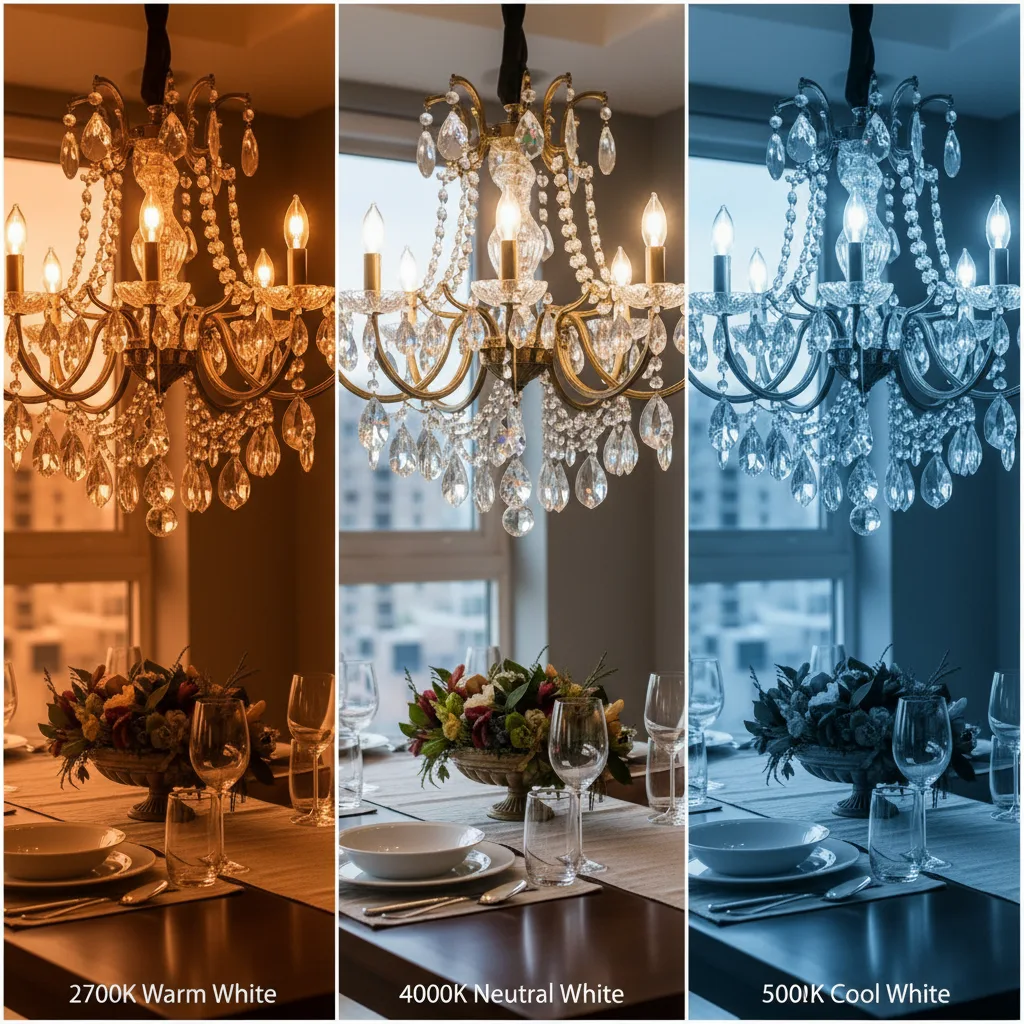
Color temperature flexibility transforms spaces. The ability to shift from warm white (2700K) for cozy evenings to cool white (5000K) for task lighting makes one bulb do the work of three. RGB color options? Fun for holidays and parties, but be honest with yourself—how often will you actually use purple lighting?
Platform compatibility determines whether you’re living in the future or fighting with apps. The best options play nice with Amazon Alexa, Google Home, and Apple HomeKit. Getting locked into one ecosystem is so 2015.
Here’s the hub debate in plain English: WiFi bulbs connect directly to your router (convenient), while Zigbee or Z-Wave bulbs need a separate hub (more reliable, especially with many devices). Renters often prefer WiFi since there’s no extra hardware. Homeowners building out comprehensive systems tend toward hub-based setups for better performance and range.
Dimming quality separates the winners from the pretenders. Cheap smart bulbs flicker, buzz, or turn off when you try to go below 20%. Premium options dim smoothly down to 1% without drama. If you’ve got a dimmer switch already installed, make sure your smart bulbs are compatible—though honestly, you’ll probably use app or voice control instead.
Longevity matters more than you’d think. A quality smart candelabra bulb should last 15,000-25,000 hours. That’s roughly 15-20 years if you’re running them 3-4 hours daily. Cheaper options might die within a year, forcing you to haul out the ladder again. Nobody wants that.
The Smart Candelabra Bulbs That Actually Earn Their Keep
After living with various smart candelabra bulbs across multiple fixtures, testing them through power outages, WiFi hiccups, and guest-initiated chaos, here’s what’s worth buying.
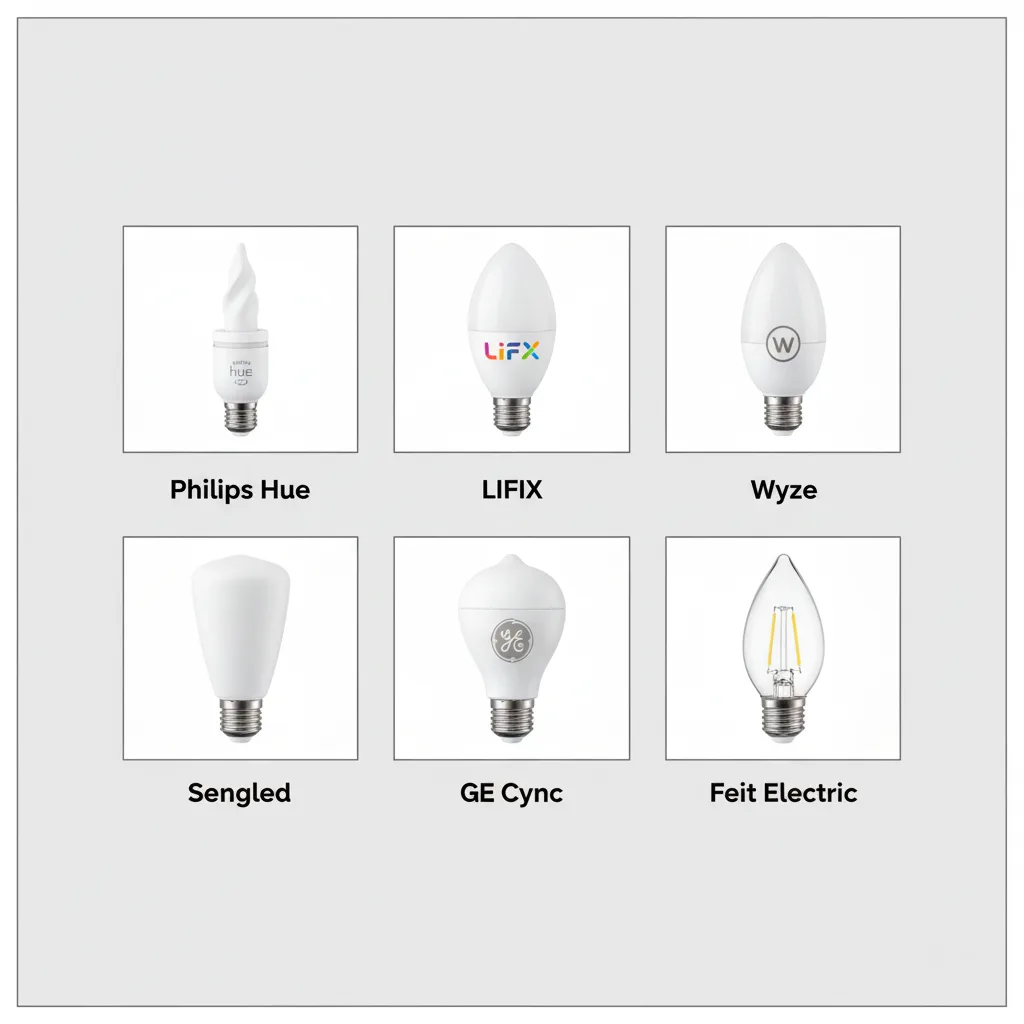
Philips Hue White and Color Ambiance E12
Let’s start with the gold standard. These bulbs from Philips Hue require their bridge hub, which sounds annoying until you realize it creates rock-solid connections that survive every internet glitch your router throws at them.
At 450 lumens, they provide legitimate brightness. The color range is stunning—16 million colors that actually look good, not like someone spilled highlighters in your chandelier. Setup takes maybe five minutes, and the app experience is what every smart home interface should be: intuitive, fast, and reliable.
The downside? They’re pricey. You’re looking at $50-60 per bulb, and that adds up fast with a six-light chandelier. But here’s the thing—they work. Every single time. No random disconnections, no weird color shifting, no firmware updates that brick your bulbs. For the main fixtures in your home, this reliability is worth every penny.
Best for: People who want the absolute best and don’t mind paying for it. Also ideal if you’re already invested in the Hue ecosystem.
LIFX Candle Color E12
LIFX takes a different approach—no hub required. These bulbs connect straight to your WiFi, which means one less device cluttering your network cabinet. They’re brilliantly bright at 400 lumens and support a massive color range.
The LIFX app offers more granular control than almost any competitor, with individual control over zones within the bulb itself (cool for certain effects, mostly unused in practice). They work with Alexa, Google, HomeKit, and even SmartThings without breaking a sweat.
Where LIFX stumbles is consistency. Some users report connectivity issues after router updates or network changes. They’re also chunkier than other candelabra bulbs—make sure they’ll fit your fixtures before buying a six-pack.
At around $40-45 per bulb, they sit in that awkward middle ground: too expensive to be a bargain, not premium enough to justify the price over Hue. But if you’re anti-hub? These are your best bet.
Best for: Tech-savvy folks comfortable troubleshooting occasional connectivity issues in exchange for hub-free operation.
Wyze Bulb Color E12
Plot twist: excellent smart candelabra bulbs don’t have to cost a fortune. Wyze proves it with their color candelabra bulbs, sitting around $15-20 each. That’s literally one-third the price of premium options.
Yes, they’re WiFi-only (2.4GHz specifically—they won’t see your 5GHz network). Yes, brightness tops out at 350 lumens, which is adequate but not stunning. And yes, the color accuracy isn’t quite as refined as Hue. But for secondary fixtures, guest rooms, or anyone testing the smart lighting waters without diving headfirst into the deep end? These are shockingly competent.
The Wyze app has evolved from “functional” to genuinely good, with scheduling, scenes, and voice control working reliably. Setup is straightforward. They even remember your settings after power outages, which sounds basic but trips up costlier competitors.
Best for: Budget-conscious smart home builders, renters, or anyone wanting smart candelabra bulbs in fixtures that don’t need premium performance.
Sengled Smart WiFi Candelabra Bulb
Sengled occupies that sweet spot between budget and premium. Around $25-30 per bulb, they offer 440 lumens of brightness—competitive with anything on the market—and tunable white (2700K-6500K) without the RGB disco ball feature you’ll probably never use.
These are WiFi direct bulbs that don’t need a hub, and they’re surprisingly reliable. The Sengled Home app won’t win design awards, but it gets the job done. Integration with Alexa and Google is seamless; HomeKit support is absent if that’s your ecosystem.
What I appreciate about Sengled is their no-nonsense approach. They’re not trying to do everything—just bright, tunable white light controlled smartly. For many people, that’s exactly enough.
Best for: Practical folks who want quality without paying the Hue tax and don’t need color-changing capabilities.
GE Cync Direct Connect Smart Candelabra Bulb
GE’s Cync line (formerly C by GE) offers full-color smart candelabra bulbs around $35-40 that connect directly to Bluetooth and WiFi—no hub required. They’re backed by a name that’s been in lighting for a century, which counts for something when you’re screwing bulbs into expensive fixtures.
Performance is solid with 400 lumens and decent color reproduction. The standout feature? Out-of-home control works more reliably than many competitors. Setting schedules while you’re traveling doesn’t require sacrificial rituals and crossed fingers.
The Cync app gets regular updates and includes some genuinely useful scenes. They’re also among the easiest smart bulbs to reset if something goes sideways—important when you inevitably change routers or move.
Best for: People who value brand reliability and want solid mid-tier performance without complexity.
Feit Electric Smart WiFi Candelabra Bulbs
Available at Home Depot and other big-box stores, Feit Electric smart candelabra bulbs deliver 350 lumens of tunable white light for around $18-22. They’re the “good enough” option that works better than you’d expect.
No hub needed, straightforward app, compatible with Alexa and Google. Nothing flashy, nothing revolutionary—just functional smart lighting at accessible prices. They’re particularly good for rooms where you have multiple candelabra fixtures and don’t want to finance a chandelier upgrade.
Best for: DIYers and practical homeowners who shop at hardware stores and want locally available options with easy returns.
Getting Your Smart Candelabra Bulbs Up and Running
The actual installation is laughably simple: unscrew the old bulb, screw in the smart bulb. Revolutionary, I know.
The setup process varies by brand but generally follows this pattern: Install bulb, turn on power, open manufacturer’s app, follow prompts to connect bulb to WiFi, name your bulb something you’ll remember (not “Light 1” unless you enjoy confusion), and integrate with voice assistants.
Pro tip: Set up bulbs one at a time rather than trying to batch-install six bulbs simultaneously. Your sanity will thank you.
Common hiccup? Smart bulbs need constant power. If you cut power via a wall switch, they go offline. Solutions include smart switches that control the smart bulbs digitally, leaving physical power on, or training everyone in your household not to touch the switch (good luck with that).
Router compatibility matters more than manufacturers admit. Most smart bulbs require 2.4GHz WiFi networks. If you’ve got a fancy mesh system broadcasting only 5GHz or your router is running ancient firmware, you’ll have problems. Update your router before blaming the bulbs.
FAQs
Do smart candelabra bulbs work with existing dimmer switches?
It isn’t very easy. Most smart bulbs should be used at full power with dimming controlled via app or voice. Traditional dimmer switches can cause flickering, buzzing, or premature failure. If you’ve got dimmers installed, either bypass them (keeping switches always on) or replace them with smart switches designed to work with smart bulbs. Some people remove the dimmer and install a standard switch, using smart controls exclusively.
Can I use smart candelabra bulbs outdoors?
Not unless they’re specifically rated for outdoor use—and most aren’t. Standard smart candelabra bulbs aren’t built for temperature extremes, moisture, or weather exposure. If you’ve got outdoor candelabra fixtures, look for bulbs with explicit outdoor ratings or consider smart outdoor-rated bulbs that happen to have E12 bases (rare but available).
Will smart candelabra bulbs work during internet outages?
Depends on the bulb and what you’re trying to do. WiFi bulbs lose remote access and voice control when your internet goes down, but many still respond to app control over a local network. Hub-based systems like Philips Hue maintain local control even when the internet disappears—you can still use the app on your phone connected to the same network. Physical switches typically still work to turn bulbs on/off.
How many smart candelabra bulbs can I connect to one network?
WiFi bulbs eat up connections on your router—most home routers handle 20-30 devices comfortably before getting cranky. If you’re outfitting multiple chandeliers and fixtures, consider hub-based systems like Hue or Zigbee bulbs that only consume one router connection (the hub itself), regardless of how many bulbs you add. Heavy smart home users often need mesh networks or upgraded routers.
Do color-changing smart candelabra bulbs look weird in chandeliers?
Honest answer? If you’re using wild colors. Blues, greens, and purples create interesting effects but don’t look particularly sophisticated in formal fixtures. However, tunable white (warm to cool) seems completely natural and is genuinely useful. RGB bulbs give you options; you don’t have to use them. Stick with warm white for 95% of the time and break out colors for holidays or parties.
Are smart candelabra bulbs worth it for renters?
Absolutely. They’re one of the best smart home investments for renters because they’re completely reversible. Screw them in, take them with you when you move—no installation, no holes, no landlord drama. Just save your old bulbs to reinstall before moving out. WiFi options work particularly well in rental situations since you don’t need to set up hubs or permanent infrastructure.
What happens to smart bulbs during power outages?
Most modern smart bulbs remember their last state and return to it after power is restored. However, some cheaper models default to full brightness, which is awkward at 3 AM when power comes back. Check manufacturer specs for “power loss behavior” if this matters to you. Quality bulbs let you set default behavior through the app.
Can smart candelabra bulbs cause WiFi issues?
Each WiFi bulb is another device competing for router bandwidth. In homes with many smart devices, cheap bulbs with poorly designed firmware can create network congestion. Quality brands like Philips, LIFX, and Sengled are generally well-behaved. If you notice WiFi slowdowns after adding smart bulbs, consider moving to a hub-based system or upgrading your router to handle more simultaneous connections.
Conclusion
Transforming your chandeliers, sconces, and decorative fixtures into intelligent lighting doesn’t require an electrical engineering degree or a second mortgage. The best smart candelabra bulbs balance brightness, reliability, and features at price points ranging from budget-friendly to premium splurge-worthy.
For most people, starting with Sengled or Wyze bulbs makes perfect sense—they deliver smart functionality without the sticker shock. Test them in one fixture before committing to outfitting your entire home. If you fall in love with smart lighting (you probably will), upgrade key fixtures to Philips Hue for that bulletproof reliability and superior experience.
The transformation happens the first evening you walk into your dining room and say, “dim the chandelier to 40%” while carrying a hot dish. No fumbling for switches, no awkward brightness adjustments—just perfectly lit spaces responding to your life.
Your chandelier has been waiting patiently for this upgrade. It may be time to stop making it feel left out of your smart home revolution.
Ready to bring your decorative fixtures into the 21st century? Start with one fixture, try voice control for a week, and watch how quickly you’ll be plotting which room gets smart candelabra bulbs next. Trust me—once you go smart, those manual switches feel ridiculously primitive.
The future of your home lighting is just a few E12 bulbs away. Make it happen.
