
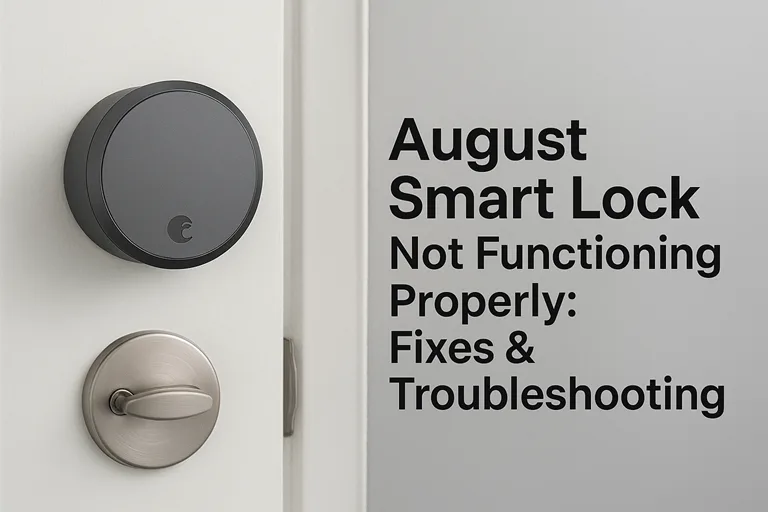
When a smart lock doesn’t behave like one—when the August Smart Lock not functioning properly and won’t respond to your phone, or the auto-unlock you depended on refuses to work—it hits at a core expectation: reliability. The promise of “smart home” devices is effortless locked/unlocked access, peace of mind, and time saved. So when it fails, the frustration is real.
This article is a technical troubleshooting guide, tailored to fix the problem rather than talk about it.
We’ll begin with the quick checks that often solve “won’t unlock” or “offline” issues in minutes. Then we’ll move into connectivity and app/firmware matters. After that, we’ll cover calibration, auto-unlock issues, and integrations that often trip users up. Lastly, we’ll show when the problem may be mechanical or hardware-based—and how to understand warranty/replace situations.
I’ve pulled real-world user experiences, official advice from the manufacturer, hardware repair insights, and integration edge-cases so you can tackle this from every angle. Let’s dive in.
Immediate Quick Checks
Check the Batteries
Start simple: many issues with the August Smart Lock stem from weak or incorrectly installed batteries. Even if the unit appears powered, voltage can sag under load, and unpredictable behavior sets in. The official support site lists “false battery alerts” and battery-related issues among its common problem categories.
Here’s what to do: open the battery door, remove all the AA batteries, and replace them with fresh, high-quality alkaline AA cells (don’t mix old and new). After swapping them, launch the app and check the battery level if shown. If it improves, great: many lock failures stop right here.
Ensure App & Phone Permissions Are Set
Your phone’s operating system likes to get in the way. If the app doesn’t have Bluetooth, Location (for geofence/auto-unlock), or Background Refresh permissions enabled, the lock may look like it’s working, but actually isn’t. Official August instructions for Wi-Fi models say: if your app shows unlocked when the door is locked, or the circle remains grey, you may need to recalibrate.
So: on iOS/Android, go to Settings → August app and make sure: Bluetooth ON, Location set to Always (or at least when using the app), Background App Refresh ON, and phone is not in some Battery-Saver mode that bans background tasks.
Perform a Quick Restart of the Lock & App
Oddly enough, sometimes the fix is: close the August app completely, re-open it. Remove and re-insert the batteries in the lock, wait 30 seconds. This reboot-combo clears out many “stuck” states. A Reddit user reported:
“Since Friday no phone at home can lock/unlock… I replaced the batteries, rebooted my WiFi & access point.”
If you reach this point and everything works again, you’re done. If not, move ahead into deeper diagnosis.
Bluetooth, Wi-Fi & Connectivity Troubles
Check Bluetooth Pairing & Signal Strength
If your model uses Bluetooth (or a Wi-Fi lock with optional local Bluetooth control), make sure your phone is within 5–7 ft of the lock when testing. The August app should “see” the device. If not, unpair and repair the lock.
August Connect / Wi-Fi Bridge Online Status
If you own a Wi-Fi-enabled August lock or have an August Connect bridge (for remote access), check this: the bridge’s LED indicator—green = online, amber/red = offline. A user reported repeated disconnects: “It’s consistently disconnecting and reconnecting to the network.”
Checklist:
- Router supports 2.4 GHz (many home networks are dual-band 2.4/5GHz; August devices often require the 2.4 GHz band)
- Lock or bridge is within Wi-Fi range (walls, metal doors, extenders can reduce signal)
- The router has not changed its password or network name recently
- Try a power cycle of the router and bridge if things seem flaky
Firmware & App Version Compatibility
Lock firmware that’s behind (i.e., old) can exhibit odd behavior. Official August support shows this under “Wi-Fi Smart Lock – General Troubleshooting”. Make sure:
- The August app is the latest version (check Play Store / App Store)
- Within the app, check device settings and see if the lock/bridge firmware update is pending
- If update repeatedly fails, consider removing and re-adding the lock (make sure you have user-codes and settings saved!)
Router / Network Interference & IP Address Conflicts
Smart-home gear is vulnerable to network oddities. A user on the UniFi community wrote about their August Smart Lock (Gen 4) being unable to maintain a connection—they blamed “channel/frequency overlap interference between the lock, bridge, Bluetooth LE, and the WiFi”.
Practical advice:
- Move the lock or bridge closer to the router temporarily to test
- Avoid placing the bridge behind metal or in a cabinet
- Reboot your router or remove any secondary network (guest network) that might confuse the lock
- Ideally, use a dedicated SSID for your smart-home devices that isn’t overloaded
Error Codes or “Offline” Status in App
If your app shows “Offline,” “No Response,” or a specific error (e.g., “Error 401”), dig into this. One guide notes that error 401 is often an authentication issue. Leading Smart Lock Company in China Walk-through:
- Sign out of the August app, sign back in
- Check that your account credentials are correct
- Ensure your phone’s time/date settings are automatic (incorrect time can break SSL/auth)
- If the error persists, factory-reset the lock or bridge (see section below)
Calibration, Auto-Unlock & Integration Failures
Calibration or Adapter Mismatch
A surprisingly common mechanical-software interaction issue: if the adapter ring behind the lock’s mounting plate is mismatched (silver vs. bronze, left vs right door), the bolt may bind and the lock “think” it’s stuck. Users report that after calibration, they still didn’t fully unlock until they changed the adapter or manually freed the bolt. Reddit
Steps: In the August app → device → Lock Settings → Calibrate Lock. Ensure you select the correct door swing and the lock is in the unlocked position when calibration begins.
Auto-Unlock / Geofence Not Working
If your lock refuses to auto-unlock when you arrive home (even though the manual unlock works), here are likely causes:
- Phone Location permission is not set to “Always”
- The geofence or radius is set too small
- The August app is not allowed a background refresh
- Battery-saver or “Doze” mode shuts off the lock’s background access
Smart Home Integration Issues (HomeKit, Airbnb, Alexa/Google)
If your lock is integrated with a platform (like Apple HomeKit, Airbnb host access, Amazon Alexa), failures in those integrations can make the lock look broken—even when it isn’t. One Airbnb host wrote:
“Both of my first two guests could not get the lock to work… I had to give them a physical key.”
Check:
- The lock appears correctly in the Home/Airbnb/Alexa app
- Any cross-platform login or tokens are valid
- If your region is outside the U.S./Canada, some features may be restricted.
Firmware/Software Integration Version Skew
Sometimes updates to the integration platform break compatibility (e.g., a HomeKit overhaul, an Airbnb API change). If your lock worked yesterday and stopped overnight after an update, you may need:
- In August, app check for firmware updates
- Remove and re-authorize the integration (unlink and relink)
- Contact August support or the integration provider for known issue notices
- Official August support pages steer users in this direction.
Hardware, Mechanical & End-of-Life Considerations
Signs of Mechanical or Internal Wear
If calibration fails, and you still hear the motor running but the bolt doesn’t move—or the deadbolt drags—then you’re likely looking at mechanical wear. The iFixit troubleshooting wiki lists “Device not unlocking or locking the door” with causes like worn gears, jammed bolt, broken accelerometer, or faulty motor.
Symptoms include:
- Manual key works, but the app fails
- You hear the motor spin, but the bolt remains unmoved
- Bolt sticks or requires force when manually operated
In such cases, check the deadbolt alignment (sometimes the face plate or strike plate is misaligned), remove the August unit and test manual deadbolt movement, lubricate the bolt if needed, then re-install and calibrate.
Internal Battery or PCB Failure
Older units (3–5 years or heavy rental use) may suffer from circuit-board failure or power regulation issues. Again, iFixit lists the motherboard or PCB as a possible root cause. If you’ve replaced batteries, rebooted, recalibrated, and nothing works—hardware fault becomes probable.
When It’s Time to Replace or Submit a Warranty Claim
If all else fails, don’t ignore the fact that your unit might be past its prime or covered by warranty. Here’s what to prepare before contacting support:
- Model number of your lock (e.g., August WiFi Smart Lock)
- Date of purchase, and if you still have the receipt
- Current firmware version (find in the August app)
- Battery type/date replaced, key codes, and user settings
- A short description of what you’ve tried (batteries, calibration, network, etc.)
If you’re shopping for a replacement, you might also want to consider a newer model with enhanced features (e.g., August WiFi Smart Lock, which offers built-in WiFi and works with Alexa/Google/Apple HomeKit). Happy to provide a product link if you like.
Preventive Tips & Best Practices
- Replace your batteries every 6–12 months. Even if it seems fine, a voltage sag under load can cause odd behavior.
- Use fresh alkaline AA batteries. Avoid mixing old/new or using rechargeables unless the manufacturer recommends them. Several users reported better reliability when using the correct type.
- Keep your August app and lock firmware up to date. Enable auto-update where possible.
- Firmware updates help protect against newly discovered vulnerabilities (yes, smart locks have been studied for security holes) and compatibility issues.
- Periodically recalibrate—especially after door adjustment, battery change, or moving the lock unit.
- Monitor your network: make sure the lock or bridge is in a location with a strong 2.4 GHz WiFi signal and minimal interference.
- If you integrate with other smart-home platforms, periodically verify the linkage (integration accounts, tokens, apps) still works—platforms change.
- Keep an eye on user-logs (in the August app) if you host Airbnb or allow guests access—recognizing weird behavior early helps avoid lock-outs.
FAQ
Why won’t my August Smart Lock unlock via the app, but still works manually?
Often it’s because of weak batteries, or the Bluetooth/WiFi/bridge connection is failing. Replace the AA batteries, check the signal and connectivity in the August app, and if manual operation works but remote doesn’t, focus on network or bridge issues.
How long do the batteries last in an August Smart Lock?
With fresh alkaline AA batteries and normal use (lock/unlock a few times per day), many users report 6–12 months of reliable service. However, if auto-unlock is used heavily, or you live in a high-usage environment (e.g., shared Airbnb), replace it earlier.
My August Connect bridge shows a green light, but the app says “offline” — what should I do?
Green light indicates the bridge has power and is physically online, but the lock couldn’t communicate due to WiFi/2.4GHz issues, signal interference, or firmware mismatch. Move the bridge closer to the router temporarily, ensure your WiFi only uses 2.4 GHz or that the lock sees that band, reboot the router, then re-test.
After a firmware update, the auto-unlock stopped working—what do I do?
Sometimes, new firmware turns off old settings or changes geofence behavior. Go to Lock Settings in the August app → Recalibrate the lock. Also, verify your phone’s Location permission is still set to “Always” and Background App Refresh is enabled.
Can humid weather or heat affect my August Smart Lock performance?
Yes. Extreme conditions can affect battery life, cause condensation inside the unit, which may interfere with electronics or gear movement. If the deadbolt drags manually, check alignment, lubrication, and ensure the interior unit isn’t obstructed by swelling wood or warping due to weather.
Conclusion
Facing an August Smart Lock not functioning properly doesn’t mean throwing in the towel or replacing the whole system just yet. Start with the fundamentals—fresh batteries, check app permissions, reboot—and as you eliminate layers, you’ll uncover whether it’s a simple connectivity issue, an integration glitch, or a mechanical/aging failure.
If you’ve followed the steps in this article and the problem persists, it’s time to decide whether the lock needs professional servicing or replacement. Upgrading to the latest model (for example, the August WiFi Smart Lock) may offer improved stability, better integration, and long-term support. So if you’re ready to invest in reliability, this might be your moment.
Are You Ready to upgrade?
Consider the August WiFi Smart Lock—built-in WiFi, cloud connectivity, and seamless integration with Alexa, Google Assistant, and Apple HomeKit. If you’re done fighting unpredictable behavior, this could be the smoother path.
Take control. Re-lock your peace of mind.
