
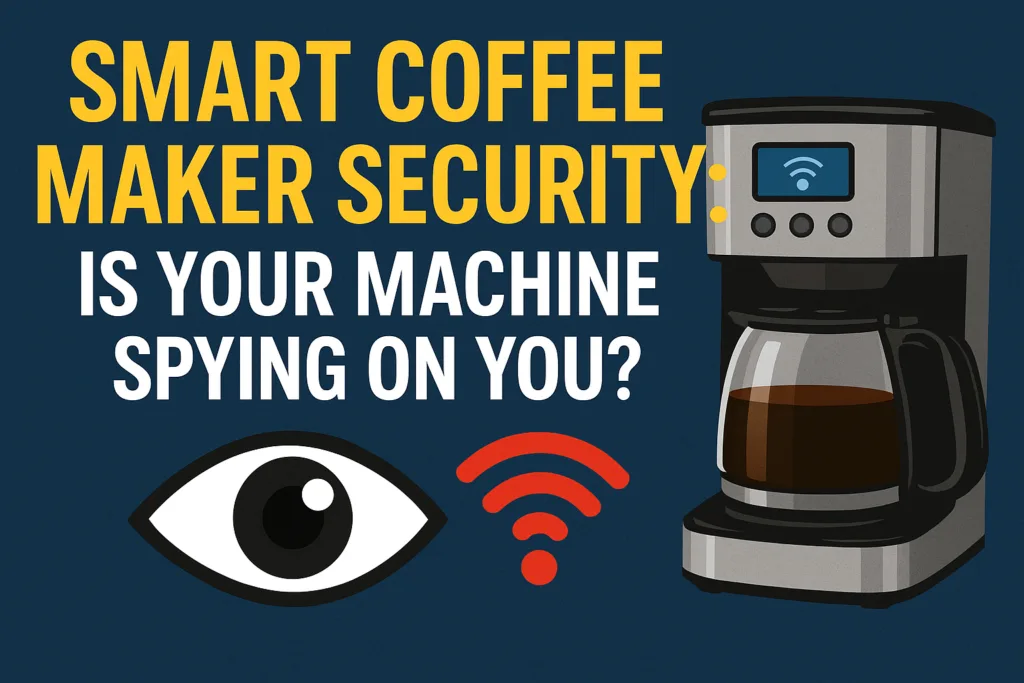
Meta Description: Is your smart coffee maker spying on you? Learn about smart coffee maker security, IoT privacy risks, and how to keep your home safe.
Many of us wake up to the aroma of freshly brewed coffee – now often delivered by a Wi‑Fi connected gadget. It sounds convenient, but by 2025, even our coffee pots could be part of the Internet of Things (IoT). That convenience comes with a catch: smart coffee maker security might not be as robust as we assume. Research shows roughly 66–67% of North American homes already have at least one IoT device. In other words, your kitchen may well be “smart,” and your coffee maker could be listening. Security experts warn that IoT gadgets are “notoriously insecure” – from toasters to thermostats – so why should a humble coffee brewer be any different? The question is: could your machine be spying on you, or worse, opening a backdoor to your whole home network?
How Smart Coffee Makers Work
Modern “smart” coffee machines (from brands like Smarter, Hamilton Beach, etc.) are essentially tiny computers attached to your brew hardware. They hook onto your home Wi‑Fi or Bluetooth, letting you schedule a brew via smartphone apps or voice commands. In practice, your coffee maker listens on the network for instructions like “brew at 7 am” or “make it strong.” According to McAfee, a smart coffee maker connects to the home network like any other Internet of Things device. When you tap your app, data is transferred between your router and the computer. This means that each cup has its own strength and time, which are also digital signals.
Unfortunately, this also means that your coffee maker is a fully functional networked device. Any internet-connected device can be targeted. McAfee warns that once an appliance is online, “any device that connects to the internet can potentially be hacked”. In short, once it’s on your Wi‑Fi, a coffee maker is as vulnerable as your laptop or phone. And of course, it’s not just laptops that hackers target – they’ll grab the weakest link. A coffee machine with poor security is an appealing entry point.
Privacy vs. Convenience: What Data Are They Collecting?
Smart coffee makers claim to make life easier, but convenience often means data gathering. These devices typically log your personal habits – when you brew, how strong, how often you drink java – essentially building a profile of your morning routine. McAfee warns that even if the machine does not retain your personal ID, it nevertheless collects data about your brewing habits (e.g., brew times, volume). In some circumstances, the data is routed to the manufacturer’s servers or analytics cloud. Who knows how that information may be utilized or shared?
Worse, weak security could let that data leak. Imagine that your Wi‑Fi‑enabled brewer is quietly sending cloud reports on when you wake up. Or consider this: Mozilla’s 2020 privacy guide flagged a popular smart coffee maker (a Hamilton Beach model) for failing even the minimum security standards. In other words, researchers deemed it “creepy” because it failed to protect user data adequately. If the firm behind your machine isn’t diligent, your coffee rituals could fall into the wrong hands — whether through an unintentional data breach or dubious privacy practices.
There is also a worst-case scenario: a malicious user in your home network. If your coffee machine is taken over, hackers might snoop on your entire Wi‑Fi activity. Security demos have proven this nightmare: one researcher turned a smart brewer into ransomware and, in the process, “used the coffee maker as a gateway and spy into all the connected devices on the home network”. In plain language, a compromised coffee maker lets attackers move freely through your smart home. And it can get dangerous: the same experiment even caused the coffee maker’s hotplate to overheat, nearly starting a fire.
Bottom line: while a coffee maker usually can’t film or mic your living room, the data it handles and the network access it has raise privacy concerns. Big‑brother style data-collection or outright hacking – both are on the table unless you take security seriously.
Cyber Threats: Real Coffee Maker Hacks
These aren’t just theoretical worries. Several real hacks have brought coffee makers into the cybersecurity spotlight. For example in 2020, a security researcher (working with Avast) famously turned a smart coffee maker into ransomware. By altering the machine’s firmware (the software inside the device) he made it refuse to brew and instead display a ransom demand. In his words: “the coffee maker came with default settings and a Wi-Fi connection, no password was required to connect” making the hack embarrassingly easy. This experiment showed that even simple devices could be repurposed for cybercrime.
There’s also a real-world business horror story. A worker on Reddit recounted how a factory’s Wi‑Fi‑enabled coffee machine was hacked. All the plant’s PCs suddenly showed a ransomware message – and it turned out the culprits had used the coffee makers as the infection point. In that case, the staff had connected the smart brewers to the same network as the control systems, and the hackers moved in from there. The outcome was chaos across the entire factory, all because someone plugged the percolator into a sensitive network.
Aside from these dramatic attacks, even less malicious hacks can be a pain. McAfee points out a simple scenario: an attacker who hijacks your coffee maker could brew 50 cups of coffee at once, or keep it turned on and off unexpectedly, just as a prank or annoyance. More seriously, that hijacked machine could quietly probe other devices on your home LAN. In any event, the takeaway is: coffee maker hacks do happen, and they can range from funny interruptions to full-blown network breaches.
Smart Coffee Maker Security
The good news? Most risks can be greatly reduced with some basic safeguards. Treat your smart brewer like any other connected gadget and follow solid IoT hygiene. Here are key steps to lock down your coffee maker:
- Change Default Credentials. Out of the box, many IoT devices have easy default logins. Immediately change any factory passwords. Security testers found that many coffee makers require no password by default, letting anyone on your Wi‑Fi upload malicious code. So the very first thing: set a strong, unique password.
- Use Strong Wi‑Fi Encryption. Protect the network your coffee maker joins. Use WPA3 (or at least WPA2) encryption on your router so that eavesdroppers can’t sniff the traffic. A well-encrypted network makes it much harder for an outsider to hijack your device.
- Keep Firmware Up to Date. Manufacturers occasionally issue firmware updates to fix vulnerabilities. Check regularly (or enable auto-updates) for new software for your coffee maker. As McAfee and Avast note, updates often patch discovered holes, so running the latest firmware can block known exploits. Don’t ignore those updates.
- Network Segmentation. If your router allows it, put IoT gadgets on a separate guest or IoT network. That way, even if a coffee maker is breached, attackers can’t easily reach your work PC or phone. For small offices or homes, treating IoT devices like “second-class citizens” on the Wi‑Fi keeps the crown jewels isolated.
- Enable Two-Factor Authentication (2FA). If the coffee maker’s app or cloud service supports it, enable multi-factor authentication. That could mean approving logins via your phone or email. It adds an extra barrier so that even if someone guesses your password, they can’t get in without that second factor.
- Connect Only If Necessary. Ask yourself: Do you really need this gadget online? If you only use the coffee maker manually, consider keeping its Wi‑Fi turned off entirely. Avast recommends limiting the number of connected devices to shrink your “attack surface”. In practice, if a smart feature isn’t worth it to you, skip the network and enjoy analog convenience.
- Monitor & Audit Devices. Periodically check your router’s list of connected devices. If you spot an unfamiliar device or notice strange behaviour (like the brewer turning on by itself), investigate immediately. Having visibility and alerts can catch a compromise early.
Following these practices will greatly improve the security of your smart coffee maker. In fact, security experts often boil it down to one question: Do you even need your coffee maker to be smart? visit our guide on turn your coffee maker smart. If the answer is “no,” a classic non‑smart model will brew the same coffee without the digital risks. But if you do want the Wi‑Fi perks, then be an informed owner. Change passwords, update software, and isolate devices. Treat every smart appliance with the same caution as you would your computer or phone.
Industry Responses and the Future of IoT Security
The good news is the industry is waking up to these IoT headaches. In 2024, the U.S. Federal Communications Commission (FCC) approved a voluntary “Cyber Trust Mark” label for consumer IoT devices. Think of it like an Energy Star for cybersecurity: it will let you know which smart home gadgets (from thermostats to coffee makers) meet basic security criteria. The label will require manufacturers to disclose details such as default password settings and software update schedules. The hope is that consumers will “vote with their wallets” and prefer devices that earn this mark. Major firms (such as Samsung, LG and Best Buy) have expressed support for better IoT standards and the proposal of FCC is based on NIST principles.
Meanwhile, privacy advocates have produced buyer’s guides flagging creepy devices. For example, Mozilla’s “Privacy Not Included” report calls out any connected product that fails basic safeguards. In 2020, they warned about smart coffee makers, among other appliances. Fortunately, many manufacturers are also starting to take security more seriously. Newer smart brewers now advertise features like secure firmware updates and encryption. When shopping for a smart appliance look for those details. Look for terms such as “encrypted connection,” “automatic security updates,” or even the Cyber Trust Mark once it becomes available. Just like with any online purchase, check the privacy policy because some companies say they don’t sell your information or let you opt out of tracking for analytics. As smart coffee makers are not safe enough you can easily convert your old home into smart home reading the guide on How Can I Automate My Home With Smart Plugs?
On the regulatory side, NIST has been hard at work creating IoT guidelines. Their Cybersecurity for IoT Program aims “to improve the cybersecurity of IoT systems” by developing standards for manufacturers and consumers alike. In fact, the upcoming Cyber Trust Mark will follow NIST’s criteria, covering everything from secure boot and encryption to software lifecycle management. In short, help is on the way: industry labels and government frameworks are materializing to make our homes safer. But until they’re ubiquitous, much of the burden falls on end users.
FAQs
Can my smart coffee maker really be hacked?
Yes. Any IoT device, including a Wi‑Fi coffee brewer, can be compromised if not secured. Researchers have demonstrated hacks that take over brewers turn them into ransomware tools, or use them as backdoors into your network. In practice, hacks are rare but possible – the main issue is default passwords, lack of encryption, and outdated firmware. With vigilance (changing defaults, updating, etc.), the risk drops a lot.
What kind of data do smart coffee makers collect?
Primarily use data. They normally keep track of your brewing schedule, cup sizes, preferred strength, and frequency of brewing. This data may remain local or be transmitted to the company’s servers. Even if it does not store your name, it can show everyday behaviors (for example, your wake-up time). McAfee notes these appliances often log personal brewing habits. It’s wise to assume that a smart device shares some information with the manufacturer’s cloud.
How can I tell if my coffee maker has been compromised?
Signs might include unexpected behaviour: the machine brews on its own, refuses to brew even when connected properly, or shows strange error messages. You might also notice odd network activity (check your router logs for unfamiliar traffic to your coffee maker’s IP). If it requires a password change or the app returns errors, investigate. In severe cases, such as ransomware, the screen might display a message. Generally, such hacks are very uncommon in home brewers – you’d typically have some hint in the machine’s behaviour or your network tools.
Are smart coffee makers listening with microphones or cameras?
Most smart coffee makers do not have cameras. Some models support voice commands via a smart assistant (like Alexa or Google Home), which means they have a microphone to hear the wake word. If that’s the case, the audio is routed through the assistant’s service, not the coffee maker’s own software. Always check if the maker integrates with voice assistants; if so, it will use the usual voice hotword system (and you can mute or disable it). As a rule, a standalone smart brewer won’t eavesdrop unless its app or firmware explicitly enables it.
Do I need to change any settings before using my smart coffee maker?
Absolutely. Treat it like a new gadget: first, connect it to your secure Wi‑Fi (not open/public), and then change any default usernames/passwords. Put strong, unique credentials in place. Also, disable any features you won’t use (for example, if it has an open MQTT port or UPnP, turn those off). Check the manufacturer’s app for any security settings (like encryption options) and enable them. Finally, note any LED indicators or screens – if it’s blinking or showing setup codes after setup, make sure it’s not in a vulnerable default mode.
What is the FCC’s Cyber Trust Mark, and how does it affect consumers?
The Cyber Trust Mark is an upcoming voluntary FCC label for IoT devices. It will signal that a product meets baseline security criteria (set by NIST standards). For example, the label will only appear on devices whose makers publish firmware update policies, support secure passwords, etc. For consumers, it means you can (eventually) look for the label on smart appliances to know you’re buying something that was designed with cybersecurity in mind. It’s still rolling out, but once available, it should make shopping for secure smart devices much easier.
Should I keep my smart coffee maker always connected to the Internet?
Only if you actually use the smart features. If you rarely brew via the app or voice, there’s no need to keep the app or voice connected. You can turn off Wi‑Fi and use the machine manually – it still works as a regular brewer. This effectively eliminates remote attack risk. If you do need it online (for scheduling, for instance), consider connecting it to a guest network. That way, your coffee maker is isolated, and even if someone hacks it, they can’t reach your main devices.
What if I don’t trust a particular brand – are some coffee makers more secure?
No smart appliance is bulletproof, but some manufacturers take security more seriously. Before buying, research that model: look for firmware update support, security reviews, or privacy assessments (Mozilla’s Privacy Not Included might have one). Established tech brands with regular updates (and good reputations) are generally better. Also, check user forums: if owners complain of security flaws, take note. Ultimately, a very basic pattern is: the simpler the smart feature set and the more transparent the company, the better. Regardless of brand, you should implement the safeguards above to protect yourself.
Conclusion
Your coffee maker may seem innocent, but in a smart home world, it’s a potential weak link. Hackers have shown that even a humble smart brew station can be hijacked for ransomware or data snooping. Snooping does not only refer to crimes; it may also refer to organizations gathering previously unknown information about your regular activities. Avoid using your coffee machine for spying or unauthorized access. Use secure passwords, keep software up to current, and consider separating IoT devices on their own networks. You may enjoy the benefits of a technologically advanced kitchen while maintaining your privacy.
Ready to secure every cup? Next time you buy or set up a smart coffee maker, look for security features like the Cyber Trust Mark and zero-trust design. In the meantime, utilize the advice above to protect what you own. After all the only thing that should keep you awake at night is the desire for coffee not the thought of who is listening.
