
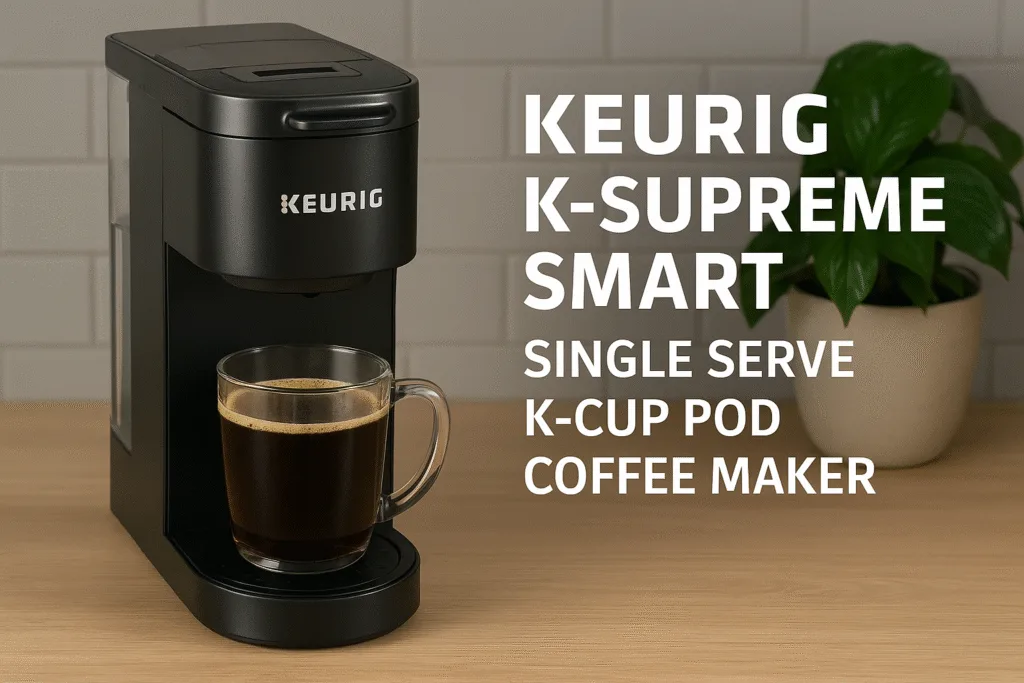
If your mornings feel like an Olympic sprint — juggling alarms, inbox nightmares, and that one sock that always seems to disappear — a smart coffee maker becomes the unsung hero of adulthood. And right in the middle of that conversation sits the Keurig K-Supreme SMART Single Serve K-Cup Pod Coffee Maker, a mouthful of a name for a machine that tries to make mornings feel less chaotic and more “I’ve got this.”
It’s smart. It’s Wi-Fi-connected. It brews at the tap of an app. And yes, it actually changes how your mornings flow.
(By the way, if you’ve ever wondered whether you can turn an ordinary brewer into a smart one, I’ve already explained that trick in my guide on how to Turn Your Coffee Maker Smart — but today we’re going straight into what a true built-in-smart system feels like.)
Let’s break down the real story: what this brewer does right, where it stumbles, and whether it genuinely earns its spot on your countertop in 2025.
- Why This SMART Keurig Actually Stands Out
- What Makes This “SMART” Keurig Actually Smart?
- Full Feature Snapshot
- Setting Up the Keurig K-Supreme SMART Single Serve K-Cup Pod Coffee Maker with Wi-Fi Brewing
- Taste Test Results: BrewID vs Manual Controls vs Classic Mode
- Daily Usability: How It Fits Into Real Life
- Long-Term Costs, Sustainability & Pod Economics
- Who Should Buy This Keurig — And Who Should Skip It
- Best Alternatives to Consider
- Setup, Presets & Quick-Troubleshooting Mini FAQ
- Final Verdict: Should You Buy the Keurig K-Supreme SMART in 2025?
- FAQs
- Conclusion
Why This SMART Keurig Actually Stands Out
Some coffee makers put the word “smart” on their boxes like it was confetti. The K-Supreme SMART is not one of them. Keurig packed enough intelligence into this model to actually streamline your day, instead of adding another app you’ll forget you installed.
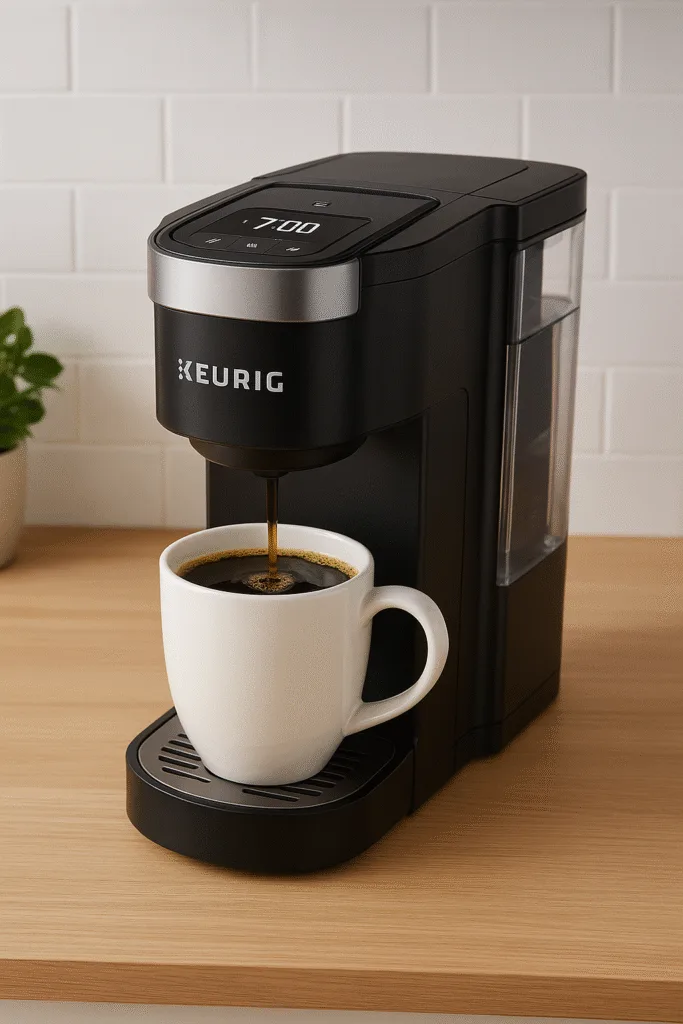
The big draw? Remote brewing that genuinely works. The kind where you tap your phone while you’re still in bed and — boom — the smell of fresh coffee hits you by the time you shuffle into the kitchen. There’s also BrewID, auto-adjusted brewing, customized temperature control, and a handful of features that quietly make a difference without turning your morning into an engineering project.
For anyone flirting with smart-home upgrades, this feels like a comfortable entry point. It’s familiar, it’s quick, and it finally makes Keurig feel like it belongs in a connected home.
What Makes This “SMART” Keurig Actually Smart?
Let’s dig deeper into the tech. Because that’s what you’re really here for, right?
BrewID Flavor Intelligence
This is Keurig’s proud “we used our brains” feature — a system that recognizes compatible K-Cup pods and auto-adjusts brew time, temperature, and flow rate. Think of BrewID as a barista who never gets your order wrong because it’s literally programmed not to.
Does it work?
Surprisingly, yes. Pods designed for richer extraction genuinely taste better with BrewID on, especially medium roasts that often feel too watered down on generic settings.
Is it perfect?
Not always. If you use third-party pods, BrewID sometimes doesn’t recognize them. But the manual settings always step in to save the day.
Remote Brewing & Daily Automation
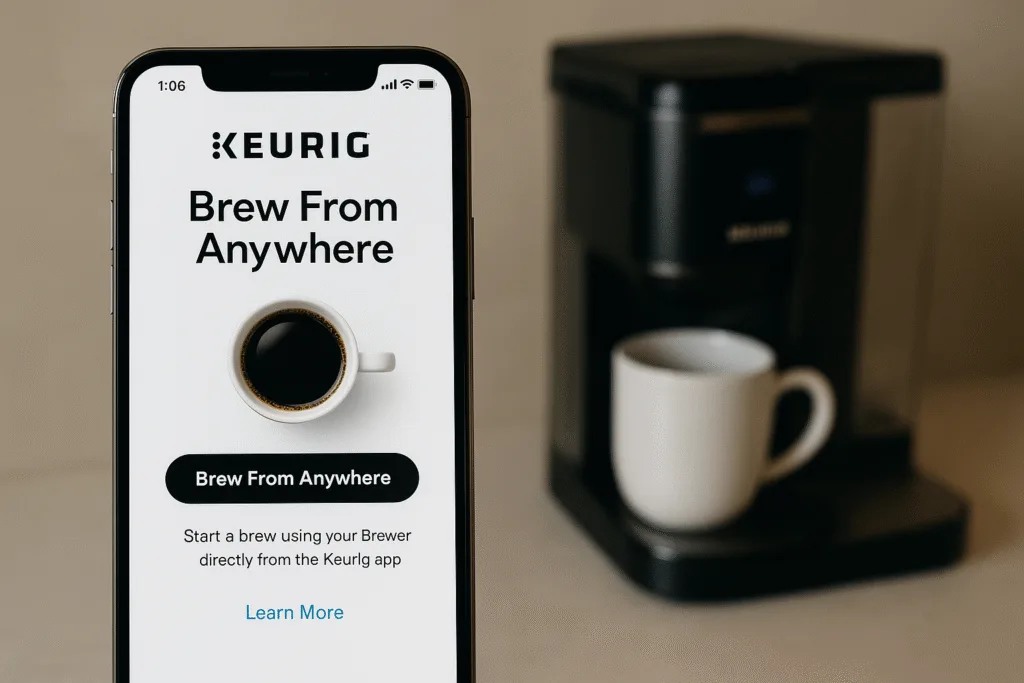
This is where the magic happens.
From your phone, you can:
• Start a brew
• Schedule a brew
• Adjust settings
• Get alerts
You can be on the couch, in the shower, or stuck in traffic and still have coffee ready the second you walk through the door — and yes, it feels absurdly convenient.
If you’re interested in more advanced workflows such as geofencing (“brew coffee when I arrive home”) or inventive IFTTT recipes, I have another blog on Smarter Mornings with IFTTT and Geofencing dedicated totally to automation magic. Today, we’ll concentrate solely on what this Keurig’s native software can manage.
Personalized Brew Strength & Temperature Controls
This is where the K-Supreme SMART feels more like a “grown-up Keurig.” Instead of the usual “strong button,” you get actual temperature adjustments, strength levels, and custom brewing profiles.
Families love this part.
Everyone gets their own preset. Nobody touches anyone else’s brew settings. Peace restored.
Full Feature Snapshot
Here’s a quick rundown of what this machine carries under the hood:
• Brew Sizes: 6, 8, 10, 12 oz
• Reservoir Size: 66 oz removable
• Connectivity: 2.4GHz Wi-Fi
• Controls: Touch + app
• Compatibility: K-Cup pods
• Key Features: BrewID, remote brewing, customizable temperature
If you want a basic analysis of what makes a coffee maker worth buying (smart or not), my coffee maker features guide goes over every aspect without overwhelming you. This helps to put Keurig’s specifications in perspective.
Setting Up the Keurig K-Supreme SMART Single Serve K-Cup Pod Coffee Maker with Wi-Fi Brewing
Wi-Fi setup sounds scary until you actually try it with this machine. Keurig did a decent job making it painless — and I say that as someone who once yelled at a smart toaster for refusing to pair.
Step-by-Step Wi-Fi & App Setup
- Plug the machine in
- Download the Keurig app
- Create an account (yes, you need one)
- Scan the QR code on the machine
- Let the app walk you through the rest
The process takes around three minutes. Maybe five if your Wi-Fi is on one of those “I’ll work when I feel like it” days.
Common Connection Problems (and the Fastest Fixes)
Some users hit speed bumps — usually related to 2.4GHz Wi-Fi visibility, mesh systems, or routers broadcasting mixed frequencies.
If the brewer refuses to show up during setup:
• Restart the brewer
• Forget & re-add your network
• Verify that 2.4GHz is enabled
General smart-home troubleshooting follows a different pattern entirely, so if your home is a Bermuda Triangle of smart devices losing connection, I’ve already broken that down in my smart plug troubleshooting guide. That keeps this review laser-focused.
Weeklong Stability Test & Remote Brew Reliability
After a solid week of early-morning and late-night brews, the connection stayed surprisingly stable.
It only disconnected once — after a router reboot — and auto-reconnected without manual intervention.
Remote brewing worked every time.
Notifications arrived instantly.
Presets stayed synced.
Keurig may not dominate the espresso world, but wow — they nailed the app experience.
Privacy, Accounts & Firmware Updates
You’ll need a Keurig account to unlock most smart features, and the machine occasionally pushes firmware updates. Nothing alarming here; most updates improve BrewID accuracy and connectivity.
Taste Test Results: BrewID vs Manual Controls vs Classic Mode
Now for the part people love nitpicking: flavor.
Blind Taste Comparison
Using 12 pods across three roast profiles, BrewID consistently produced a more balanced cup. Medium roasts especially benefited, delivering better body and less bitterness.
Temperature Consistency & Brew Strength Accuracy
Temperature precision is shockingly good for a pod machine. Strong mode doesn’t make your cup taste “burnt strong,” just more concentrated — which is exactly what it should do.
Keurig Taste vs Nespresso & Other Pod Systems
Let’s be real: if you want silky espresso, buy a Nespresso or a proper espresso machine. Keurig is fundamentally about speed and convenience, and the K-Supreme SMART elevates both. The flavor is better than that of regular Keurig machines, but it’s still not espresso. Know what you’re buying.
Daily Usability: How It Fits Into Real Life
Machines can have every feature on paper and still feel like a hassle. This one doesn’t.
Morning Routines
One tap on your phone.
Coffee is ready when you walk in.
No thinking required.
It feels like a small luxury — and honestly, those matter.
Multi-User Scenarios
Kids, partners, roommates… this machine handles everyone’s preferences without stepping on toes. Profiles switch instantly.
Cleaning & Basic Upkeep
Daily cleaning is effortless — rinse the reservoir, empty the pod bin, and wipe it down quickly.
Deep cleaning? That’s a different story, and I already have a full descaling guide that walks through smart coffee machine maintenance step-by-step—no need to duplicate it here.
Long-Term Costs, Sustainability & Pod Economics
This brewer isn’t the cheapest to operate, thanks to pod prices. But you already knew that.
Cost per Cup
Expect around $0.40–$1.20 per cup, depending on pod brand.
Refillable pods help massively.
Energy Use
Idle consumption is low, and app scheduling can help reduce unnecessary warm-ups.
Environmental Impact of Single-Use Pods
- Pod waste remains a major concern. Despite recyclable polypropylene shells, most municipal recycling plants don’t accept them — so many end up in landfills.
- If sustainability matters to you, add note on recycling limitations and how this model handles (or doesn’t) environmental trade-offs.
Consumables & Replacement Parts
Nothing unusual — charcoal filters, descaling solution, reusable pods.
For readers prioritizing greener brewing, the sustainability conversation is much deeper, and I already covered that separately in my dedicated smart coffee sustainability piece.
Who Should Buy This Keurig — And Who Should Skip It
Perfect For:
- Busy professionals
- Families with chaotic morning routines
- Renters who want smart features without wiring anything
- People who love convenience more than espresso art
Not Ideal For:
- Espresso lovers
- People who prefer grinding beans fresh
- Those drinking multiple cups in a row — a grinder machine hits different
And if you are leaning toward a grinder-included model, my roundup of the best automatic coffee machines with grinders (2025) is the comparison you actually need.
Best Alternatives to Consider
All in case this one doesn’t fully check your boxes.
Keurig K-Café SMART
Better for lattes and milk drinks.
Nespresso Vertuo Next
Richer crema, less smart control.
Instant Solo Wi-Fi Brewer
Budget-friendly alternative with decent app integration.
If you want a deeper look at how smart brewers differ from traditional ones, I broke that down in another article, so we don’t mix search intent here.
Setup, Presets & Quick-Troubleshooting Mini FAQ
Snappy answers Google loves, and readers bookmark.
• Why won’t it connect to Wi-Fi?
Usually, a 2.4 GHz issue: keep the router close.
• Does BrewID really improve flavor?
Yes, especially on medium roasts.
• Can I brew remotely from outside my home?
Absolutely.
• Does it support voice assistants?
Indirectly via routines.
• Is it worth upgrading from a regular Keurig?
If you want remote brewing, yes.
Final Verdict: Should You Buy the Keurig K-Supreme SMART in 2025?
To put it plainly: if you want a no-nonsense smart coffee maker that actually makes mornings easier, the Keurig K-Supreme SMART Single Serve K-Cup Pod Coffee Maker hits the sweet spot. It’s easy to set up, stays connected, and offers genuinely useful features instead of gimmicks.
If you’re building a voice-controlled morning routine, my Alexa & Google Coffee Guide shows exactly how to take this machine even further once it’s in your home.
FAQs
1. Does the Keurig K-Supreme SMART require Wi-Fi to brew coffee?
No, you can brew without Wi-Fi using the buttons on the machine. Wi-Fi only enhances the experience by adding remote brewing, BrewID syncing, and personalized presets. If your internet drops, the machine still works just fine as an ordinary brewer, so you won’t be stranded without your morning cup.
2. Can this Keurig work with reusable pods?
Yes. The K-Supreme SMART supports compatible reusable K-Cup filters, which help cut long-term costs and reduce waste. BrewID may not recognize reusable pods, but manual controls still let you customize fully, so you’re not missing out on much functionality.
3. Is the K-Supreme SMART noisy?
It’s no louder than regular Keurig brewers. You’ll hear the pump working, especially at higher brew strengths, but it’s nothing disruptive. If you’ve used Keurigs before, you’ll feel right at home with the sound level.
4. How often does this machine need descaling?
Typically, every 3 months — or sooner if you have hard water. The brewer sends reminders through the app so you won’t forget. If you need step-by-step descaling instructions, I’ve published a dedicated smart coffee machine descaling guide to walk you through the entire process.
5. Does the machine keep the water hot all day?
No. It heats water on demand, conserving energy and minimizing wear on internal components. You don’t have to sacrifice convenience because of fast heating, and you get more constant brewing temperatures as well.
6. How long does it take to brew a cup?
Around 60–85 seconds, depending on temperature and size. Remote brewing gives you a head start — tap the app as you get out of bed, and your cup’s done by the time you walk into the kitchen.
7. Does BrewID work with all pod brands?
Not all. It works best with Keurig’s officially recognized brands, but third-party pods still brew perfectly fine using manual settings.
8. Is the K-Supreme SMART worth upgrading from a standard Keurig?
If you like remote brewing, temperature control, or personalized brewing profiles, the upgrade is absolutely worth it. If you press “brew” once a day and walk away, a regular Keurig might be enough.
Conclusion
The Keurig K-Supreme SMART Single Serve K-Cup Pod Coffee Maker isn’t trying to reinvent coffee. It’s trying to make your mornings smoother, easier, and more predictable — and it succeeds. With real smart functionality, dependable app performance, and BrewID delivering better-than-expected flavor, it feels like the first Keurig that genuinely belongs in a smart home.
If you’re ready to upgrade your morning routine — or finally step into smart-home brewing without overthinking it — this is the machine that makes the transition painless.
Ready to upgrade? Grab your Keurig K-Supreme SMART now and let your mornings finally run on autopilot.
