
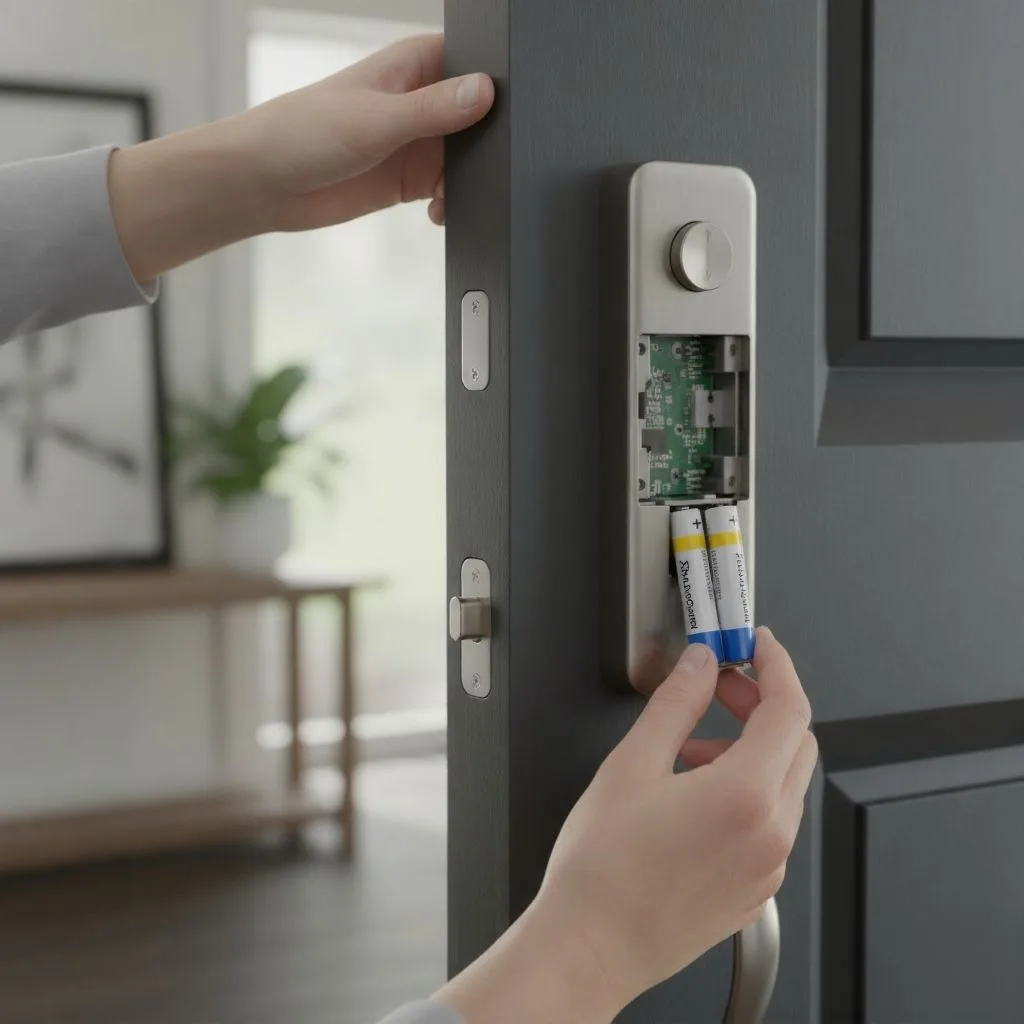
The delightful click of a smart lock, the convenience of keyless entry – isn’t it a small slice of modern magic? No more fumbling for keys in the dark or hurrying to have a replacement cut. However, like with all great magic tricks, there is a secret source of power that enables everything to happen. Your Kwikset smart lock’s secret lies in its batteries. Not just any batteries. The right Kwikset smart lock battery type can be the difference between a seamless, secure experience and a frustrating lockout.
In this deep dive, we’ll reveal all you need to know about powering your Kwikset smart lock. We’ll look at Kwikset’s official advice, investigate the great battery drain mystery, and even provide some insider tips for programming and resetting your lock. Please grab a cup of coffee and join us as we get charged up.
The Lowdown on Kwikset Smart Lock Battery Type
When it comes to the heart of your smart lock, the battery, Kwikset has a clear preference. But why are they so particular? Let’s break it down.
Kwikset’s Official Recommendation: The “Why” Behind Alkaline
Kwikset officially recommends using four AA alkaline batteries from a major brand. You’ll find this recommendation across their product lines, from the popular Halo to the robust SmartCode 914. But this isn’t just a casual suggestion; there’s some solid reasoning behind it.
Alkaline batteries provide a steady, reliable stream of power, which is crucial for the consistent operation of your smart lock. They’re also less prone to sudden power drops, giving you ample warning when it’s time for a change. This is a big deal because the last thing you want is for your lock to die without any notice.
So, what about other battery types? Kwikset explicitly advises against using rechargeable or lithium-ion batteries. While rechargeable batteries seem like an eco-friendly and cost-effective choice, their voltage can be inconsistent, potentially leading to a malfunctioning lock. As for lithium-ion batteries they have a tendency to show 100% charge right up until they’re about to die which could leave you in a real bind. Imagine your lock’s app showing a full battery, only for it to give up the ghost an hour later. No, thank you!
Real-World Battery Life: What to Expect
Kwikset recommends that a new set of alkaline batteries last roughly six months with frequent use. However, if you’ve ever spent time on an internet forum, you’ll know that this isn’t always true. Some Reddit users have stated that their batteries died in as little as two months, which is far from the six-month optimum.
This discrepancy often comes down to a few key factors, which we’ll explore in the next section. But it’s important to set realistic expectations. While six months is the goal, your mileage may vary.
Why Your Kwikset Lock is Always Hungry
Is your Kwikset lock chewing through batteries like a kid with a bag of candy? You’re not alone. This is one of the most common complaints among smart lock owners. But before you blame the batteries, let’s investigate the usual suspects.
The Wi-Fi Woes: A Weak Signal’s Thirst for Power
A poor Wi-Fi signal is one of the most common causes of quick battery loss. If your lock is continually struggling to connect to your router it will consume a lot of electricity. Think of it like a phone searching for a signal in a dead zone – it’s a massive battery hog.
To combat this, make sure your router is in a central location and that there are no major obstructions between it and your lock. Consider a Wi-Fi extender if your home is on the larger side. A strong, stable connection is key to a happy, power-efficient smart lock.
The Usage Factor: How Often You Lock and Unlock Matters
This one’s a no-brainer, but it’s worth mentioning. The more you use your lock, the faster the batteries will drain. If you’ve got a busy household with people coming and going all day, you’re naturally going to go through batteries faster than a single person who works from home.
Consider this case study: an Airbnb host with a Kwikset Halo lock was changing the batteries every two months. With guests constantly coming and going, the lock was getting a serious workout. This high-traffic environment was too much for a single set of batteries to handle for the full six months.
The Defective Lock Dilemma: When It’s Not the Batteries, It’s the Lock
If you’ve optimized your Wi-Fi and your usage isn’t out of the ordinary, you might be dealing with a defective lock. It’s rare, but it happens. Some users have reported that a faulty unit was the root cause of their battery woes.
If you suspect your lock is defective, don’t hesitate to reach out to Kwikset’s customer support. They have a great reputation for helping customers troubleshoot issues and will often send a replacement if the unit is found to be faulty.
Programming and Resetting Your Kwikset Smart Lock: A Fresh Start
Aside from the batteries, learning how to configure and reset your Kwikset smart lock is critical for a smooth, secure operation. Whether you’ve recently moved into a new place or had a falling out with a former houseguest, a new beginning is only a few clicks away.
How to Change Kwikset Lock Code Without a Key: A Step-by-Step Guide
Need to change your lock’s code but can’t find the key? No problem. Here’s a quick and easy guide:
- Open the door and make sure the lock is in the unlocked position.
- On the interior side of the lock, press the “Program” button. The keypad will light up.
- Enter your new four- to eight-digit code.
- Press the “Lock” button. You’ll hear a beep and the keypad will flash green, indicating that the new code has been successfully programmed.
And that’s it! You’ve just changed your Kwikset lock code without a key. For a more detailed guide, you can always check out the Kwikset Support Page.
How to Reset a Kwikset SmartCode Lock
Sometimes, you need a complete do-over. Whether you’ve forgotten your code or you’re having trouble with the lock, a factory reset can be a lifesaver. Here’s how to reset a Kwikset SmartCode lock:
- Open the door and remove the battery cover, and battery pack.
- Press and hold the “Program” button while reinserting the battery pack.
- Keep holding the button for 30 seconds until you hear a beep and the status LED flashes red.
- Press the “Program” button one more time. The LED will flash green and red, and the lock will initiate the door handing process.
Once the reset is complete, you’ll need to reprogram the lock with a new master cIde.

Image credits: https://www.kwikset.com/
Insider Tips and Tricks for Your Kwikset Smart Lock
Ready to take your smart lock game to the next level? Here are a few insider tips and tricks that will make you a Kwikset pro.
The 9-Volt Battery Trick: Your Emergency Power-Up
We’ve all been there – that sinking feeling when you realize your lock is dead and you’re locked out. But with a Kwikset lock, there’s no need to panic. Some models, like the 905 Keyless Deadbolt, have a secret weapon: a pair of terminals on the bottom of the keypad.
If your batteries die, touch a 9-volt battery to these terminals. This will give you enough temporary power to enter your code and unlock the door. It’s a fantastic little function that can save you from a tremendous hassle.
Sign Up and Win: Stay in the Know with Kwikset
Want to stay up-to-date on the latest trends and styles in home security? Sign up for Kwikset updates! You’ll be the first to learn about new items and promotions, and you’ll even be entered to win one of their most recent offerings. This is a win-win situation.
FAQs
What is the best Kwikset smart lock battery type?
The best Kwikset smart lock battery type is a set of four AA alkaline batteries from a major brand. Kwikset recommends this type for optimal performance and longevity.
How do I know when my Kwikset lock’s batteries are low?
Your Kwikset lock will give you several warnings when the batteries are low. You’ll see a red flashing light on the interior side of the lock, and you’ll also receive a notification in the Kwikset app.
Can I use rechargeable batteries in my Kwikset lock?
Kwikset advises against using rechargeable batteries in their smart locks. At the same time, it might seem like a good idea, rechargeable batteries can have an inconsistent voltage, which can cause the lock to malfunction.
How do I reset my Kwikset lock if I forgot the code?
If you’ve forgotten your code, you’ll need to perform a factory reset. This will clear all current codes allowing you to create a new master code. The process is straightforward and takes only a few minutes.
Conclusion
Your Kwikset smart lock is more than just a convenience; it’s a guardian, a gatekeeper to your home. And like any good guardian, it needs the right kind of fuel to do its job effectively. By choosing the right Kwikset smart lock battery type – four AA alkaline batteries – you’re not just powering a lock; you’re investing in your peace of mind.
Remember to keep an eye on your Wi-Fi signal, consider your usage habits, and don’t be afraid to reach out to customer support if you suspect something is amiss. And with a few programming and resetting methods under your belt you’ll be the master of your smart lock domain. So, embrace the keyless life and enjoy the security and convenience that comes with a high-performance Kwikset smart lock. You’ve earned it.
