
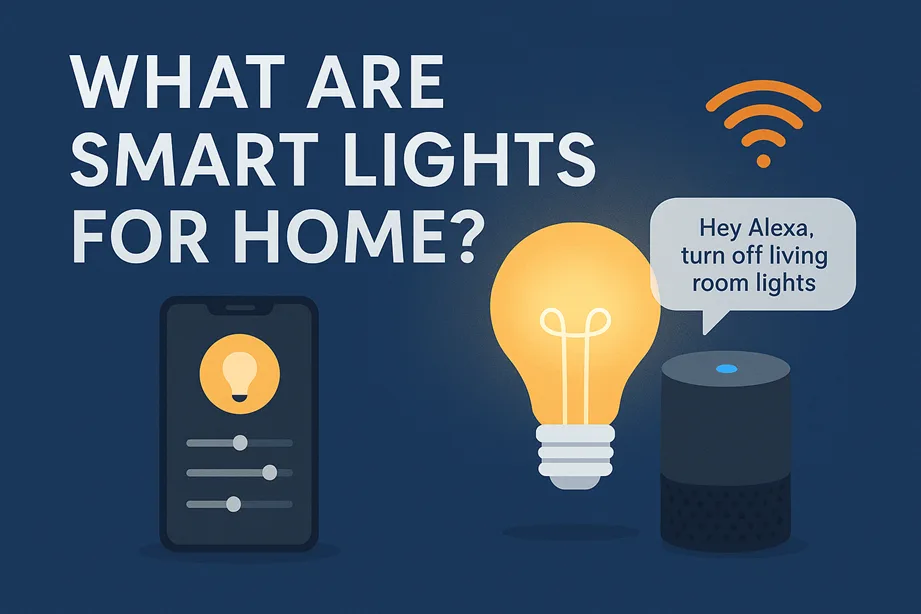
If you’re scratching your head, wondering “what are smart lights for home?”, you’re in the right place. Whether you’re a tech-savvy homeowner, a renter looking to upgrade without punching holes, or a DIYer with a penchant for automating every corner of your home, this article is for you.
Smart lights aren’t just about changing colours or turning bulbs on with your phone. They’re about rethinking how we light our lives. This isn’t fluff. It’s real. And though the idea’s been around for a bit, the tools, integrations and possibilities are now far more exciting than what most competitor articles are showing.
We all flip the light switch dozens of times a day — but what if that switch could think, adapt, even save you money? Welcome to the world of smart lights. In essence, the question “what are smart lights for home” is less about swapping a bulb and more about rethinking how you live in light. For tech-savvy homeowners, renters wanting convenience without rewiring, and DIYers itching to automate everything from their hallway to patio—smart lights offer real possibilities.
Forget the “just change colour” cliché. With the right system, you can set wake-up routines, integrate sensors, change brightness automatically, and enhance wellness. I’ll walk you through not just what smart lighting is, but how to use it, what to watch out for, how it fits into a broader smart-home ecosystem, and how you can implement it in a rental or DIY context—without needing to rewire your house. So you can light smarter, not just differently.
- What is a Smart Light for Home?
- How Smart Lights Work: Technology Under the Hood
- Why Use Smart Lights? The Benefits
- Who Should Use Smart Lights? Homeowners vs Renters vs DIYers
- Choosing the Right Smart Lights: What to Look For
- Step-by-Step: How to Set Up Smart Lights (DIY Friendly)
- Smart Light Use-Case Scenarios & Creative Automations
- Common Pitfalls & How to Avoid Them
- Future Trends & What’s Coming for Smart Lighting
- FAQ
- Conclusion
What is a Smart Light for Home?
A traditional light bulb sits there—on or off, bright or dim (if you’re lucky). A smart light, on the other hand, is a bulb or fixture equipped with intelligence: connectivity, control, and automation. It might be controlled via smartphone, voice assistant, timer, sensor, or all of those.
In practical terms: you screw in a smart bulb (or retrofit a smart fixture), connect it to your network or hub, and now you can adjust it remotely, schedule behaviours, integrate it into routines, and even change its colour or temperature on the fly.
Key parts:
- Physical Device: Smart lighting starts with the hardware itself, whether it’s a standard bulb, flexible LED strip, recessed downlight or a full smart panel. Each option shapes the brightness, coverage and style of your space.
- Connectivity: These devices communicate through WiFi, Bluetooth, Zigbee, Thread or Z-Wave. The protocol you choose affects reliability, range and overall network performance.
- Control Layer: You manage the lights through an app, voice assistant or a dedicated dashboard, giving you quick access to on/off control, dimming and scenes.
- Integration Layer: Routines, sensors and a smart home hub tie everything together for true automation.
So when you ask, “What are smart lights for home?” think of them as part of a lighting control system, not just a bulb. They become an interface between you and your environment.
How Smart Lights Work: Technology Under the Hood
Let’s roll up our sleeves a bit. To truly exploit smart lights, you’ll want to understand how they communicate and what the trade-offs are.
Communication Protocols
- WiFi: Works out of the box on many smart bulbs (no hub required). Easy, but it can stress your WiFi network if you have dozens of lights.
- Zigbee / Z-Wave: Mesh networks designed for smart home devices: lower power, more reliable, large-scale network. But you’ll usually need a hub or bridge.
- Thread: Newer standard gaining traction (and part of Matter). Mesh, low-power, future-proof.
- Bluetooth/Bluetooth Mesh: Some bulbs use this, but range and remote control (outside of the home) can be limited.
Each has pros and cons: WiFi = simple but heavier; Zigbee/Thread = more scalable but needs planning. Your choice affects range, reliability, and cost.
Power & Wiring
Most smart lights still screw into standard fixtures (E26/E27, GU10, etc.), so retrofitting is feasible. But some advanced fixtures integrate sensors or are part of built-in lighting systems (e.g., smart recessed downlights) in new homes.
Control Interfaces
You might control a smart light via:
- Smartphone App: Control your lights directly from an app, including on/off, dimming, colour changes and schedules for hands-free routines.
- Voice Assistant: Use voice commands like “Alexa, turn off the living room lights” to manage lighting without lifting a finger.
- Physical switch: Some systems still require the wall switch. Important note: turning the switch off kills the smart bulb’s power, so many recommend using the switch to control a smart plug or using a smart switch instead.
- Sensor triggers: motion sensor, door sensor, ambient light sensor—lights respond automatically.
Ecosystem Integration
A standalone smart bulb is fine—but the magic happens when your lighting integrates into your broader smart home. Example: you arrive home after sunset, your smart door lock unlocks, and your hallway smart lights fade to 30 % warm white automatically. That’s the synergy of lighting + sensors + logic.
Given your background with Node‑RED and home automation flows, you’ll appreciate that each smart light is another node in your automation graph.
Why Use Smart Lights? The Benefits
Alright—enough tech talk. Why should you bother? Here’s what’s in it for you.
Convenience & Remote Control
Picture this: you’re in bed and you realise you left the living room light on. Instead of getting up (or walking back home on vacation, wondering), you open your app and toggle off. Smart lights give you that immediate control.
Energy Savings & Efficiency
Smart lights are typically LED anyway, which already saves energy vs traditional incandescent bulbs. Add scheduling, occupancy sensing, and daylight-adaptive brightness, and you reduce waste further. Some data from other devices shows that connected lighting helps minimize energy usage by 10-30% when deployed effectively. (Precise numbers for lighting vary widely—but the principle stands.)
Ambience & Wellness
Not just blinking party lights. Smart lights can mimic natural daylight progression (cooler in the morning, warmer in the evening), support your circadian rhythm, reduce eye strain, and create mood lighting for relaxing, reading or entertaining. They become a tool for wellness, not just brightness.
Safety & Security
Using smart lights to simulate occupancy when you’re away, or having exterior lights respond to motion or open/close your smart lock, adds a layer of security. Lights turning on automatically at dusk? That’s deterrence in action.
Personalisation & Flexibility
Especially useful for renters: swap colours, create scenes (“movie night”, “game time”, “reading mode”), re-use bulbs when you move. No heavy rewiring needed. Smart lights let you personalise your space and adapt it later.
Accessibility
For seniors or people with mobility issues, voice-controlled lighting or app-timed lighting reduces the need to reach switches physically. Smart lighting improves home usability.
So yes, smart lights are cool—but they’re much more than gimmicks. They’re smart upgrades to your living environment.
Who Should Use Smart Lights? Homeowners vs Renters vs DIYers
Smart lighting isn’t one-size-fits-all. Let’s break down how different users can approach it.
Homeowners
If you own your home, you have more flexibility: you might install smart downlights, hard-wired scenes, and integrate with professional smart home systems (whole-home automation). You can rewire switches, add hubs, and hide wiring. Ideal for full-scale smart lighting roll-out.
Renters
If you rent, the game is different: you may not want to drill or rewire. But you can still get major benefits: smart bulbs, plug-in smart adaptors, voice-control lamps, or adhesive smart LED strips. Choose systems that require minimal structural changes and are portable when you move. Focus on plug-and-play.
DIY Enthusiasts & Tech Savvy
Here’s where you shine. You might want custom automation flows, integrate lighting with motion sensors, home assistant dashboards, create edge-node scripts (hello Node-RED), tie lighting into security systems, voice assistants, routines, etc. The key: choose open ecosystems, ensure compatibility, and avoid being locked in. Use the smart bulbs/fixtures as part of a larger automation project.
Pros & Cons Summary
Homeowners:
- Pros: Full flexibility to install smart switches, retrofit fixtures, and build whole-home lighting scenes.
- Cons: Higher upfront cost and long-term design decisions that require commitment.
Renters:
- Pros: Easiest setup with portable bulbs, smart plugs, and LED strips that move with them.
- Cons: Limited ability to modify fixtures or install built-in smart lighting.
DIYers:
- Pros: Deeper integration, custom automation, and the satisfaction of building advanced routines.
- Cons: Requires time, effort and often brings extra complexity.
Smart lighting works well for all three groups, each with a different path to getting the most out of it.
Choosing the Right Smart Lights: What to Look For
Let’s go shopping—wisely.
Compatibility
Ask: Does the smart light work with your preferred ecosystem (Alexa, Google Assistant, Apple HomeKit)? Will it integrate with your hub (Home Assistant, Hubitat, etc.)? If you plan custom automation (you do), you’ll want bulbs/fixtures that support open APIs or local network control.
Protocol
As discussed, WiFi is the simplest, but it may strain your home network if many devices are connected. Zigbee/Thread offers better scalability. If you already use a hub supporting Zigbee/Thread, go that route.
Brightness & Colour
Check lumens: Ensure the bulb is bright enough for your fixture/room. Colour bulb vs white-only? Colour gives more creative options but costs more—colour temperature range matters (2700K vs 6500K). For wellness scenes, you’ll want tunable white (warm to cool).
Form Factor
Is it a screw-in bulb, a strip, a recessed downlight, a panel? Choose what fits your space and fixture. Outdoor vs indoor? Waterproofing?
Switch/Firmware/Updates
Ensure the company provides firmware updates for security. Does turning the wall switch off still kill smart functionality? Some systems lock you in; choose devices from companies that allow flexibility.
Budget & ROI
Smart bulbs cost more than standard LEDs. Will you recoup via energy savings or automation convenience? Think of it as a feature upgrade rather than purely cost-savings (unless you have many lights). Don’t oversell the savings; emphasise functionality, mood, automation.
Use Cases
Interior vs exterior. Accent lighting vs general lighting. Do you need only a voice remote or full automation with sensors? Pick accordingly.
Future Proofing
Is the product compatible with future standards like Matter? Does it integrate with new hubs? Avoid systems that will be unsupported in a couple of years.
By scrutinising these criteria, you’ll make a smart choice—not a buyer’s regret.
Step-by-Step: How to Set Up Smart Lights (DIY Friendly)
OK. Time to roll up sleeves and actually get this working. Here’s a step-by-step approach to smart lighting setup—whether you’re a homeowner, renter or DIYer.
Step 1: Choose a Pilot Room
Pick one room—living room, bedroom, or hallway. Less is more. Run one smart light, one scene, one routine. This builds momentum without overwhelming you.
Step 2: Install the Smart Light
- For the bulb: turn off power, screw in the smart bulb, turn power on, and connect via the manufacturer’s app.
- For smart switch (homeowner): hire an electrician or follow instructions if you’re comfortable (ensure safe wiring).
- For renter: use a smart plug or stick-on LED strip instead of modifying wiring.
Step 3: Connect to your hub/app
Open the app, add the device (scan code or discover), name it (“Living Room Main”), and assign it to the room if supported. Ensure the bulb’s firmware is up to date.
Step 4: Create Basic Control
Test manual control: on/off, dim, colour change (if available). Then, hook voice: “Hey Google, turn off Living Room Light”.
Step 5: Create a Scene
Example: “Movie Night” – lights dim to 20 % warm white (2700K). Map your lighting state. Good scene = fewer button taps.
Step 6: Add Automation / Routine
Renter example: At 10 pm, the hallway light goes off automatically.
Homeowner example: When the front door unlocks (via smart lock), hallway lights fade on to 50 %.
DIY enthusiast: Use Node-RED: sensor in room reports occupancy; smart light dims after 5 minutes of no motion; resets when someone returns.
Step 7: Monitor & Adjust
After a week, ask: Is the brightness too high at night? Too cold colour in the evening? Does the automation annoy you? Tweak accordingly.
Troubleshooting Tips
- Bulb Disconnects: If a smart bulb keeps dropping offline, start by checking the WiFi strength or moving the hub closer. For homes with many devices, switching to a Zigbee or mesh network often stabilizes the connection.
- Voice Control Issues: When voice commands stop working, confirm the light is properly linked or shared with your voice assistant. A quick re-sync usually fixes it.
- Power Cut from Manual Switch: If someone flips the wall switch and kills power to the bulb, use a smart switch or a smart plug to keep the device powered at all times.
- Outdated Hub: Old hubs missing updates can cause glitches. Migrating to a newer, supported standard improves reliability.
Example: Renter Setup in 1 Hour
Jane lives in a 2-bed rental. She uses two smart screw-in bulbs (WiFi, colour) in the living room and a smart plug for a floor lamp in the bedroom. She creates one scene: “Relax” – lights warm at 50 %. She sets a schedule: lights off automatically at midnight. No drilling, no rewiring. Done.
Example: Homeowner/DIY Flow
Mike owns a house, already runs Home Assistant. He uses Zigbee smart bulbs in all rooms, connects them via Conbee II coordinator, and uses Node-RED to build flows: when outdoor ambient lux < 50 AND motion detected in garden, pathway smart strips turn on to 30 %. When sunrise, interior lights are set to 4000K, 80 % brightness. Integration with other devices. That’s advanced—but possible.
Smart Light Use-Case Scenarios & Creative Automations
If you stick to just “on/off,” you’re underusing the potential. Let’s explore creative use-cases.
Morning Wake-up Routine
Your alarm triggers your bedroom smart lights to gently ramp from 0 % to 60 % warm white over 10 minutes—simulating sunrise. On your way out, kitchen lights turn on at 80% cool white (5000K) for alertness. Bonus: coffee starts too (linked device).
Vacation/Security Mode
You leave for a week. You set a “vacation” scene: variations: lights turn on/off at random evenings, exterior lights switch to motion sensor mode, maybe integrate with smart blinds—a visual deterrent.
Entertainment Scene
Game night? Home theatre? Set living room smart lights to “Game Mode”: RGB colour (team colours), bias lighting behind TV to reduce eye strain, and peripheral strip activated via the gaming console API. Lights sync with music via mic sensor or “beat” mode. (Some smart strips support music-sync.)
Outdoor Pathway & Motion
You install smart outdoor lights along the walkway. When motion is detected after dusk, lights ramp up to 70% for 5 minutes, then drop to 10%. Great for safety and minimal light pollution.
Wellness Lighting
Evening: lights shift to 2200K (very warm) at 9 pm. Night: hallway lights turn on only at 10% brightness (so you don’t get blasted awake). Morning: lights go cooler, 4000-5000K to support alertness. All automatically. Smart lights become part of your daily rhythm.
Integration with Other Devices
- Motion-Activated Lighting: A motion sensor can automatically trigger lights the moment someone enters a room, making late-night navigation safer and hands-free.
- Door-Linked Hallway Lighting: When a door sensor detects entry, hallway lights can turn on at a comfortable brightness, ideal for arrivals after dark.
- Smart TV–Driven Ambience: Using a smart TV API, ambient lamps can switch to a preset scene as soon as a movie starts, creating an instant home-theater vibe.
- Sunset/Sunrise Automation: By pulling data from a weather API, outdoor lights can turn on at sunset and switch off at sunrise without manual scheduling.
These are the advanced flows most competitors don’t show. You will.
Common Pitfalls & How to Avoid Them
Let’s talk about what can go wrong, because knowing ahead saves frustration.
Connectivity Drop-outs
If you install many WiFi bulbs, your router may struggle. A mesh network may help, or consider Zigbee/Thread for lighting. Keep the hub centrally located.
Ecosystem Lock-in
Be wary: some smart lights only work within their brand’s ecosystem. If you pick a closed system and later want to migrate, you’ll be locked or forced to replace devices. Choose open protocols where possible.
Wall Switch Problem
If someone manually turns the wall switch off, your smart light has no power and loses smart features. Solution: Use smart switches or keep the wall switch always ON and use the app/voice for control.
Over-Automation Confusion
Too many scenes/triggers can lead to unintended results (lights turning on in the middle of the night). Start simple and iterate.
Security / Privacy
Smart lights may appear harmless—but they’re on your network. Use strong passwords, keep firmware updated, and segment your IoT devices from your main network where possible.
Cost vs Benefit Mis-match
If you only install one smart bulb and never use smart features, the extra cost may not justify it. Evaluate use case and ensure you make use of the “smart” part (automation, scenes, routines) to get value.
Lighting Quality
Some cheap smart bulbs may flicker, suffer from limited colour accuracy, or have a short life. Choose a decent brand or reviews. Colour temperature can matter for tasks (reading vs relaxing).
By anticipating these pitfalls, you avoid common regrets.
Future Trends & What’s Coming for Smart Lighting
Here’s a look ahead—because being future-ready keeps your system alive for years.
Matter and Interoperability
The upcoming Matter standard aims to unify smart-home device compatibility across brands. That means in the future your smart light may work seamlessly across ecosystems—even if you switch hubs—good news for DIYers and renters alike.
Thread & Mesh Networks
The Thread is gaining momentum—low power, robust mesh—ideal for lighting networks. Expect more lighting fixtures to adopt Thread natively. That means better reliability, longer range, and fewer WiFi issues.
Built-in Sensors and Intelligence
Lights will become more than “just lights”: occupancy sensors, ambient light sensors, and even colour sensors built into fixtures. Your smart light may sense presence, adjust itself, and feed data to other systems (e.g., thermostat, security).
Responsive Lighting for Media / Gaming
Lights that respond to what’s on screen (dynamic ambient lighting) will become mainstream. Your smart lights sync with movies, games, music—immersive experiences.
Energy Management & Smart Grid Integration
Beyond your home: smart lights might interact with grid signals (demand response), adjust brightness during energy-peak events, and integrate with solar/battery systems. Your lighting becomes part of your home‐energy system.
Wellness & Human-Centric Lighting
More emphasis on lighting’s impact on sleep, mood and well‐being. Smart lights that adjust automatically based on circadian rhythm, occupancy, time of day, and even personal biometric data.
So, if you buy smart lights today, choose ones adaptable to these future trends.
FAQ
What is the main difference between a smart light and a regular light bulb?
A smart light incorporates connectivity (like WiFi, Zigbee, Thread), a control layer (app/voice), and automation capabilities (scheduling, sensors, scenes). In contrast, a regular bulb is static—you switch it on/off manually and that’s it.
Can renters use smart lighting without damaging the property?
Absolutely. Many smart lighting solutions require no drilling or rewiring: screw-in smart bulbs, plug-in smart adaptors, adhesive strips. Just ensure that the wall switch stays “on” so the smart device remains powered, and check any lease restrictions before installing.
Do I need a hub to use smart lights?
Not always. Some smart bulbs work directly via WiFi and a smartphone app—no hub needed. But if you want mesh reliability, many devices use Zigbee/Z-Wave/Thread, which usually require a hub or bridge. If you plan advanced automation, a hub is beneficial.
How much energy can I really save with smart lights?
Energy savings depend on usage, the number of lights, and how much you utilise automation. Smart lights are already LED (so efficient). The “smart” part adds potential savings by turning off lights when not needed, automating based on occupancy, daylight, etc. Savings of 10-30% are possible in lighting circuits, but each home is different.
What if the company stops supporting my smart bulbs?
This is a risk. If firmware updates stop, functionality can degrade or vulnerabilities may emerge. To mitigate, choose devices that support open standards (Zigbee, Thread, Matter), allow local control (not just cloud), and ensure you can export or integrate them with other platforms.
Will smart lighting slow down my WiFi network?
Not necessarily—but if you add dozens of WiFi smart bulbs, each one uses network bandwidth and potentially creates congestion. To avoid this, consider: smart bulbs using Zigbee/Thread (offloading from WiFi), ensure a strong WiFi signal, or segment your network with a separate SSID for IoT devices.
How do I set up a smart lighting scene?
First, install your smart lights and connect them to your app/hub. Then create a “scene” (e.g., Movie Night) by setting brightness, colour/temperature for each light in that room. Save the scene. Then trigger it via voice command, button, schedule or automation (e.g., at 8 pm, living room lights dim to 20 % warm white).
Are smart lights worth the extra cost?
If you use only basic on/off with no automation, maybe the extra cost isn’t justified. But if you leverage scheduling, scenes, integration with motion sensors, and multiple lights, then the convenience, ambiance and potential energy savings make them worthwhile. Think of it as a lifestyle upgrade, not just cost-saving.
Conclusion
So there you have it: the complete low-down on what are smart lights for home. Smart lights aren’t just flashy gimmicks—they’re tools for convenience, wellness, security and automation. Whether you’re a homeowner, renter or hands-on DIYer, there’s a path for you.
You’ve seen how they work, why they matter, how to choose wisely, how to implement—and how to avoid the common traps. The future is bright (pun intended). Smart lighting is evolving fast, and now’s a good time to get in.
Are you ready to light up your smart home journey? Pick a pilot room this week, install a smart bulb or strip, and create one scene. Then build from there. Want to go further? Explore custom flows, sensor integration, and deeper automation.
Let’s turn on the lights—literally—and get smarter about how we live in them.
If you’re ready, start by choosing one smart light device today. Then explore how it can integrate into your wider smart home system. Need help picking the right protocol, setting up your automation flow, or designing a multi-room scene? I’ve got you covered—let’s build something brilliant together.
Ready to take control of your lighting and boost your smart home’s intelligence? Let’s illuminate your space smarter—not harder.
