
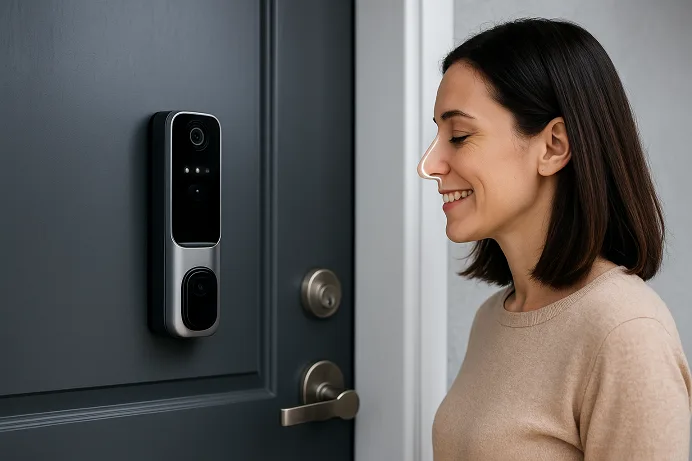
In a world where your face can unlock your smartphone, it feels almost inevitable that your front door would recognise you too. The rise of a smart door lock with face recognition ushers in a new era for home security—one where convenience, speed and biometric protection meet. But does the promise deliver? And more importantly: is it truly worth you’re investing your trust and your front-door budget into?
In this deep dive, I’ll walk you through how facial-recognition smart locks work, what sets them apart from the rest, the pros and cons every homeowner should know, and how to choose the right one (with smart tips for Pakistan and beyond). Let’s step inside.
- What Is a Smart Door Lock with Face Recognition?
- How Face Recognition Smart Locks Work?
- Why Choose Face Recognition Over Other Smart Lock Options?
- Top Smart Door Locks with Face Recognition (Expert Picks for 2025)
- How to Choose the Right Face Recognition Smart Lock
- Are Face Recognition Locks Safe and Private?
- Installation & Setup Tips
- FAQs
- Conclusion
What Is a Smart Door Lock with Face Recognition?
Simply put, a facial-recognition smart lock is a lock that uses a built-in camera or sensor to identify your face—then unlocks the door for you. It replaces, or augments, keys, PIN codes, fingerprints or smartphone apps with your face as the “password”.
Traditional “smart locks” (see the general definition for a smart lock) often rely on Bluetooth, WiFi, keypad or fingerprint entry. A device that adds facial recognition means the lock isn’t just “smart” — it’s biometrically aware.
Here’s what that means in practice:
- Instead of tapping a code, you walk up.
- Instead of fumbling for your key, you glance at the camera.
- Instead of trusting someone with a code, you can register specific faces.
As one vendor puts it: “The unique facial features of authorised users effectively eliminate the risk of unauthorised access.”
In other words: convenience plus stronger access control. But how does that actually work?
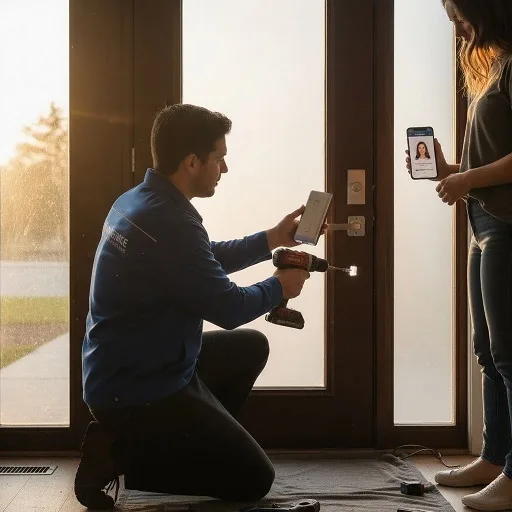
How Face Recognition Smart Locks Work?
No need to geek out if you’re not into circuits. Here’s a practical breakdown of what happens when you walk up to your door:
- Image capture – The camera or infrared (IR)/depth sensor takes a picture or a depth map of your face as you approach.
- Pre-processing & feature extraction – The system filters noise, adjusts lighting, and extracts facial “landmarks” (eyes, nose, spacing).
- Matching – It compares your face data to a stored “faceprint” template in its database. If there is a match within a defined threshold, access is granted.
- Decision & unlock – If the match passes, the lock mechanism disengages. If it fails (or detects a spoof attempt), it stays locked or sends an alert.
An important part of modern systems is liveness detection — this ensures someone isn’t just holding up a photo or mask. Depth-sensing, IR reflection and movement are used to detect a “real” face.
So, the headline: you walk up to the door, the sensor recognises you, the lock opens—all hands-free, within seconds. That sounds great. But there’s more to consider.
Why Choose Face Recognition Over Other Smart Lock Options?
So what’s in it for you? Here are a few compelling advantages that elevate the facial-recognition lock beyond ordinary smart locks—or even ordinary biometrics like fingerprints.
- Speed & convenience: No need to pull out your phone or press a code. Just approach, be recognised, and enter. Reviewers of the Lockly Visage model say the system “works delightfully well… facial recognition–including the initial enrolment process–is nearly instantaneous”.
- Touchless access: Ideal when your hands are full (carrying groceries), or to avoid touching a keypad.
- Higher barrier to spoofing: Especially models that use 3D structured-light or IR sensors, making it far harder to trick than a code or fingerprint.
- Better for multiple users: You can register many faces (family members, guests) and remove them later—no more changing codes or issuing keys.
- Modern feel + “security signal”: Let’s face it—walking up to a door that recognises you has serious “future home” wow-factor. Also, some manufacturers argue that the presence of biometric locks serves as a deterrent.
In many cases, the promise is: you upgrade from “smart” to “intuitive”. But yes—there are trade-offs. Let’s talk about them.
Top Smart Door Locks with Face Recognition (Expert Picks for 2025)
Here are some of the leading models (with varying budgets and use-cases) you should watch:
- Lockly Visage Zeno Series – Features a full facial-recognition deadbolt, WiFi built-in, fingerprint + PIN backup. Reviewers say it handled sunglasses, backlighting, and recognised the user “within seconds”.
- Yale Luna Pro+ – Uses structured-light facial recognition for home use. From a trusted brand known for locks (not just “smart” add-ons). Good for those upgrading from mechanical locks.
- SwitchBot Lock Ultra (announced) – A retrofit friendly add-on with 3D facial recognition. Great if you don’t want to replace your entire door hardware.
- (Bonus mention) B-Tech or enterprise locks – For heavy-duty access control rather than typical home doors. Not always necessary for regular homes.
Each of these comes with its pros & cons, and your specific door, budget and smart home ecosystem (Apple, Matter, Google) will sway the choice. We’ll unpack that in the next section.
How to Choose the Right Face Recognition Smart Lock
Alright, this is where we get practical. Because yes—some face-recognition locks are excellent. Others almost promise sci-fi but deliver frustration. Here’s your checklist:
Accuracy & Speed
Look for 3D structured-light, IR depth sensing, and anti-spoofing/liveness detection. These features ensure printed photos or masks don’t easily fool the system.
Privacy & Data Security
When you use facial recognition, biometric data is involved. Ask: Is the data stored locally or on the cloud? Is it encrypted? Can you delete it? These questions matter for trust. Some articles flag that algorithms perform superbly in labs but less so in real-world lighting conditions.
Backup/Alternate Entry
Because what if the camera fails? Or the battery dies? Choose a lock that still lets you use a key, PIN, fingerprint, or phone app. The best models give you multiple entry options for redundancy.
Installation & Compatibility
Check whether it fits your door type: deadbolt vs mortice vs retrofit. Make sure your door’s size, thickness, and wiring (if any) match the lock’s requirements. Also, check whether it supports your smart home ecosystem (Apple Home, Google Home, Matter).
Battery Life & Connectivity
WiFi offers full remote control but drains batteries faster; Bluetooth or local only often lasts longer. Also consider what happens when connectivity drops.
Smart Home Integration
If you already have a system (e.g., Amazon Alexa, Google Assistant, Apple HomeKit), your lock should play nicely. Bonus if it supports features like geofencing (auto-unlock when you come home) or sharing temporary access via mobile app.
Using all these filters ensures you pick a lock that genuinely feels premium—not gimmicky.
Are Face Recognition Locks Safe and Private?
Let’s tackle two big questions that often stop people: Is facial recognition really safe? and What about privacy?
Security
When properly implemented, face recognition offers strong security. The use of depth sensors and liveness detection helps prevent spoofing. For example, the Lockly Visage review notes it “recognised me with sunglasses or in the dark without fail.”
But no system is perfect. Some less-rigorous models may use simple 2D cameras and be vulnerable to well-crafted photos or masks. Real-world incidents have been recorded where biometric systems were circumvented.
My takeaway: treat biometric entry as one strong layer of security—not the only one.
Privacy
Your face is you. Storage of facial biometric data triggers privacy concerns. Ideally, the lock stores data locally (on-device) and encrypts it; minimal cloud reliance is preferable. Before buying, check the manufacturer’s policy: can you delete stored faces? Is the firmware updated? Are there data breach safeguards?
Smart home devices aren’t always built with privacy first. Also, local regulatory frameworks (data protection laws) vary by country—so check what applies in US or your region.
In short: face recognition locks can be safe and private—but only if you choose well and stay informed.
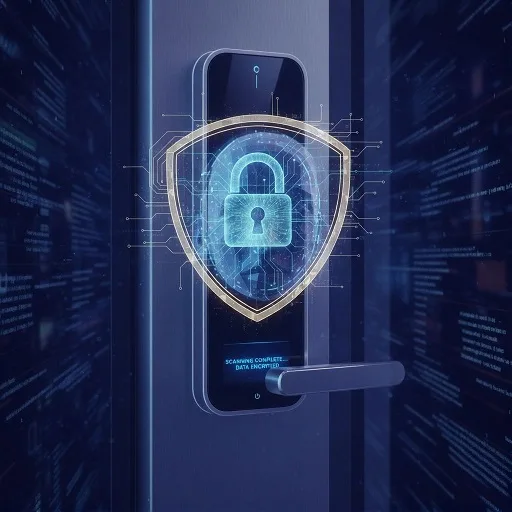
Installation & Setup Tips
I’ve installed a few smart locks in my home and learned some lessons—so here’s what you’ll want to watch for:
- Ensure the door frame is square and aligned. Many lock errors come from misalignment or door sag.
- Set up facial enrolment in good lighting (not too bright behind you, not too dark). Multiple angles help the sensor recognise you in everyday scenarios.
- Register multiple faces (family members, frequent visitors) and test each.
- Label or disable faces you no longer want access (temporary guests, workers) and keep a log.
- Ensure batteries are topped up (and check if the model has low-battery alerts).
- If WiFi-enabled: ensure your home network is secure (strong password, up-to-date firmware).
- Test fallback access (PIN, mechanical key) so you’re not locked out if the biometric sensor fails.
These practical steps make the difference between “wow-this-works” and “why-is-it-acting-up”.
Video credits: https://www.youtube.com/@mikaztr0
FAQs
Can someone unlock a facial recognition smart lock with a photo or video of me?
High-end models use depth sensors and liveness checks, which detect real faces, not flat photos or videos. But cheaper models using only a 2D camera might be vulnerable—so check for features like IR depth and anti-spoofing.
What happens if the camera fails or the battery dies?
Most good face-recognition locks provide fallback methods—mechanical key, PIN code, fingerprint, phone app. Always check that your model offers these backups before purchase.
Can I install a face recognition lock on any door?
It depends. Some doors (especially older frames, thick frames, and glass-paneled doors) might need special hardware or a compatible lock type. Also, consider whether your lock is a full replacement or retrofit.
Are face recognition smart locks suitable for outdoor use (in hot/cold climates)?
Many are—but you’ll want to check the lock’s IP (ingress protection) rating, temperature tolerance, and sensor quality under sunlight or darkness. Some reviews show good performance even in sunglasses or low light.
How accurate are these locks in low light or with sunglasses/masks?
The best ones perform quite well—even with sunglasses or challenging lighting. As one review put it: “Even with the sun directly behind me or a pair of sunglasses on my face, the Visage was able to recognize and unlock the door.” But performance varies—so use real-world reviews, not just spec sheets.
Conclusion
If you’re looking to upgrade your home security, a smart door lock with face recognition is not just a gadget—it’s a serious step toward next-gen access control. It brings speed, convenience and security together in a package that not only recognises you—it simplifies your life.
Having said that, choose wisely. Ensure you select a model with strong sensors (3D/IR), robust privacy protections, solid fallback methods and compatibility with your door and smart home system.
Imagine this: you arrive home, hands full, the lock greets you by recognising your face—and you step inside without a second thought. That’s the vision. And when you’ve done the homework (picked the right model, set it up properly), it can absolutely deliver.
Ready to upgrade? Check your door type, your budget, and your ecosystem—then pick a model you trust. Because your home isn’t just smart—it should be smart, safe and seamless.
Happy unlocking!
