
- Introduction — The Future of Door Security
- What Makes a Door Lock “Smart”?
- The Main Types of Smart Door Locks
- Smart Lock Comparison Table
- Choosing the Right Smart Lock for Your Home
- Safety & Privacy Considerations
- Use-Case Scenarios — Matching Locks to Lifestyles
- Expert Insights & Real-World Experiences
- FAQs
- Conclusion
Introduction — The Future of Door Security
Imagine this: you’re coming home with bags in both hands, perhaps kids in tow, the door behind you clicking shut. With a traditional lock, you fumble for keys. With a smart door lock, you’re already inside—phone in hand, the lock recognizes you, or a fingerprint scan, or even your voice says, “Welcome home.” As homes evolve, so do our entry points. More than simply “keyless,” today’s locks bring connectivity, remote control and deep integration into your smart-home ecosystem.
In this article, you’ll learn about the different types of smart locks, how they compare, what features matter, and how to choose the right one for your lifestyle. Whether you’re a tech enthusiast, a busy parent, a rental host or just someone who hates fumbling for keys — knowing the types matters. So let’s dive in.
What Makes a Door Lock “Smart”?
At its core, a smart lock still secures the door—but it adds three key ingredients: connectivity, authentication, and (often) automation.
- Connectivity: A wireless link (Bluetooth, Wi-Fi, Z-Wave, Matter) between your door and device.
- Authentication: How you gain entry: phone app, PIN keypad, fingerprint, key-card.
- Automation: Actions like scheduled access, remote unlocking, visitor codes, and logging who entered when.
That said, not all smart locks are created equal. Some replace a deadbolt and allow keypad entry; others integrate deeply into your smart home system, trigger routines with sensors, or let you monitor access from anywhere.
Understanding the type is essential: a Wi-Fi lock with remote access isn’t the same as a Bluetooth-only lock you tap with your phone close to the door.
The Main Types of Smart Door Locks
Smart locks vary by connectivity, authentication and installation type. I’ve organized this into major categories so you can compare clearly.
Bluetooth Smart Locks
If you’re looking for simplicity, this type connects directly to your phone when you’re in proximity. No hub, sometimes no Wi-Fi required. For example, you approach the door and the lock senses your paired phone and unlocks.
- Pros: Lower power draw (since it uses local radio), less dependence on the internet, and easier installation in many cases.
- Cons: Limited range — you’ll usually need to be pretty close. Remote/un-on-the-go access is either local only or via extra bridges.
- Best for: Homeowners who want convenience but minimal fuss; apartments; users who carry their phone and don’t need full remote control. Example product: Level Lock Touch Edition — a sleek Bluetooth-first smart lock.
(According to an overview, Bluetooth smart locks can last longer on battery and need less infrastructure.)
Wi-Fi Smart Locks
This is the full-feature camp: locks that connect to your home Wi-Fi network, enabling remote control from the internet. You can lock/unlock from your office, grant access while away, or integrate with voice assistants.
- Pros: Maximum flexibility, full remote access, rich app features (logs, notifications) and smart-home integration.
- Cons: Higher battery drain (unless wired/powered), possible dependency on your network reliability, and may be more complex to install.
- Best for: Families, rental hosts, people who want full visibility and control from anywhere. Example product: Yale Assure Lock 2 Smart Door Lock — Wi-Fi and touchscreen integration.
Vendor explanation: “Smart locks with Wi-Fi … give you the power to control access from anywhere with an internet connection.”
Z-Wave / Zigbee Smart Locks
These use mesh home-automation protocols rather than direct Wi-Fi. For instance, with Z-Wave, the lock communicates with a hub or gateway rather than your router alone.
- Pros: Better mesh network reliability in heavy smart home ecosystems, often lower local interference, strong for connected device homes.
- Cons: You’ll need a hub/bridge. It might add complexity. Range depends on mesh topology.
- Best for: Smart home enthusiasts who already use hubs like Samsung SmartThings, Hubitat or similar, or who want strong integration with sensors, alarms and automations.
Reference: “Z-Wave is a wireless standard… used primarily for residential, commercial building automation.”
Vendor note: “Z-Wave locks are perfect for smart homes with multiple devices.”
Matter / Thread Smart Locks (Next-Gen Connectivity)
If you’re already thinking ahead, the emerging Matter (and Thread) standard aims to unify smart-home protocols so your devices play nicely across brands and ecosystems. Some latest smart locks support Matter, giving broader compatibility and easier future upgrades.
- Pros: Future-proofing your smart-home investment, easier cross-brand interoperability, and fewer compatibility headaches.
- Cons: Still relatively new, not all devices support it yet — you may pay a premium.
- Best for: Tech-savvy homeowners building a broad smart-home ecosystem, or those planning long-term. Example product: Yale Smart Lock with Matter — designed for Google Home + Matter.
Vendor explanation: “Matter locks make everything play nice together. … Forget about compatibility issues and juggling multiple hubs.”
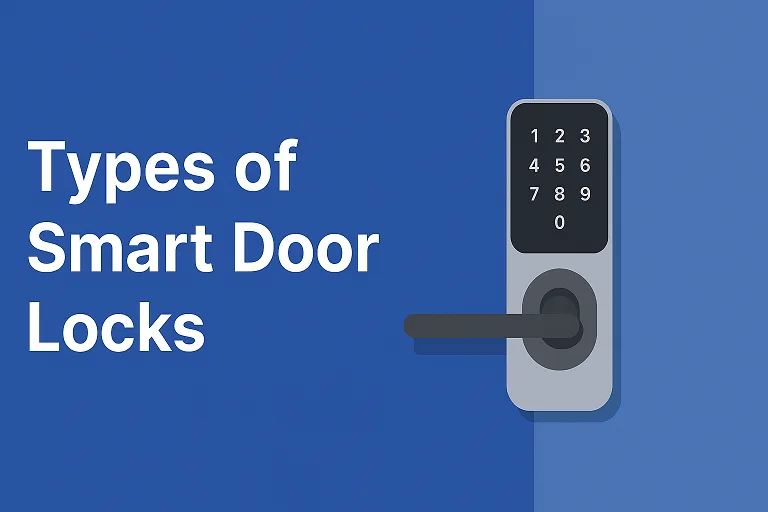
Keypad / PIN Code Smart Locks
This enters the realm of access method rather than connectivity alone. These locks have a numeric (or alphanumeric) keypad: you punch in a code to unlock—no phone necessary (though a phone app may still manage codes).
- Pros: Easy for guests, service personnel or short-term access (rental, Airbnb). No app experience required to enter the door.
- Cons: Wear-on-keys/keypad may show guesses; sharing codes with others introduces management overhead; fewer remote features if the lock lacks Wi-Fi.
- Best for: Rental property owners, vacation homes, or anyone who wants quick guest access without handing out keys. For example, Many smart lock guides list “keypad smart lock” as a distinct type.
Biometric Smart Locks (Fingerprint / Facial Recognition)
Now we’re talking premium convenience. Instead of codes or phones, you unlock with a biometric—fingerprint or even face/iris in some advanced models.
- Pros: Fast, contactless, highly secure (in theory). No code to share or mis-enter.
- Cons: Can cost more; sensors might fail in extreme weather or dirty environments; may need calibration.
- Best for: High-security homes, offices, tech enthusiasts — anyone who wants cutting-edge access control. E.g., biometric locks are featured in smart lock buying guides.
Retrofit vs. Full Replacement Smart Locks
Another consideration: how the smart lock fits into your existing door hardware.
- Retrofit locks mount over your existing deadbolt or use your current hardware—less invasive, quicker install.
- Full replacement locks swap your deadbolt entirely, often offering higher integration, new hardware and features.
- Pros of retrofit: Lower cost, simpler install.
- Pros of full replacement: Better features, stronger security, seamless design.
- Best for: If you rent your home or want minimal install disruption, retrofit may be ideal. For a long-term home, full replacement might be worth it.
- As one source notes: smart locks “replace your existing door lock … take just a little longer to install (roughly 20 minutes).”
Commercial Smart Locks (Electronic Strikes, Maglocks)
Finally, if you’re looking beyond home— into small business, multi-unit, office settings—there’s a different breed of smart entry: electric strikes, magnetic locks (maglocks), access control systems integrated into smart locks. These differ mechanically and in scale from residential units.
- Pros: Designed for heavier traffic, multiple access methods, scheduling, and audit logs.
- Cons: Higher cost, professional install often required, may need a separate access control system.
- Best for: Offices, warehouses, rental communities, co-working spaces or any setting where high throughput or frequent access logging matters.
Smart Lock Comparison Table
Here’s a snapshot “at-a-glance” look at how these types compare:
| Type | Best For | Pros | Cons |
|---|---|---|---|
| Bluetooth | Minimal infrastructure homes | Low power, simple | Short range, limited remote access |
| Wi-Fi | Full-feature, remote access users | Remote control, full smart-home integration | Higher power use, requires stable internet |
| Z-Wave / Zigbee | Advanced smart-home ecosystems | Mesh reliability, strong integration | Requires hub, more complex setup |
| Matter / Thread | Future-proof smart-home builders | Broad interoperability, fewer headaches | Newer standard, higher cost |
| Keypad / PIN | Guests, rentals, short-term access | No phone needed, easy guest use | Wear on keypad, manual code management |
| Biometric | High security, premium users | Fast, futuristic access | Higher cost, sensor reliability issues |
| Retrofit vs Full Replacement | Varies by install preference | Flexibility in hardware choice | Retrofit may have fewer features; full cost |
| Commercial Locks | Offices, multi-unit, business | Built for scale, rich access control | Professional install, higher cost |
Choosing the Right Smart Lock for Your Home
So you’ve seen the list — how do you pick your winner? Let’s walk through the main filters.
Compatibility: Does your door have a standard deadbolt? Does the hardware fit? Will the lock support your existing handle style, or is a major change needed?
Smart Home Ecosystem: Are you using Amazon Alexa, Google Home, Apple HomeKit or something else? Are you planning a full smart-home network? If yes, you might prefer locks that support Matter or your specific ecosystem natively.
Power & Battery Life: Smart locks run on batteries (in many cases). Wi-Fi models typically drain faster; Bluetooth or mesh-network models often last longer. Check low-battery alerts, emergency backup (USB-C port, backup key).
Installation Difficulty: Are you comfortable DIY-ing a deadbolt swap? Or would you prefer minimal work (retrofit)?
Security & Certifications: Look for ANSI/BHMA grades, encryption standards, and manufacturer update practices. A smart lock is only as good as its software fortress.
Budget & Longevity: A smart lock is an investment — you’ll be living with it for years. Consider features now vs what you might want later. For example, a Matter-ready lock costs more now, but saves future headaches.
Safety & Privacy Considerations
It’s one thing to have high-tech convenience — but what about safety and privacy? Good questions.
“Can someone hack a smart lock?” Yes — anything with connectivity can be a vector. But high-quality locks follow rigorous standards: encrypted comms, firmware updates, physical override key, and strong access-control settings.
Be sure the manufacturer updates software, uses strong encryption and provides audit logs or notifications.
Privacy: Some locks log activity—who entered when. That’s great for renters or rental hosts, but if you share your home, make sure you’re comfortable with that level of tracking.
Backup access: What if your Wi-Fi goes down? What if your battery dies? Ensure the lock has a fallback like a physical key, Bluetooth override or emergency USB power.
In short, convenience should never come at the cost of security. Pick a trusted brand, read reviews, and test your installation.
Use-Case Scenarios — Matching Locks to Lifestyles
Let’s talk real-world fits.
For Renters / Airbnb Hosts
You’ll want guest codes, remote entry, and a simple install. A Wi-Fi lock or keypad lock fits well. For example, you can create one-time codes for guests, track access, and not hand out physical keys.
For Families
You may have kids, pets, chores, and busy schedules. A lock that integrates with voice assistants, auto-locks and shares access among family members is ideal: Wi-Fi or Matter-enabled lock.
For Seniors / Accessibility-Focused Homes
Less fumbling, fewer keys. Look for biometric or voice-enabled smart locks, paired with auto-unlock when they arrive home or remote access for caretakers.
For Offices / Small Businesses
You might need audit logs, scheduled access, multiple users, and higher durability: Commercial smart lock systems or locks designed for high throughput.
For Tech Enthusiasts
You are in the ecosystem — smart speakers, routines, sensors. You want a Matter/Thread-compatible lock, maybe one with biometric + mobile unlock + voice + automation—Lockly Secure Pro Zeno, Yale Matter model, etc.
Expert Insights & Real-World Experiences
From installing dozens of smart locks and testing them over the years, a few things stand out:
- Don’t underestimate door fitment. The best lock in the world won’t work if your door jamb is misaligned or your deadbolt sticks.
- Battery drainage surprises many users. Wi-Fi locks that report constantly or send push notifications can go through batteries faster than expected.
- Firmware updates matter. A feature-rich lock today is only safe if the vendor still supports it tomorrow.
- Guest access is the hidden feature many overlook until they rent or host. Being able to create and revoke access codes easily is a major plus.
- Hybrid functionality wins. Locks that offer phone-app control and keypad or biometric access cover more bases — what if your phone is out of battery?
These observations come from installers, smart home integrators and homeowner reviews who have lived with the locks for months. (See vendor blogs and guides for more details. )
FAQs
Are smart locks worth it?
If you value convenience, access flexibility, remote monitoring or guest-code capability, yes. If you want a lock and don’t care about home-automation features, a traditional deadbolt may suffice.
Can smart locks be hacked?
No system is 100 % immune, but reputable manufacturers use strong encryption, frequent updates and fallback protections. Choose well, update firmware, and secure your Wi-Fi network.
Do smart locks work without Wi-Fi?
Yes—Bluetooth locks often work without Wi-Fi; keypad-only locks likewise. But full remote control and app features typically require a connection.
What happens if the battery dies?
Many smart locks include backup methods—physical key, USB-C emergency power, or lock override. Always check for that.
Can I use my existing deadbolt?
In many cases, yes—with a retrofit smart lock. But check compatibility (door thickness, backset, existing hardware). A full replacement may offer more features but cost more.
Conclusion
So there it is: the world of smart door locks dissected, compared and laid bare. We covered everything from Bluetooth simplicity, through Wi-Fi power, Z-Wave/Zigbee mesh, future-proof Matter/Thread, keypad access, biometrics, install styles and commercial-grade systems.
Your perfect type depends on your home, your habits and your future plans. Do you want quick codes for guests? Remote access from afar? Integration into your voice-assistant routine? Or just a lock that unlocks when you walk in and works reliably?
If you’re ready, pick the model that fits your ecosystem, install it carefully, test your backups and treat it like any other piece of security gear—not just a cool gadget.
And since you’re reading this now: take action. Choose your smart lock type, compare models (like the ones listed above, such as the Yale Assure Lock 2 or TP-Link Tapo DL100), then pick the one that aligns with your door, your lifestyle, and your peace of mind. Lock it down—smartly.
Ready to upgrade? Your next front-door unlock will feel like the future.
