
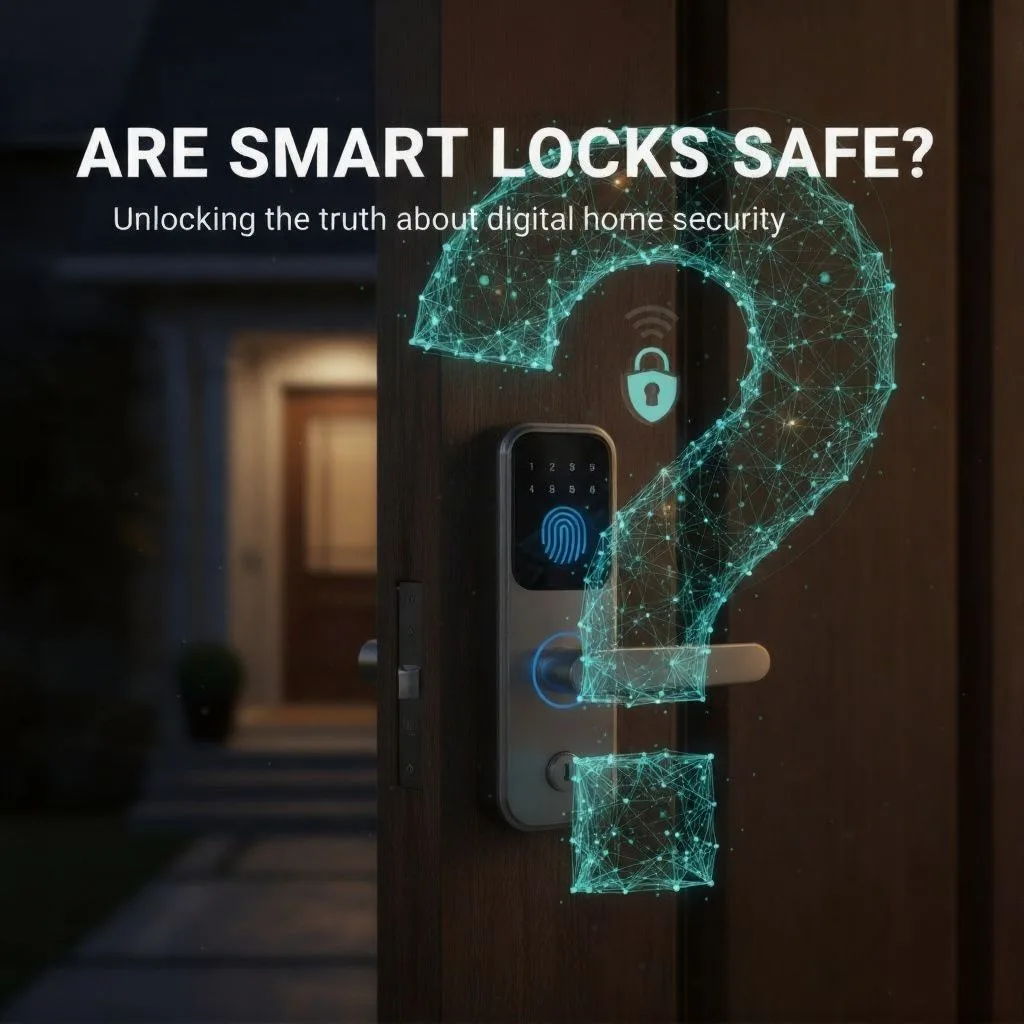
The world is changing at a rapid pace, and our houses are no exception. Keys used to be plain metal shapes, and doorbells only announced a guest. Now, everything is “smart,” including our front doors.
The idea of the smart lock is compelling: keyless entry, remote access from anywhere in the world, and the ability to give temporary codes to the dog walker or cleaner. Convenience is the undeniable siren song of this technology.
But for the security-conscious homeowner, a nagging question remains, a question that stops us dead in our tracks before clicking “buy”:
Are we trading safety for convenience?
The moment we connect our deadbolt to our home Wi-Fi, the security perimeter shifts dramatically. We move from worrying about a physical intrusion (picking the lock) to fearing a digital breach (a hacker on the other side of the planet).
This anxiety is entirely valid, but it is often based on worst-case scenarios and outdated assumptions. We are here to silence that scream of fear with facts, showing that high-quality smart locks are, in many measurable ways, safer than their traditional counterparts. They are subject to a different set of vulnerabilities—vulnerabilities that can be managed and mitigated with proper technology and user cyber hygiene.
Safety and Convenience
Modern smart locks are made to work with your home network. When you link the lock to your home network, usually via Wi-Fi or Bluetooth, it becomes more than just a security device—it turns into a versatile management tool. This connection allows you to use features that regular keys can’t, giving you big benefits like:
- Remote Access: Lock or unlock your door from anywhere, ensuring you never leave the house insecure.
- Audit Trails: Keep track of how often household members or guests come and go via real-time activity logs.
- No More Lost Keys: Eliminate the inherent risk of having physical copies of your key floating around town, which massively increases exposure if they fall into the wrong hands.
This revolutionary shift, however, means the primary defense point is no longer the cylinder, but the integrity of your digital ecosystem. A traditional lock failure is physical—a broken pin or a bent key. A smart lock failure can be physical or digital, depending on the weakest link in the chain: your mobile application security, your Wi-Fi password, or the integrity of the lock’s software.
The main point isn’t that smart locks are unsafe, but their security now relies on the user keeping up with good digital practices. When we install a smart lock, we move from just using a key to actively managing our own security. This change in who’s responsible might seem minor, but it’s really a big shift.
Consider this: No more fumbling in the dark for a key or worrying during a trip about whether the door is locked. The ability to control everything from anywhere and have full peace of mind is really the big benefit.
Hacking Fears vs. Real-World Defenses
When considering the security of a smart lock, digital defenses are the first line of scrutiny. Fortunately, reputable manufacturers treat wireless data like a treasure chest, fortifying it with multiple complex layers.
Layered Encryption and Authentication
The fear is that a burglar can eavesdrop on the digital communication between your phone and the lock, stealing the unlock code. High-quality devices make this practically impossible through rigorous data protection protocols.
Encryption is Non-Negotiable. Quality smart locks mask login information and all other transmitted data using robust encryption technology. The industry standard is typically 128-bit encryption. This level of masking is mathematically demanding; it makes intercepted wireless data virtually indecipherable, requiring massive computational power for a successful decryption, thus making it nearly impossible for an opportunistic burglar to crack without directly accessing your Wi-Fi network or learning your password.
The Guard at the Gate: Required Logins and MFA. To even access a lock’s features, an account and password are required. More critically, the highest-rated devices implement Multi-Factor Authentication (MFA). This means that before a user can change critical lock settings—such as deleting a user code or factory resetting the device—a second, unique PIN or code must be entered, often sent directly to the user’s registered smartphone. This extra step is the critical defense line; even if a cybercriminal somehow steals your primary login credentials, they cannot reconfigure the lock without the temporary, secondary authentication factor.
As a matter of best practice, users must treat these digital codes with the same respect as a physical key. Access codes should be long—many modern locks, such as those from Schlage, accept four to eight digits—and should avoid easily guessable repeats or sequences.
The Protocols of Trust: Matter, Z-Wave, and Why Connectivity Matters
A lock is only as secure as the communication pathway it uses. Modern smart locks rely on secure ecosystems built on specific wireless protocols.
Z-Wave S2 is highly regarded in the security space. The Z-Wave Plus S2 security framework provides advanced encryption, making it a preferred option for security-critical devices like door locks, where reliable, uncompromised communication is paramount.
An increasingly important standard is Matter. Matter, an open-source protocol established by industry leaders such as Apple, Google, and Samsung, stresses security and user data privacy through stringent criteria. Crucially, Matter-certified devices must use Device Attestation Certificates.
The focus on DACs is critical for security assurance. A DAC is a unique digital certificate that verifies the hardware is genuine and comes from the specified manufacturer. This standard protects against a significant, high-level threat: supply chain compromise. By ascertaining the device certificate, the risk of installing a non-certified, potentially counterfeit, or compromised product—a “trojan horse” lock—is substantially mitigated, ensuring that the device has passed rigorous compliance checks before it ever joins your network.
The robust security architecture of leading smart locks can be summarized as a stack of digital defenses: Digital Security Layers: How Modern Smart Locks Protect You
Security Feature Function Benefit to the User
Data Encryption (e.g., 128-bit AES) Masks login information and communication data between the lock and the app. Makes intercepted wireless data virtually indecipherable, preventing remote hacking.
Multi-Factor Authentication (MFA/2FA) Requires an extra verification step (PIN, code, biometric) to change critical settings. Prevents unauthorized configuration changes even if the password is stolen.
Secure Protocols (Matter/Z-Wave S2) Ensures secure, certified communication pathways and authenticate device identity. Guarantees the lock hardware is genuine and reduces vulnerabilities linked to unauthorized standards.
Local Biometric Storage Stores fingerprint or facial templates directly on an encrypted chip in the lock unit. Eliminates the massive privacy risk of sensitive biometric data being uploaded to the cloud.
The Physical Security Reality Check
All the encryption in the world means nothing if a burglar can smash the lock off the door. This brings us back to the most fundamental question: Is the lock physically strong?
ANSI/BHMA Grading
Physical integrity is assessed using the grading system established by the American National Standards Institute (ANSI) and the Builders Hardware Manufacturers Association (BHMA). These standards rate locks 1, 2, or 3 based on endurance and brute force resistance. This is the critical language of physical security.
Grade 1: The Commercial Gold Standard. This is the rating consumers should actively seek out. An ANSI Grade 1 deadbolt is a top-of-the-line product, designed for heavy-duty commercial use. To earn this rating, the lock must withstand 250,000 open/close cycles and, most importantly, resist 10 ramming blows delivering 75 foot-pounds of force. Grade 1 locks utilize substantially more metal and steel components, particularly at stress points, rather than plastic, ensuring maximal resistance to brute force attack.
Grade 2 and 3 Caution. Mid-grade, or Grade 2, locks handle 5 hammer blows, while entry-level, Grade 3 locks must only withstand 2.13. If a smart lock is only Grade 3, its “smart” features are largely irrelevant because the underlying physical security is weak.
It is absolutely crucial to understand that these ratings—currently—are strictly related to a lock’s physical components. They do not measure PIN security, fingerprint reader efficacy, or wireless integrity. A Grade 1 rating guarantees physical toughness, but the digital security is a separate matter that must be addressed through MFA and robust encryption.
Understanding Physical Strength: ANSI/BHMA Grading System
ANSI/BHMA Grade Intended Use
Grade 1 (Highest) Commercial/Heavy Duty Residential Must withstand 250,000 cycles and 10 ramming attacks with high force. Recommended: Offers maximum resistance against brute force break-ins.
Grade 2 (Mid-Range) Residential/Light Commercial Must withstand 150,000 cycles and 5 ramming attacks. Acceptable: Good balance of security and cost, suitable for most homes.
Grade 3 (Lowest) Residential/Entry Level Must withstand 100,000 cycles and 2 ramming attacks. Caution: Least durable against physical attack; may use more plastic components.
The Dark Side of Innovation: Design Flaws and Covert Entry
For truly high-grade locks, the risk shifts from brute force to technical covert manipulation. Physical security experts, such as investigative attorney Marc Weber Tobias, have shown how manufacturers regularly overlook fundamental design flaws in their technology, allowing for specialized clandestine entrance or manipulation. These problems are frequently related to the electronic or electromechanical components that drive the lock’s motor. This is not simply digital hacking; it is insecure engineering.
The Droplock Attack: The Bio-Hacker’s Nightmare. An emerging and deeply troubling vulnerability applies to smart locks featuring biometric scanners, particularly fingerprint readers. This involves the droplock attack. A droplock is a compromised smart lock—perhaps one left in a public area or temporarily installed at a target location—that is invisibly modified to act as a wireless fingerprint harvester.
When a victim uses the scanner, their unique, permanent biometric data is stolen and wirelessly transmitted to a nearby attacker. This is devastating because, unlike a password that can be changed, a compromised fingerprint cannot be revoked. This attack underscores the critical importance of selecting a lock with a robust internal security architecture, especially regarding biometric storage.
Even seemingly secure wireless communications, like Bluetooth, carry risks. While detailed research on high-security locks (such as the Nuki Smart Lock) shows a strong defense against common packet replication methods used to send “unlock” instructions, researchers are clear that the ongoing search for new attack methods never ends, meaning continuous firmware vigilance is mandatory.
Privacy and Power: Addressing Reliability Concerns
The biggest obstacles preventing widespread smart lock adoption are often related to two practical fears: data theft and the dead battery scenario. Both are highly manageable.
Local vs. Cloud Storage
Let’s address the elephant in the room: many smart home devices are glorified data collection devices. When a facial scan or fingerprint is used, where does that information go?
The Privacy Lifesaver: Local Storage. This is a non-negotiable factor for truly safe smart locks. The gold standard is local data storage. Reputable brands (such as Lockly and SwitchBot) engineer their devices to store sensitive data, including fingerprint templates, access recordings, and codes, locally on an encrypted, tamper-resistant microchip within the lock unit itself.
This architectural choice is crucial. By confining data to the local unit, the lock prevents the catastrophic risk of a mass data breach if the manufacturer’s cloud server were compromised. Your fingerprint never leaves your door. Furthermore, the emergence of international regulations such as the General Data Protection Regulation (GDPR) in the EU and the California Consumer Privacy Act (CCPA) in the United States is pressuring manufacturers to adopt these local storage practices, which establish strict frameworks for dealing with permanent biometric identifiers. Before purchasing a biometric lock, consumers should carefully review the brand’s privacy policy.
The Dead Battery Nightmare
The image of arriving home late, soaked by rain, only to find the lock motor is dead, is a pervasive fear. However, modern smart locks are designed with multiple redundancies to eliminate this possibility.
Early Warnings are Standard. High-quality smart locks give low battery warnings well in advance, often for weeks or even months, through notifications on the mobile app and visible indicators on the lock keypad itself. Ignoring these warnings is the only way to be caught off guard.
The Essential Safety Net: The Key Override. If the battery were to die completely, the lock would not be useless. Most smart deadbolt models retain an essential, often hidden, mechanical key override. This physical keyhole is the analogue insurance policy that guarantees entry, regardless of electrical status.
Emergency Power Options. If you don’t have the backup key handy, many locks include external power terminals—usually small contact points near the keypad—that allow you to connect a common 9V battery. This provides temporary power to activate the keypad, allowing you to enter your code and get in, bridging the gap until you can replace the internal batteries.
Smart Lock Mastery: Essential Cyber Hygiene and Best Practices
The final variable in the safety equation is the user. A secure lock managed poorly is still a vulnerability. To achieve true smart lock mastery, the user must adopt active security management principles.
Treat Access Codes Like Gold
One of the greatest security advantages of a smart lock is its flexibility in managing access.
Uniqueness is King. Do not use one master code for everyone. Create unique PIN codes for each user—family members, contractors, house sitters, and neighbors. If one code is compromised, you can instantly revoke access for that specific user without changing access for anyone else.
Temporary Codes are Your Friend. Utilize the time-limited or expiring access code feature for temporary guests or service providers. This automatically revokes entry after a specified period, eliminating the risk of a spare key lingering indefinitely. This ability to instantly grant and revoke access is something no traditional lock can offer.
Never Skip the Updates
Like any piece of connected technology, smart lock firmware is subject to updates. These updates are not just for new features; they are critical security patches designed to fix newly discovered vulnerabilities and maintain compliance with evolving security protocols. Postponing an update is fundamentally compromising your security. Always update your lock’s firmware immediately.
Monitoring Logs
The lock’s application provides real-time activity logs and alerts for unusual activity. This capability is what truly elevates smart locks above traditional security.
By reviewing logs periodically, especially after service providers have visited, users can detect unfamiliar access attempts or unusual patterns. This continuous feedback loop transforms passive security (a locked door) into active security management (the ability to monitor and react). If suspicious activity is detected, codes can be changed immediately, ensuring swift containment of the risk.
The Insurance Policy
A common question concerns home insurance: Do smart locks void policies? The short answer is usually no. Most standard policies do not specifically mention electronic locks but instead focus on the quality and security features of the underlying door hardware (the cylinder and deadbolt).
The crucial caveat remains: the lock must meet the insurer’s requirements for hardware standards. This is why purchasing a lock with a proven ANSI/BHMA rating, preferably Grade 1, is vital. Some insurers may even offer discounts or recognize the added value provided by the lock’s sophisticated security features, such as remote access control and real-time logs. Always confirm your lock setup aligns with your provider’s policy requirements before installation.
Frequently Asked Questions (FAQ)
Are smart locks easier to hack than traditional locks are to pick?
High-quality smart locks are engineered with multiple layers of defense, including industry-standard 128-bit encryption, making them highly resistant to remote digital attacks. For physical security, many are harder to pick than standard pin-tumbler locks and feature keypads that lock out users after too many incorrect guesses.
What happens if the smart lock battery dies?
You will not be locked out. Most smart locks give low battery warnings for weeks or months in advance. If the battery dies completely, you can use the essential mechanical key override or temporarily provide power to the keypad using an external power terminal (often for a 9V battery).
Do smart locks void my home insurance policy?
In most cases, installing a smart lock will not void your home insurance. However, the lock must meet your insurer’s requirements for the physical deadbolt and cylinder. Always verify your lock’s ANSI/BHMA rating with your insurance provider.
How do I protect my biometric data (fingerprint/face scan)?
Choose a lock that explicitly uses local data storage (on an encrypted, tamper-resistant chip) rather than uploading your sensitive biometric template to the cloud. This minimizes the risk of mass identity theft.
What is the most important security feature to look for in a smart lock?
Prioritize an ANSI/BHMA Grade 1 rating for maximum physical durability combined with Multi-Factor Authentication (MFA) capability for impenetrable digital defense.
Can someone unlock my smart lock if my Wi-Fi is down?
If your Wi-Fi is down, remote functionality will be disabled. However, local access, such as via the keypad code, the key override, or local Bluetooth connection with a pre-paired phone, remains fully functional, ensuring you can still gain entry.
What is the ‘droplock’ attack?
The droplock attack is a specific security risk where a compromised smart lock with a biometric scanner is secretly used as an invisible device to harvest and wirelessly steal unique biometric data, like a fingerprint, without the user’s knowledge.
How often should I change my access codes?
It is recommended to update master codes every few months and immediately update temporary access codes after guests or service providers have finished using them. Immediate updates are also necessary after any suspicious activity is noticed in the activity logs.
Should I choose Z-Wave, Zigbee, or Matter locks?
Z-Wave S2 is highly respected for its highly regulated security framework and reliability, often favored for locks. Matter is the emerging standard prioritizing authentication and secure interoperability. Focus first on the lock’s physical security Grade and the manufacturer’s commitment to encryption.
Are budget smart locks safe?
Budget-friendly options (like the Proscenic L60 27) often prioritize convenience over maximum defense. They may have lower ANSI/BHMA grades and sometimes lack critical privacy features like local biometric storage. If security is the absolute priority, invest in a proven, certified Grade 1 device.
Conclusion
So, after careful consideration of both digital fortification and physical resilience, are smart locks safe?
The answer is a resounding yes, provided that the selection is informed and the usage is diligent. Safety is not an inherent trait of the word “smart”; it is a function of the quality chosen and the security steps taken by the homeowner.
The analysis confirms that the best devices already surpass traditional mechanical locks by combining fortress-level 128-bit encryption with robust physical defenses, such as those guaranteed by an ANSI Grade 1 rating. They anticipate catastrophic failures—from dead batteries to network downtime—with mechanical key overrides and emergency power access built directly into the hardware.
The primary risks—digital compromise and privacy exposure—are entirely manageable through informed choice: choosing devices that utilize Multi-Factor Authentication and ensure local data storage for biometrics. If you ignore the physical reality (the ANSI Grade) or neglect basic firmware updates, you are creating your own vulnerability.
Security isn’t just about constructing barriers; it’s about claiming the profound, powerful peace of mind that comes from total control, regardless of where life takes you. It is the ability to instantly know—by checking your phone—that your family is safe, your dog walker has left, and your door is locked tight. That level of active, real-time security management is priceless.
Don’t settle for yesterday’s technology that leaves you blind and worried about lost keys. Upgrade to the ultimate defense today.
Invest in a certified, Grade 1 smart lock—such as the Yale Assure Lock 2 or the Schlage Encode —that guarantees military-grade encryption and unyielding physical resilience. Take control of your home security destiny now.
