
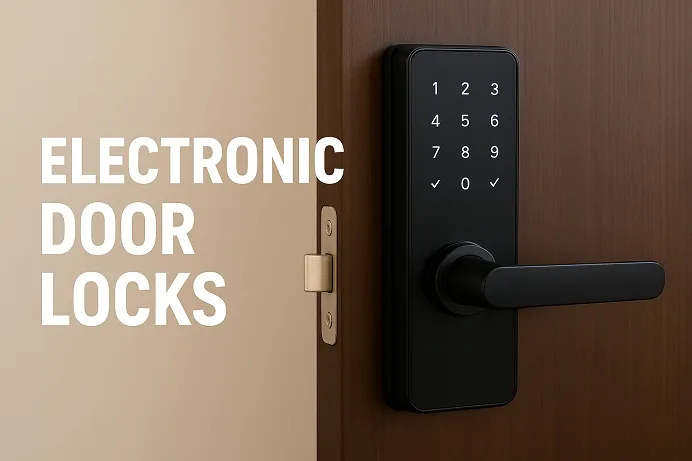
Picture this: you arrive home bearing groceries in one arm and a toddler in the other. Instead of digging for a key, you open an app—or wave your hand—and your front door unlocks for you, synchronised with your smart home lights turning on and a soft chime announcing your return. That scene is increasingly commonplace, thanks to different types of electronic door locks, and 2025 is shaping up to be the year when smart locks go mainstream.
These aren’t your grandparents’ metal-key deadbolts anymore. They integrate effortlessly with your phone, voice assistants, and home automation. They offer remote access, guest codes, user logs, and a slew of convenience and control previously reserved for commercial buildings. In this article, you’ll gain a clear understanding of what types of electronic door locks are used and how they work, what types dominate the market, how secure they really are, and which models stand out in 2025. If you’re considering upgrading your home entry system, this is your practical, expert roadmap.
- What Are Electronic Door Locks?
- How Electronic Door Locks Work?
- Major Types of Electronic Door Locks (and Their Use Cases)
- Comparing Electronic vs Traditional Door Locks
- Key Features to Look For in a 2025 Electronic Door Lock
- How Safe Are Electronic Door Locks?
- The Best Electronic Door Locks for 2025
- Installation & Maintenance — What Homeowners Should Know
- Common Issues, Troubleshooting & Best Practices
- Future of Electronic Locks — What's Next After 2025
- FAQs
- Conclusion
What Are Electronic Door Locks?
At their core, electronic door locks (often used interchangeably with smart locks, keyless entry systems, or digital door locks) replace or retrofit a traditional mechanical lock with an electronically controlled mechanism. Broadly speaking, they combine a physical locking component with an electronic authentication system—keypad, app, biometric, or proximity sensor.
Unlike a purely mechanical lock where the only control is a key, electronic locks add layers of authentication, connectivity, logging and remote control. They sit at the junction of physical security and digital access control.
You’ll find them in a variety of settings: suburban homes, apartment rentals, Airbnb units, offices, and multi-tenant buildings. Whether you call it a smart door lock, an electronic lock for door, or simply a smart lock, the principle remains: modern access, elevated security, and added convenience.
How Electronic Door Locks Work?
Let’s peel back the curtain and see what makes the mechanism tick—without drowning in tech-jargon.
Authentication Methods
Most smart/electronic locks offer multiple ways to unlock, giving you flexibility:
- PIN/keypad entry: Enter a code on a physical or touchscreen keypad. Very useful for rentals or guest access.
- RFID / key-fob / card: Tap a card or fob near the lock—common in hotels and shared-access buildings.
- Biometric access: Fingerprint scanners, even palm-recognition or face recognition in high-end models.
- Mobile app or Bluetooth/NFC unlocking: Use your phone to unlock; sometimes proximity triggers auto-unlock.
- Wi-Fi/cloud control: Remote unlocking, logs of access, notifications when your door is locked/unlocked. Some models integrate fully with smart home hubs.
Connectivity & Hardware
Behind the scenes, these locks typically use:
- A motor or actuator that physically turns the deadbolt or latch.
- A control board and power source (battery or wired).
- A communication module: Bluetooth, Zigbee, Z-Wave, Wi-Fi, or newer Thread/Matter protocols.
- Firmware/software that handles authentication, encryption, and logs.
- Backup mechanisms: physical key override, battery-low alerts, and emergency power USB-C ports on some models.
Reliability & Door Compatibility
One important piece: many smart locks are built to replace your deadbolt entirely; others adapt your existing lock.
For example:
- A full replacement lock means removing your existing hardware and installing the smart-lock unit as a standalone deadbolt.
- An adapter model uses your current deadbolt mechanism and attaches a smart controller on the inside—faster to install, but might have fewer features.
So when you’re shopping, check compatibility: door thickness, backset, existing lock type, wiring/access to batteries, Wi-Fi signal strength in your entry zone. These details matter.
Major Types of Electronic Door Locks (and Their Use Cases)
Now that you know how they work, let’s dive into the major kinds and when each one makes sense.
Keypad / PIN Code Locks
These locks let you punch in a code on a physical or touch keypad instead of using a key. They’re a perfect fit for homes where you have guests, craftspeople or short-term tenants—no key exchange necessary.
- Pros: Easy setup, no smartphone required, multiple codes can be managed.
- Limitations: Codes can be shared, visible wear on keypad digits gives away usage, and fewer advanced features.
- Use case: A family home with frequent visitors, Airbnb, and gated garage service.
RFID / Card-Based Locks
Widely used in commercial buildings, hotels and multi-tenant properties, these let users tap an RFID card or fob to gain access.
- Pros: Scalable, can integrate with access-control systems, and logs of who entered when.
- Limitations: Cards can be lost, there is an extra cost for distribution and programming.
- Use case: Office buildings, co-working spaces, and upstairs apartment access where you want controlled guest/employee access.
Biometric Locks
Fingerprint readers, facial recognition or palm-scan locks represent the cutting edge. They let you unlock without codes or keys—just you.
- Pros: High convenience, looks futuristic, hard to spoof with proper hardware.
- Limitations: Costlier, sometimes extra maintenance, may struggle in dirty or wet environments.
- Use case: High-security homes, executive offices, households wanting a premium access experience.
Smart Wi-Fi/Bluetooth Locks
These are what most people think of when they hear “smart lock”. They allow remote control, notifications, smart-home integration (Alexa, Google, HomeKit, Matter).
- Pros: Full convenience, remote access, user logs, and entire home automation integration.
- Limitations: Reliant on network/internet (if cloud-connected), battery impact is higher for some Wi-Fi models.
- Use case: Tech-savvy homeowners, smart-home enthusiasts, rentals where guest codes and remote management matter. For example, the review site identifies Wi-Fi, Bluetooth, Z-Wave and other radios as major connectivity options.
Electromechanical / Magnetic Locks (Commercial Use)
These are typically found in commercial or institutional settings. They include magnetic locks (maglocks), electric strikes, and cylindrical and mortise electronic locks.
- Pros: Strong security, designed for high-traffic/controlled-access environments.
- Limitations: Typically wired; not common in standard residential use without extra infrastructure.
- Use case: Offices, server rooms, multi-tenant buildings, and external doors where high security is required.
Comparing Electronic vs Traditional Door Locks
Let’s talk straight about where smart locks beat old-school mechanical ones—and where they might still lag.
Convenience & Control
With a mechanical lock, your access method is one key—and every time you lose it, change residence, or host guests, you exchange keys or change locks. With an electronic door lock, you can generate temporary codes, revoke access remotely, monitor logs, and integrate it with your entire smart home system. That level of control is hard to replicate with old-fashioned hardware.
Security
Mechanically, a well-installed deadbolt is still tough to defeat. But electronic locks bring additional layers: digital logs, alerts, remote check-in, guest codes, and sometimes biometric authentication. In many cases, they provide a broader security posture—not just “can someone physically break in”, but “can someone clone the key or disable our network access?”. Reviewers emphasise looking for ANSI Grade 1 or Grade 2 for security standards.
Limitations / Risks
However:
- Electronic locks add complexity—batteries, firmware updates, connectivity. If the network fails or the battery dies, you need a fallback.
- Traditional locks have decades of proven performance, and many locksmiths understand them.
- Cost is higher: smart locks typically cost more than standard deadbolts.
- For some users, relying on apps/hubs introduces a new threat surface (cybersecurity). I’ll cover that in detail in the next section.
Long-term Cost & Value
If you live in one place and rarely change locks, a mechanical deadbolt may suffice. But if you manage rentals, host guests, or want remote control and monitoring, an electronic solution pays off in convenience and flexibility.
Key Features to Look For in a 2025 Electronic Door Lock
When you’re getting ready to invest, don’t pick on design alone. These are the features that make the difference.
- Connectivity & Smart Home Integration: Does it support Wi-Fi, Bluetooth, Thread/Matter, Zigbee, Z-Wave? Can it integrate with your existing voice assistant (Alexa, Google Assistant, Apple HomeKit)? For instance, recent tests emphasise smart home hub compatibility.
- Security Certifications: Look for ANSI/BHMA certification (Grade 1 is top residential), built-in encryption, secure firmware updates, and audit logs.
- Power & Battery Life: Many smart locks run on AA batteries or rechargeable options. Some Wi-Fi models drain faster—check how long the battery lasts in typical use.
- Backup Access / Fail-Safe Options: Physical key override, emergency USB-C power port, and mechanical override are good.
- Build Quality & Weather Resistance: Especially for external doors: weather-resistant, tamper-resistant construction, door sensor included.
- User Management & Access Control: Ability to create temporary or scheduled codes, remote access for guests, mobile notifications/logs.
- Installation Compatibility: Check door thickness, existing deadbolt backset, and whether you’re retrofitting or replacing entirely. Some locks require more door prep than others.
- Price & Warranty: Cost vs features, reliability of brand support, firmware update commitment.
By combining these factors, you’ll be confident not only about which lock to pick but why that lock is the right one.
How Safe Are Electronic Door Locks?
You might ask: “Are smart locks really secure or am I trading key-bumping for hacking?” A fair question—so let’s talk real-world security, risk and what you can do.
Threat Types
- Physical bypass: Like traditional locks, a forced entry is still possible. So hardware strength still matters.
- Cyber vulnerabilities/connectivity attacks: Since many smart locks connect via Bluetooth, Wi-Fi or other radios, they can be targets for interception or man-in-the-middle attacks. As one academic paper notes, the BLE protocol has MITM vulnerabilities in some systems.
- Firmware or cloud-service risks: If a manufacturer fails to update firmware or uses insecure cloud infrastructure, your lock could be compromised remotely.
- User misconfiguration: Weak PINs, default codes left unchanged, no two-factor authentication in companion app, bad Wi-Fi security—all risk vectors.
Mitigation & Best Practices
- Choose reputable brands that publish security audits or vulnerability disclosures.
- Ensure the firmware gets regular updates — check how long the vendor supports the product.
- Use strong, unique PIN codes; enable two-factor authentication if available.
- Secure your home network: separate IoT devices on a guest Wi-Fi, firmware on your router.
- Prefer locks with backup physical keys or override options in case digital fails.
- Consider locks that use local processing rather than always-on cloud.
- Use encrypted communication (128- or 256-bit AES) and multi-factor when available. The Wikipedia smart lock page emphasises sensors, encrypted communications, and monitoring.
My Verdict
In short: yes, smart locks can be very secure—if chosen and installed correctly. They add convenience and control. But they also require more hygiene (network, firmware, power). If you’re comfortable with technology and want the benefits, go for it. If you wish to “lock and forget” with minimal fuss, a high-quality mechanical lock is still a valid choice.
The Best Electronic Door Locks for 2025
Alright—time for the fun part: real-world picks. Based on the latest reviews (2025), here are some top models you should consider (assuming residential usage). Note: any brand does not sponsor me—these are my curated recommendations based on feature set, user feedback and security credentials.
Best Overall: Yale Assure Lock 2 Touch
Why it stands out: Top-tier build quality, broad smart-home compatibility (including Apple HomeKey, Matter readiness), excellent user reviews. Ideal for homeowners who want a premium experience.
- Pros: Seamless integration, strong physical hardware, positive longevity feedback.
- Who it’s for: You have a modern smart home with a voice assistant, and you care about aesthetics and functionality.
Best for Apple Users: Schlage Encode Plus
Specifically optimised for Apple Home Kit, including Apple HomeKey (tap-to-unlock with iPhone/Watch) and Thread support for robust connection. Reviewers rated it the best for Apple ecosystems.
- Pros: Deep Apple integration, high security, keypad + app + key combination.
- Who it’s for: You’re heavily invested in the Apple ecosystem and want native support without extra hubs.
Best Retrofit Option: August Wi-Fi Smart Lock
This one is designed to fit over your existing deadbolt—so you retain your original key hardware. Review sites pick it as the best for renters and those seeking minimal door alteration.
- Pros: Easy installation, works with your existing lock, app + Wi-Fi built in.
- Who it’s for: You rent or don’t want to replace the entire lock; you want smart access without major hardware changes.
Best for Rental/Airbnb Hosts: ULTRALOQ U-Bolt Pro Wi-Fi
Why this works: It supports multiple unlocking methods (app, keypad, fingerprint) and offers advanced guest-code management. SafeWise cites it as the best fingerprint lock.
- Pros: High flexibility for guest access, ANSI Grade 1 security.
- Who it’s for: You manage a property with frequent short-term tenants and require tight user-code control.
Best Budget Pick: TP-Link Tapo DL100
On the value end. A recent release offers Wi-Fi + Bluetooth, keypad, physical key, voice-assistant compatibility—all at a significantly lower price point.
- Pros: Outstanding value, full features at low cost.
- Who it’s for: You want smart lock features on a budget, are a first-time adopter, or have a secondary door.
Installation & Maintenance — What Homeowners Should Know
Getting the lock is just half the battle—installing it correctly and maintaining it ensures it works reliably.
Installation Tips
- Check door compatibility: Thickness, backset, existing deadbolt type. Some smart locks fit easily; others require bigger modifications.
- Power & connectivity: Ensure you’ll have good Wi-Fi or your smart-hub signal at the door. Poor signal = frustrated users.
- Follow manufacturer instructions: Some units require firmware updates immediately, calibration of the motor, and registration of codes.
- Test fallback: Remove power (simulate battery failure) and ensure the mechanical key override works.
- Positioning matters: If you have a sidelight or glass panel near the lock, double-check the break-in risk.
Maintenance
- Monitor battery life: Many locks give low-battery alerts via app; change batteries proactively.
- Firmware updates: Regularly check the manufacturer’s app for firmware patches—these often include security fixes.
- Clean outdoor units: If your lock is exposed, wipe off dirt, and check weather seal integrity.
- Review user access logs: If the lock supports it, periodically check who’s accessed the door and if any temporary codes are active.
- Retire old codes: Especially for guest access; once you no longer need access, delete or expire the code.
- Check door alignment: A misaligned strike plate or door warping can cause the lock motor to struggle and reduce its lifespan.
Quick Checklist
- Compatible with your current door?
- Wi-Fi/hub signal strong at entryway?
- Backup mechanical key access?
- Secure your home network?
- Update firmware installed?
- Battery status good?
Common Issues, Troubleshooting & Best Practices
Even the best smart locks may act up if drained, misconfigured or installed on a weak door frame. Here are common scenarios and how to handle them:
Lock Not Connecting/Offline
Cause: Wi-Fi or hub signal weak; firmware issue; battery low.
Fix: Check router signal at door, relocate hub or add Wi-Fi extender, update firmware, replace batteries.
Battery Died & You’re Locked Out
Cause: Usually a surprise drain (Wi-Fi always on) or battery nearing the end.
Fix: Many models have an emergency USB-C port for temporary power or include a physical key override. Always test the key override when you install.
Lost Access Credentials
Cause: Guest codes still active, app account shared.
Fix: Immediately delete unused codes, revoke shared app access, and reset master credentials if needed.
Firmware Update Failed / Bricked
Cause: Update interrupted by power loss; router glitch.
Fix: Follow manufacturer recovery instructions (often unplug battery pack, hold reset button). Ensure your lock firmware is reputable and that you install updates cautiously.
Motor Strain / Door Not Fully Locking
Cause: Misalignment of bolt/strike plate, warped door, or worn components.
Fix: Adjust hinges, check strike alignment, and ensure the door swings cleanly. Good mechanical installation remains vital even for smart locks.
Future of Electronic Locks — What’s Next After 2025
We’re already standing at the edge of the next wave. Here are what to watch for in the upcoming years:
- Matter protocol and improved smart-home interoperability: With Samsung’s recent announcement of broad Matter support for smart locks, expect seamless cross-platform unlock experiences using phones, watches or digital keys.
- Biometric escalation: From fingerprints to palm-vein recognition and beyond. One recent model even offers touchless wave-tounlock.
- Edge-processing & improved cybersecurity: Rather than cloud-only systems, more smart locks will process locally and limit remote vulnerability. Academic research underscores the need for stronger BLE crypto.
- Integration with digital identity and mobile wallets: Digital keys stored in your phone wallet may replace apps altogether, giving you touch-free and ultra-secure access.
- Energy efficiency and sustained battery life: Look for locks that last a year on battery and go into ultra-low-power mode when unused.
- Design-first smart locks: Some models now hide their “smart-lock” identity altogether and blend into your door like traditional hardware—making aesthetics a selling point.
FAQs
Are electronic door locks safe from hackers?
Yes—when chosen and installed correctly. Look for models with strong encryption, regular firmware updates, backup physical keys, and ensure your home network is secure. Smart locks add digital convenience, but you must treat them like any Internet-connected system.
What happens if an electronic door lock battery dies?
Many smart locks include a mechanical key override or emergency power port (USB-C) so you’re not locked out. Always test these fallback options immediately upon installation before relying on the lock fully.
Do electronic locks work without Wi-Fi?
Some do. Bluetooth-only or Zigbee/Z-Wave models operate locally without Wi-Fi, though you’ll lose remote access capability. If your Wi-Fi is unreliable at your front door, consider those models or ensure the lock remains reachable by a hub.
Can electronic locks be installed on any door?
Not necessarily. Door thickness, backset (distance from edge of door to centre of lock), existing strike plate and deadbolt compatibility all matter. Retrofits may work easily, but full replacements can require more door/frame modifications. Check your door specs before purchase.
Which smart lock is best for apartments or rentals?
For short-term rentals or units with many guest turnovers, choose a model with strong guest-code management and remote access. The ULTRALOQ U-Bolt Pro or August Wi-Fi are strong options because they support scheduled codes and remote control.
Are electronic locks worth it compared to traditional deadbolts?
If you rarely change locks, don’t host guests, and want simple security, a high-grade mechanical deadbolt still works. But if you wish to access flexibility, guest management, smart-home integration and remote control, then yes—smart locks bring real added value.
Conclusion
At the end of the day, upgrading to a smart door lock isn’t just a tech upgrade—it’s a lifestyle decision. If you value convenience, remote control, guest access, and the integration of your home into a smart ecosystem, then a modern electronic door lock is a clear step forward.
Pick the right type of lock for your scenario: retrofit vs. full replacement; keypad vs biometric; Wi-Fi vs Bluetooth. Focus on security features, compatibility, and reliable power backup. Brands I’ve highlighted above (Yale, Schlage, August, ULTRALOQ, TP-Link) cover a broad spectrum—from luxury to budget.
So why wait? A front-door lock is the gateway to your home—and upgrading it in 2025 means acquiring both peace of mind and modern convenience. Explore the models above, assess your door, check compatibility—and then adopt what fits your home and routine. Your smarter, more secure home starts with one key decision.
In essence, the shift from old-school keyed deadbolts to electronic door locks is about *transitioning from just locking something to managing and monitoring access. Modern locks merge physical security with digital control. If you’re ready to upgrade your front door to the convenience and intelligence of 2025, pick the type and model that suits your lifestyle, budget and home ecosystem—and act now.
Ready to get started? Explore the recommended models above, check your door compatibility, and choose a lock that not only keeps your home secure—but gives you smarter, smoother access for years to come. Your front door deserves that upgrade.
