
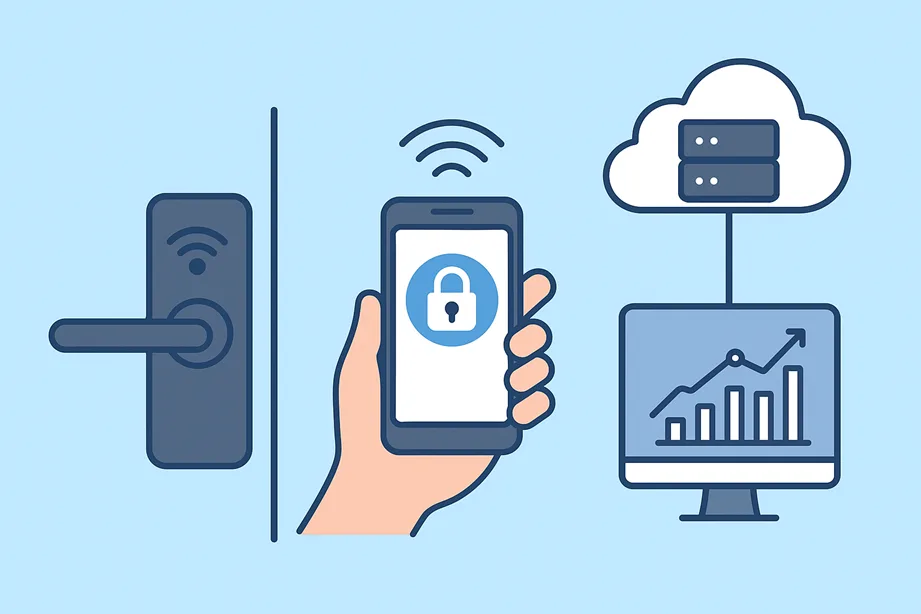
In a world where nearly every moment is logged, tracked, and managed, it’s no surprise that physical security for enterprises has evolved far beyond just turning a key. The idea of enterprise access control is shifting—what was once heavy hardware, limited to mechanical keys and badge readers, is now an intelligent, connected ecosystem. Today’s businesses demand smart lock access control solutions that don’t just keep doors closed—they open up whole new possibilities for insight, scale, and flexibility.
Picture this: a facilities manager remotely revokes access for a departing employee in seconds. A mobile credential is issued to a contractor on the fly, valid for one specific door for twenty minutes. Each time someone accesses something, a record is made with the exact date and time, and this information is kept safe to help with checking and following rules. That’s not fantasy—it’s how modern enterprises are deploying smart lock systems today.
In this article, we’ll look at how enterprise smart locks differ from consumer models, their core architecture, cloud and hybrid deployment strategies, must-have integrations and compliance considerations, and how to select the best solution for your organization. If you’re part of the decision-making team for physical security, IT, or facilities, this guide is aimed straight at you.
- What Is Enterprise Access Control?
- Architecture of Enterprise Smart Lock Systems
- Smart Locks and the Enterprise Cloud
- Advanced Capabilities
- Deployment Models
- Integration Ecosystem: Connecting Smart Locks with Enterprise Systems
- Compliance, Data Security, and Privacy Considerations
- Choosing the Right Enterprise Smart Lock Solution
- Real-World Applications and Industry Case Studies
- Common Challenges and How to Overcome Them
- The Future of Enterprise Access Control
- FAQs
- Conclusion
What Is Enterprise Access Control?
When you see the phrase enterprise access control systems, think of it as a full ecosystem rather than a single device. Most home or small-business smart locks—while useful—are built for simplicity: an app, a lock, maybe cloud connectivity. But for the enterprise environment, you’re dealing with many additional layers: multiple doors, sites, user roles, integration with IT systems, audit requirements, and more robust hardware.
For instance, unlike a home lock, an enterprise smart lock must:
- Support tens, hundreds or thousands of users with role-based permissions;
- Integrate with identity services (like AD/LDAP), visitor management or HR databases;
- Provide comprehensive audit logs and reporting for compliance.
- Allow for remote provisioning or revocation of credentials;
- Scale across multiple sites—including regional, national, or global offices.
Put simply, the enterprise smart locks you deploy have to fit into an organization’s broader security strategy—not just replace a door handle.
And that difference matters. Suppose you tried to shoehorn a residential smart lock into your corporate building and hoped for easy management and reporting. In that case, you’d quickly hit limitations—lack of scalability, weak audit trails, and limited protocols. What you want instead is a system designed with enterprise in mind.
Architecture of Enterprise Smart Lock Systems
Let’s peel back the layers of how these systems actually work—so you grasp not just the “what” but the “how.”
Hardware Layer
At the physical side, you’re looking at smart locks, readers (RFID, biometrics, mobile-NFC/BLE), gateways, and sometimes control panels. These units might replace mechanical locks or retrofit existing ones. For example, a physical door might be retrofitted with a module that connects to your lock hardware and allows mobile access.
Communication Layer
How do locks talk to the system? Here’s where you see a variety of protocols: BLE (Bluetooth Low Energy), Wi-Fi, Z-Wave, OSDP, PoE (Power over Ethernet), wired connections, and even UWB (Ultra-Wideband) entering the scene. The choice influences latency, battery use, security and retrofit complexity.
Software Layer
Beyond hardware, the brain of the system sits in cloud dashboards or on-prem platforms. You’ll find mobile credential apps, admin portals, APIs for integration, provisioning workflows, and analytics modules. Many enterprise providers emphasize real-time control and mobile management.
Security & Management Layer
Underpinning everything: encryption, firmware management, authentication, offline fallback (in case connectivity drops), and audit trails. For example, one vendor promises a full audit trail of activity and removal of the need for physical keys.
Cloud vs On-Premise
Many modern systems are cloud-first (i.e., an administrator can manage remotely via a web portal). Others deploy on-premise for high-security sites or use hybrid models (hardware on-prem, control logic in cloud). We’ll explore these trade-offs later.
Smart Locks and the Enterprise Cloud
Historically, access control consisted of card readers, punched badges, and mechanical locks. These were hardware-focused. Today, the pivot is clear: it is all about data, connection, remote management, and intelligence. This is where smart locks for business come in.
Moving to cloud-based platforms offers clear benefits: remote provisioning, immediate revocation of credentials, firmware and policy updates pushed centrally, and the ability to manage millions of access events with analytics. For example, one vendor highlights remote management of mobile credentials, real-time monitoring and a full audit trail.
But—there are caveats. Internet connection problems can cause trouble when locks need to connect to the cloud. In certain areas, using the cloud may be restricted due to rules about where data is kept and local laws. Also communication delays can occur when locks are installed in different parts of the world. That’s why smart companies use a mix of cloud and local systems—using the cloud when it works well and keeping local control where it’s needed. Think of it as a step-by-step process: the physical lock is important, but the real value comes from how the whole system is handled, watched, updated, and connected to your bigger business setup.
Advanced Capabilities
We’re well past the era where a smart lock replaced a deadbolt. Enterprise systems embed a range of advanced capabilities that set them apart.
Mobile Credentials & Digital Passes
Rather than physical keys or even access cards, users get credentials on their phones. They tap, swipe, or arrive, and access is granted. A contractor might receive a time-limited digital key for one site door. One provider mentions that the administrator can “grant & revoke user access, and track activity across their network.”
Real-Time Monitoring & Audit Logs
Administrators can see in real time who accessed which door at what time, where they used a credential from, and even get alerts on after-hours access or unusual activity. These log trails help with compliance and investigations. An example: a networked system that records timestamped access, status reports, and alarms, even for cabinet-level locks.
Integration with Surveillance, Visitor, and Building Automation Systems
Access events can trigger camera recordings, light the corridor, or lock down an area—integration matters. Many systems offer APIs and connect to video management, intrusion systems, HR systems and building automation. For example, one access-control vendor emphasizes wireless lock integrations in an enterprise-class installation.
Offline & Fail-Safe Modes
If connectivity is lost, locks still need to function. Enterprise-grade smart locks provide cached credentials and local decision-making so you’re not locked out when the cloud goes down.
Taken together, these capabilities elevate access control from “just a door” to “an intelligent node in your enterprise security fabric.”
Deployment Models
Choosing the deployment model is a key strategic decision. Let’s compare:
Cloud-Based
Pros: Remote management, rapid scaling, minimum on-site hardware, automated updates, and multi-site visibility.
Cons: Reliance on internet availability, data residency issues, and subscription/licensing fees.
Many providers emphasize cloud first in enterprise systems.
On-Premise
Pros: Full control of data, suits high-security or isolated environments (e.g., government, defence), reduced reliance on network connectivity.
Cons: Higher upfront cost, maintenance burden, less flexibility in remote admin.
For example, one vendor’s brochure emphasizes an on-premise system with enterprise-class installation.
Hybrid
A blend: local controllers for mission-critical doors, cloud management for less-sensitive sites. This allows flexibility, control, and resilience.
Selecting the right model depends on: number of sites, regulatory/compliance demands, connectivity reliability, budget, IT skills, and desired management experience.
Integration Ecosystem: Connecting Smart Locks with Enterprise Systems
Access control doesn’t live in a vacuum. In modern enterprises, you’ll want your smart locks to integrate with:
Identity & Access Management (IAM)
Systems like Active Directory, Azure AD, or Okta. Synchronizing user roles from HR systems means fewer manual steps and faster provisioning. Many enterprise smart lock providers highlight this integration as essential.
Visitor & Contractor Systems
Providing temporary credentials or mobile badges for non-employees is key in many enterprises. Your access control system should support this and tie into your visitor management.
Video Surveillance & Analytics
Access events can trigger camera recording, or a door-held-open event might alert security. E.g., one vendor outlines how their wireless lock integration ties into video modules.
Building Automation & IoT
Lock events might interact with lighting, HVAC, or elevators. For example, user arrives → door unlocks → corridor lights turn on → building systems register occupancy.
Open Standards & API-Driven Workflows
Look for systems with open APIs, SDKs, and support for standards like OSDP (Open Supervised Device Protocol), SAML, MQTT or robotics/analytics integration. One vendor emphasized their system immediately ready to integrate with existing IT workflows.
When you consider integration holistically, you position your smart locks not just as security devices but as endpoints in a broader enterprise system—connecting identity, operations, analytics, and compliance.
Compliance, Data Security, and Privacy Considerations
It’s not enough for a smart lock to unlock a door—it must help you build trust, demonstrate accountability, and align with legal requirements across the enterprise.
Compliance Frameworks
If you operate in sectors like healthcare, finance, or government, frameworks such as HIPAA, PCI DSS, SOC 2, and SOX matter. One product datasheet for cabinet-level locks emphasizes compliance with HIPAA, SOX, PCI DSS.
Data Encryption & Credential Security
All access events and user credentials should be stored and transmitted securely (AES encryption, TLS, FIPS compliance). Locks and systems that accept mobile credentials must ensure secure token handling.
Audit Trails & Access Logs
Enterprise systems must maintain immutable logs of who accessed what, when, and how. These logs support investigations, internal audits, and regulatory inspections. E.g., a vendor promises “synchronized audit trail and access timestamp.”
User Provisioning & Deprovisioning
When an employee leaves, access must be revoked immediately—no exceptions. Only enterprise-grade platforms offer remote and immediate revocation of credentials across sites.
Data Residency & Sovereignty
If you have international locations, you’ll need to ensure that user and access data complies with local laws (GDPR in the EU, CCPA in California, etc.). Cloud services should clarify where data is stored and processed.
Choosing the Right Enterprise Smart Lock Solution
Here’s a step-by-step framework you can use to evaluate solutions—and I’ll include a checklist you can print or convert into a worksheet.
1. Assess Your Security Requirements
- How many buildings/sites? How many doors/pads?
- What level of credentialing do you need (mobile credentials, biometrics, card badges)?
- What are your downtime or connectivity tolerances?
2. Evaluate Integration Compatibility
- Does the solution sync with your identity systems (AD, IAM)?
- Does it integrate with your video surveillance, visitor management, and building automation?
- Does it expose an API/SDK for future automation?
3. Prioritise Security & Resilience
- What encryption, firmware update, and offline mode capabilities do they provide?
- Are audit logs immutable and detailed?
- What happens if internet connectivity drops?
4. Review Vendor Credentials
- Are they established players (e.g., Allegion, Brivo, Smartlox) with enterprise deployments?
- What support & SLA do they provide?
- Do they publish customer case studies and compliance certifications?
5. Consider Total Cost of Ownership (TCO)
- Up-front hardware + installation cost
- Licensing/subscription fees (cloud vs on-prem)
- Maintenance, upgrades, and training costs
- Scalability: how much does the cost add when you grow to 3× or 10× doors?
Procurement Checklist
- Supports mobile credentials + fallback badge/key?
- Audit logging and reporting tools included?
- Multi-site, multi-tenant admin support?
- Offline mode / local caching available?
- Open standards and API access?
- Automatic firmware updates?
- Vendor roadmap for future tech (UWB, Matter)?
- Real-world references/industry case studies?
When you run through these areas thoroughly, you’ll avoid being dazzled by a shiny lock and instead choose a system that fits your enterprise reality.
Real-World Applications and Industry Case Studies
Let’s connect all this to real environments, because reading a spec sheet is one thing—seeing how companies apply it is another.
Corporate Offices
In modern office buildings, especially those with flex spaces, large campuses or multi-tenanted facilities, smart locks and mobile credentials deliver rich benefits. For example, a regional office with 12 locations uses mobile credentials so employees don’t carry multiple badges. Contractors can be issued time-limited access without needing a physical card. Facility managers view dashboards of who entered which door when.
Healthcare
In hospitals or medical research centers, controlled access to sensitive rooms (pharmacy, labs) is critical. Smart locks with audit trails and role-based access help meet HIPAA requirements and support rapid deprovisioning when staff change. The cabinet-level solution above (Raritan) specifically addresses audited access to sensitive IT assets.
Education & Campus Environments
Universities with sprawling campuses deploy smart lock systems to handle dorms, labs, offices and sports facilities—all managed remotely. Mobile credentials simplify oversight and reduce lost badge costs.
Logistics, Data Centers & Manufacturing
Industries with multi‐site access, remote facilities, or sensitive assets (e.g., racks in data centers) benefit heavily from networked lock systems with full audit and remote management. For example, one vendor offers a system that controls up to 16 cabinets under a single IP address with remote unlock for defined users.
These examples show: the value lies not just in the lock, but in how it ties into operations, security and business continuity.
Common Challenges and How to Overcome Them
No system is perfect—and smart lock deployments come with their own set of hurdles. Let’s address some of the most frequent and practical how-tos for overcoming them.
Integration Complexity
Often the biggest issue: your existing door readers, HR systems, video cameras, card databases—many are legacy. The key is to demand vendor support for existing infrastructure or risk wholesale rip-and-replace. Choose platforms with open API, retrofit modules, and proven migrations.
Legacy System Compatibility
You may have badge readers, Wiegand interfaces, and old door controllers. Some smart lock systems retrofit to existing hardware; others require full replacement. For example, one solution retrofits existing electronic door lock hardware so you don’t lose the physical card option.
Network or Connectivity Reliability
When locks rely on connectivity, outages can cause lockouts or operational headaches. Solutions must support offline mode with cached credentials. Always plan for network redundancy and a local fail-safe.
Resistance to Adoption / User Training
For a user, going from badge swiping to mobile credential (or biometrics) might seem trivial—but change still requires communication, training, and policy updates. Pilot deployments help.
Cost Management
Initial hardware, licensing, training and management tools add up. But when you factor in savings from fewer lost keys/cards, fewer physical site visits, and simplified administration, the TCO often favours the smart system. Anyway, include rapid ROI models in your business case.
By planning proactively for these challenges, you’re far more likely to deploy a system smoothly and extract full value.
The Future of Enterprise Access Control
What’s coming next? The horizon for enterprise access control is exciting—and yes, a little futuristic.
Biometric & Hands-Free Unlocking
Technologies like fingerprint, facial recognition, and ultra-wideband (UWB) are moving into enterprise-grade applications. For example, UWB locks can detect a user’s phone or watch and auto-unlock as they approach—no credentials or code necessary.
AI-Driven Analytics
Imagine access events feeding into machine learning models that detect unusual patterns: “Access after hours by user X at door Y—flag anomaly.” Or combining access logs with video analytics to triage security response. Cloud-based access systems are already capable of large-scale data collection; we’ll soon see predictive insights.
Interoperability & Universal Standards
As smart access becomes more common, the industry is working on universal standards like Matter and Aliro to ensure devices from different brands can work together seamlessly. This matters for enterprises, which often want multi-vendor flexibility.
Edge Computing & Zero-Trust Physical Security
Expect more intelligence directly on the lock hardware or gateway—edge processing to make access decisions locally, faster, and more resilient. And the physical world will increasingly adopt zero-trust approaches—every access event validated, credentials short-lived, continuous authentication.
As you evaluate future-proof solutions, ask vendors about their roadmap for these technologies. The system you choose today should not feel obsolete in two years.
FAQs
How do smart locks integrate with enterprise access control systems?
Modern enterprise smart locks connect via wired or wireless controllers to a central access control platform. They can use APIs to sync user identity from IAM systems (e.g., AD/LDAP), support mobile credentials, and send access event logs to your security dashboard. Platforms such as those cited above provide this capability.
Are cloud-based access control systems secure for large organizations?
Yes, when designed properly. They use encryption for data-in-motion and at rest, support redundant backups, offer audit logs, and allow remote revocation of credentials. Still, you must evaluate vendor certifications, data-residency options, and offline fallback modes.
What’s the difference between commercial smart locks and residential smart locks?
Commercial or enterprise-grade smart locks support massive scalability, multi-site management, audit logging, integration with enterprise IT stacks, role-based access, offline fail-safe operation and stronger hardware ratings. Residential locks focus on a single door, limited users, and simpler app control.
How can smart locks support compliance and audit requirements?
They store detailed access event logs (who, when, where, how), integrate with identity systems for role-based access, allow immediate credential revocation, and provide remote admin dashboards and reports. These features map directly to requirements in frameworks like HIPAA, PCI DSS, and SOC 2.
What should I include in a procurement checklist when selecting smart lock solutions?
Ensure support for mobile credentials, audit trails, offline mode, IAM integration, API/SDK, multi-site administration, open standards, hardware compatibility (retrofit/greenfield), vendor roadmap for future tech (UWB/Matter). I covered a structured checklist earlier in this article.
Conclusion
As you’ve seen, enterprise access control smart locks are no longer a novelty—they’re becoming standard for organizations that want security, agility, manageability and insight. These systems move far beyond mechanical keys and standalone badge readers into a realm where access events yield data, credentials live on devices, and control is centralized across buildings and borders.
For business leaders, IT architects, and facility managers, the opportunity is obvious. A well-designed smart lock infrastructure lowers operational costs (no more re-keying doors), improves compliance and audit preparedness, improves user experience for employees and visitors, and positions your company for the future of physical security.
Now is the time to act: evaluate your current access control landscape, identify gaps in scalability, audit capability, user experience, and integration. Use the frameworks in this guide to interrogate your potential vendors. Choose a solution that not only unlocks doors—but unlocks data, capability and peace of mind.
Ready to make the move? Start your smart lock procurement checklist today, request demos from enterprise-grade vendors, and build the physical foundation of a connected, secure enterprise. Because in the next era of business, your doors are not just entry points—they’re strategic assets.
Do you want help comparing specific models, pricing options, or vendor readiness? Just let me know—I’m happy to assist you every step of the way.
