
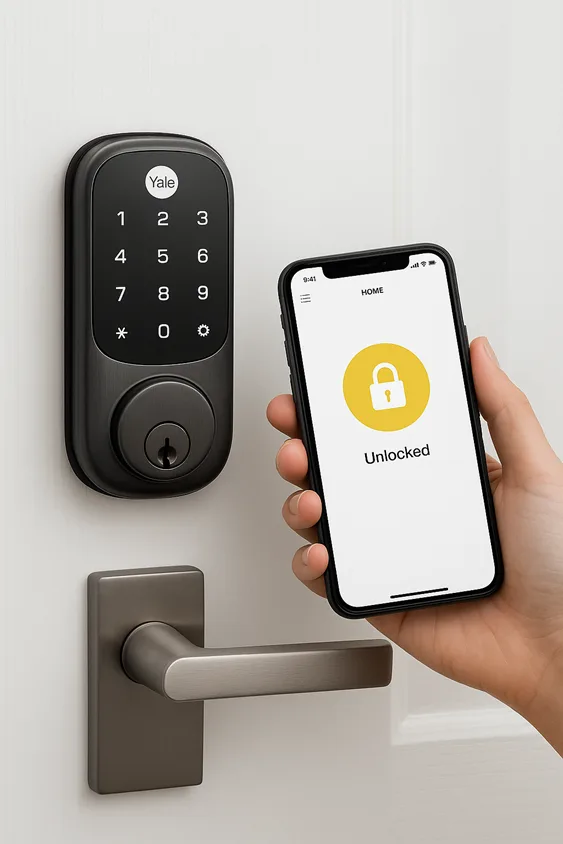
There’s something quietly liberating about walking up to your front door and not fishing for keys. No pocket dive, no jangling metal, no “Did I leave the keys inside?” panic. That’s the everyday magic the keyless entry system brings: friction removed from routine, control returned to the owner. This guide explains how keyless entry works, where it helps most, which systems earn their stripes in 2025, and how to choose one that keeps convenience from turning into risk. I’ll share real-world examples, hands-on pros and cons, and product picks that reflect the current market and security realities. Read on if you want to understand, pick, and confidently buy a modern keyless door lock or smart lock for your home, rental, or business.
- What is a keyless entry system?
- How keyless entry systems work
- Types of keyless entry systems
- Pros and Cons
- Choosing the right keyless entry system
- Best keyless entry systems and smart locks for modern living 2025
- Security & privacy
- Installation, setup & maintenance
- The future for keyless entry
- FAQ
- Conclusion
What is a keyless entry system?
A keyless entry system replaces the physical key with an electronic credential. That credential might be a PIN, a key fob, a smartphone credential, a fingerprint, or even a cloud-managed token that a property manager issues for a guest. Beyond the gadget itself, the system combines three elements: authentication (who’s trying to enter), authorization (are they allowed), and actuation (unlocking the bolt).
The category spans household smart locks that retrofit existing deadbolts to large-scale access control systems for offices or hotels. In cars, the term is used for both Remote Keyless Entry (RKE) — push-button fobs — and Passive Keyless Entry (PKE), which can unlock a door automatically when the owner approaches. The important point for buyers is this: the label keyless entry covers a wide range of tech, from simple keypad locks to cloud-connected, multi-user ecosystems.
How keyless entry systems work
At the simplest level, unlock events follow three steps: identify, verify, and actuate. You present a credential; the lock or system verifies the credential; the lock retracts a latch or bolt. The process appears tiny on the surface, but various technologies function behind the scenes:
- Keypad and PIN-based systems: local verification; reliable when well-designed (anti-peep features assist).
- RFID and key fobs: widely used in businesses and hotels; simple to administer.
- Bluetooth and NFC: smartphone-as-key scenarios in which the phone maintains credentials and communicates locally.
- Wi-Fi/cloud locks: enable remote control, off-site guest codes, and logging, but rely on network and cloud security.
- Biometric sensors: fingerprint or facial recognition; faster and increasingly accurate, but with unique privacy considerations.
Locks use encryption (rolling codes, tokenized credentials) and may combine local validation with cloud verification for remote actions. Battery power and offline fallback options are key: a lock that dies without a backup is a false convenience. Practical note — many modern smart locks offer multiple unlock methods to hedge against single points of failure (e.g., fingerprint + keypad + physical key).
Types of keyless entry systems
Think of the category by use-case, not just by tech.
Residential: Most homeowners want a blend of convenience and compatibility. Retrofit smart locks like those that attach to the inside of a deadbolt let you keep your existing physical keys while adding app control, auto-lock, and guest codes. August’s Wi-Fi Smart Lock is a clear example of this retrofit approach that keeps the exterior hardware unchanged.
Rentals & Hospitality: Hotel chains and modern short-term rental owners prefer centralized management: mobile keys, temporary codes, and automated check-in integrations. These systems emphasize auditing and easy turnover. Third-party PMS integrations and mobile-key APIs are common.
Commercial/Enterprise: Office buildings, warehouses, healthcare facilities — these need role-based access, detailed logs, and scalable credentialing (cards, fobs, biometrics). Vendors in this space emphasize auditability and multi-site management.
Automotive: Carmakers use RKE and PKE for different tradeoffs, convenience versus attack surface. Real-world incidents have highlighted vulnerabilities in PKE systems whereas vehicle-key systems are a perfect example of convenience needing careful security design.
Specialized/Industrial: High-security facilities often combine keyless systems with additional layers: time-of-day locks, multi-factor biometric checkpoints, and integrated alarm systems.
Pros and Cons
A human will tell you convenience is addictive; a security professional will remind you it’s a tradeoff. Let’s be practical.
Advantages you’ll notice day-to-day:
You can create temporary codes for a contractor, check from your phone whether the door’s closed, and integrate the lock with cameras or automations that trigger the porch light when you arrive. These features change the rhythm of living — small anxieties vanish.
Risks and failure modes:
Battery failure, lost phones, firmware vulnerabilities, and relay attacks are the usual culprits. A cloud-only lock that won’t open without internet or an account is an Achilles heel. Real incidents, including vehicle keyless exploits and lock vulnerabilities reported in the press, prove that manufacturers and users both must treat these systems as part of a broader security posture.
A sensible middle path: Choose a system that gives multiple authentication options, supports secure updates, and allows local fallback. A lock that offers local PIN verification plus optional cloud features is often more resilient than one that forces total dependence on external services.
Choosing the right keyless entry system
When you’re deciding, keep these priorities in mind — not as features to tick off, but as questions to answer about how the lock will behave in your real life.
1) What’s your primary use? Family front door, Airbnb guest turnover, or business access control? Each requires different management tools.
2) How do you want to access it? If you are an Apple ecosystem user, locks that support Apple Home Key and Matter interoperability will behave more consistently across devices. For renters, retrofit smart locks that preserve the exterior hardware reduce friction.
3) Backup & power options: Look for mechanical key overrides, USB emergency ports, or external battery access. Low-battery alerts and a reasonable advertised battery life are must-haves.
4) Security grade & standards: ANSI/BHMA grading and published encryption standards matter. Commercial-grade locks (ANSI Grade 1) are heavier-duty and often worth the investment in high-traffic or high-risk situations.
5) Installation complexity: Retrofit vs. full-replacement matters for renters and older doors. If the existing hole pattern or latch is non-standard, professional installation might be faster and safer.
6) Maintenance and update policy: Confirm that the vendor issues firmware patches and has an update cadence. A locked device that never receives updates is a long-term liability.
Pro tip: favour locks that support local control or on-premises authentication alongside cloud services — that combination buys reliability and remote convenience.
Best keyless entry systems and smart locks for modern living 2025
Below are systems that reflect current expectations for reliability, integration, and security. This isn’t a laundry list — it’s a curated cross-section tested by reviewers and supported by manufacturer specs.
Yale Assure Lock 2 (Touch & Wi-Fi) — A modern, feature-rich keyless door lock that supports fingerprint access, keypad, app control, and seamless integration with popular smart home ecosystems. The lock’s design balances sleek hardware with practical features like Auto-Lock and DoorSense for status checks. For homeowners wanting biometric speed and broad compatibility, this one fits well.
Schlage Encode Plus — If you’re deeply invested in Apple devices, Schlage Encode Plus is one of the few locks supporting Apple Home Key and HomeKit, giving you a native, seamless unlocking experience on iPhone and Apple Watch. It’s a robust deadbolt with strong physical security and an ecosystem focus that customers appreciate.
August Wi-Fi Smart Lock (4th Gen) — For renters and older doors, August’s retrofit approach is a practical solution: you keep the external hardware and add remote control via built-in Wi-Fi. August’s strength is simplicity: no bridge required, native remote access, and a familiar app for sharing guest keys.
Ultraloq U-Bolt Pro — This lock blends biometric access with multiple unlock modes and is often lauded for value and versatility. It’s a common recommendation when buyers want fingerprint access plus keypad and app options.
Eufy Smart Lock Touch + Wi-Fi — For those who prefer fast biometric unlocking and local-first operation, Eufy’s fingerprint-driven model is a contender. It adds in remote control via Wi-Fi and tends to be attractive for people wanting speed and a familiar app experience.
Why these picks? They represent different value propositions: retrofit simplicity, Apple integration, biometric speed, and broad smart home compatibility. Recent testing roundups and buyer guides confirm these models appear consistently at the top of comparative lists.
For more detailed guide on top-rated keyless entry fobs & smart door locks click here.
Security & privacy
Security is more than a spec sheet — it’s a posture. A few hard facts: keyless systems have seen publicized vulnerabilities (vehicle and IoT attacks), but proper configuration, updates, and layered defences significantly reduce risk.
Common threats: relay attacks on PKE car systems, weak PINs, exposed cloud APIs, and social-engineering that coaxes temporary access. Device makers mitigate by using rolling codes, strong encryption, and secure onboarding flows.
Practical defences you can implement today:
- Enable two-factor authentication on vendor accounts where available.
- Use unique, strong management passwords and change default admin pins.
- Keep firmware updated — vendors regularly patch vulnerabilities.
- Limit remote unlocking for daily use if you don’t need it; prefer on-premise modes for routine access.
- Audit access logs if your system supports them.
Cautionary example: recent reports about car keyless exploits and various IoT device bugs underscore the need for vigilance — the convenience is real, but so is the need for careful configuration. If security matters to you, prioritize proven vendors, stay current on firmware, and treat your access system as security infrastructure, not convenience-only gear.
For security features and detailed guide click here.
Installation, setup & maintenance
Most modern smart locks are intentionally designed for homeowner installation — but “DIY” doesn’t always mean “easy.” Retrofit models like the August Wi-Fi Smart Lock are often simpler because they use the interior side of the deadbolt and leave the exterior unchanged. A full deadbolt replacement requires measuring and sometimes additional drilling or minor carpentry.
Step expectations (narrative, not a tutorial): remove interior escutcheon, position mounting plate, attach smart lock mechanism, pair to app, set admin code, test mechanical alignment. Confirm the latch clears the strike plate and calibrate as required. For commercial installations or older doors, a locksmith or professional service can save time and ensure a proper seal and alignment.
Maintenance: watch battery levels, register for automatic update notifications, and periodically test mechanical operation, even if the app indicates the lock is fine. Locks with external USB or mechanical key backup reduce the stress of a dead battery moment.
The future for keyless entry
Two big threads are worth watching:
Interoperability — Matter & ecosystem stability. The push for cross-vendor standards like Matter aims to reduce lock-and-key vendor lock-in and make smart locks behave more predictably across hubs. Consumers will benefit when devices speak a common language.
Biometrics & on-device ML. Biometric sensors are getting faster and more accurate; the trend is toward richer local processing and less cloud dependency to improve privacy. Expect smarter fingerprint recognition, anti-spoof measures, and more natural, frictionless unlock experiences.
A third trend — resilience: expect more hardware designs that prioritize local fallback and power resilience as manufacturers internalize that convenience must be reliable.
FAQ
How does a keyless entry system work without internet?
A local-mode smart lock uses Bluetooth, NFC, or onboard keypads to verify credentials directly; internet-only features like remote unlock won’t function without connectivity. Always check the product’s offline behaviour before buying.
Are keyless locks more secure than traditional locks?
Not inherently. A well-installed mechanical deadbolt (ANSI Grade 1) with good locking hardware can resist force better than some cheap smart locks. But modern smart locks add audit trails, remote control, and flexible sharing — features that increase operational security when properly configured. Choose a lock with both strong physical security and good digital hygiene.
What happens when the battery dies on a smart lock?
Most good locks have mechanical key backups or emergency power points (USB-C) to provide temporary power. Choose systems that advertise accessible emergency options and give clear low-battery warnings. Example: many current models include USB emergency ports or mechanical key cylinders.
Can keyless locks be hacked?
As with any networked device, poor configuration and outdated firmware increase risk. Use strong account security, apply updates, and prefer devices with modern encryption standards and a demonstrated patching history. Public incidents have targeted both vehicle PKE and IoT devices—take them as a reminder to maintain good operational practices.
Which keyless entry system is best for Airbnb hosts?
Hosts typically want remote provisioning, temporary codes, and audit logs. Retrofit models and cloud-enabled locks that integrate with property-management systems or offer easy code scheduling are ideal. August, Yale Assure variants, and certain Schlage models are commonly recommended for their host-friendly features.
How much does a keyless entry system cost?
Expect a range: budget models can start under $100, mid-tier retrofit locks between $150–$250, and premium, commercial-grade systems or locks with advanced biometrics can run $300+. Commercial access control solutions scale higher based on multi-door infrastructure and integration services. Recent market analyses also point to ongoing growth in the segment as consumer adoption expands.
Conclusion
The keyless entry system is no longer a futuristic novelty; it is a practical tool that influences how we live, work, and entertain. The greatest systems in 2025 combine safe hardware, smart fallbacks, and clever software, and they approach upgrades and privacy with the seriousness that these devices require. If you’re purchasing for your home, look for a solution that supports both local management and reasonable cloud capability, offers multiple login methods, and has a clear update approach. Airbnb hosts should emphasize scheduling and guest-code features, while business owners should focus on audits and role-based management.
If you want a quick starter pick, consider a retrofit smart lock like the August Wi-Fi Smart Lock for renters and older doors, a biometric-savvy lock like Yale Assure Lock 2 or Eufy Smart Lock Touch for biometric convenience, or the Schlage Encode Plus if you live in the Apple ecosystem and want native Home Key support. Each choice maps to different real-world priorities: simplicity, speed, and ecosystem fit.
Ready to leave the keys behind? Choose a model that matches your priorities, confirm it supports sensible backups and firmware updates, and install it with an eye toward both convenience and security. If you’d like, I can build a side-by-side comparison table for the exact models above (battery life, connectivity, price as of today, ANSI grade) and a ready-to-publish buyer’s guide tailored to homeowners or Airbnb hosts — let me know which audience you are targeting and I’ll generate it straight away.
