
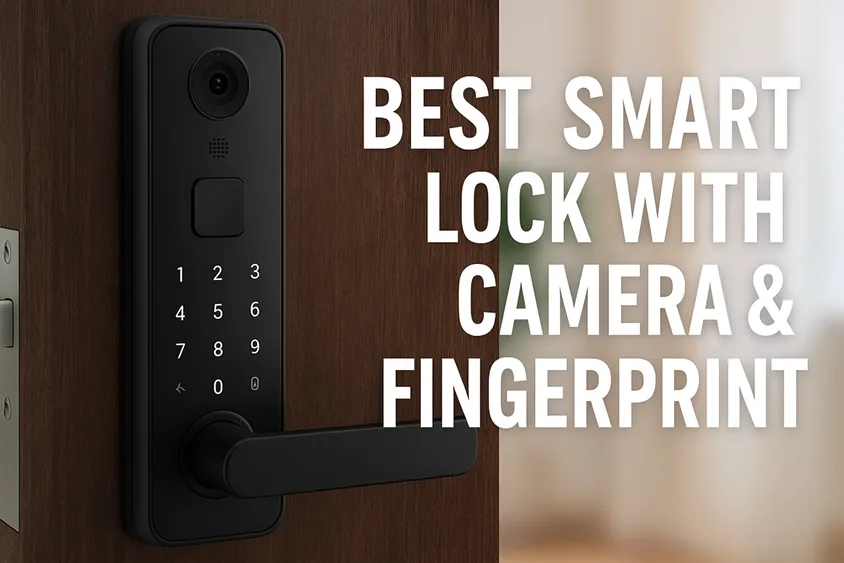
Picture this: you’re arriving home on a rainy evening, arms loaded with groceries. Instead of fumbling for a key, you press your thumb on a sensor, step in, and hear the lock click—while your smart-lock’s built-in camera sends a live view of your porch to your phone and shows you the package that was just delivered. That’s the promise of a smart lock with camera and fingerprint—and in 2025, the technology has matured enough that it’s no longer a gimmick, but real convenience and home-entry control. In this guide, I walk you through what to look for, the best options currently available, and how to avoid the pitfalls so your front door truly works like the hub of your smart home.
Why Is a Smart Lock with Camera & Fingerprint Important?
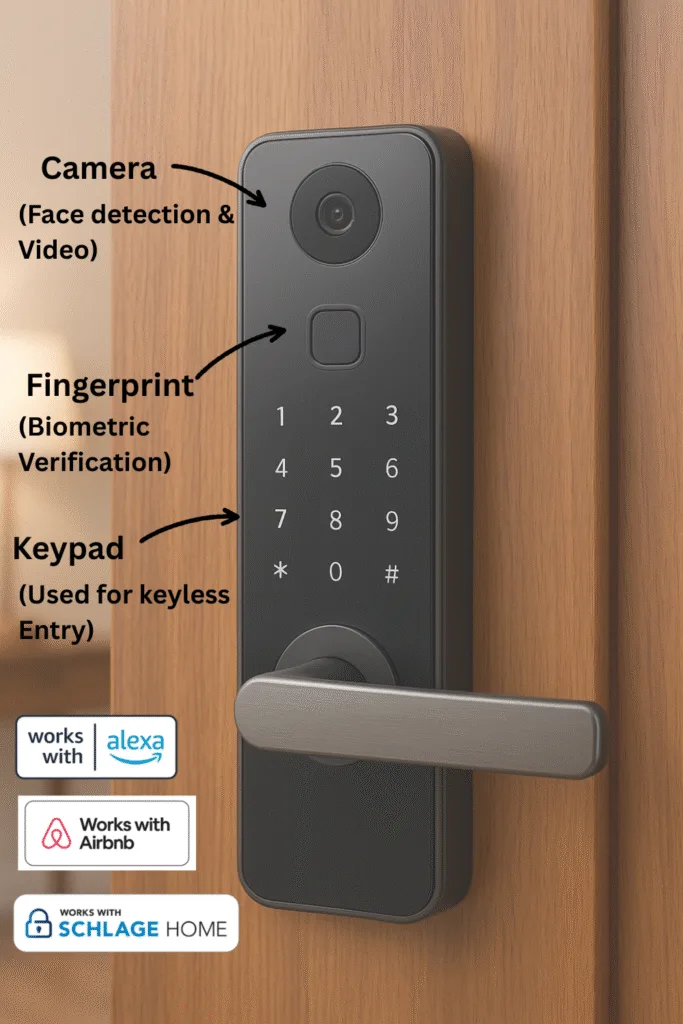
The idea behind combining a camera and fingerprint reader in a single smart lock is simple yet powerful: you unlock your door with a biometric (no keys needed) while simultaneously having video visibility of the door area (no surprises).
The rise of biometric & video in entry-security
Let’s face it: traditional deadbolts and keypad locks are fine, but they’ve hit diminishing returns. Codes can be shared or guessed, and keypad wear patterns and smudge attacks (yes, those can exist) can betray them. Meanwhile, standalone video doorbell cameras are widespread, but they don’t control the lock itself. A lock that reads your fingerprint and watches visitors’ approaches via a built-in camera closes both gaps.
What you get vs what you don’t in older smart locks
Older smart locks might give you remote access, guest codes, or app unlock—but they often lack visual verification and the speed/convenience of a biometric. With a camera & fingerprint lock, you reduce reliance on codes and you add the ability to see who’s at the door before unlocking. Think of the moment: visitor rings → you see them via live feed → you open with your fingerprint or thumb-print scanner—no key, no code, no doubt.
Real-world benefits & scenarios
Families love this: kids returning from school? Grant them a fingerprint, and you can still monitor the entrance via video. Rental homeowners or Airbnb hosts? Guest access codes plus video logs beat traditional key hand-offs. Smart-home enthusiasts? It becomes part of a larger ecosystem: your door lock becomes a node in your security mesh. That said, let’s be clear: even the best lock can’t compensate for a weak door frame, a poor WiFi signal at your door, or neglecting your battery. Good locks augment good foundations.
The Smart Lock Spec Checklist
When you’re evaluating a smart lock with both camera and fingerprint, here’s your checklist.
Camera & video features
Start at the video. Resolution matters—HD or better (2K preferred) gives a crisp image of faces and packages. Video field-of-view (wide angle) ensures you’re not missing someone lurking around your doorframe. Night vision (infrared) or good low-light performance helps when daylight fades. Can the device record footage locally (to an SD card) or is it cloud-only (and subscription-required)? Does it provide 2-way audio (visitor ↔ you)? These features separate “just a door lock” from “front-door security station.” For example, one review of the Lockly Vision calls it a “2-in-1 smart home device… includes an HD camera that acts as a smart video doorbell.”
Fingerprint sensor & authentication
Fingerprint readers must be fast, reliable (across weather, moisture, and different users), and capable of storing many users (for families or rentals). How many fingerprints can you register? How fast is recognition—seconds matter when returning with arms full of bags. Also, check the backup methods: keypad, smartphone app, and physical key. Reliability concerns are real: some users of the ULTRALOQ system reported issues with fingerprint reading during alignment/install.
Multi-method access & smart home integration
One biometric method is great—but the best locks offer multiple access: app-unlock, keypad, key override. Smart-home compatibility is now a must: does it support Apple HomeKit / Apple Home Key, Matter, Google Home, Amazon Alexa? Some fewer-expensive models skip home-ecosystem integration altogether. One of the recent reviews of the eufy Video Smart Lock E330 notes five different ways to unlock and full fingerprint support.
Power, battery & reliability
A lock’s greatness fades if the battery dies at 2 a.m. Check the battery type (AA vs rechargeable lithium). Is there an emergency USB-C port or external backup? How long does it run under real-world use (video & camera & WiFi drain)? Reviews of the E330 noted ~5 months in one test (which is very good). Also, what happens if your WiFi is weak? Is the app reliable? Are firmware updates seamless? Real-home installation issues often come from power/connection, not features.
Security, privacy & trust signals
Don’t skip this. Fingerprint and video mean sensitive data. How are fingerprints stored—locally or in the cloud? Is the video encrypted? What’s the manufacturer’s history with updates/support? Are door frames reinforced? “Smart” is only as safe as the weakest link. For example, the GearBrain review of Lockly Vision notes good hardware but warns the lock “does not integrate with smart home security systems.” Also, smudge attacks and other biometric vulnerabilities are real.
Price, warranty & ecosystem value
Feature-rich models cost more. But also look at the full cost: some brands require subscriptions for cloud video storage—even if the lock hardware is solid. Warranty length and manufacturer support Matter in a device attached to your entry point. Compare what you pay vs what you get: one device might give you advanced biometrics & video & home-ecosystem support, another the same functions but with fewer integrations or tech-support options.
Best Smart Locks with Camera & Fingerprint in 2025
Here are some of the leading models that combine video & biometric fingerprint scanning, along with what makes them strong and what to watch out for. (Note: availability and firmware may change—always verify current specs.)
Premium All-Rounder: eufy Video Smart Lock E330
This lock is a standout because it trades off fewer compromises: it fully replaces your deadbolt, includes a 2K camera, fingerprint reader, keypad, app control, and doorbell button—all in one. According to the review by Tom’s Guide:
Setup was straightforward (~15 minutes) and the fingerprint scanner consistently recognized fingerprints—even wet or greasy fingers. Built-in live view with accurate motion detection, plus no cloud subscription required for basic usage.
- Pros: All-in-one unit, fast fingerprint, high-quality camera, strong feature set.
- Cons: Price is higher than simpler smart locks; video camera may not replace full standalone doorbell cameras in range/features; integration with some home ecosystems may lag.
- Best for: Homeowners who want a premium lock that covers both video and biometric unlocking today.
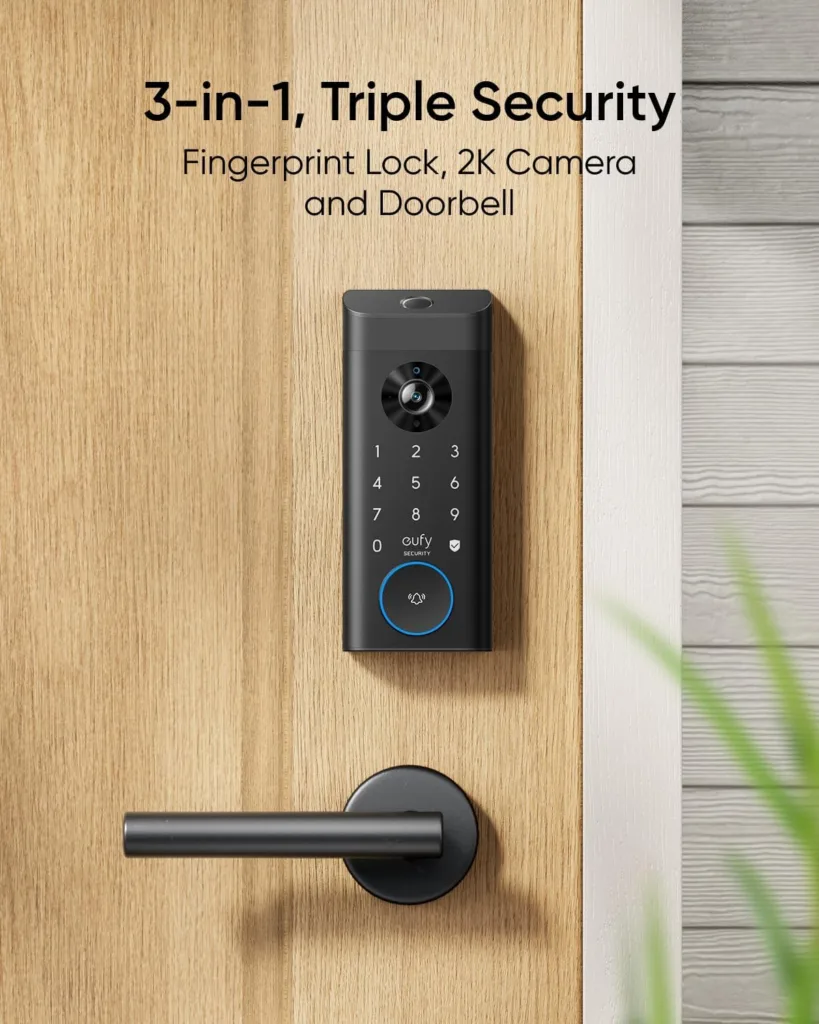
Image courtesy: www.amazon.com
Balanced Value: Lockly Vision
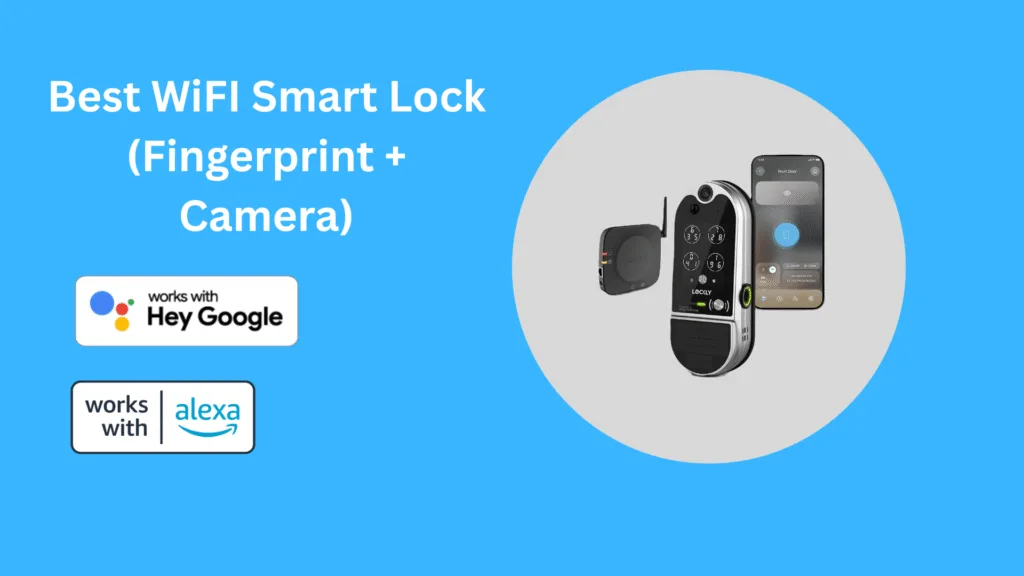
Lockly’s Vision model (and its variants) combine a fingerprint reader, HD video/doorbell, app control, and multiple unlock methods. GearBrain found it to be “a quality 2-in-1 smart home device” with solid build and features.
- Pros: Strong feature set including fingerprint & video; less cost than ultra-premium; no monthly fee for many features.
- Cons: Some reviewers highlight night-vision/video quality may trail best standalone cameras; home-ecosystem integration may not be as deep.
- Best for: Users who want most of the features of the premium options, but are more budget-conscious.
Design-Focused / Minimalist: ULTRALOQ Fingerprint & Video Bundle
ULTRALOQ offers fingerprint smart locks and bundles with separate video camera modules (for example, the Dot camera & Latch 5). While not always a single piece with a built-in camera, for many users, this bundle offers flexibility. User feedback: “The fingerprint ID is so fast and accurate, I never use my numeric code.”
- Pros: Fingerprint speed is strong; good flexibility for customization; often slightly lower cost than fully integrated video-lock combos.
- Cons: Installation may require more fuss (door alignment, multiple parts); video may not be built directly into the lock body; home-ecosystem support may be less comprehensive.
- Best for: Tech-savvy users comfortable with installation and willing to trade some integration for value and customization.

Budget Alternative: (Select Emerging Brand)
While fewer truly integrated locks at low cost offer both video and fingerprint, some emerging models are beginning to offer the combo or close to it. If you’re on a tighter budget, look for: fingerprint reader & built-in door-camera/lock combo—but expect sacrifices: lower video resolution, fewer unlock methods, less ecosystem support.
- Pros: More affordable entry to biometric & video.
- Cons: May miss premium features (Matter/Home Key support), video may be basic, firmware support may be weaker.
- Best for: Apartments, smaller homes, first-time smart lock users who prioritize convenience over top-tier specs.
Installation, Compatibility & Real-World Considerations
You’ve picked a lock? Great. But hold on—door-entry is physical, and real-world conditions matter more than the spec sheet.
Door type & fit: Is your door a standard bore deadbolt? Mortise? Old‐house slab? Smart locks often assume a standard U.S. door and deadbolt hole pattern. Retrofit locks must align.
Connectivity at the door: A built-in camera & WiFi can kill battery fast if your door is far from your router—or has a storm door in front of it. Run a WiFi speed test at that location before you buy. GearBrain’s Lockly Vision review warns: “If your door has a screen or storm door you may have vision issues.”
Weather exposure & frame strength: Outdoor-rated devices should handle temperature swings, rain, and sun. More importantly, the door frame and strike plate matter. A smart lock can’t stop a weak door from being kicked in.
Battery life & emergency fallback: Many users say “battery life is fine” until one day it’s dead and you’re locked out. Choose models with clear battery-level alerts, USB-C backup, or key-override. Reddit users of the eufy S330 report: “Battery life has been excellent… still does everything great” despite weather abuse.
User-management & access control: For families, rentals, or multi-user homes—how easy is it to add/remove fingerprints, assign guest codes, view logs of who came in and when? The best locks give you app control of all of that.
Smart-home ecosystem & future-proofing: If you already use Apple HomeKit/Matter/Google Home, then make sure your lock supports it—or is at least planned to. Locks with no ecosystem support may feel “smart” now, but quickly become outdated.
Firmware updates & support: A great system today means nothing if the manufacturer stops supporting it next year. Look for brands with a track record of updates and good user-forum responsiveness.
Privacy, Security Risks & How to Mitigate Them
Full disclosure: Yes, these locks are convenient—but they raise real concerns. Let’s talk about them so you don’t get blindsided.
Biometric data & storage: Fingerprint scanners are great—but what happens to that data? Is it stored locally or in the cloud? If someone hacks your cloud account, are your fingerprints exposed? These questions matter.
Video camera privacy: A built-in video camera means you have a live feed of your porch. Who besides you can access it? Are alerts encrypted? Does it transmit only when triggered or record continuously?
Physical vulnerabilities: As mentioned earlier, a smart lock won’t help if the door frame is rotten. A strong lock plus biometric reader plus video is good—but bolt and frame strength still matter more for forced entry.
Network threats: WiFi smart locks introduce network attack surfaces. Default passwords, outdated firmware, and poor WiFi security—all increase risk. A compromised WiFi or a weak router can mean a compromised lock.
Backup access & code vulnerabilities: If you still have keypad codes, smudge attacks (where oily fingerprints on the keypad show patterns) are possible, and if the physical key override is available, that may defeat some biometric advantages.
Mitigation strategies:
- Choose devices with local fingerprint storage and encrypted video logs where possible.
- Secure your home network: strong router password, isolated IoT network for your lock.
- Keep firmware up to date.
- Reinforce the door and frame physically.
- Use unique codes for guests, remove them when no longer needed, and review access logs periodically.
- For renters or landlords: ensure lock hardware is compatible, reversible, and won’t burn you when you move out.
In short: a smart lock with a camera and fingerprint is a strong upgrade—but treat it as part of your whole security system, not the whole answer.
FAQs
Does a smart lock with a camera and fingerprint require WiFi?
Yes, for many of the advanced features—live video feed, remote unlock, guest code management—you’ll need WiFi (or sometimes a hub). However, the core fingerprint unlocking may work locally (without internet), depending on the model. Always check manufacturer specs.
What happens if the battery dies on a fingerprint/video smart lock?
Most models provide low-battery alerts ahead of time, and many include a physical key override or USB-C auxiliary power port so you’re not locked out unexpectedly. Choose one with a strong battery fallback if you live in an area with frequent outages.
Can I retrofit my existing deadbolt, or do I need to replace the entire lock?
That depends on your model. Some video-biometric locks replace the entire deadbolt assembly; others attach to existing hardware. Check bore size, door thickness, handing (left vs right), and whether your existing lock uses standard U.S. dimensions.
Are fingerprint sensors reliable in wet or cold weather?
Good ones are—but they still can struggle. One review of the eufy E330 found the fingerprint scanner worked even when a user’s fingers were “layered with water from a passing shower and, grossly enough, pizza grease.” Still, sensors differ. Always check user reviews in climates similar to yours.
Does the camera record continuously or only when motion is detected?
It varies. Some locks record continuously; others trigger on motion or doorbell press. Motion-triggered recording conserves battery and storage, but continuous recording may give you full context. Decide which trade-off suits you.
Is a monthly subscription required for video and fingerprint features?
Not always. Some models bundle local storage or permit basic door-unlock operations without subscription, while advanced features (cloud storage, extended history, AI alerts) may require monthly fees. The Lockly Vision advertises “No Monthly Fee” for many features. Always verify this before purchase.
Will my smart lock work with Apple HomeKit / Matter / Google Home?
Check model specifics. Some locks support Matter or Apple Home Key to give seamless integration with iPhones, Apple Watches, and smart-home scenes. Others are more limited. If you already use an ecosystem (Apple, Google, Alexa), prioritize compatibility.
How do I remove a user’s fingerprint or revoke access remotely?
Modern locks allow you to manage access via smartphone app: delete fingerprints, remove guest codes, view logs of who unlocked the door and when. If you’re a landlord or host, this is crucial.
Can someone hack the fingerprint sensor or spoof it?
In theory, yes—but in practice, the best locks use anti-spoofing tech, encryption, and local storage to reduce risk. That said, any biometric system isn’t perfect. That’s why the other security layers (camera, door strength, network security) Matter.
Is a camera & fingerprint smart lock worth the extra cost compared to a regular smart lock?
If you value both convenience and visual verification (especially if you often grant guest access, monitor deliveries, or house multiple users), then yes—many users say the extra cost pays off in fewer worries. If your door is rarely used, or you don’t need the video or biometric features, a simpler smart lock may suffice.
Final Verdict & Recommendation
If you’ve made it this far, here’s the bottom line: A smart lock with camera and fingerprint reader isn’t a gimmick—it’s a meaningful upgrade to the way you secure and interact with your front door. That said, you’ve got to match it to your home’s reality: door compatibility, WiFi strength, ecosystem integration, and budget.
- Want the best of everything now? Go for a premium all-rounder (like the eufy E330) with a strong fingerprint reader, crisp video, app, and ecosystem support.
- Want strong features at a better value? Consider a balanced model (Lockly Vision) that delivers most features with fewer compromises.
- Want customization or a smarter install? A system like ULTRALOQ offers flexibility and strong biometric speed—but requires more care during installation.
- On a tighter budget? You can still get fingerprint & video combos, but expect trade-offs: lower resolution video, fewer integrations, and less strong firmware support.
In any case, the lock is one piece of your home-security puzzle. Pair it with a strong doorframe, a reliable WiFi signal, a secure router, and firmware updates, and you’ll have a front-door entry system that feels both smart and safe. As we move further into 2025, standards like Matter, ultra-wideband unlocking, and deeper smart-home integration will become commonplace. Invest wisely now, and your lock will serve you well for years.
Appendix / Extras
Glossary of terms
- Matter: A smart-home standard designed to unify devices across ecosystems (Apple, Google, Amazon)
- Apple HomeKey: A way to unlock your home using iPhone/iWatch like a digital key
- Auto-lock: A feature that automatically relocks the door after a predefined time
- BHMA Grade: American Lock standard that rates the durability/security of deadbolts
- Smudge attack: A method where touch-screen or keypad smudges are used to infer unlock codes.
Quick installation checklist
- Measure door thickness and existing strike/bolt
- Check the WiFi signal at the door location (use your phone)
- Ensure you have a contact or a WiFi extender if the signal is weak
- Register fingerprints under the same conditions you’ll use them (cold/hot/wet)
- Test the backup key/unlock method before you rely on the biometric
- Label guest codes and set auto-lock time appropriate to your lifestyle.
Suggested reading
- For more in-depth hardware reviews of specific models, check the vendor sites and independent review blogs
- For smart-home ecosystem updates (Matter roll-out, UWB locks), follow major tech publications (e.g., The Verge).
Final Thoughts: Your Door Deserves Better Than Just a Lock
Let’s be honest—2025 isn’t the year to rely on keys that can be lost, or codes that can be guessed. It’s the year of smart security that recognizes you instantly and shows you exactly who’s at your door. A smart lock with a camera and fingerprint doesn’t just keep your home secure—it gives you confidence, awareness, and convenience every single day.
Imagine never fumbling for keys again, never wondering who’s knocking, never second-guessing if the door’s locked when you’re halfway to work. With a single touch, your home welcomes you—and protects what matters most when you’re away. That’s not just technology. That’s peace of mind, built into your front door.
Whether you choose the eufy Video Smart Lock E330 for its all-in-one perfection, the Lockly Vision for its incredible balance of price and performance, or the ULTRALOQ for its sheer fingerprint precision—each of these locks delivers one promise: smarter living through stronger security.
Don’t wait for “someday” to make your home smarter and safer. Upgrade now to a smart lock with a camera and fingerprint that fits your lifestyle, protects your family, and adds lasting value to your home.
Because when security becomes effortless, you stop thinking about locks—and start living freely.
Ready to experience it yourself? Explore the latest deals on Amazon’s top-rated smart locks and bring the future of home security straight to your door.
