
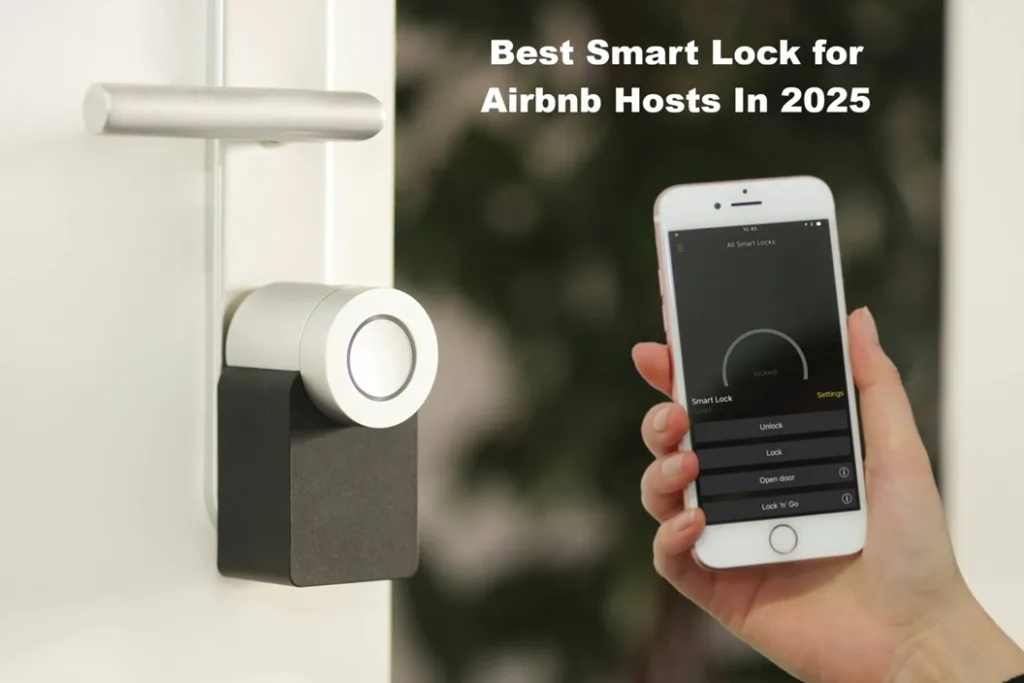
When you’re managing a listing on Airbnb, the difference between a smooth guest check-in and a last-minute scramble often comes down to one piece of hardware: the smart lock. Choosing the best smart lock for Airbnb isn’t just about fancy features—it’s about reliable access, guest peace of mind, and staying one step ahead of the unexpected.
In this article, I’ll walk you through everything you need to know—from what makes a smart lock ideal for short-term rentals, to the key features hosts report loving (and loathing). I’ll sprinkle in real host insights, personal stories, and practical decision-making tips so you come away not just informed, but confident. Let’s unlock the door.
Why a Smart Lock Matters for Your Airbnb Listing
You might already be hand-delivering keys, using lock boxes, or mailing codes. But moving to a smart lock brings multiple benefits:
- Contactless check-in: Guests can arrive on their schedule, enter a code (or tap their phone), and get settled without waiting for you. According to Airbnb’s own site, listings with connected smart locks see an average check-in rating of 4.95.
- Improved security and control: You generate unique, temporary codes for each guest. You can revoke access remotely. You can monitor when the door is unlocked. As one host put it on Reddit: “I have it generate and send every guest a unique code.”
- Reduced friction for guests + hosts: No key handoffs, no lost keys, no lock-box guesswork. You’re freeing up mental space and time.
- Better guest experience → better reviews: Smooth arrivals set a positive tone. That means happy guests, repeat bookings, and fewer late-night calls from panicked guests locked out.
But of course, not all smart locks are created equal—especially in the rental-market context. Let’s talk about the criteria that separate the good from the “oops we lost access, again” kind.
What to Look For: Smart Lock Criteria for Rental Hosts
When you search for “smart lock for Airbnb”, keep your eyes wide open. Here’s what matters most:
Compatibility & integration
Make sure your door style (deadbolt vs. cylinder vs. mortise) is supported. More importantly for Airbnb hosts: ensure the lock integrates with the Airbnb app (or your host tools). The homeautomation side is nice, but the rental-workflow side is critical. For example, the ability to set codes that expire exactly at checkout time.
Remote management & unique codes
The best locks allow you to: create per-stay codes, send them automatically (or easily), manage cleaner/staff codes, and log entries. One article noted:
“Remote lock monitoring provides an added layer of security… track entry logs and grant access to guests without being physically present.”
Connectivity & power reliability
WiFi built-in (rather than requiring a separate hub) is a plus. Battery life should be solid (6-12 months is typical). And there should be a backup entry method (physical key or keypad) in case of connectivity or battery failure.
Ease of installation & guest simplicity
You don’t want installation to take days, or to require your guest to download obscure apps or struggle with unfamiliar tech. The smoother for them, the better. Many hosts note that a simple keypad or code interface beats “install our app and authenticate via Bluetooth” when the guest just wants to drop their bags and relax.
Security credentials & reliability
Look for strong reviews, quality brand reputation, encryption/security features, and, if possible, rental-specific usage (hosts have tested it in the wild). One article summarises:
“Smart locks have become essential for Airbnb hosts … offering convenience, security, and contactless check-ins.”
Cost & total value
Yes, you’ll pay more than a standard deadbolt—but consider the savings: fewer lock-outs, fewer lost keys, less time coordinating check-ins, fewer late-night phone calls. That adds up.
Real-World Host Tips & “I wish I knew that” Moments
Here are a few practical host insights—because theory is nice, reality is richer.
- Tell guests about the lock ahead of time. When you switch to a smart lock, you’ll often change your workflow. Include a note in your arrival instructions: “When you arrive, enter code 1234 on the lock keypad…” It reduces first-time confusion and saves you messages.
- Have a backup method. One of my friends had a smart-lock firmware issue. Luckily, there was still a manual key override so that the cleaning team could get in.
- Label the battery access. Put a little note: “Battery low? Remove the panel, replace 4 AA batteries…”. Guests or cleaners can see it, and you avoid future lock-outs.
- Check guest-code expiry after checkout. Some hosts reported that codes remained active past checkout time because they forgot to sync reservations in their lock’s app. The integration matters.
- Install in a visible but discreet place. The lock should feel modern, not tacked on. A host said, “It gave a very tech-friendly first impression—guests commented on that.”
- Track access logs for cleaners/staff: Many locks allow you to schedule one-time codes for your cleaner. That’s especially useful if you host remotely.
Top Smart Lock Brands to Consider for Rentals
There are several strong contenders on the market. While I’m not listing every model, here are a few with solid reputations in short-term rental hosting:
- Yale — Their “Smart Locks for Airbnb Hosts” page explicitly covers rental use-cases: unique codes, scheduling, Airbnb-app integration.
- Schlage — Trusted brand, solid smart-lock line, good rental features.
- August — Known for retrofits, smartphone access, but check if its integration suits your Airbnb workflow.
- Smaller/alternative brands — Worth exploring if on a budget, but always check compatibility, support, and guest-workflow ease.
My Recommendation: The Best Smart Lock for Airbnb Hosts
If I had to pick one, based on all evidence, I’d go with a well-reviewed model from Yale (or Schlage) that supports direct Airbnb integration. Why? Because:
- It nails the key rental workflows (unique guest codes, automatic expiry, cleaner codes) thanks to Airbnb compatibility.
- It’s from a brand with a strong track record in door hardware (which helps with reliability + trust).
- It reduces friction for guests and hosts alike.
If budget allows, pick a model with built-in WiFi (no hub), good battery life, and an easy guest interface.
How to Set Up Your Smart Lock for Rental Success
Here’s a practical checklist to make sure your installation really works:
- Install the lock, following the manufacturer’s door-compatibility instructions (door thickness, deadbolt size, etc.).
- Connect the lock to your home WiFi (or set up its bridge/hub if required).
- Link the lock to your Airbnb listing via the host app: In your Arrival Guide settings, change check-in method to “Smart lock”. Choose your lock manufacturer and connect app accounts.
- Set up code-generation rules: each new booking triggers a unique access code for the guest, valid only during the stay.
- Set a cleaner/staff code schedule (e.g., valid only on Tuesdays, 10:00-12:00).
- Test with a mock guest arrival: generate a code, walk through the arrival process, lock/unlock.
- Prepare a short “how to use the lock” sheet for guests: keypad instructions, emergency key-override, and who to call if locked out.
- Monitor battery level and connectivity status regularly. Replace batteries before they fail (most monthly-host setups do this as part of their turnover checklist).
- After checkout, verify that the guest code has expired. Keep logs showing which codes were used when—it’s good for audit and dispute resolution.
- Add to your property manual: “If the internet is down, here’s how to use the physical key…”
Common Mistakes to Avoid
- Choosing a lock that doesn’t integrate with Airbnb-app code automation. You’ll end up manually creating codes and sending them each time.
- Overwhelming guests with an app they must download to enter the door. Less friction wins.
- Ignoring battery alerts. One host lost a guest at 11 pm because the lock died. Oops.
- Installing a cheap knock-off that lacks firmware updates or support. That’s a future headache.
- Failing to train cleaners/staff on code usage. If your cleaner gets locked out because the code has expired, you’ll have a mess.
- Assuming “keyless” means “no backup key.” Always have a physical fallback.
FAQs
1. What is the best smart lock for Airbnb rentals in 2025?
The best smart lock for Airbnb in 2025 will depend on your individual arrangement, but most experienced hosts prefer models such as the Yale Assure Lock 2, Schlage Encode Plus and August Wi-Fi Smart Lock. These locks stand out because they integrate directly with the Airbnb host tools, allowing you to automate guest access, generate unique temporary codes, and monitor entries from anywhere — no key exchange needed.
2. Why should Airbnb hosts use a smart lock instead of a regular lockbox?
Smart locks eliminate the headaches that come with physical keys and lockboxes. With a lockbox, keys can get lost or copied. With a smart lock, you create digital codes that automatically expire after checkout. It’s safer, cleaner, and gives guests a friction-free self-check-in experience — a huge plus for Airbnb Superhosts aiming for five-star ratings.
3. Do smart locks actually integrate with the Airbnb app?
Yes. Many top smart lock brands, including Yale, Schlage, and August, have official integration with Airbnb through the host platform. This means when a booking is confirmed, the system automatically creates a new access code for the guest that’s only valid for their stay. When the guest checks out, the code deactivates — hands-free security at its best.
4. Can I add a smart lock to my existing door without needing to replace anything else?
In most cases, the answer is yes. Retrofit smart locks (like the August Wi-Fi Smart Lock), are made to fit over your existing deadbolt. They keep your original keys but also let you use smart features from inside the house. This is ideal for rental properties or apartments when you cannot replace the entire lock assembly. Full replacement models like Yale Assure or Schlage Encode provide a cleaner look and keypad entry, but take a bit more installation time.
5. Are smart locks safe for Airbnb guests?
Absolutely — when you choose a trusted brand. To prevent hacking and illegal access, modern smart locks use encrypted communication, two-factor access control, and secure authentication. Furthermore, because you have remote access control, you can revoke admission codes at any moment, verify lock status, and receive notifications if anything strange occurs. It is actually safer than keeping spare keys under a mat or in a lockbox.
6. What happens if the Wi-Fi goes down or the battery dies?
The best smart locks include a physical key or a 9-volt battery slot so you can unlock them manually if needed. If the Wi-Fi connection goes down, most locks will still work with the codes saved in them. Just replace the batteries every 6 to 12 months, or when the app says the battery is low. A good idea is to keep a spare key somewhere safe, like with your cleaner or property manager, in case something goes wrong.
7. Do guests have to download an app to use the lock?
Not always. While some locks like the August series use mobile-app access, most Airbnb-friendly smart locks (like Yale Assure and Schlage Encode) allow entry via keypad PIN codes. Guests enter a four-digit code — no downloads, no Bluetooth pairing, no tech confusion. Always pick a model that aligns with your guests’ comfort level and tech familiarity.
8. How do I manage access for cleaners or maintenance staff?
That’s one of the smartest perks of going digital. With a smart lock, you can set up permanent staff codes that work only during certain hours or days. For example, your cleaner can have a code active every Monday from 10 a.m. to 2 p.m., while your handyperson’s code only works on Fridays: no key sharing, no confusion, no missed appointments.
9. Will installing a smart lock increase my Airbnb rating?
Indirectly — yes, and often significantly. Guests love effortless check-ins. When a host uses a smart lock, guests often mention “smooth arrival,” “easy access,” or “contactless entry” in their reviews. A good first impression can boost your overall experience and check-in ratings, leading to more repeat bookings and a better position in Airbnb search results. A smart lock is more than just convenient—it shows the quality of your hospitality brand.
10. How do I choose between keypad, fingerprint, and app-based smart locks?
For Airbnb rentals, keypad locks are the most practical choice. They don’t require your guests to download apps or have specific phones, and codes can be easily automated. Fingerprint locks sound futuristic, but aren’t ideal for short-term rentals — you’d have to register each guest manually. App-based locks are better suited for long-term stays or co-living spaces where users keep consistent access.
11. Are there subscription fees or hidden costs with smart locks?
Most smart locks do not require continuing subscription costs unless you choose a premium cloud-management solution. Some Airbnb-integration platforms (like RemoteLock or Yale Access) may charge a small monthly fee for automatic code syncing, but many hosts find it worthwhile for the automation and peace of mind it brings.
12. Which smart lock gives the best return on investment for hosts?
If you want the best return on investment choose a dependable, mid-range smart lock that balances functionality and durability, such as the Yale Assure Lock 2 with Wi-Fi or the Schlage Encode. They’re simple to install, durable for years, and quickly improve your hosting workflow. The time saved managing keys and check-ins repays the investment far faster than you might imagine.
Conclusion
In the world of short-term rentals, the simple yet powerful phrase best smart lock for Airbnb isn’t about the fanciest gadget—it’s about one thing: enabling seamless, secure, guest-friendly access while giving the host control, peace of mind, and less manual stress.
Investing in a quality smart lock might feel like a high upfront cost, but consider the ripple effect: smoother check-ins, fewer keys to manage, fewer anxious late-night calls, better reviews, better ratings. And when guests arrive effortlessly at a well-managed property, they start their stay with a good mood—a powerful thing in itself.
Whether you’re hosting one unit or a dozen, give this one decision the attention it deserves. Choose a lock that fits your door, supports your workflow, and puts your guest at ease from the moment they approach the front door. When that happens? You’ll know you picked the best smart lock for your Airbnb.
