
Consider returning home to a door that opens automatically as you arrive, eliminating the need to search for keys or store backup keys beneath the mat. That’s the promise of a smart door lock that provides a cutting-edge approach to home security enabled by the Internet of Things.
In fact, smart locks are becoming regular: the global smart door lock market is on track to hit about $3.1 billion by 2025. In this guide, we’ll walk you through everything from installation to daily use so that you can unlock the full potential of your smart lock.
What Is a Smart Door Lock?
A smart door lock is essentially an electromechanical lock with built-in connectivity. Unlike a traditional deadbolt that needs a metal key, a smart lock can be controlled by electronic means: think smartphone app, numeric code, fingerprint reader, or voice commands. In other words, it’s an IoT device for your door. According to Wikipedia, “a smart lock is an electromechanical lock designed to perform locking/unlocking operations … via an electronic keypad, biometric sensor, access card, Bluetooth, or Wi-Fi from a registered mobile device”. Yale Home adds that with a smart lock you can control access remotely – “you can lock or unlock your door with a simple tap on your smartphone” even when you’re miles away.
These locks often integrate with your home automation system. They may log events (who came in and when), trigger alerts if tampering is detected, and work with other smart devices like cameras or alarms. For example, many smart locks now send a push notification when the door is unlocked, and some even snap a photo of the person at the door. In short, a smart lock replaces that old-fashioned key with technology, giving you keyless entry, real-time monitoring, and the freedom to manage your door from anywhere.
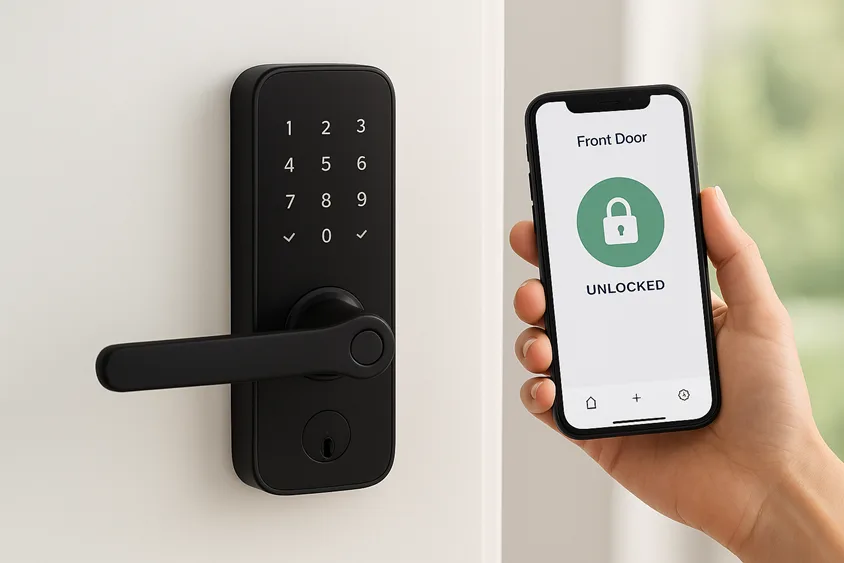
The image above showcases a typical smart door lock with a touchscreen keypad and accompanying smartphone app. You can see the lock’s numeric panel and a mobile app indicating the “Front Door (Locked)”. This illustrates how a connected lock works in tandem with your phone for remote control.
Why Choose a Smart Door Lock?
Convenience and Peace of Mind
Forget hiding keys under the doormat. Smart locks offer keyless entry – unlock by PIN code, fingerprint, or phone – so you never have to dig through your bag in the rain. If you do have your hands full, you can even use a voice assistant: for instance, you might say “Alexa, lock the front door,” and it obeys (behind the scenes, it’s still encrypted for security). Busy parents, travellers, and vacation homeowners especially love this. One ADT scenario warns against the old “hide-a-key” trick (any burglar can find it!), suggesting instead that smart locks let you set unique codes for guests and remove them later.
Remote Access and Alerts
Thanks to Wi-Fi or a connected hub, you can control and monitor your lock from anywhere. ADT points out that you can check your door’s status from the airport and lock it with a tap if needed. Similarly, Yale notes you can manage your door via app “whether you’re at home, at work, or on vacation”. Most smart locks will even text you if someone arrives or if the door is left open. Imagine getting a ping when your kids come home, or receiving an alert if the lock is tampered with – that’s the enhanced security these devices provide.
Custom Access Management
Need to let in the housekeeper or a dog walker? You can grant temporary access. The lock’s app lets you program one-time codes or schedules. For example, Lockly (a smart lock maker) explains that you can give a plumber a code that only works this afternoon, or grant your parents a year-long code and then revoke it at any time. Yale also mentions this, saying you can “easily grant temporary access” for guests and then disable it. This is perfect for Airbnbs or rentals: instead of meeting guests or making copies, send them a digital key. ADT specifically notes that with a smart lock, “you can set unique access codes to tell who is coming and going” – an Airbnb host’s dream.
Security Upgrades
On the safety side, smart locks bring extra features. Many models auto-lock themselves when the door closes, eliminating the worry, “Did I remember to lock it?” ADT explicitly recommends programming an auto-lock reminder or schedule, because it “eliminates the possibility of forgetting to lock the door”. They also often include tamper alerts (if someone jiggles the lock or enters the wrong code too many times) and integrate with your home security system. Unlike a flimsy plastic spare key, these digital measures can be much harder for intruders to defeat.
In fact, experts note that smart locks often use the same 128/256-bit AES encryption found in banking. They might use Bluetooth Low Energy (BLE) and SSL-secured communication methods [5]. Many of them also have two-factor authentication (2FA), such as a passcode along with a fingerprint or a code paired with the presence of your phone. A specialist said, “Smart locks can be hacked, but modern systems use encryption for communications and require multi-factor authentication, which makes it very difficult for someone to get in without permission”. We’ll cover security more below, but the bottom line is this: a reputable smart lock adds layers of protection, not less.
Statistically, consumers are voting with their wallets. According to recent market data, the smart lock segment is growing steadily at a 16.8% CAGR, with revenue expected to increase from ~$2.3B in 2023 to $3.1B by 2025. Clearly, people are embracing this technology. A smart door lock can be a game-changer if you value ease and improved security.
Installing Your Smart Door Lock
- Choose the Right Lock: First, make sure the model you buy fits your door. Most smart locks replace a standard deadbolt, so your door should have a conventional latch hole (typically 2-1/8 inches in diameter). Check the lock’s specifications for door thickness and backset (the distance from the edge). Some locks retrofit (like the August lock) and only replace the interior part, while others replace both sides of the deadbolt (like Yale or Schlage models).
- Prepare Your Door: Ensure your door and frame are aligned and close smoothly. ADT notes that if a door needed extra “coaxing” to close before, you may need to adjust or trim the door/frame so the bolt isn’t jammed. This alignment is crucial for the new electronic latch to work reliably.
- Remove the Old Lock: Using a screwdriver, take off the interior latch assembly and strike plate. Save the screws – most smart locks use them. Remove the external hardware as well. Put the old lock aside (it’s wise to keep it as an emergency backup).
- Attach the New Hardware: Follow the manufacturer’s directions carefully. Typically, you’ll insert the new deadbolt latch into the door edge and then push the outer lock section (keypad or scanner side) through the door. Next, attach the inside piece on the opposite side. Line up the screw holes and secure all items tightly. Many locks have a mounting plate that screws into the door, and the exterior unit snaps onto it.
- Insert Batteries: Most smart locks run on AA or 9V batteries hidden under a cover. Slide off the cover and install fresh batteries. You’ll usually hear a beep or see an LED flash when power is connected.
- Test the Bolt: Manually test the lock’s motor: press “Lock” and “Unlock” buttons or rotate the thumbturn a bit. You should hear the motor turn and the bolt retract and extend. If it’s stuck, adjust the strike plate or latch alignment as needed.
ADT points out that electrically, these locks operate like your old lock – the mechanics are the same – so in many cases, installation is straightforward once aligned.
Tip: keep your manual handy. If you’re not comfortable, remember that professional installation services (like ADT’s) are available, even same-day.
Connecting and Setting Up
Once the lock has been physically placed, it is time to connect it to your network and configure it.
- Download the application: Get the lock’s official mobile app (available for iOS and Android). Create an account if necessary.
- Pair with the Lock: Follow the app’s instructions to pair with the lock via Bluetooth or direct Wi-Fi connection. Many locks send out a transient Bluetooth signal during initial setup.
- Connect to Wi-Fi (if applicable): If your lock has built-in Wi-Fi, use the app to log into your home Wi-Fi so you can control it over the internet. (If not Wi-Fi enabled, some locks require an optional hub or use protocols like Z-Wave or Zigbee to connect; these hubs then join your Wi-Fi.) Most smart locks support one of these wireless standards – in fact, ADT notes that they often use Bluetooth, Wi-Fi, or Z-Wave to communicate. If yours is Z-Wave/Zigbee, you’ll pair it with your smart home hub instead.
- Set Master Credentials: Many locks let you set up a “master code” or PIN and/or a fingerprint. Choose a strong PIN (avoid easy sequences) and store any default passwords safely.
- Add Access Codes: In the app, create user codes (or fingerprints/cards) for household members. You can label them (e.g., “Kids” or “Cleaning Staff”) so you know who used the code. Yale mentions you can change or delete codes at any time – for example, delete a babysitter’s code after they no longer need it.
- Enable Alerts and Auto-lock: Turn on push notifications in the app so you’ll be alerted if someone locks/unlocks the door. Many apps also let you set an auto-lock timer (ADT suggests auto-locking after a set interval to avoid forgetting). You might also enable geofencing: some apps can detect your phone’s location and unlock the door when you arrive.
- Integrate Voice and Home Assistant (Optional): If you have Alexa or Apple HomeKit, link your lock in those apps. For example, use the Alexa skill or Google Home integration to control the lock by voice or include it in routines. As Lockly notes, voice-enabled locks allow simple commands like “lock the door,” all secured under the hood[7].
- Explore Advanced Settings: Some locks let you set up user schedules (code only works on weekdays, or only for the next hour). Others can send logs of entry times. Dive into settings: privacy modes (like disabling the keypad), auto-unlock, and more.
Keep your lock’s firmware and app updated – just like any smart device, updates patch security and improve performance. After setup, please give it a dry run: lock and unlock a few times from the app, try entering codes manually, and make sure everything feels smooth.
Using Your Smart Door Lock
Unlocking and Locking
With everything set up, using a smart lock is mostly effortless.
- To unlock, you can tap your phone app or enter your PIN on the lock’s touchscreen, and the motorized bolt will retract automatically. Fingerprint models only need a quick scan. Many locks also support proximity unlocking: your phone’s Bluetooth can signal the lock to open as you approach (great when your arms are full of groceries.
- For locking, close the door, and the lock will auto-engage if auto-lock is enabled, or you can press “Lock” on the app or voice command.
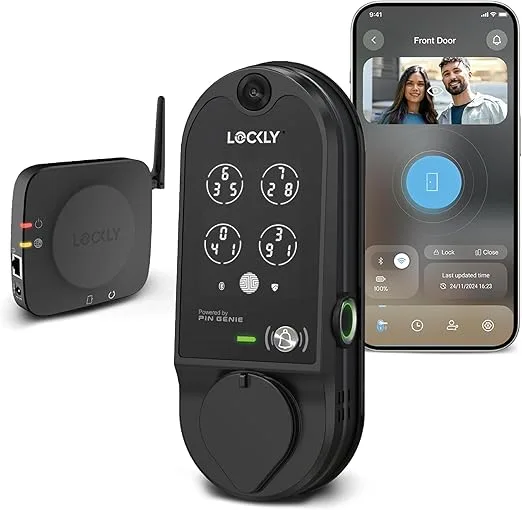
Image credits: www.amazon.com
This image shows a Lockly smart lock with its touchscreen and mobile app. In daily life, you might type in your code on the lock, or tap the lock icon on your smartphone – either way, the door clicks open without a key. Notice the app screen: many smart lock apps give you a clear “Locked/Unlocked” status.
As you use it, you’ll notice the convenience: personally, I often get a notification like “Front Door is Locked” right after I close it, which is a nice confirmation. You can also see an entry log in the app and receive alerts. For instance, ADT highlights that many locks send mobile alerts so you know “when someone is in the house who shouldn’t be” or when the kids get home. If my teen comes home late, I get a ping that she unlocked the door at midnight – very reassuring!
Voice Control and Automation
Many smart locks can work with digital assistants. After integration, try saying, “Alexa, check front door lock.” For example, I set up my routine so saying “Goodnight” triggers all lights off and locks the door – and yes, it works flawlessly. Lockly confirms these voice features, emphasizing hands-free commands while retaining encryption security.
You can also create automations: e.g., “When I say ‘Away,’ the door locks and the alarm arms,” or “Unlock the door at 7:30 AM weekdays.” Some systems allow creating scenes or using services like IFTTT to tie your lock to other gadgets. The possibilities here mean your smart lock can become a core part of your smart home’s daily flow.
Sharing Access on the Fly
Need to let someone in remotely? Pull up the app and either unlock the door for them or send a temporary access code. During vacation, I once gave my brother a code that only worked while I was gone; when I returned, I deleted it. Lockly highlights this flexibility: “Grant one-time access to visitors, delivery workers, maintenance crews, etc. … The one-time code can be easily shared and deleted after it has been used”. Likewise, Yale notes temporary codes are “especially great if you have kids or relatives visiting”. It’s that easy – no need for spare metal keys or repeat visits.
Advanced Features
Some locks have fingerprint scanners or even facial recognition (Yale’s Luna Pro+ model, for instance). If yours does, enrol your fingerprints in the app setup for one-tap access. Locks with built-in illumination (backlit keypads) help at night. You might also take advantage of monitoring: if someone enters the wrong code too many times, some locks can automatically send an alert.
Finally, integrating a smart lock with a smart doorbell camera creates a powerful combo. As ADT points out, “if integrated with a smart doorbell camera, you can even unlock your door remotely when a delivery driver arrives with a package”. So you could see a stranger at the door, and tap “Unlock” from the airport to let your dog walker in – all recorded on camera.
Security and Privacy
It’s natural to wonder about security. Let’s address the big concerns:
- Encryption & Authentication: Modern smart locks use strong encryption (often the same 128-bit or 256-bit AES used in banking). For wireless links, they rely on secure Bluetooth Low Energy and SSL/TLS channels. In practice, that means your unlock signal is scrambled so eavesdroppers can’t sniff the code off the air. Also, most locks require multiple factors – maybe a PIN and your paired phone present, or a fingerprint and a user code.
- Hacking Risks: Could a hacker open your door? Technically, nothing is 100% foolproof, but reputable locks make it extremely hard. As elemakelocks puts it, “no device is completely unhackable, but smart lock signals use high-level encryption and two-factor methods, so unauthorized entry is very unlikely without physical access”. Keeping your app account secured with a strong password (and two-factor auth if available) adds another layer. Regularly update the lock’s firmware and your router’s software too – these patches fix any vulnerabilities as they arise.
- Battery and Power Failures: What if the batteries die or the power goes out? Most smart locks run on battery power (you should replace them every 6-12 months). Both Yale and ADT emphasize that smart locks will alert you when the battery is low, giving you plenty of time to replace them. If, despite that, the battery runs out, the lock stops moving. It remains in whatever state it was last (locked or unlocked) until you put in new batteries. For peace of mind, remember that most smart locks still include a traditional key slot. So if the worst happens, you pop in the backup key or even open another door – you are never completely locked out.
- Loss of Internet: If your Wi-Fi goes down, don’t panic. You can still lock/unlock via the touchscreen keypad or the physical key. ADT notes: “Should anything happen with your lock’s internet connection, you can still operate it manually or with the keypad, and then troubleshoot later”. The lock’s core functionality doesn’t vanish just because the router did – it falls back on local access controls.
In summary, follow best practices: create strong PINs, keep firmware updated, and only use trusted networks. Also, ensure the company behind your lock has a good privacy policy – they should not be collecting or selling your data irresponsibly. When chosen and managed properly, a smart lock can be very secure while providing far more monitoring and control than a conventional lock ever could.
Troubleshooting and Maintenance
Even the best tech can hiccup. Here are some quick fixes:
- Lost Connectivity: If your app suddenly can’t reach the lock, first check your home network (router status) and that Bluetooth is on. Sometimes simply powering the lock off and on (removing and replacing batteries) re-establishes the link. Also, ensure the lock and your smartphone are both on the same ecosystem (some locks can toggle between Bluetooth-only mode).
- Sticky Lock or Motor Jams: If the lock is slow or doesn’t fully lock, clean the latch area and check alignment. A bit of lubricant (non-greasy) on the deadbolt can help. If it still sticks, you may need to loosen the mounting screws and realign the hardware per the manual.
- Keypad or Sensor Fails: Fingerprint readers might get dirty; wipe them gently. If codes aren’t working, verify the lock is awake (some have a standby mode) and that Num Lock is on (for touchscreen models). You may re-enter codes in the app to be sure. If persistent, reboot with new batteries.
- Battery Drain: If you notice rapid draining, remove batteries and check for alerts or warnings. Some locks allow you to check battery health via the app. Always use recommended battery types (for example, some locks insist on alkaline AA or Li-ion rechargeable packs). If the drain is abnormal, it could hint at a Wi-Fi signal issue (constant reconnecting) or a faulty battery pack.
- Resetting the Lock: Each model has a reset procedure (often holding a button while inserting a battery). Use this as a last resort. After reset, you’ll need to re-pair and reconfigure codes.
- Contact Support: If problems persist, the lock manufacturer’s support line or website might have answers. Because smart locks involve hardware and software, some companies also offer professional support or warranty replacement if there’s a defect.
Regularly check for firmware updates via the app – they can improve battery life and connectivity. And it’s wise to test your backups now and then: make sure your spare keys still fit, and that any allowed user codes still work as expected.
Choosing the Right Smart Lock
There’s a smart lock for almost every door and budget. Here are some buying tips:
- Retrofit vs Full Replacement: If you want a simple install and already have a good deadbolt, consider a retrofit model (e.g. August, Yale Linus). If you prefer all-new hardware or need a more traditional look, a full-replacement lock (e.g., Schlage Encode, Yale Assure) might suit you. Yale’s own lineup, for instance, spans from retrofit kits to touchscreen and fingerprint deadbolts.
- Connectivity: Decide if you need built-in Wi-Fi (no hub required) or if you’re using a smart home hub (Z-Wave/Zigbee). Wi-Fi locks (like many Schlage and August models) connect directly but may use more battery. Z-Wave locks (like many Kwikset/Schlage in security systems) require a hub but can be more stable and low-power.
- Power Source: Some locks use AA batteries, others have rechargeable packs. Check the battery life specs. Models with emergency power ports (USB backup) can be handy.
- Features: Keypad, Fingerprint, Apple HomeKit compatibility, and Voice assistant support? Decide which features matter. Remember, you’ll also want good app reviews and reliable customer support.
- Security Ratings: Look for locks rated ANSI Grade 1 or 2 for durability. Also, check if independent labs have tested them for hacking (some companies publish security whitepapers).
In the end, the best smart lock is one that fits your door, budget, and lifestyle. The good news is that even basic smart locks start around $150, while advanced models with video or biometrics go higher. As demand grows, prices have come down, making this tech very accessible.
Conclusion
Switching to a smart door lock can truly simplify your life and give you peace of mind. No more broken keys, no more hiding spares, and no more second-guessing “did I lock the door?” You can be anywhere – even on vacation – and still know and control who has access to your home. There’s definitely a learning curve when you first set it up, but once it’s working smoothly, you’ll probably wonder how you ever managed without it.
In the end, moving to a smart lock is an investment in both security and ease of use.
Security experts say that when used correctly, these locks can actually make your home safer than a regular deadbolt. As ADT notes, partnering with a smart lock gives you enhanced personal safety and convenience. Imagine texting a code to a friend instead of leaving a key under the mat, or glancing at your phone to see that the kids have safely arrived home.
Ready to make the switch? Check out our recommended smart locks or visit your favourite home improvement store. Many brands (Yale, August, Schlage, etc.) offer a range of options – from budget-friendly models to premium smart deadbolts with fingerprint scanners. If DIY feels daunting, you can even hire a pro (ADT and other companies offer installation services).
Don’t wait: secure your home with a smart lock and unlock a smarter, safer lifestyle. Say goodbye to keys and hello to convenience. Your front door – and your peace of mind – will thank you.
Frequently Asked Questions
What exactly is a smart door lock?
A smart door lock is an electromechanical lock that replaces or upgrades your standard deadbolt. It connects to your Wi-Fi or smart home system, allowing you to lock/unlock with a smartphone app, PIN code, fingerprint, or voice assistant. Think of it as a secure lock you can control remotely without any keys.
How do I install a smart door lock?
Most smart locks replace your existing deadbolt. Installation frequently entails removing the old lock before attaching the new lock’s mounting hardware and inserting batteries. You’ll need a screwdriver. Most locks come with simple instructions. ADT notes it’s often as simple as swapping parts, since the mechanics are the same. Just be sure to align the door and strike plate properly; otherwise, the bolt might bind. If unsure, a professional installer can help, and some companies (like ADT) even offer same-day service.
Can I still use my regular key with a smart door lock?
Yes. Most smart locks include a mechanical keyhole as a backup. If the batteries die or your phone isn’t handy, you can use the key like normal. In fact, ADT points out that the lock will stay in its last state if power is lost – and if it’s locked when that happens, use the backup key to enter.
Do smart door locks work without the internet?
They do, but features differ. If your Wi-Fi goes out, you can still use the lock’s keypad, fingerprint, or mechanical key to operate it. You won’t have remote control until the connection returns. If your lock uses Bluetooth or a hub (Z-Wave/Zigbee), you can still lock/unlock locally. Internet loss mostly only prevents you from controlling it from far away.
What happens if the battery dies?
Smart locks send low-battery alerts in the app, so you’ll know when to change them. If you miss the alert and the batteries fully drain, the lock will stop working electronically, but stay in its last position. For example, if it was locked, it stays locked. You then replace the batteries to get it working again. You can also use the mechanical key as a backup if needed.
Are smart door locks safe and secure?
When chosen and set up properly, smart locks are generally very secure. They use strong encryption (often AES 128/256) and can require multiple authentication factors (codes, biometrics, phones). Of course, no system is foolproof – but smart locks give you more ways to monitor and control access. For example, you’ll get an alert on your phone if someone enters. Experts advise using complex codes, updating firmware, and buying reputable brands. According to elemakelocks, it’s extremely unlikely for someone to hack a modern smart lock due to these layered protections.
How do I let someone else in (like guests or a repair person)?
Use the lock’s app to create a new access code or “digital key.” For example, you might give your dog walker a 4-digit PIN that only works during the week, or an Airbnb guest a one-time code. Lockly explains that you can even set time windows for each code. Once they’re done, you can delete or change that code instantly via the app—this way, you never have to hand out physical keys.
Do I need a smart hub or bridge for the lock?
It varies with the model. Some smart locks include built-in Wi-Fi and can connect straight to your Wi-Fi. Others are Bluetooth-only, so you must be near the lock to use the app. A third type uses Z-Wave or Zigbee and requires a smart home hub (such as SmartThings). Check your lock’s specifications to check if it is compatible with Wi-Fi. If not, you may need to add the maker’s hub or use your home security hub for remote features.
How long do smart lock batteries last?
Typically 6 months to a year, depending on usage. Locks that connect via Wi-Fi tend to use more power than Bluetooth-only models. Many apps can tell you the battery percentage, or the lock beeps when power is low. Plan to replace batteries (usually AA alkalines or a rechargeable pack) when you get a low-battery alert. It’s a good idea to keep spare batteries on hand.
Are smart locks worth it?
If convenience and flexible access are priorities, then absolutely. Smart locks pay for themselves in saved time and hassle. No more worrying about lost or duplicated keys, and you’ll know exactly who comes and goes. According to industry sources, smart locks offer both safety and convenience improvements that outweigh their cost. Many homeowners find the extra peace of mind – being able to lock and unlock doors anywhere – invaluable.
