
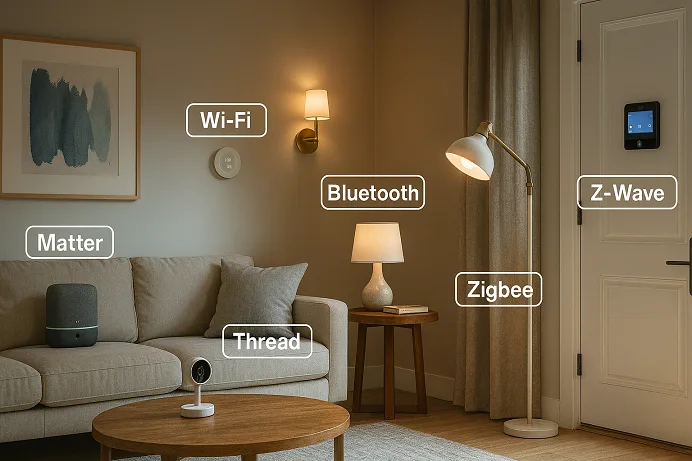
Welcome to the fast-changing world of smart homes! If you’ve ever felt confused by acronyms or frustrated when a device won’t connect, you’re not alone. Picking the right smart home protocol—the way your devices talk to each other—can either help you achieve your automation dreams or leave you stuck. From streaming a movie in one room to locking the door in another or tracking your home’s air quality, the protocol you choose is at the heart of it all.
In this definitive guide, we’ll break down the leading protocols—Wi-Fi, Bluetooth, Zigbee, Z-Wave, Thread, and the much-hyped Matter—to help you select the right backbone for your current needs and future plans. Whether you’re just dipping a toe in (hello, smart bulbs!) or building a comprehensive, future-proof ecosystem, you’ll find practical advice, real-world examples, and the latest best practices here.
We’ll unpack the what and why of protocols, explore their strengths and tradeoffs, compare them side by side, and answer the burning questions users are googling right now. Ready to make your home not only smarter but smarter by design? Let’s dive in.
- Why Protocols Matter in Smart Homes
- Wi-Fi in Smart Home Ecosystems
- Bluetooth for Home Automation
- Zigbee Protocol Overview
- Z-Wave in Smart Homes
- Thread Networking Standard
- Matter: The Interoperability Framework
- Side-by-Side Comparison Table
- How to Choose the Right Protocol for Your Smart Home
- FAQs
- Conclusion
Why Protocols Matter in Smart Homes
Smart homes promise convenience, efficiency, and seamless control—from a single tap on your phone or a quick voice command. None of that magic is possible, though, without robust, secure communication protocols behind the scenes.
So what is a smart home protocol, really?
At its core, a smart home protocol is a set of rules and standards that dictate how your devices exchange information. Think of it as a universal translator or a shared language. Devices “speaking” the same protocol can discover each other, communicate, authenticate, and work together—regardless of manufacturer.
But why does this matter so much? Simply put:
- Interoperability: The cornerstone of a smart home. Mixing and matching brands? Protocols like Zigbee or Matter allow that flexibility, eliminating manufacturer lock-in.
- Reliability: A robust protocol keeps your lights, locks, and alarms talking—even if your Wi-Fi is spotty or the power flickers.
- Security: Smart homes are only as secure as the weakest link. Modern protocols offer end-to-end encryption, secure joining, and regular security updates to keep intruders at bay.
- Efficiency and Coverage: Some protocols are “sippers” (great for battery-powered door sensors), while others are “guzzlers” (Wi-Fi, anyone?). The right protocol ensures your security sensor doesn’t go dead after two weeks.
- Ease of Use and Future-Proofing: Protocols like Matter aim to make smart homes “just work,” even as you add more devices over time.
In short, picking the right protocol is like picking the foundation of your house. Every smart device you add relies on it!
Wi-Fi in Smart Home Ecosystems
If there’s one technology every home already has, it’s Wi-Fi. Thanks to the widespread adoption of IEEE 802.11 standards and the ubiquity of wireless routers, Wi-Fi has become the default choice for many smart devices.
How Wi-Fi Works for Smart Homes
Wi-Fi connects devices over 2.4GHz, 5GHz, and, more recently, 6GHz frequency bands (Wi-Fi 6/6E). Most smart home gadgets—think video doorbells, security cameras, speakers, streaming boxes, and some plugs—lean on Wi-Fi to join your home network and access the internet.
- Strengths:
- High bandwidth: Great for video streaming, voice assistants, or high-data-transfer applications.
- Universality: Most households already have a Wi-Fi network.
- No Hub Required: Devices connect straight to your router—no need for an extra gateway.
- Remote access: Control your smart devices from anywhere via your phone and the cloud.
- Limitations:
- Power consumption: Wi-Fi is notoriously power-hungry. Devices like sensors or locks that run on batteries won’t last long.
- Congestion: Too many devices on your Wi-Fi can slow things down—think dozens of Wi-Fi bulbs, video doorbells, and laptops fighting for airtime.
- Range: While 2.4GHz Wi-Fi travels farther and through walls better than 5/6GHz, large homes or buildings with thick walls can pose challenges.
- Security: Dependent on router-level WPA2/WPA3 encryption and your own hygiene (passwords, updates).
Practical Examples
- Good Fit: Smart TVs, streaming boxes, security cameras, smart speakers, and always-powered devices.
- Not So Good: Battery-powered sensors, buttons, locks (unless you’re OK changing batteries constantly!).
Latest Trends
Wi-Fi 6 (802.11ax) and Wi-Fi 6E (with 6GHz) offer higher capacity and reduced interference, making them more suitable for dense smart homes. Dual-band and tri-band routers now include features like band steering and mesh networking to smooth performance.
Bluetooth for Home Automation
Bluetooth is nearly as ubiquitous as Wi-Fi, living in our phones, tablets, and even our wearables. For smart homes, it mainly takes centre stage through its low-power cousin: Bluetooth Low Energy (BLE).
How Bluetooth/BLE Fits In
- Bluetooth Classic: Good for high-bandwidth, short-range connections—think headphones or speakers.
- Bluetooth Low Energy (BLE): Designed for ultra-low-power, intermittent communication. Ideal for sensor data, proximity detection, and initial pairing of devices.
Strengths
- Low Power: BLE’s efficiency allows sensors, locks, or trackers to run for months or years on a coin cell battery.
- Direct Pairing: Devices can talk directly to your phone or a central hub. Many devices use BLE for setup and onboarding—even if they switch to another protocol afterwards.
- Cost-Effective: No need for additional hubs for basic tasks.
- Growing Ecosystem: Smart locks, buttons, beacons, fitness trackers, and even some lighting or thermostats leverage BLE for core functions.
Weaknesses
- Short Range: Typically 10–30 meters indoors with obstacles; not ideal for whole-home coverage.
- Limited Mesh Capabilities: Bluetooth Mesh exists, but it’s still finding traction in consumer smart homes.
- Bandwidth: Not suitable for video streams or large data transfers.
- Reliance on Gateway/Hub for Automation: BLE-only devices need a smartphone or dedicated hub in the vicinity for full automation or remote access.
Real-Life Examples
- Bluetooth Smart Lock: Unlock your front door with your phone or a fob, sometimes offering auto-unlock as you approach.
- BLE Sensors: Door/window sensors, buttons, or presence detectors.
- Conference Mode: Some smart speakers or bridges act as BLE/Bluetooth gateways, onboarding devices and then managing them locally or via Wi-Fi.
Zigbee Protocol Overview
Zigbee is a low-power, mesh-networking protocol that has long been a favorite for whole-home automation enthusiasts and major brands like Philips Hue, Aqara, and even Amazon Echo devices.
Zigbee Essentials
- Mesh Network: Every (non-battery) device can act as a repeater, allowing the network to cover a far greater area than Wi-Fi or Bluetooth could alone. The more powered devices you add, the stronger the mesh!
- Low Power: Excellent for battery-powered gadgets that need to operate for months or years—think sensors.
- 2.4GHz Band: Uses the globally available 2.4GHz frequency, but can also employ sub-GHz in some regions.
Strengths
- Excellent Coverage: Mesh networks allow signals to hop through multiple routes, making them great for tricky layouts or large homes.
- Reliable and Proven: Used by thousands of products across hundreds of brands. The Zigbee Alliance (now the Connectivity Standards Alliance, CSA) certifies interoperability.
- Versatile Device Support: Bulbs, plugs, switches, sensors, remotes, and more.
- Security: AES-128-bit encryption, with updated commissioning processes and key negotiation in recent versions for added safety.
- Local Control: Devices keep working even if your internet goes down, as long as the hub is running.
Limitations
- To use Zigbee devices, you typically need a hub or coordinator that connects your router to the Zigbee devices.
- The 2.4GHz frequency is used by many devices like Wi-Fi and microwaves, so it can get crowded, which might slow down the system’s performance. Where you put the devices and which channel you choose can make a big difference.
- Also, some older devices or specific manufacturer settings can cause compatibility problems.
Real-World Applications
- Philips Hue and Friends: Lighting, sensors, switches, and plugs.
- Aqara/SmartThings/Echo Hubs: Extensive ecosystems geared toward reliable automation.
Market Context
With over 4,000 certified products and billions of chips shipped, Zigbee’s mature ecosystem is a safe bet—especially if you want reliable local automation and a wide variety of gadgets.
Z-Wave in Smart Homes
Z-Wave is sometimes called Zigbee’s quieter cousin: less well-known, but popular for security panels, locks, and robust whole-home solutions in North America and Europe.
The Z-Wave Approach
- Sub-GHz Operation: Uses 868/915/919 MHz frequencies (depending on region), which helps it avoid Wi-Fi and Zigbee interference.
- Mesh Network: Like Zigbee, every mains-powered device is a repeater, extending range and offering redundancy.
- Strong Security: S2 security framework (AES-128 encryption plus Diffie-Hellman key exchange), designed specifically for smart homes.
Pros
- Interference-Free: By working below 1GHz, Z-Wave often delivers more stable connectivity in crowded environments.
- Two-way Communication: Devices acknowledge commands (i.e., “acknowledge that the door has locked”).
- Self-Healing: If a device drops out, the mesh reroutes automatically.
- Compatibility: Rigorous certification means any Z-Wave controller can talk to any Z-Wave device.
Cons
- Proprietary Standard: Unlike Zigbee, Z-Wave is not fully open-source. Device choice is broad, but not as massive as Wi-Fi or Zigbee.
- Hub Required: You need a Z-Wave controller or compatible hub (SmartThings, Hubitat, Homey, etc.).
- Device Limit: Classic Z-Wave networks supported up to 232 nodes (plenty for most), while new Z-Wave LR extends this dramatically.
Where Z-Wave Shines
- Locks and Security: Z-Wave’s reliability and security make it the protocol of choice for many smart locks (Schlage, Yale), security panels, motion sensors, and sirens.
- Energy Management: Thermostats, meters, and switches.
- Lights and Controls: Lighting, plugs, shades, and smart outlets.
Ecosystem
Z-Wave continues to be a strong choice for serious automation and security because it has over 3,000 certified devices and works with big names like Samsung SmartThings and Ring.
Thread Networking Standard
Thread is the new kid shaking up the mesh protocol scene, designed for large-scale, secure, and scalable smart home networks. Its true superpower? The Thread is IP (IPv6)-based, making it “internet native” from the start.
Inside Thread
- Mesh Networking: Like Zigbee and Z-Wave, Thread creates a self-healing mesh, but with modern twists—dynamic leader roles, border routers, and seamless integration with the internet.
- 2.4 GHz Band: Uses the reliable, global 2.4 GHz spectrum.
- IPv6 at Heart: Every device gets its own address, integrating with IP networks and internet/cloud services.
Why Thread Matters
- IP Native: Thread devices can speak to Wi-Fi/Ethernet/cloud services natively, with no complicated translation.
- No Single Point of Failure: Multiple routers and border routers mean your network keeps humming—no “hub is down, home is offline” moments.
- Secure by Design: AES-128, mandatory device commissioning, and authenticated joining.
- Energy Efficient: Optimized for low-power, “sleepy” end devices that wake only when needed—great for sensors and battery-operated gadgets.
- Matter Ready: Thread forms the backbone for the newest interoperability standard, Matter.
Thread vs Zigbee at a Glance
Both use mesh networking, but Thread leverages dynamic leadership and IP networking for greater resilience, lower latency, and simpler integration with cloud and remote management services.
The Ecosystem
While the device catalog is still catching up to Zigbee and Z-Wave, Thread is rapidly gaining support: Apple HomePod Mini, Nest Hub (2nd gen), Nest Wi-Fi Pro, Nanoleaf, Eve, Aqara M3, and more. These “Thread Border Routers” are key, acting as bridges between your Thread mesh and the wider world.
Matter: The Interoperability Framework
If you’ve heard a buzz about “Matter” but don’t know what it means, you’re in good company. Matter is the industry’s ambitious answer to fragmentation—the dream of a smart home where your devices “just work” together, no matter who made them.
What Exactly is Matter?
- Open Standard: Developed by the Connectivity Standards Alliance (CSA, formerly Zigbee Alliance), with founding members including Apple, Google, Amazon, and Samsung.
- Works Over: Wi-Fi, Ethernet (for high-bandwidth), and Thread (for secure, low-power mesh).
- IP-Based: Devices talk directly over your home’s IP network, bypassing translation layers.
- Unified Application Layer: The smarts (control, status, automation) are standardized, so a Matter bulb is controllable from any Matter app or system—even across brands.
- Multi-Admin: Matter enables simultaneous control from multiple platforms (Apple Home, Google Home, Alexa, SmartThings, etc.).
Core Benefits
- True Interoperability: Buy a bulb from Brand X and know that it will work with your favourite hub from Brand Y.
- Security: End-to-end encryption, PKI device attestation, OTA updates, and more.
- Local Control: Most interactions work on your local network—even if the internet goes down.
- Future-Ready: New device types and features are being added every few months. Matter 1.4 (August 2025) added energy management, kitchen appliances, and enhanced security, to name a few.
Limitations
- Certification Required: Devices need to be approved to use the Matter logo, which deal with reliability but might slow things down for companies.
- Device Support: While growing fast, not every device or feature is available yet (e.g., cameras and robot vacuums are just getting full support in Matter 1.3/1.4).
- Bridges Still Relevant: Existing Zigbee/Z-Wave/Bluetooth devices can participate via a Matter bridge, but not all products are updating.
Where Matter Excels
- Unified Control: Use Google Home, Alexa, and Apple Home simultaneously for the same bulb or lock.
- Single App Onboarding: Scan a QR code; the device joins your home in seconds.
- Seamless Automations: Devices from different ecosystems can trigger and control each other.
- Easy Expansion: Add devices from your brand of choice; backwards compatibility is a Matter goal.
In the Real World
Matter is already rolling out to millions of devices on leading smart home hubs (Apple HomePod, Google Nest, Samsung SmartThings, Amazon Echo, and more). Industry analysts expect this cross-ecosystem interoperability to dominate the market in the next two years.
Side-by-Side Comparison Table
| Protocol | Network Type | Frequency Band | Power Efficiency | Topology | Compatibility/Local Control | Max Data Rate | Security | Typical Use Cases | Limitations |
|---|---|---|---|---|---|---|---|---|---|
| Wi-Fi | Star | 2.4GHz/5GHz/6GHz | Low | Star | High/both | Up to 9.6 Gbps (Wi-Fi 6E) | WPA2/WPA3 | Video/audio, cameras, voice | Power-hungry, network congestion |
| Bluetooth LE | Star, Partial Mesh | 2.4GHz | High | Star/Mesh | Moderate/local | Up to 2 Mbps | AES-CCM | Locks, sensors, setup | Short range, hub often required |
| Zigbee | Mesh | 2.4GHz (main),Sub-GHz | High | Mesh | High/local | 250 kbps | AES-128 | Lighting, sensors, plugs | Requires hub, 2.4GHz interferes |
| Z-Wave | Mesh | Sub-GHz (868/908/915 MHz) | High | Mesh | High/local | 100 kbps | AES-128/S2 DH | Security, energy, locks | Fewer devices, hub required |
| Thread | Mesh | 2.4 GHz | Very High | Mesh | High/local | 250 kbps | AES-128 End-to-End | Sensors, lighting, future | Fewer devices, border router |
| Matter | Unified Layer | Wi-Fi, Thread, (Ethernet) | Varies | Mesh/Star | Very High/local | Up to underlying | E2E Encryption | All device types | Device support growing |
*Sub-GHz: Z-Wave offers better wall penetration; Zigbee uses sub-GHz only in certain regions.
Each protocol brings its own blend of speed, efficiency, and compatibility to the table. Wi-Fi excels for always-on, high-bandwidth tasks. Zigbee and Thread are all about efficient mesh networking at scale. Bluetooth handles short-range, low-power links. Z-Wave thrives in large homes with a focus on security, and Matter weaves a layer of interoperability and future-proofing above them all.
How to Choose the Right Protocol for Your Smart Home
Key Considerations
1. Network Range & Topology
- Large home? Mesh (Zigbee, Z-Wave, Thread) extends range as you add more powered devices.
- Apartment/small home? Wi-Fi and Bluetooth suffice, especially for plug-and-play needs.
2. Device Compatibility & Interoperability
- Already own Philips Hue, Aqara, or Yale smart locks? Stick with the protocol those brands use or invest in a hub/bridge.
- Planning to mix brands? Prioritize Matter, Zigbee, or Z-Wave for maximum flexibility.
3. Power Efficiency
- Low-power protocols like Zigbee, Z-Wave, or Thread are used by Battery-powered sensors, door/window contacts, or locks.
- Plugged-in devices, such as cameras, typically use Wi-F
4.Bandwidth Needs
- If you’re streaming video or audio, Wi-Fi is the best choice.
- For simple data like opening/closing a door or motion detection, Zigbee, Thread, Z-Wave, or BLE work efficiently.
5. Security
- WPA3 for Wi-Fi and AES-128 for Zigbee, Z-Wave, Thread, or Matter are chosen by protocols with strong encryption.
- Regular firmware updates are just as important as the initial encryption setup.
6. Cost & Ecosystem
- Wi-Fi and Bluetooth chips are generally cheaper, helping lower device cost.
- Z-Wave/Zigbee/Thread devices may cost more due to the need for chips, certification, or hubs.
7. Local vs Cloud Control
- Matter, Zigbee, Z-Wave, and Thread provide local control possibilities. This is essential for privacy, reliability and household security.
- Wi-Fi and Bluetooth frequently require cloud connections unless coupled with a local hub.
Scenarios
- Just Starting? Wi-Fi and Bluetooth devices offer easy setup, plenty of choice, and don’t require hubs.
- Going All-In? Zigbee or Thread (especially with Matter integration), plus a robust hub, is the best foundation for scaling and automations.
- Security-First? Z-Wave offers battle-tested performance for locks and sensors, especially with S2 security and minimal interference.
- Future-Proofing? Matter+Thread is set to dominate, so Border Router devices (Apple HomePod Mini, Nest Hub, etc.) are a safe investment.
Tip: Hybrid setups are common! Use Zigbee or Z-Wave for sensors/locks, Wi-Fi for video/voice, and use a Matter controller to tie it together.
FAQs
Conclusion
Are you ready to prepare your smart home for the future? Here’s the key point: There’s no protocol that fits all solution—each works best in specific situations.
Wi-Fi wins with always-on, high-data gadgets; Zigbee, Z-Wave, and Thread are go-tos for low-power sensors and reliable mesh networks; Bluetooth smartly bridges short-range situations; Matter is the great unifier, providing a single app-layer “glue” so everything plays together—locally, securely, and across brands.
The smart home of 2025 is hybrid, flexible, and future-ready. No matter your starting point, investing in platforms and controllers that support Thread, Matter, and multi-protocol hubs ensures you can mix brands, scale up, and sleep easy knowing your home is secure and interoperable.
Ready to get started? Choose devices branded as “Matter-ready,” “Thread-enabled,” “Zigbee Certified,” or “Z-Wave Plus.” Look for a hub or controller from established brands like Apple (HomePod Mini), Google (Nest Hub), Samsung (SmartThings), or Aqara (M3)—and make sure it supports the protocols you need.
Don’t let compatibility chaos steal your smart home joy. Pick the right protocol, and move forward with confidence. Start small, expand wisely, and let your home technology adapt with you.
Pro tip: Looking for what to buy next? Check out our trusted recommendations for Matter-enabled hubs, versatile Zigbee lighting, and Thread-ready sensors. Enjoy a home where everything works—now and in the years ahead.
Still have questions or want to see our latest product reviews? Visit our in-depth guides on Smart Home Automations and Building with Matter. Stay up to date with protocol news and device reviews by subscribing today!
Upgrade your home, declutter your tech life, and step into the future—one protocol at a time.
