
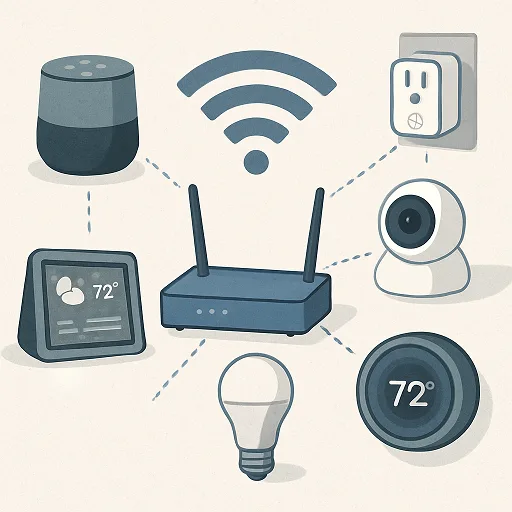
Home automation transforms offering greater convenience, security, and energy efficiency through devices such as smart lights, thermostats, security cameras and how we interact with our homes, However, at the core of every smart home system is a dependable and strong internet connection. Without it, your smart devices might work slowly, disconnect, or not function as well as they could. This article explores the internet connectivity requirements for home automation in detail, offering a full guide to help your smart home perform well in 2025. Knowing these requirements will help you create a smooth and long-lasting smart living environment whether you’re a tech lover or someone wanting to upgrade your home.
- Understanding the Importance of Internet Connectivity in Home Automation
- Key Internet Connectivity Requirements for Home Automation
- Internet Connectivity Requirements for Home Automation
- Wi-Fi Band Comparison
- Why Invest in the Right Internet Connectivity for Home Automation?
- Frequently Asked Questions
Understanding the Importance of Internet Connectivity in Home Automation
Home automation relies on internet connectivity to enable communication between devices, cloud services, and your smartphone. Smart thermostats that change the temperature and video doorbells that give instant notifications all need a strong internet connection to work well. According to Statista, by 2025, the average smart home will have between 15 and 50 devices that are connected to the internet, which shows how important it is to have a reliable internet connection now more than ever.
Many competitors usually talk about basic speed suggestions, like articles from CNET and TechRadar, but don’t go into detail about security, how well the network can handle more devices, or how it works in real life.
This article covers those topics by giving you useful tips, real examples to help you choose the best internet setup for your smart home, up-to-date trends.
Key Internet Connectivity Requirements for Home Automation
Reliable Broadband Connection
A strong and reliable broadband connection is essential for home automation.These days fiber-optic internet providing speeds of up to 1 Gbps and minimal delay is considered the best choice. Cable and DSL are viable alternatives, but satellite internet or cellular hotspots may struggle with high latency (500+ ms) or data caps, which can disrupt devices like smart security cameras.
Why it matters: Smart devices such as locks or smoke detectors need a steady connection to provide instant alerts. If the connection goes down, it can put security or how these devices work at risk.
Professional tip: Consider Starlink in rural areas at least 99.9% uptime and better satellite latency (20–40 ms) than traditional internet options.
Adequate Internet Speed
The speed of your internet connection determines how well your home automation system performs. Here’s a breakdown based on your smart home’s complexity:
- Basic setups (5–10 devices, e.g., smart bulbs, Amazon Echo): 10–25 Mbps download speed.
- Moderate setups (10–20 devices, including HD cameras): 25–50 Mbps.
- Advanced setups (20+ devices, including 4K cameras, smart TVs): 50–100 Mbps or higher.
Internet Connectivity Requirements for Home Automation
| Smart Home Type | Recommended Download Speed | Recommended Upload Speed | Devices (Examples) |
|---|---|---|---|
| Basic | 10–25 Mbps | 5 Mbps | 5–10 (e.g., Smart lights, Thermostat, Voice assistant) |
| Moderate | 25–50 Mbps | 10 Mbps | 10–20 (e.g., Smart lights, Thermostat, Security cameras, Smart TV) |
| Advanced | 50–100 Mbps | 10–20 Mbps | 20+ (e.g., Smart lights, Thermostat, 4K Security cameras, Smart TVs, Gaming consoles) |
Upload speed is critical for devices that send data to the cloud, like Nest cameras. A single 4K camera requires 5–7 Mbps upload speed, per Arlo’s guidelines. For multiple cameras, aim for 10–20 Mbps upload.
During peak usage a family with two 4K cameras, a smart doorbell, and 15 IoT devices might need 30–50 Mbps. A 100 Mbps plan ensures smooth performance.
Sufficient Bandwidth for Multiple Devices
In 2025, the average U.S. household will have 25 connected devices, according to Deloitte. Each device, from smart plugs to smart thermostats, consumes bandwidth. Collectively, they can strain your network.
Solution: Invest in a router with MU-MIMO or Wi-Fi 6 (802.11ax). These technologies reducing lag distribute bandwidth efficiently. For example, the Netgear Orbi Wi-Fi 6 supports up to 100 devices, ideal for advanced home automation.
Case study: The Johnson family in Seattle upgraded to a Wi-Fi 6 mesh system after experiencing lag with 20 devices, including Philips Hue lights and Ring doorbells. Their new setup delivers seamless performance across their 3,000 sq. ft. home.
Comprehensive Wi-Fi Coverage
Weak Wi-Fi coverage can disrupt devices far from the router, like smart sprinklers or outdoor cameras. In 2025, mesh Wi-Fi systems dominate, with brands like Eero and Google Nest Wi-Fi covering up to 4,500 sq. ft.
Key considerations:
The 2.4 GHz band provides a stronger signal, making it ideal for devices such as smart sensors that don’t need high speed. The 5 GHz band supports quicker data transfer, which is better for high-speed devices like 4K cameras. Mesh systems help by covering all areas of your home, especially in larger spaces or multi-story buildings, to avoid signal gaps.
- 2.4 GHz: Ideal for sensors and plugs with longer range and slower speed.
- 5 GHz: Ideal for cameras and TVs with shorter range and faster speed.
Actionable tip: Use a Wi-Fi analyzer app like NetSpot to identify dead zones and optimize router placement.
Wi-Fi Band Comparison
| Protocol | Frequency | Range | Data Rate | Power Consumption | Primary Use Case |
|---|---|---|---|---|---|
| Wi-Fi | 2.4 GHz, 5 GHz, 6 GHz | Medium to Long | High | High | High-bandwidth data transfer, internet access |
| Zigbee | 2.4 GHz | Medium | Low | Low | Smart home devices, low-power applications |
| Z-Wave | 800-900 MHz | Medium to Long | Very Low | Very Low | Smart home devices, security systems |
| Bluetooth | 2.4 GHz | Short | Medium | Low | Personal area networks (headphones, keyboards) |
| Matter/Thread | 2.4 GHz | Medium | Low | Low | Interoperable smart home devices |
Low Latency for Real-Time Performance
Latency affects real-time interactions, such as answering a video doorbell or issuing voice commands to Google Home. Aim for latency under 50 ms, achievable with fiber or cable connections. Satellite internet, with a latency of 500+ ms, is less suitable.
In 2025, ISPs like Verizon Fios advertise latency as low as 10 ms, making them ideal for home automation.
Robust Network Security
Smart devices making network security critical transmit sensitive data. In 2024, over 2.6 billion IoT devices faced cyberattacks, per Kaspersky.
Best practices:
- Use WPA3 encryption (or WPA2) for your Wi-Fi.
- Create a separate guest network for IoT devices to isolate them from personal devices.
- Use a VPN for secure remote access.
Actionable tip: Please make sure that your router firmware and device software are updated regularly to fix security issues.
Scalable Network Hardware
A modern router is essential for home automation. In 2025, Wi-Fi 6 routers support up to 250 devices, per TP-Link. Make sure your smart alarm system has bandwidth features such as Quality of Service (QoS), which helps give priority to important devices over those that aren’t as urgent.
Recommendation: The Asus RT-AX86U offers Wi-Fi 6 and QoS, perfect for growing smart homes.
Data Caps and Cloud Services
Devices like Wyze cameras rely on cloud services, consuming 100–200 GB monthly for 4K video. Choose an ISP with no data caps or high limits (1 TB+), like Xfinity.
Competitors rarely mention data usage for specific devices. Check your device’s specs to estimate data needs and avoid throttling.
Why Invest in the Right Internet Connectivity for Home Automation?
A robust internet connection unlocks the full potential of home automation, from energy savings to enhanced security. For example, smart thermostats can save up to 26% on energy bills, per Energy Star. Reliable connectivity ensures these savings and keeps your home secure.
Upgrade to a high-speed plan and a Wi-Fi 6 router today. Visit Xfinity or Verizon to explore plans and check Netgear for top-tier routers. Your smart home deserves the best.
Frequently Asked Questions
Q: What is the requirement opf minimum internet speed for home automation?
A: For basic setups, 10–25 Mbps is sufficient while moderate to advanced setups may need 50–100 Mbps.
Q: Can I use satellite internet for home automation?
A: Satellite internet, like Starlink, works but may have high latency. Fiber or cable is better for real-time devices.
Q: How do I secure my smart home network?
A: Set up a guest network using WPA3 encryption, and update the firmware regularly.
Q: Do smart home devices work without internet?
A: Some devices, like Zigbee-based lights, work locally, but most require the internet for remote access and cloud features.
Q: What router is best for home automation?
A: Wi-Fi 6 routers like the Netgear Orbi or Asus RT-AX86U support multiple devices and offer QoS.
