
Starting to explore home automation might seem confusing at first.
There are so many smart gadgets, technical standards, and automation terms that may be confusing due to all the complicated language.
Whether you’re looking to upgrade your first smart bulb or planning a complete smart home transformation, understanding the fundamental terminology is your first step toward success.
This comprehensive guide breaks down the basic home automation terminology and concepts that every homeowner should know. By the end of this article, you’ll speak the language of smart homes with confidence and make informed decisions about your automation journey.
Let’s dive into the essential concepts that will transform your house into an intelligent, connected home.
What is Home Automation?
Home automation is defined as the technology that allows you to control various household systems and devices remotely or automatically.
Think of it as giving your home a brain that can learn your preferences, respond to your commands, and even make decisions on your behalf.
At its core, home automation combines three key elements:
- Smart devices that can be controlled electronically
- Communication rules that let devices send and receive messages from one another
- Systems that help control and organize all the different parts. For example, picture walking into your living room as the sun sets.
A smart home that works well on its own could automatically make the lights dimmer, adjust the room’s temperature, and play your favourite music for the evening – all without you needing to do anything.
Core Components of Smart Home Systems
Smart Devices and Appliances
Smart devices are the building blocks of any home automation system. These internet-connected gadgets can receive commands, send status updates, and often learn from your behaviour patterns.
Popular smart devices include:
- Smart thermostats (like Nest or Ecobee)
- Smart lighting systems (Philips Hue, LIFX)
- Smart security cameras and doorbell cameras
- Smart locks and garage door openers
- Smart speakers and displays (Amazon Echo, Google Nest)
- Smart appliances (refrigerators, washing machines, ovens)
The beauty of smart devices lies in their connectivity. Unlike traditional appliances that work in isolation, Smart devices can talk to each other to make experiences feel smooth and connected.
Hub vs. Hubless Systems
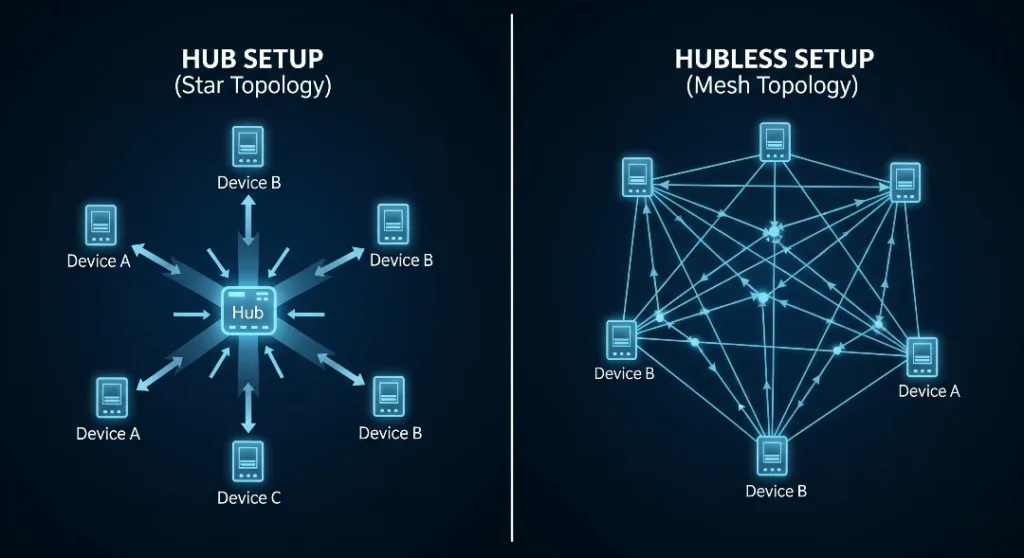
One of the first decisions you’ll face is choosing between hub-based and hubless automation systems.
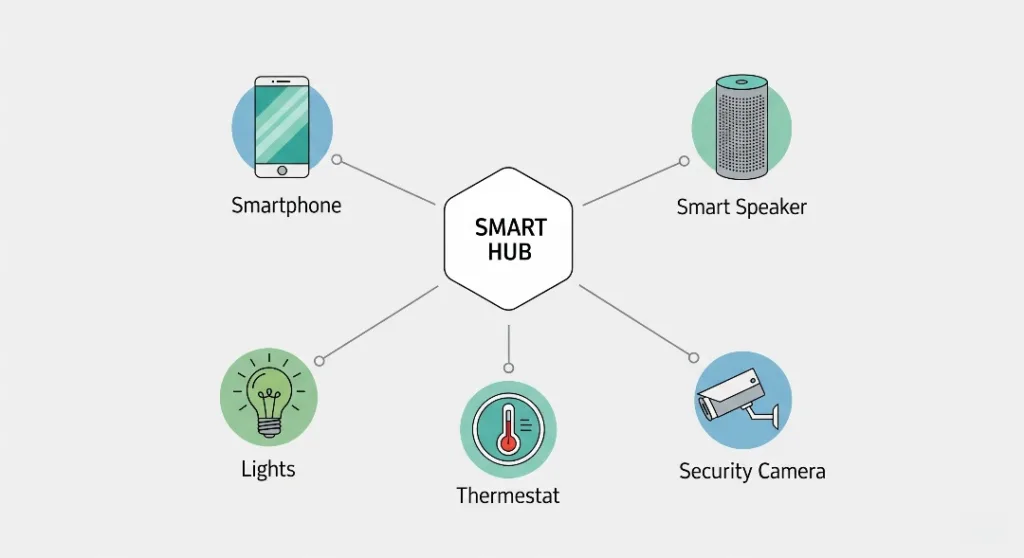
Smart hubs act as the central command centre for your home automation network. They translate different communication protocols and provide a single point of control for multiple devices.
Popular smart hubs include:
- SmartThings Hub
- Hubitat Elevation
- Wink Hub
- Apple HomeKit Hub (Apple TV or HomePod)
On the other hand, Hubless systems rely on cloud-based services or direct device-to-device communication. Many modern smart devices can link to your Wi-Fi network without needing a special hub.
Which approach is better? Hub-based systems typically offer more reliability and local control, while hubless systems are simpler to set up and often more affordable initially.
Essential Communication Protocols
Understanding communication protocols is crucial because not all smart devices speak the same language. Here are the most important ones:
Wi-Fi
Most people are familiar with Wi-Fi – it’s the same technology your smartphone uses to connect to the internet. Many smart devices use Wi-Fi because it offers high bandwidth and connects directly to your existing network.
Pros: High speed, wide coverage, no additional hardware needed. Cons: Can drain device batteries quickly, may congest your network
Zigbee
Zigbee is a low-power, mesh networking protocol specifically designed for smart home devices. It creates a self-healing network where devices can relay signals to each other.
Pros: Low power consumption, reliable mesh network, good range. Cons: Requires a Zigbee hub, with limited bandwidth.
Z-Wave
Z-Wave is like Zigbee in that it’s a mesh network protocol used for home automation. It works on a separate frequency, which helps avoid problems with Wi-Fi signals.
Pros: It has a good range, doesn’t interfere much with Wi-Fi, and is compatible with many devices.
Cons: It can cost more than Zigbee, and you need a hub to use it.rr
Bluetooth and Thread
Bluetooth is used to connect devices and control them directly, while Thread is a new type of communication system that tries to link different smart home setups together.
Smart Home Communication Protocols Comparison Chart
Note: Regional frequency allocations may vary by country/region.
Key Automation Concepts
Scenes and Routines
Scenes are pre-configured settings that control multiple devices simultaneously with a single command.
For instance, a “Movie Night” scene might:
- Dim the living room lights to 20%
- Turn on the TV and the sound system
- Close the smart blinds
- Set the thermostat to a comfortable temperature
Routines go beyond scenes by adding triggers and conditions. They can start automatically based on:
- Time of day
- Where you are (when you come home or leave)
- Changes in device status
- Voice commands
- Environmental factors like temperature or light
Trigger-condition-action model
Understanding the trigger-condition-action model is key to making good automations:
- Triggers are events that start the automation (like motion being detected, a door opening, or 7 AM arriving)
- Conditions are extra requirements that need to be true (such as only if it’s dark, or only on weekdays)
- Actions are what happen after the trigger (like turning on lights, sending a message, or adjusting the temperature)
Voice Assistants and AI Integration
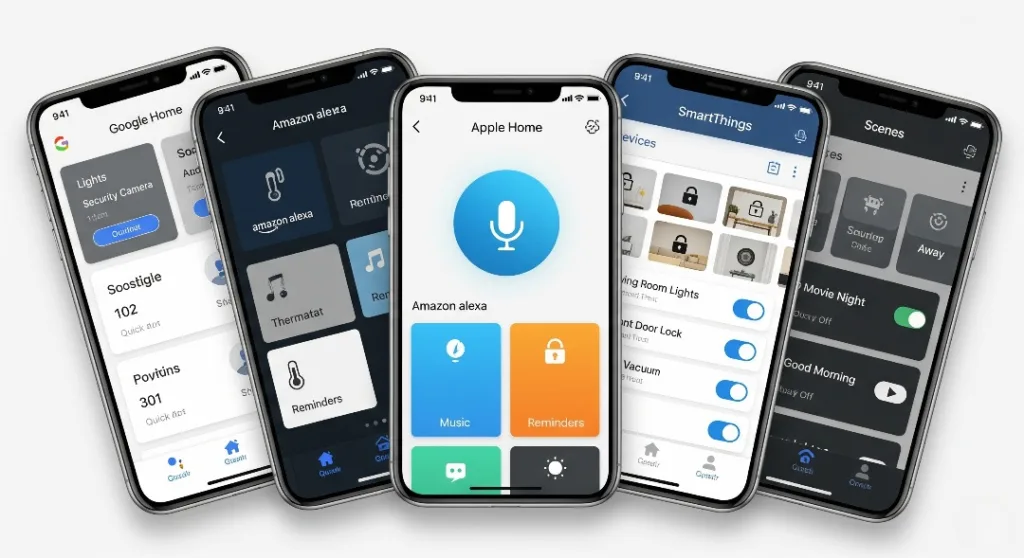
Voice assistants like Amazon Alexa, Google Assistant, and Apple Siri have changed how we use smart homes. They let you control devices and set up complex automations with simple voice commands. Modern voice assistants also use artificial intelligence to learn what you like and suggest new automations based on how you behave.
Popular Smart Home Ecosystems
Amazon Alexa
Amazon’s Alexa ecosystem is one of the largest, supporting thousands of compatible devices. It excels in voice control and offers robust automation features through Alexa Routines.
Google Home
Google Home uses Google’s AI to give smart, helpful answers and work well with Google services. It is especially good at understanding and responding to natural language.
Apple HomeKit
Apple HomeKit focuses on keeping your data private and secure by handling most commands on your device, not in the cloud.
It works smoothly with Apple products, but has fewer smart home devices that can connect to it.
Samsung SmartThings
Samsung SmartThings provides one of the most versatile automation systems, supporting almost all major smart home technologies and devices.
Threat Security
As you set up your smart home, protecting it from security threats is very important.
Here are key security ideas to consider:
Network Segmentation
A separate network for your smart devices keeps them away from your usual computer and phone networks, helping to keep your overall security safer.
Encryption and Authentication
Choose devices that use WPA3 encryption and two-factor authentication to keep your smart home network safe from unwanted access.
Regular Updates
The newest software updates help keep your smart devices working well and safe.
Getting Started: Planning Your Smart Home Journey
Start Small, Scale Gradually
The best way to set up a smart home is to begin with simple devices and add more over time. You might want to start with:
- A smart speaker to control things with your voice
- Smart lights in the rooms you use the most.
- A smart thermostat for energy savings
- Basic security devices like smart locks or cameras
Budget Considerations
Smart home technology includes devices that cost less than $20 and more expensive systems that can cost thousands. Think about how much money you save – devices that help save energy, make your home safer, or greatly improve how easy everyday life is.
Future-Proofing Your Investment
Choose devices and platforms that use open standards and have active communities of people developing them. This helps your smart home keep up with new technology as it improves..
Frequently Asked Questions
Q: Do I need a hub to start with home automation?
A: Not necessarily. Many modern smart devices can connect directly to your Wi-Fi network. A Hub usually offers more dependable performance and improved automation options.
Q: Which smart home system is easiest for beginners?
A: Amazon Alexa and Google Home are usually the best choices for new users because they are easy to set up and work with a wide range of devices.
Q: What is the cost of a basic smart home system?
A: A simple smart home setup typically costs between $200 and $500, including a smart speaker, a few smart lighting devices, and a smart thermostat.
Q: Are smart homes safe from hackers?
A: Although there are some security risks, following good habits like keeping software updated, using strong passwords, and separating your network can greatly lower the chances of being hacked.
Q: Can smart devices from different brands work together?
A: Yes, many smart devices from different brands can connect and work together using platforms like Alexa, Google Home, or SmartThings.
Conclusion
The first step to make your home smarter and more efficient is understanding the home automation terms and ideas.
Learning about smart gadgets, how they communicate, automation rules, and security is essential for any smart home setup.
The secret to a successful smart home isn’t buying every new device you see. Instead, think about what you really need, start with simple tools, and slowly build a system that makes your everyday life better.
Are you ready to start with a smart home journey?
Start by thinking about the daily tasks or comfort problems you want to fix, then pick smart devices and systems that match your needs and money.
Your future self will thank you for taking the time to learn these essentials before diving into the exciting world of home automation.
